pi-split-view
Split-view TUI extension for the pi coding agent: thinking/tool band, files dock with edit-diff subpanel, response-only transcript mode
Package details
Install pi-split-view from npm and Pi will load the resources declared by the package manifest.
$ pi install npm:pi-split-view- Package
pi-split-view- Version
1.0.4- Published
- Oct 15, 2026
- Downloads
- 636/mo · 636/wk
- Author
- revaw
- License
- MIT
- Types
- extension
- Size
- 2.1 MB
- Dependencies
- 0 dependencies · 2 peers
Pi manifest JSON
{
  "image": "https://raw.githubusercontent.com/Hugo-W/pi-split-view/main/assets/gallery-preview.png",
  "extensions": [
    "./split-view.ts"
  ]
}
Security note
Pi packages can execute code and influence agent behavior. Review the source before installing third-party packages.
README
pi-split-view
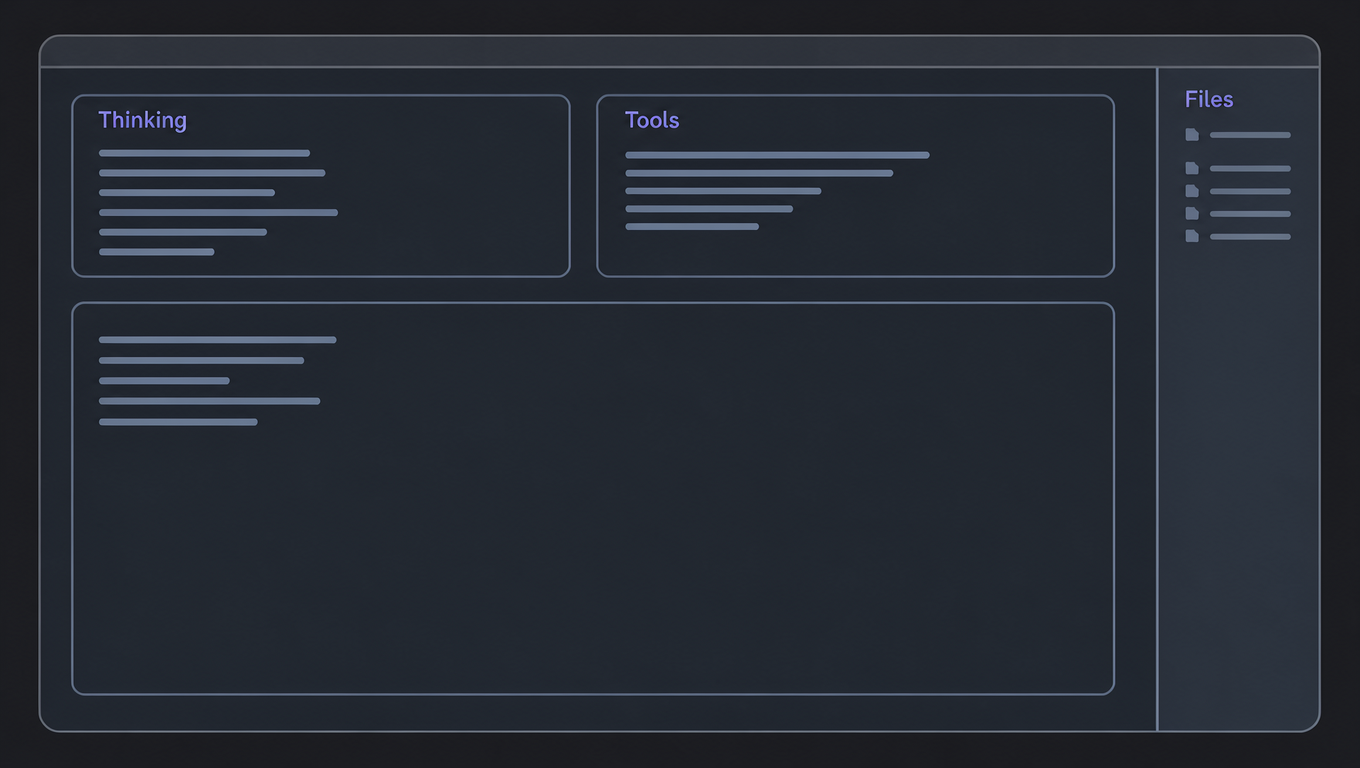
A pi coding agent TUI extension that owns the whole "split the main window" surface: a top band of live panels (thinking | tool usage), an optional right files dock with an edit-diff subpanel, and a response-only transcript mode — composed as one clean layout layer over pi's native transcript and editor.
╭ Thinking ──────────────────────────────────────╮ ╭ Tool Usage ───────────╮
│ …live reasoning stream…                        │ │ ✓ bash {"command":…   │
│                                                │ │ ✓ read  path/file.ts  │
╰────────────────────────────────────────────────╯ ╰───────────────────────╯
╭──────────────────────────────────────────────────────────────────────────╮
 transcript (or response-only view)                     ╭ Files (3) ──────╮│
 >                                                      │ w src/panel.ts  ││
─────────────────────────────────────────────────────── │ ✎ diff preview  ││
 model · context · status                               ╰─────────────────╯
Example
Features
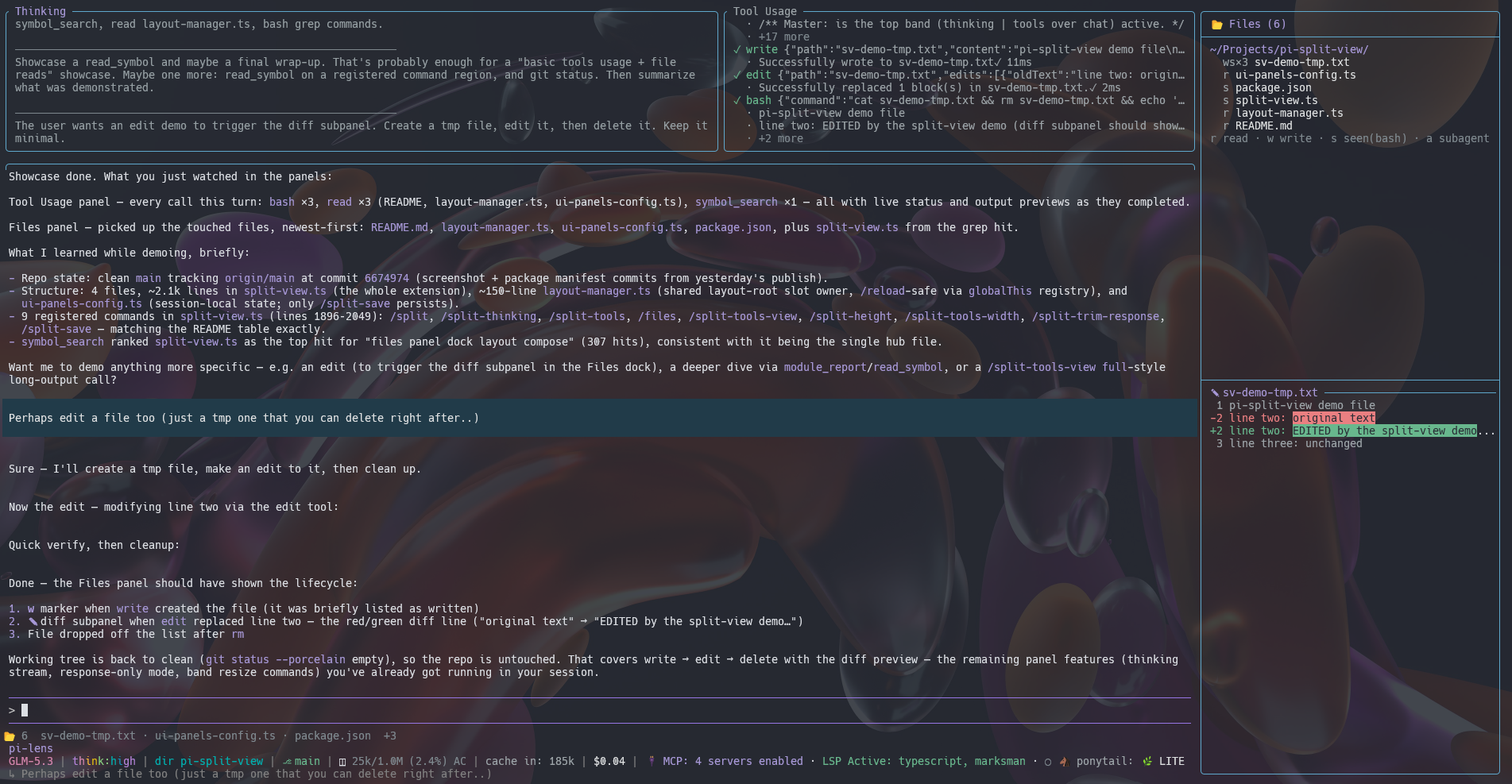
- Thinking panel — live reasoning stream (coalesced flushes, bounded buffers), newest window with full history left in the transcript.
- Tool Usage panel — every tool call with status/output preview, compact or full detail; history is rebuilt from the session branch on resume/branch switch.
- Files panel — right dock in fullscreen (or a passive overlay in regular mode) listing read/written/seen files newest-first, with a live edit-diff subpanel; a compact status widget below the editor.
- Response-only mode — swaps the transcript for a response-only ScrollView (user + assistant text, pi's own components), reusing pi's editor dock verbatim; native parity for scrollback and scroll-offset semantics.
- Measurement-safe composition — one layout layer owns the whole frame; discarded intrinsic-measure passes are O(1); panels cache on (version, width) with LRU bounding; theme changes recompose; startup composes before the first paint.
- Resize-aware geometry, display-column-correct truncation everywhere (CJK/emoji safe), bounded storage caps, and honest per-command feedback.
Commands
| Command | Effect |
|---|---|
/split |
full toggle pair: OFF = all panels off (bare pi layout), ON = the panel flags saved as startup defaults (falls back to thinking + tools if the saved layout has nothing on) |
/split-thinking |
toggle the thinking panel within the band |
/split-tools |
toggle the tool panel within the band |
/split-tools-view |
compact ↔ full tool detail |
/split-tools-width <pct> |
tools panel width as % of the band (20–60, default 35) |
/files |
toggle the files panel (dock in fullscreen, overlay in regular mode) |
/split-trim-response |
full transcript ↔ response-only view |
/split-height <n> |
band height in rows (6–40) |
/split-save |
persist the current layout as startup defaults for new windows |
Toggles are session-local by default (concurrent windows don't clobber each other); only
/split-save writes the config file. The band and the dock need pi's fullscreen mode
("tuiMode": "fullscreen" in settings); the files panel falls back to an overlay in
regular mode.
Install
The three files are plain TypeScript loaded by pi's extension discovery — no build step.
# install as a pi package (npm or git)
pi install npm:pi-split-view
pi install git:github.com/Hugo-W/pi-split-view
# try it once without installing
pi -e npm:pi-split-view

# or copy the sources into your pi agent extensions dir
cp split-view.ts layout-manager.ts ui-panels-config.ts ~/.pi/agent/extensions/
# (restart pi, or /reload if already running)
Or load it once without installing:
pi --tui-mode fullscreen -e /path/to/split-view.tsRequires the pi coding agent (full screen TUI mode recommended).
Files
split-view.ts— the whole extension: panels, buffers, commands, compositionlayout-manager.ts— shared single-layer layout ownership around pi's base rootui-panels-config.ts— validated startup-default config (~/.pi/agent/ui-panels.json)