pi-subagentura
Reusable agent workflows and observable, attachable sub-agents for the Pi coding agent
Package details
Install pi-subagentura from npm and Pi will load the resources declared by the package manifest.
$ pi install npm:pi-subagentura- Package
pi-subagentura- Version
4.1.0- Published
- Oct 25, 2026
- Downloads
- 1,504/mo · 580/wk
- Author
- lmn451
- License
- MIT
- Types
- extension, skill
- Size
- 1.5 MB
- Dependencies
- 3 dependencies · 5 peers
Pi manifest JSON
{
  "skills": [
    "./skills/pi-subagentura-debug"
  ],
  "extensions": [
    "./src/subagent.ts"
  ]
}
Security note
Pi packages can execute code and influence agent behavior. Review the source before installing third-party packages.
README
pi-subagentura


Docs ownership: this repository is the source of truth for
docs/.pi-docsis the separately published doc injector that can index these files; it does not manage or sync them.
Give the parent Pi agent one task and let it build the team. pi-subagentura adds reusable multi-agent workflows, lightweight background delegation, and real child Pi sessions you can watch, attach to, and continue in tmux, Zellij, or Herdr.
For routing-first delegation, start Pi with --orchestratorv2. The prompt
guides the parent to route clear work to attachable interactive subagents, ask
for clarification when a request is ambiguous or a narrow request has no matching
child, and leave specialist repository work to those children. Compatibility
workflow and in-process tools remain registered.
To opt into reusable workflow orchestration, start Pi with the workflow-oriented
--orchestrator mode or explicitly ask for a workflow (for example, with
/workflow). General tasks are not routed to the workflow tool automatically
when no workflow mode is selected and the user has not asked for one.
Demo
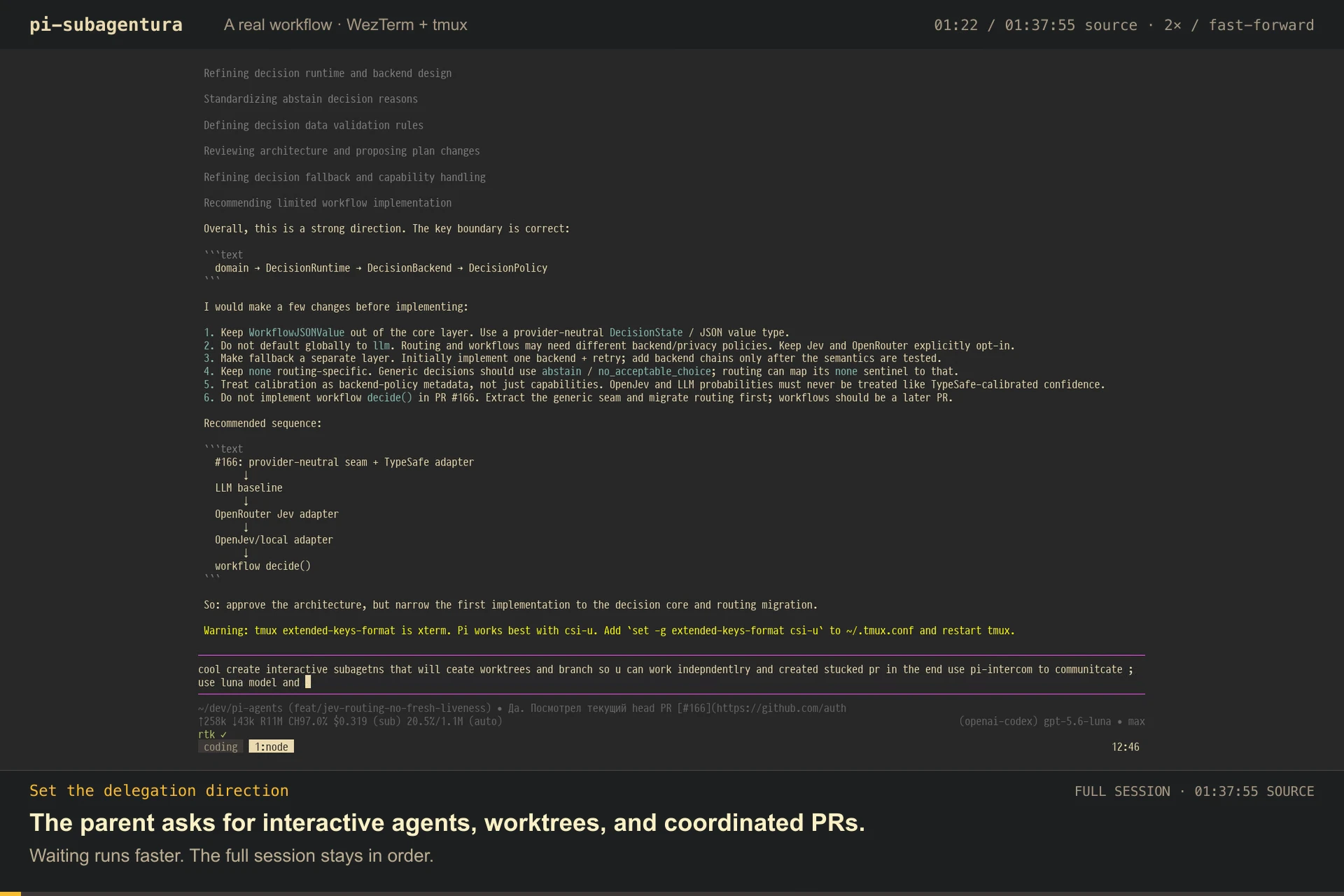
Watch a real session in WezTerm + tmux: delegate work to interactive subagents, switch between their panes, and follow their progress. The full 97:56 session plays in 8:06, with quiet stretches accelerated and English translations included.
Watch the demo · Read the English transcript
Installation
See CHANGELOG.md for breaking changes between major versions.
Pi SDK 1.2.0 or newer and Node.js 22.23.2 or newer are required.
Install globally:
pi install npm:pi-subagenturaInstall for just the current project:
pi install -l npm:pi-subagenturaTry it for a single run without installing:
pi -e npm:pi-subagenturaYou can also install directly from GitHub:
pi install git:github.com/lmn451/pi-subagenturaQuick start
For routing-first interactive delegation:
pi --orchestratorv2
Review the authentication layer across the API and database boundaries.
The parent routes work to attachable interactive subagents and asks for
clarification when a request is ambiguous or a narrow request has no matching
child. For reusable workflows, use the workflow-oriented --orchestrator mode:
pi --orchestrator
/workflow review the authentication layer
/workflows
/workflow-tree
/workflow asks the parent to create, save, and immediately run a reusable
workflow. /workflows runs saved workflows, and /workflow-tree shows live
phases, agents, and cancellation controls.
Reusable workflows
Workflow files are ordinary .mjs scripts with static metadata and a small set
of injected orchestration primitives:
agent()runs an isolated role with optional schema validation, persona, model, thinking level, phase label, and process/in-process isolation.parallel()starts independent agent thunks concurrently and waits at a barrier before continuing.pipeline()streams each item through a sequence of stages without waiting for every item to finish a stage first.phase()names progress in the TUI. Saved workflows may call another saved workflow withworkflow(name, args), with one level of nesting.
Execution is async by default: the tool returns a workflow id while Pi remains
usable, with status and results available through the UI, slash commands, and
agent tools. Workflow agents default to separate Pi processes in tmux, Zellij,
or Herdr, so they are observable and attachable; when no multiplexer is
available, the runtime falls back to in-process execution. Intermediate agent
results stay in workflow variables outside the parent model context. Only the
workflow completion enters coordinated parent delivery; the retained final
result is available through get_workflow_result.
An omitted workflow budget defaults to the finite 100_000_000_000 completed
output tokens. This is a high safety ceiling with significant cost/runtime risk,
not a spending recommendation; use a lower explicit budget when practical.
Existing agent/item caps, concurrency, timeouts, cancellation, and errors still apply.
Workflow scripts are trusted agent-authored JavaScript. The VM improves
determinism but is not a security boundary, so never run untrusted JavaScript.
Background workflow jobs are scoped to the current parent session and are
cancelled by reload, resume, quit, or a new session. Standalone attachable
interactive sub-agents use durable artifacts and survive parent reload,
resume, and quit continuity transitions. A fresh new or fork transition
cleans up their owned panes and state entries; workflow-owned interactive panes
are also cleaned up with their owning workflow.
See the workflow guide and bundled examples.
Why use it?
- Route work to attachable interactive specialists with
--orchestratorv2 - Resume interactive artifacts, routing state, pending deliveries, and receipts within the matching parent session; delivery is bounded and at-least-once, while in-process jobs and background workflows remain session-scoped
- Watch a real child Pi session and its tool activity live in tmux, Zellij, or Herdr
- Supervise a bounded recursive tree of interactive children and grandchildren
- Focus or capture a descendant pane locally, or attach from another terminal
- Inspect bounded lifecycle, recent-event, and output previews without leaving Pi
- Continue true follow-up turns without losing the child's model context
- Inspect durable per-turn outputs and lifecycle events after detach or restart
- Run lightweight sub-agents in-process or in the background
- Compare context-aware and isolated reasoning
- Poll, collect, or cancel background jobs on demand
- Build reusable review, research, migration, and conversion workflows
- Use bundled orchestration defaults for scout/plan, oracle checks, parallel review, and review loops
User commands
These commands are intended for people at the Pi prompt.
| Command | Purpose |
|---|---|
/workflow |
Create, save, and run a reusable workflow from a task |
/workflows |
Select and run a saved workflow |
/list-workflows |
Alias for /workflows |
/workflow-status |
List workflow jobs and their live or terminal status |
/workflow-tree |
Open the specialized workflow progress tree |
/subagents |
Supervise all async work (Ctrl+Alt+A) |
/delete-workflow |
Delete a saved workflow by name or picker |
/cancel-all-flows |
Cancel active jobs, workflows, and running interactive sub-agents |
Agent-facing tools
The extension registers these public tools for parent agents.
| Tool | Purpose |
|---|---|
workflow |
Run a trusted workflow script or saved workflow |
save_workflow |
Validate and save a reusable workflow |
list_workflows |
List saved workflows |
delete_workflow |
Delete a saved workflow |
get_workflow_status |
Inspect a background workflow |
get_workflow_result |
Wait for and return a workflow result |
cancel_workflow |
Cancel a background workflow |
subagent_with_context |
Delegate with the parent conversation |
subagent_isolated |
Delegate with a fresh context |
get_subagent_status |
Inspect an async in-process job |
get_subagent_result |
Retrieve current or final async job output |
cancel_subagent |
Cancel an async job |
prune_subagent_jobs |
Remove completed and failed jobs |
list_available_models |
List configured model identifiers |
get_current_pane_activity |
Check whether this Pi pane is active for user attention |
list_orchestrator_agents |
List bounded Orchestratorv2 routing metadata and runtime pointers |
update_orchestrator_agent_description |
Update a child's confirmed routing description and aliases |
subagent_interactive |
Launch an attachable Pi session in tmux, Zellij, or Herdr |
get_interactive_subagent_status |
Inspect attachable child sessions |
cancel_interactive_subagent |
Kill an attachable child pane |
send_interactive_subagent_message |
Send a follow-up while preserving child context |
list_subagent_artifacts |
List durable interactive-agent artifacts |
read_subagent_artifact |
Read lifecycle events and output snapshots |
cleanup_subagent_artifacts |
Remove expired artifact directories and stale registry entries |
Structured results
All 11 read-only tools declare an outputSchema and return typed
structuredContent while retaining their existing human-readable
content/details:
- Jobs and workflows:
get_subagent_status,get_subagent_result,get_workflow_status,get_workflow_result. - Interactive artifacts:
get_interactive_subagent_status,list_subagent_artifacts,read_subagent_artifact. - Discovery and activity:
list_available_models,get_current_pane_activity,list_workflows,list_orchestrator_agents.
Structured status, error, pending, and wait states are explicit. Terminal
results preserve exact raw output: an empty string stays distinct from the
literal "(no output)", which is only a human-presentation sentinel. Artifact
output remains sanitized and capped at 64 KiB with allowlisted metadata;
artifact listings omit task text, paths, and raw events.
Successful terminal reads through get_subagent_result,
get_workflow_result, or output-bearing read_subagent_artifact persist a
consumption receipt before returning. Receipt-storage failure blocks collection.
How it compares with other Pi sub-agent extensions
There is no single best extension; the useful distinction is what kind of control you want after delegation. This table compares the most widely used Pi sub-agent extensions as of July 2026, based on their published documentation.
| Extension | Strongest fit | Pros | Cons / tradeoffs |
|---|---|---|---|
| pi-subagentura | Work you may want to watch, attach to, or continue interactively | Combines lightweight in-process jobs with real child Pi sessions; recursive supervisor with focus, bounded capture, and subtree cancellation; tmux/Zellij/Herdr attach; mid-session follow-ups; durable per-turn artifacts; parent restart/reload rehydration; bounded workflow runner | Interactive mode requires tmux, Zellij, or Herdr and starts another process; in-process jobs and workflows do not survive parent-session replacement; workflow JavaScript is trusted code, not a security sandbox; smaller community than the alternatives below |
@adamjen/pi-interactive-subagents |
Fully asynchronous, multiplexer-native agent workflows | Dedicated panes in cmux, tmux, Zellij, or WezTerm; live status widget; interruption and session resume; custom agents; child-to-parent help requests; bundled /plan and /iterate workflows |
Child-process/multiplexer-only design with no lightweight in-process path; its help-request flow exits and later resumes the child; no documented immutable per-turn output and durable delivery-receipt protocol comparable to pi-subagentura's |
pi-subagents |
Feature-rich orchestration and automated multi-step coding workflows | Large built-in agent/workflow set; foreground and background runs; chains, parallel groups, worktrees, lifecycle artifacts, fleet UI, watchdog review, supervisor messaging, and nested delegation | Much larger configuration and tool surface; more concepts to learn; does not provide an attachable terminal session—the fleet view is an inspector inside Pi |
@tintinweb/pi-subagents |
Claude Code-style sub-agents inside Pi | Polished live widget and FleetView; foreground/background execution; steering and resume; custom agent definitions; worktree isolation; scheduling; model/tool/extension controls | Broad feature/configuration surface; UI and control stay inside the parent Pi experience rather than exposing a normal attachable child terminal; persistent sessions/artifacts are optional rather than the default source of truth |
@mjakl/pi-subagent |
A small, predictable delegation primitive | Simple tool shape; fresh or parent-seeded context; parallel calls; named persistent sessions; depth/cycle guards; rich streaming TUI | Fewer orchestration features; no background job manager or durable event protocol; no live attachable pane; a stale persistent-session lock can require manual cleanup after a killed process |
If you want multiplexer-native async agents with broader terminal support, try
@adamjen/pi-interactive-subagents. If you want the broadest orchestration
toolbox, start with pi-subagents. If you want a Claude Code-like UI, try
@tintinweb/pi-subagents. If you want the smallest conventional child-process
implementation, try @mjakl/pi-subagent. pi-subagentura is for the narrower
case where a delegated agent should remain a real session you can observe and
re-enter, while still offering cheap in-process delegation for short tasks.
Adjacent coding-agent implementations
These are not Pi extensions, so the comparison is secondary. They are useful reference points for the interaction model.
| Tool | Pros | Cons / difference from pi-subagentura |
|---|---|---|
| Claude Code subagents | Mature built-in delegation; foreground/background execution; custom prompts, models, tools, permissions, and skills; context forking; automatic or explicit routing | Subagents are normally task workers that return results to the parent; they cannot spawn subagents; direct multi-session collaboration is a separate agent-teams feature; no tmux/Zellij/Herdr attach-and-rehydrate protocol |
| Codex subagents | First-class agent threads in the app, CLI, and IDE; inspect, steer, interrupt, and switch threads; custom agent configurations; bounded nesting and concurrency controls | Part of the Codex product rather than a portable Pi extension; delegation can consume substantially more tokens; no artifact contract designed for attaching to a normal child terminal process |
| OpenCode agents | Simple primary/subagent model; automatic or explicit @ invocation; custom prompts, models, tools, and permissions; built-in parent/child session navigation |
Navigation stays inside OpenCode's session UI; no separate attachable mux pane or pi-subagentura-compatible durable artifact/delivery protocol |

Bundled orchestration defaults
The package also ships parent-only orchestration guidance for common multi-agent workflows in ORCHESTRATOR_SYSTEM_PROMPT.md. Enable it with the extension's --orchestrator flag:
pi --orchestratorThe guidance gives the parent agent reasonable default behavior when the user asks for things like:
- “review this codebase” — inspect first, then run fresh-context reviewers with focused angles
- “review my changes” — use read-only reviewers, synthesize findings, and only edit when authorized
- “plan this work” — scout relevant files, then produce a concrete implementation plan
- “check my approach” — run a context-aware oracle to challenge assumptions and drift
- “implement and review” — use one writer, parallel reviewers, and capped fix/review rounds
The defaults prefer async subagent_isolated for fresh scouts/reviewers,
subagent_with_context for oracle checks, coordinated reference manifests
instead of polling or full-output injection, and one writer at a time for
implementation. Asynchronous completion defaults to completionPolicy: "each":
each terminal record becomes immediately eligible, while records that finish
while the parent is busy coalesce into a safe-idle continuation. Related work
uses an explicit completionPolicy: "group" and caller-declared
completionGroupId; relatedness is never inferred from being launched in the
same turn or from task text. For cheap fan-out, the guidance suggests
validating model availability before using optional model overrides.
Orchestratorv2 thin-router mode
Enable the separate prompt-directed thin router with:
pi --orchestratorv2This flag appends ORCHESTRATOR_V2_SYSTEM_PROMPT.md; it does not select or
verify the parent model and does not enforce a host-level tool allowlist. Select
the intended lightweight model separately, and do not enable
--orchestrator and --orchestratorv2 together. Normal workflow and in-process
tools remain registered for compatibility, while the Orchestratorv2 prompt
directs the parent to delegate only through attachable interactive children and
use the parent session's authoritative routing ledger together with the
project-local routing cache.
Extension settings
Install the optional settings panel once with:
pi install npm:@juanibiapina/pi-extension-settingsThe extension exposes three settings: max-depth, hide-agent-list, and
telemetry. Use /extension-settings for global settings. Whether a project
value can override the global one is per-setting — see the scope rules below;
max-depth and telemetry are project-overridable, while hide-agent-list
alone remains global-only. The optional package's
/extension-settings-local command is not session-cwd-correct in the pinned
@juanibiapina/pi-extension-settings@0.9.1: it resolves local settings from
Node's process cwd instead of Pi's command context. Do not use that command for
cross-project sessions. It also still renders a hide-agent-list row, but
setting it there is a no-op because that setting is global-only. For a
session-local max-depth or telemetry, edit
<session-cwd>/.pi/settings-extensions.json manually, using the exact cwd of
the Pi session. max-depth controls Orchestratorv2 lineage depth and defaults
to 2; hide-agent-list defaults to false and only hides the compact
per-agent activity widget rows. telemetry controls anonymous product
analytics, defaults to the string "true" (enabled), and is
project-overridable. Persisted telemetry values must be "true" or
"false".
The running footer, list/status tools, and visual agent supervisor remain available.
All three settings can also be configured without the panel. The global file
~/.pi/agent/settings-extensions.json accepts these keys:
{
  "pi-subagentura": {
    "max-depth": "4",
    "hide-agent-list": "true",
    "telemetry": "false"
  }
}
The project-local file <project>/.pi/settings-extensions.json is read for
max-depth and telemetry; hide-agent-list remains global-only:
{
  "pi-subagentura": {
    "max-depth": "6",
    "telemetry": "true"
  }
}
Here <project> must be the authoritative Pi session cwd. When no
authoritative cwd is available, only the global file is read; the extension
never uses Node's process cwd for a local lookup.
Scope rules:
max-depthis read project-local first, with the global file as fallback.hide-agent-listis read only from the global file. A checked-out repository must not be able to hide agent activity from whoever opens it, so a project-localhide-agent-listis ignored.telemetryis read project-local first, with the global file as fallback, and defaults to"true"when neither scope supplies a valid value. Both persisted values are authoritative at project scope: local"true"and local"false"each override the global value.
An invalid persisted value never aborts a session. Every global or project
file that is read is validated; malformed files or values are reported without
exposing file contents, the invalid candidate is ignored, and resolution
continues to the next applicable scope or documented defaults (max-depth 2,
hide-agent-list false, telemetry "true"). The extension reports the
ignored setting in the TUI at the start of a root session, and to the debug log
otherwise.
Telemetry configuration has three source families: environment variables, persisted extension settings, and launch flags. The extension also exposes these validated launch flags for advanced configurations:
--subagentura-max-depth <n>— overridemax-depthfor the current run; legacy orchestration keeps its existing depth of8. Unlike the persisted setting, an invalid value here fails fast.--subagentura-hide-agent-list— forcehide-agent-liston for the current run without changing the persisted global setting. It also works without the optional settings panel. The flag is on-only: it cannot override a persistedhide-agent-listoftrue, so to show the rows again clear the global setting.--subagentura-telemetry— presence-only boolean flag, enabled by default; it is not an opt-out and does not bypass persisted telemetry precedence.--no-subagentura-telemetry— presence-only opt-out for anonymous product analytics. The exact events and other opt-outs are documented in Anonymous product telemetry.
Telemetry precedence is explicit: environment opt-outs and the
presence-only --no-subagentura-telemetry flag are evaluated first and cannot
be overridden. If neither applies, persisted telemetry resolves from the
project-local value, then the global value, then the default "true". A
project-local telemetry: "true" deliberately overrides a global persisted
telemetry: "false"; local "false" likewise overrides global "true".
See the thin-router flow
A small real-session story: open the parent replay to see one user talking with a lightweight Orchestratorv2 parent while it fans work out to many attachable child sessions. The highlighted spawn point shows the thin router creating a second Pi session for the reusable workflow-child work.
Open the child-session replay to see that child session create two interactive specialists—a recovery-safety reviewer and a package/API reviewer—and supervise their work in its own conversation.
This is the core v2 model in miniature: you can keep talking with the orchestrator, or attach and talk directly with a child. Children can create and supervise their own descendants, while important outcomes flow back through the child and the parent’s existing artifact and notification paths. The replay annotations mark the parent-to-child handoff and the two specialist launches.
Replays generated with vibe-replay, an interactive replay and sharing tool for AI coding sessions.
The v2 prompt gives the parent a lightweight routing role: it routes clear work to attachable interactive subagents, can split broad requests across specialists, and asks for clarification when a request is ambiguous or a narrow request has no matching child. The parent is instructed to leave specialist repository work to those children; this is prompt guidance, not an enforced routing boundary.
For interactive children in the matching parent session, artifacts, routing state, pending deliveries, and receipts persist and rehydrate across same-session restart, reload, and resume paths. Delivery is bounded and at-least-once; in-process jobs and background workflows remain session-scoped.
Orchestratorv2 adds exactly two routing-metadata tools:
list_orchestrator_agents and update_orchestrator_agent_description.
Confirmed records include explicit provenance: user or orchestratorv2.
Responsibility updates use a server-issued, single-use confirmation token bound
to the exact payload, current session generation, and a later user message; a
model-supplied confirmed: true is not sufficient by itself.
The parent session's current branch is the authority ledger. Every approved top-level spawn and confirmed update persists the bounded project-local record first, then appends an exact versioned parent custom entry. On reload/resume, the latest valid authority entry for each child is selected by physical branch order. Those parent entries are the sole trusted/actionable source; the project file is only untrusted cache/proposal data and may be missing, stale, malformed, or over capacity. Cache-only or mismatched rows may be shown as non-actionable diagnostics, but they never gate actionability, capacity, confirmation CAS, or repair writes. Missing cache rows do not erase valid parent authority.
When no valid parent authority exists, cache metadata remains visible only as non-actionable metadata with a closed-enum untrusted reason. Approved writes rebuild the cache from the latest parent authority plus the incoming record, so forged cache rows cannot consume the 128-record capacity or become authoritative.
The parent-entry ledger is an application-level boundary, not an OS security boundary: a same-UID process that can tamper with the parent session file can forge parent entries. This limitation is intentional and documented; the ledger does not claim to defend against arbitrary same-UID session-file tampering. Routing metadata is never a lifecycle registry or semantic resolver.
The interactive runtime launches before its initial routing metadata is persisted. If persistence fails, the child intentionally remains live and the spawn result includes an explicit warning; the extension does not cancel, roll back, replace, or respawn that child. Capacity exhaustion fails closed without evicting or deleting metadata.
Interactive children retain subagent_interactive and may autonomously create
nested children without top-level approval. Nested children belong to the
immediate child session and are not automatically actionable in the top-level
Orchestratorv2 routing registry; their important outcomes return through that
child or the existing artifact and notification paths.
Cancellation context snapshots (opt-in)
Cancellation snapshots are disabled by default. To enable bounded snapshots before parent-initiated cancellation, set:
SUBAGENT_CANCEL_SNAPSHOT=full piIn-process sub-agents write a private atomic JSON snapshot of the canonical active branch plus bounded partial streaming state. Interactive/process sub-agents write a private manifest that points to their already-persisted Pi session JSONL and artifact files; the transcript is not duplicated. Cancellation results expose receipt paths and errors, never snapshot contents.
Optional configuration:
SUBAGENT_CANCEL_SNAPSHOT_DIR— override the private snapshot root. The directory and files are created with0700/0600permissions.SUBAGENT_CANCEL_SNAPSHOT_MAX_BYTES— maximum raw in-process snapshot size. The default is1048576bytes (1 MiB); accepted values range from4096bytes to16777216bytes (16 MiB). Invalid values use the default. Oversized snapshots preserve as much context as fits and record explicit truncation/error metadata.
Snapshots use schema version 1, temp-file + rename writes, deterministic per-session/job paths, and idempotent receipts so overlapping cancellation and shutdown paths do not duplicate files. They may contain sensitive prompts, tool arguments, and model output; keep the snapshot directory private and do not commit it.
Tools
subagent_with_context
Starts a sub-agent with the parent's canonical projected conversation included
in its prompt. The extension passes buildSessionProjection().messages
directly rather than serializing raw branch entries.
Parameters:
task— required task for the sub-agentpersona— optional system-style personamodel— optional model override likeanthropic/claude-sonnet-4-5cwd— optional working directory overrideasync— run in background; returns a jobId immediately instead of blockingcompletionPolicy— async completion coordination:"each"(default) or"group"; group errors are eligible before the barrier, while success and cancellation wait for itcompletionGroupId— caller-declared named group ID required withcompletionPolicy: "group"; safe 1–128 character ID shared by related jobs (max 32 members per group, 512 groups per parent session)maxAge— optional integer TTL in milliseconds for async completed-job retention (0–2,147,483,647). Omitted or0retains results indefinitely; a positive TTL removes ordinary terminal results when it elapses, while an uncollected coordinated result stays protected and is removed when collected after expiry (or when its TTL later elapses).
Best for:
- review tasks that depend on prior discussion
- continuing a line of reasoning in parallel
- focused implementation or research using the current context
- background side-quests that report results later
subagent_isolated
Starts a sub-agent with no inherited conversation history.
Parameters:
task— required task for the sub-agentpersona— optional system-style personamodel— optional model override likeanthropic/claude-sonnet-4-5cwd— optional working directory overrideasync— run in background; returns a jobId immediately instead of blockingcompletionPolicy— async completion coordination:"each"(default) or"group"; group errors are eligible before the barrier, while success and cancellation wait for itcompletionGroupId— caller-declared named group ID required withcompletionPolicy: "group"; safe 1–128 character ID shared by related jobs (max 32 members per group, 512 groups per parent session)maxAge— optional integer TTL in milliseconds for async completed-job retention (0–2,147,483,647). Omitted or0retains results indefinitely; a positive TTL removes ordinary terminal results when it elapses, while an uncollected coordinated result stays protected and is removed when collected after expiry (or when its TTL later elapses).
Async spawn results describe the selected coordinated behavior.
Best for:
- second opinions
- clean-room summaries
- avoiding context contamination from the parent session
- background analysis without polluting the main conversation
Async Workflow Tools
When you spawn a sub-agent with async: true, it returns a jobId
immediately and runs in the background. The coordinated default is
completionPolicy: "each": terminal records become independently eligible
immediately, and records that finish while the parent is busy coalesce into one
safe-idle continuation rather than a burst of turns. A related group is formed
only when the caller explicitly selects completionPolicy: "group" and supplies
a shared completionGroupId; same-turn launch or task text never infers a
group. The default reports compact result references rather than injecting full
output, so you usually do not need to poll. Use these tools only when the user
asks for status or explicit collection, when a job appears stuck, or when manual
follow-up is needed:
Background jobs are scoped to the current parent session. This includes both
async: true sub-agent jobs and jobs started by the workflow tool. They are
cancelled on /reload, /resume, quit, and /new; their in-memory registries
are not rehydrated into the next parent context. Interactive sub-agents are
different: their mux panes and artifact-backed registry can survive reloads and
restarts as described in Interactive Sub-agent Tools.
get_subagent_status
Poll an async subagent job by jobId. Returns a live preview of the subagent's current turn, active tool, and partial output.
Parameters:
jobId— required job ID returned by the async spawn
get_subagent_result
Retrieve an async subagent job's current or final result and usage summary. A running job returns immediately unless explicit bounded waiting is requested. Successfully retrieving a terminal result consumes its pending coordinated delivery, so it is not sent again automatically.
Parameters:
jobId— required job ID returned by the async spawnwait— optional; set totrueto wait for a running jobtimeoutMs— optional wait timeout from 1 to 300,000 ms; defaults to 30,000 ms
cancel_subagent
Abort a running async subagent job by jobId.
Parameters:
jobId— required job ID returned by the async spawn
prune_subagent_jobs
Remove all completed and failed subagent jobs from the registry. Running and cancelled jobs are preserved.
Interactive Sub-agent Tools
Observability and attachability are the primary design goals of interactive sub-agents—not debugging afterthoughts. Each child is a separate Pi process in a tmux, Zellij, or Herdr pane: watch it live, focus it from the current mux, attach from another terminal, or send follow-ups through the parent while preserving child context. If the parent is outside a mux, the child starts in a detached session and returns an attach command. The pane is the live view; durable artifacts are the source of truth.
subagent_interactive
Starts a separate interactive pi process in a tmux, Zellij, or Herdr pane and returns immediately with:
- sub-agent id
- pane id and mux backend (tmux, zellij, or herdr)
attachcommand (works from outside the mux session)focuscommand (works from inside the same mux session)- child Pi session file path
- artifact directory (events.ndjson + output.md)
- the window/tab name (in background mode) so you can find it in your mux UI
Parameters:
task— required initial taskname— optional display name for the pane/sessionpersona— optional system prompt appended to the child sessionmodel— optional model overridecwd— optional working directoryincludeContext— context mode selector:trueincludes the canonical parent session projection (including omission and replacement edits);falsepermits an explicitcontext; omitting both fields keeps the legacy independent modecontext— optional explicit handoff whenincludeContext: false; capped at 64 KiB and never concatenated with the parent branchroutingDescription— bounded responsibility persisted for top-level Orchestratorv2 routing; required by Orchestratorv2 policy and rejected outside that top-level moderoutingAliases— optional bounded exact aliases for the responsibility; requiresroutingDescriptionmux— optional backend:"auto"(default),"tmux","zellij", or"herdr". Auto prefers a Herdr-managed pane (HERDR_ENV=1), then the attached Zellij/tmux environment, and finally an installed tmux or Zellij detached-session backend. Explicit choice forces that backend. Herdr mode requires Pi to be running inside a Herdr pane and preserves its exact socket path for reload/rehydration.background— spawn in a detached named window/tab (invisible) instead of a visible horizontal split. Defaulttrue— your mux layout is undisturbed and you can attach later with the returnedfocuscommand. Passbackground: falsefor a side-by-side split you can watch in real time.completionPolicy—"each"(default) or"group"; group errors are eligible before the named barrier, while success and cancellation wait for itcompletionGroupId— caller-declared named group ID required withcompletionPolicy: "group"; safe 1–128 character ID shared by related agents (max 32 members per group, 512 groups per parent session)
The spawn result describes the selected coordinated behavior.
The sub-agent's artifact contains protocol-v2 events.ndjson, mutable
output.md staging for an active turn, and immutable
outputs/<eventId>.md terminal snapshots selected by turnId. Unsupported
protocol-v1 artifacts are left untouched but are not readable by this runtime.
- Interactive children also have
get_current_pane_activity, which reports whether their tmux or Zellij pane is active for the user's current client. Herdr exposes server-global focus but no stable public attached-client proof, so its activity result remains neutralunknownrather than claiming user attention. Only children launched directly by a top-level Orchestratorv2 session receive protocol guidance to check this before tools or extensions that may wait for user input. Other children and parent sessions receive the neutral activity result without changing their user-attention behavior.
The standalone interactive sub-agent registry state survives parent reloads and restarts. When spawned,
a per-(cwd) state file is written to <cwd>/.pi/subagentura-state.json.
Standalone interactive registry state and panes behave across these lifecycle actions as follows:
| Action | State file | Panes | Rehydrated next start? |
|---|---|---|---|
Ctrl+D (quit) → restart with --session/-r |
Kept | Preserved | ✅ Same session, parentSessionId matches |
Ctrl+D → fresh pi (no session) |
Kept | Preserved | ❌ Different session, no match |
/reload |
Kept | Preserved | ✅ Same session |
/resume (switch to another session) |
Kept | Preserved | ✅ If parentSessionId matches |
/new |
Deleted* | Tracked panes targeted* | ❌ Clean slate |
/fork |
Kept (owned entries removed) | Tracked panes targeted | ❌ Fresh fork does not rehydrate prior state |
Note:
/newdeletes the whole state file when no other started session scope remains./forkremoves entries owned by the old parent while preserving unrelated entries. Both transitions can only stop panes known to active in-memory registries; children hidden by an unreadable or unsupported state file may remain alive. These are destructive transitions, not recovery steps. If you do/newand then/resumethe old session, its deleted records will not reappear./reloador restarting with the same session can preserve and rehydrate only state supported by the loaded version.
On /reload and /resume, the session_start handler rehydrates
the in-memory registry, filtering by parentSessionId so only subagents
created in the current session are restored. Protocol-v2 byte cursors, pending
delivery intents, receipts, coordinated policy, and group membership are
restored. Recovered groups are sealed before polling begins. Parent-session
completion and consumption entries reconcile notices and manifests so reload
does not unconditionally replay already-delivered work.
Implementation details for crash-safe ordering and delivery recovery are in the state-file invariants in the source repository.
Unified async supervisor and recursive children
Run /subagents or press Ctrl+Alt+A to open the portable async supervisor.
It combines standalone async in-process jobs, workflow jobs and their agent
records, and the persisted lineage of interactive children and grandchildren.
/workflow-tree remains available as a specialized workflow-only view.
The supervisor uses a subtle theme-colored dither texture to simulate a dimmed
backdrop behind its modal controls; terminal cells do not support true blur.
Standalone jobs are owner-scoped to the current parent session. Expanding a
workflow shows its recent agent attempts, phases, usage, and bounded omission
counts. Agent records are observational; cancelling the workflow signals its
in-flight agents. Interactive lineage can include descendants created from
different working directories. Interactive
children receive a minimal child runtime that can launch more interactive
children, but does not register in-process or workflow orchestration tools.
Recursion is bounded by the active orchestration policy: legacy orchestration
retains its depth of 8, while Orchestratorv2 defaults to depth 2 and can be
configured with max-depth. Both policies also cap the tree at 256 live
lineage nodes; manifests of exited agents are pruned so a long-lived session's
all-time spawn total never exhausts the budget. The supervisor shows active,
actionable work only. Cancelled, completed, malformed, orphaned, cyclic, and stale entries remain
available through retained artifacts but are hidden from the overlay. A footer
line reports how many nodes were hidden and why, whether the view is truncated,
and whether lineage refresh is failing, so hiding is never silent. Subtree
cancellation walks the raw lineage manifests rather than the displayed tree, so a
descendant past the depth or node cap is still cancelled and reported.
The overlay supports these controls:
| Key | Action |
|---|---|
↑/↓, j/k |
Select an async job, workflow, or interactive lineage node |
Enter/→ |
Expand type-specific activity, usage, agent records, or bounded artifact details |
x |
Cancel the selected running item; workflow and in-process cancellation propagates to owned agents |
v |
For interactive agents, capture a bounded terminal snapshot through tmux/Zellij/Herdr |
n |
For interactive agents, open the optional native tmux popup or Zellij floating viewer; Herdr has no native overlay |
f |
For interactive agents, focus the persisted pane/window; Herdr uses native pane.focus |
a |
For interactive agents, show the terminal-scoped attach command; Herdr uses herdr terminal attach <terminal-id> |
X |
For interactive agents, confirm and cancel an actionable subtree deepest-first |
r |
Refresh registries, lineage, and pane liveness |
q/Esc/Ctrl+Alt+A |
Close the overlay without stopping agents |
Known Herdr limitation: the supervisor's optional n action cannot open
arbitrary content in a Herdr-native overlay. Herdr currently exposes overlay and
popup panes through installed plugin entrypoints rather than a generic public
viewer API, so pi-subagentura does not add a hidden plugin dependency. Bounded
capture (v), native pane focus (f), terminal attach commands, messaging,
status, and cancellation continue to work normally. Herdr's returned focus and
attach commands use the stable terminal ID rather than a transient pane ID.
Interactive row prefixes identify whether the item came from the live [registry]
or persisted [lineage]. Expanding a row shows its owner, root and parent IDs, cwd,
artifact directory, and Pi session file. A cancelled row disappears immediately.
Before pressing f, expand the selected interactive row to see its native return
hint. With default keymaps, tmux uses prefix + ; for a split pane or prefix +
l for a detached window. Zellij uses Ctrl+p, then p for a split pane or
Ctrl+t, then Tab for a named tab. Herdr's supervisor f uses the native
pane.focus API; its returned focus/attach command is the truthful
herdr terminal attach <terminal-id> command.
Terminal capture is bounded by both bytes and lines. Expanded interactive artifact details read only regular files and bound lifecycle-event reads to 8 KiB, output reads to 4 KiB, and displayed previews to 512 characters. Direct interactive children remain in the root registry, while descendant completion delivery remains owned by the Pi session that spawned that descendant. Cancelling a descendant therefore does not inject its completion into the root session, and cancellation preserves its artifact directory for later inspection.
Sub-agent completion protocol
Every interactive child runs protocol-only Pi lifecycle hooks and therefore
requires Pi SDK >=1.2.0. before_agent_start creates a provisional
turn, the first turn_start binds it to the persisted Pi user-entry id, tool
hooks record activity, and agent_settled records the authoritative completion
after retries, compaction, and queued continuations. When Pi accepts Enter while
streaming, it treats the message as steering inside the current agent run and
does not emit another before_agent_start. The child protocol therefore detects
the newly persisted steering user entry before its provider request and starts a
distinct artifact turn for it. The explicit CLI remains supported:
"${ARTIFACT_DIR}/cli.mjs" done 0       # success — parent reads the literal output.md path baked into the child prompt
"${ARTIFACT_DIR}/cli.mjs" error "msg"  # unrecoverable failure
# 'cancelled' is only set by the parent via cancel_interactive_subagent
The explicit completion command is mandatory for every initial and follow-up
turn. The child must complete these steps in order: write the final result to
output.md, run cli.mjs done 0, wait until exactly one completion event is
recorded successfully, then send its final assistant response. The command must
be the final tool call of the turn. If it fails to execute, the child must not
finalize; it fixes the failure and retries until completion is recorded. The
child lifecycle hook at agent_settled is a crash-safety fallback, not a
substitute for the explicit command. The system prompt, initial task footer,
and every injected follow-up prompt repeat this requirement so the command
remains the model's most recent instruction.
At each child turn start, mutable output.md is atomically reset without
touching earlier snapshots. Before each completion event, the current staging
file (including an empty file when the turn wrote nothing) is copied atomically to
outputs/<eventId>.md with byte count and SHA-256 metadata. Events are consumed
in physical NDJSON byte order; timestamps are display-only. The runtime accepts
protocol-v2 events and immutable turnId snapshots only. Existing protocol-v1
logs and numeric output-N.md files are left untouched but are not readable here.
See the protocol-v1 compatibility inventory for the current breaking-removal status and user-data behavior.
Immutable snapshots are limited to 1 MiB. The parent and generated child CLI
check the staging file size before reading it. If output.md exceeds the limit,
the completion is still recorded with outputError.code = "output_too_large"
and its observed byte count, but no immutable snapshot is created. The
coordinated manifest therefore has no snapshot reference. No completion path
injects mutable output into the parent context. The staging file remains available
for manual inspection in the artifact directory.
Coordinated completion delivery
Coordinated delivery is the default for asynchronous in-process jobs, interactive agents, and background workflows. It separates the human channel from the parent-model channel:
- Every parent-visible standalone
done,error, orcancelledcompletion, plus every background workflow aggregate completion, appends one deterministicsubagentura-completionentry rendered in the TUI. This entry is excluded from LLM context, and event replay does not append it again. Workflow-owned child turns remain visible through workflow progress but do not publish directly. - The parent model receives one bounded, hidden
subagent-manifestcontaining statuses and references—not child output. Interactive records point to the immutableoutputs/<eventId>.mdsnapshot when available plusevents.ndjson; legacy artifact fallback is not supported. In-process and workflow records point toget_subagent_resultandget_workflow_result. - A ready manifest attaches to a pending human-initiated turn when possible. Otherwise Pi receives one triggered follow-up after the parent is safely idle. Human prompts and steering always take priority.
completionPolicy controls readiness:
"each"(default) makes every independent result eligible immediately. Results that finish while the parent is busy are coalesced into one manifest at the next safe-idle dispatch; this is the default independent-delivery behavior."group"requires the caller to provide one shared, explicitcompletionGroupId. Same-turn launch and task text do not infer relatedness. Register all members before the spawning parent turn settles; settlement seals the group and rejects late members. Error records bypass the group barrier and become eligible for model delivery before the group completes; this does not complete the group. Successful and cancelled results remain gated until every registered member is terminal. Per-member TUI notices still appear immediately, while busy-parent manifests wait for a safe-idle dispatch. An entirely consumed group does not trigger an empty turn.
A named group is advanced cross-call control. A group supports at most 32 distinct source:sourceId members, with at most 512 groups per parent session. completionGroupId is 1–128 characters and must match [A-Za-z0-9][A-Za-z0-9._:-]*. A source can satisfy a group only once; later turns from the same source/group are delivered independently as each.
The completion coordinator owns readiness, group barriers, TUI notice persistence, and compact manifest construction. When an idle manifest is ready, it passes through sendCompletionTurn with the actual parent streaming state. Non-v2 modes fall through to Pi's native sendMessage; idle Orchestratorv2 records its wake request, sends the hidden subagent-manifest with triggerTurn:false, then sends a separate hidden custom message of type orchestratorv2-completion-wakeup with triggerTurn:true and details.orchestratorV2WakeId. This native custom wake is not a synthetic user message. A streaming parent keeps Pi's native follow-up behavior.
Wake state is process-global because Pi can load delivery and lifecycle extension graphs as separate module instances. before_agent_start acknowledges only a message with messageType:"custom", custom type orchestratorv2-completion-wakeup, and details.orchestratorV2WakeId matching the active wake ID; natural user messages and unrelated custom messages cannot acknowledge it. The request/acknowledgement ledger types and schema are unchanged. A missing run start receives at most three wake attempts separated by a 30-second watchdog, while durable acknowledgement writes retry at most three times with a one-second delay. Session replacement and shutdown clear both timers; reload/resume recover only delivered, unacknowledged wakes from the active parent branch. Coalescing and human-input priority are unchanged.
Successful terminal retrieval through get_subagent_result,
get_workflow_result, or read_subagent_artifact with output consumes the
matching pending record before returning it. Automatic and manual delivery share
the same receipts, so a consumed record is suppressed from normal subsequent
dispatch. This is not an exactly-once delivery guarantee: a crash around parent
dispatch can still replay a manifest as described below.
Workflow-owned process or in-process children never publish directly; only the
background workflow aggregate completion participates in coordinated delivery.
Interactive coordinated policy, group membership, and intents survive
same-session startup/reload/resume through .pi/subagentura-state.json and
parent session entries. Manual consumption first persists its receipt to a
private, session-scoped ledger beneath the parent Pi session directory, then
best-effort mirrors it into a parent session entry. If the ledger write fails,
result collection fails before the mirror is attempted; lifecycle retirement
has a separate best-effort path. In-process jobs and background workflows
remain parent-session scoped and are retired on session replacement. new and
fork do not import prior completion work.
Parent delivery fails closed behind durable notice storage. If appendEntry
fails, the notice remains pending and the manifest is withheld; later coordinator
activity retries without a tight loop. If the entry was written before an
exception, session-entry reconciliation prevents a duplicate. Deterministic
identities prevent routine replay, but Pi's synchronous sendMessage proves
dispatch rather than durable commit, so a crash in that separate window can still
replay a manifest.
Consumption-receipt persistence
Manual result consumption first appends its receipt and calls fsyncSync in a private,
session-scoped NDJSON ledger beneath the parent Pi session directory, outside
the project working tree. The path is keyed by the parent session identity and
is not shared across sessions. After the ledger append succeeds, the
coordinator best-effort mirrors the receipt into a parent session entry. A
ledger write failure blocks result collection even when appendEntry is
available; lifecycle retirement has a separate best-effort path. A partial
manager without a session directory uses a random process-private temporary
root and does not claim restart durability.
Readers take a fixed snapshot and enforce total byte, record-count, line,
identifier, and selector bounds. An over-budget or truncated snapshot is ignored
and advances to its end; this deliberately risks a duplicate manifest instead of
letting unchecked file data consume or retire trusted completions. Turn-scoped
receipts require the exact turnId, so source-only receipts cannot suppress
later interactive turns. Reconciliation resumes from the bounded high-water
mark for receipts appended afterward.
Session shutdown clears live coordinator state and records lifecycle
retirements: non-interactive session-scoped work is retired, while interactive
state and receipts remain eligible for same-session reload, resume, or restart.
/new and /fork also retire interactive work and do not import prior
completion work. Cleanup does not truncate or delete protected consumption ledgers,
so old private files can remain after a replacement session starts.
get_interactive_subagent_status
Lists tracked interactive sub-agents, attach/select commands, and session paths. It intentionally does not capture pane output to avoid consuming model context.
Parameters:
jobId— optional interactive sub-agent id; omit it to list all tracked sessions
cancel_interactive_subagent
Kills the mux pane for an interactive sub-agent by id. Writes a cancelled
event and immutable output snapshot before killing the pane, so artifacts remain
self-describing. The tool result acknowledges the cancellation to the parent.
Under coordinated delivery, cancellation also creates one TUI-only terminal
entry and satisfies an all-terminal group barrier; any later manifest contains
only the bounded cancellation reference.
Parameters:
jobId— required interactive sub-agent id returned bysubagent_interactive
send_interactive_subagent_message
Sends a follow-up prompt to a running or idle interactive sub-agent by id. The message is delivered into the child's existing REPL via the sub-agent's mux backend (tmux send-keys or zellij write-chars + write 13), so the child's model context is preserved — this is a true follow-up turn, not a fresh spawn.
Every persisted user entry produces a distinct artifact turn and immutable
completion snapshot. An idle follow-up resets future delivery to independent
each. A source can satisfy a completion group only once, so later turns from
that source/group are also delivered independently as each, even when steering
retained the active turn's persisted group metadata.
Workflow-owned children reject follow-ups until the workflow has consumed the
current result and the pane is idle. The first successful follow-up then promotes
the pane to standalone. The child calls cli.mjs done 0 again when finished.
The tool refuses to send if the sub-agent is not registered, is neither running
nor idle, remains workflow-owned, or the mux rejects the send call. Each failure
returns a structured isError: true result.
Parameters:
id— required sub-agent idmessage— required follow-up prompt text
list_subagent_artifacts
Lists all known interactive sub-agents: id, name, status, artifact directory, and last-update timestamp. Use this to discover sub-agents that finished while the parent was away.
read_subagent_artifact
Reads a sub-agent's protocol-v2 lifecycle events and, by default, the output for
the latest turn in physical event order. A completed turn returns its immutable
snapshot; a running turn returns its current staging output.md, even when an
earlier turn has completed. Empty or missing current staging never falls back to
an earlier snapshot.
For a selected terminal error, the model-facing response includes a separate
status and explicitly untrusted diagnostic, even when the immutable snapshot is
empty. The recorded errorMessage or message is passed through without parsing
or credential redaction; provider diagnostics may include credential-shaped text.
Markup delimiters are escaped before insertion into the wrapper, and the
diagnostic is capped at 512 UTF-8 bytes including any truncation marker. The
boundary labels the text as data but
is not a prompt-injection defense. Existing snapshot output sanitization,
snapshots, manifests, and telemetry are unchanged.
since filters only the returned events, not output selection. A successful read
that returns a terminal snapshot consumes that turn's pending coordinated
delivery; staging and events-only reads do not.
Protocol-v2 completions map each Pi-derived turnId to an immutable
outputs/<eventId>.md snapshot. Pass turnId to select a historical snapshot
even while a follow-up runs. The response's details.outputHistory lists the
available turnId/eventId mappings. Unsupported protocol-v1 artifacts and numeric
output-N.md snapshots are not read or migrated.
Parameters:
id— required sub-agent idsince— optional unix-ms timestamp; only return events withts >= sinceincludeOutput— include the output (defaulttrue)turnId— optional protocol-v2 Pi turn id, up to 256 characters; read its immutableoutputs/<eventId>.mdsnapshot
list_available_models
List all available AI models with auth status. Use this to validate model identifiers before passing them to subagent tools — prevents silent fallback to the parent session model.
Parameters:
filter— optional substring filter for provider or model nameauthOnly— if true (default), only return models with configured auth
Example prompts
- “Use a sub-agent to review this change and list risks.”
- “Use an isolated sub-agent to propose a README outline for this repo.”
- “Spawn a context-aware sub-agent to continue debugging while we keep planning here.”
- “Run a sub-agent in the background to run the test suite, then notify me when done.”
- “Spawn two isolated async sub-agents to review this code from different angles, then collect both results.”
- “Start an interactive sub-agent in tmux for investigating the auth bug; give me the attach command.”
- “Open an interactive sub-agent in a visible zellij pane so I can watch its tool calls live.”
- “Attach to the existing interactive sub-agent and send it a follow-up without losing context.”
Anonymous product telemetry
Anonymous product telemetry is enabled by default. The extension sends best-effort lifecycle and operation events directly to PostHog's public capture endpoint so the maintainers can understand which execution modes are useful and where sub-agent completion or collection breaks down.
Each root session/tree uses a random correlation UUID, not a person, installation, machine, repository, or project identity. Telemetry excludes prompts, tasks, arguments, messages, outputs, raw errors, provider responses, paths, and runtime agent/job/workflow/session identifiers. Capture is best-effort and is not retried; missing completion events do not prove a crash or failed task.
The detailed event schema, closed dimensions, recovery behavior, privacy limits, measurement caveats, and PostHog report queries live in User-impact telemetry and PostHog reports.
Traffic provenance
Every event includes closed traffic_origin: usage, development, test, or
unknown. Missing or invalid provenance is unknown, never evidence of
production use. To label a deliberately classified run:
PI_SUBAGENTURA_TELEMETRY_ORIGIN=usage pi
PI_SUBAGENTURA_TELEMETRY_ORIGIN=development pi
Marking a run test disables normal capture, as do the existing CI/Vitest/test
and privacy opt-outs; origin cannot re-enable any of them. For marker
normalization, child inheritance, and recovery precedence, see the
telemetry reference.
Disable telemetry
For a persistent opt-out across Pi sessions, set the global telemetry setting
to "false" with /extension-settings, or edit
~/.pi/agent/settings-extensions.json directly:
{
  "pi-subagentura": {
    "telemetry": "false"
  }
}
To disable telemetry for one project, add the same setting to
<project>/.pi/settings-extensions.json, using the authoritative session cwd:
{
  "pi-subagentura": {
    "telemetry": "false"
  }
}
Project-local persisted telemetry is resolved before the global value. Both
local "true" and local "false" override whatever global value is stored.
Consequently, a checked-in project-local "true" can re-enable telemetry in
that project even when the global persisted value is "false"; this is an
explicit privacy tradeoff. A local "false" can conversely disable telemetry
when the global value is "true". If neither scope has a valid value,
telemetry defaults to "true".
Environment opt-outs and --no-subagentura-telemetry are higher-priority than
persisted settings and are evaluated first. They still disable telemetry even
when either global or project-local persistence says "true".
You can also make the opt-out persistent through the shell environment that
launches Pi. For example, add this to ~/.zshrc, ~/.bashrc, or the
equivalent shell profile:
export PI_SUBAGENTURA_TELEMETRY=0Reload the profile and restart Pi. The environment opt-out is inherited by recursive interactive children.
For a single invocation, use any of:
pi --no-subagentura-telemetry
PI_SUBAGENTURA_TELEMETRY=0 pi
DO_NOT_TRACK=1 pi
PI_OFFLINE=1 pi
Telemetry is also disabled automatically under PI_OFFLINE, CI, VITEST,
or NODE_ENV=test.
For every switch below except NODE_ENV, surrounding whitespace and letter case
never change how the value is read, and an unset or empty variable is never a
decision. NODE_ENV is the exception: it is compared literally, so only the
exact lower-case test counts. Which values mean "false" depends on which way
the switch points:
| Variable | Disables telemetry when | Does not disable telemetry when |
|---|---|---|
PI_SUBAGENTURA_TELEMETRY |
set to 0, false, off, or no |
set to anything else, or unset |
DO_NOT_TRACK |
set to anything except 0 or false (1, off, no, …) |
unset, empty, 0, or false |
PI_OFFLINE |
set to anything except 0 or false (1, off, no, …) |
unset, empty, 0, or false |
CI, VITEST |
set to anything except 0, false, off, or no |
unset, empty, 0, false, off, or no |
NODE_ENV |
exactly test (compared literally) |
any other value |
The asymmetry is deliberate. DO_NOT_TRACK and PI_OFFLINE are opt-out
requests, so setting them to a value this code does not recognize keeps
telemetry off — DO_NOT_TRACK=off and DO_NOT_TRACK=no still opt out, and only
the unambiguous DO_NOT_TRACK=false or DO_NOT_TRACK=0 cancels the request.
CI and VITEST merely describe an environment, so CI=off reads as "not CI"
and leaves telemetry enabled. To turn telemetry off without ambiguity, use
pi --no-subagentura-telemetry or PI_SUBAGENTURA_TELEMETRY=0.
With telemetry disabled the extension performs no telemetry-related writes: it
does not create .pi/, take the state lock, or touch
.pi/subagentura-state.json — except once, to clear a correlation an earlier
opted-in run left behind.
Development
This repo uses npm for local development.
npm install
npm test
npm run pack:check
Testing the checkout in Pi
Editing this repository does not update a separately installed
npm:pi-subagentura. Check pi list and the enabled extension path in
pi config before debugging a missing feature. To try the checkout for one
invocation from the repository root, without loading the installed extensions:
pi --no-extensions -e ./src/subagent.ts --skill ./skills/pi-subagentura-debugThis disables other discovered/configured extensions for that invocation too.
It does not change package settings or select the checkout for interactive
children, which launch their own pi process in the requested cwd. For an
existing session, enable the local checkout and disable the npm extension in
that project's configuration before /reload. Collect any running in-process
or background workflow results first; /reload cancels those jobs.
Branch preview releases
Maintainers can create a non-npm preview release from any branch through the Branch Preview Release GitHub Action. It verifies the branch, moves a branch-<sanitized-branch> tag to that commit, creates/updates a prerelease, and uploads the npm pack tarball plus checksums for inspection.
Pi consumes the preview through the git tag:
pi install git:github.com/lmn451/pi-subagentura@branch-feat-example
pi -e git:github.com/lmn451/pi-subagentura@branch-feat-example
The attached release tarball is for manual download/auditing; Pi installs the package from the git ref.
Debug logging
Set SUBAGENT_DEBUG_LOG_DIR to a private directory before starting Pi to enable
local JSONL diagnostics. The logger appends to debug-YYYY-MM-DD.jsonl with
timestamp, level, event, and event-specific fields; it is inactive when
the variable is unset.
tool_startrecordstoolNameand fullargsfor tools invoked by in-process sub-agents.extension_tool_callrecordstoolNameand fullargsfor pi-subagentura tool executions in the Pi process where the extension is loaded.
Logs can include task/persona text, paths, identifiers, and tool contents. Keep them private and redact entries before sharing. These local diagnostics are separate from anonymous telemetry.
Unknown interactive mux liveness probes also write one interactive_mux_probe_unknown event per tracked pane per outage. Herdr includes the closed failureReason values timeout, command_error, or malformed_response; the event omits pane and session identifiers, raw errors, and command output. This local diagnostic is separate from anonymous telemetry; see the telemetry reference for runtime-failure attribution. Probe timeout and polling behavior are unchanged.
mkdir -p .pi-debug
SUBAGENT_DEBUG_LOG_DIR="$PWD/.pi-debug" pi
For interactive children, configure SUBAGENT_DEBUG_LOG_DIR in the
multiplexer session/server or the child's shell environment before launching
the child. The generated launch script does not explicitly export this variable;
do not assume an inline setting on the parent Pi command reaches a new mux pane.
Use an absolute path to avoid resolving the directory relative to a different
child cwd. This enables the child's local extension diagnostics, not a trace
of every built-in tool it invokes.
Inspecting tool arguments
On this branch (unreleased), press Ctrl+O (Pi's default tool-output expansion shortcut) in the TUI. Pi-subagentura calls retain their compact summary when collapsed; expanded calls add a Parameters: block containing the supplied arguments as JSON. This displays the call arguments, not a list of every schema parameter or omitted default. It does not require debug logging.
The pi-subagentura-debug skill covers
launch, working-directory, multiplexer, state-persistence, and artifact
troubleshooting. It is included in the package tarball and registered under
pi.skills, so Pi discovers it for agent selection and the /skill: command
when the package is loaded as a Pi package. Discovery is agent guidance, not a
guaranteed invocation or runtime error hook. For unsupported state/schema or
persistence errors, interactive spawn failures (including before pane creation),
or mux/artifact/completion symptoms, explicitly ask the agent to load
/skill:pi-subagentura-debug when exposed. Loading the checkout's extension file
alone does not load package skills; pass --skill ./skills/pi-subagentura-debug
when running that extension directly. Use pi list and pi config to confirm
the package and version Pi actually loaded.
Interactive spawning also validates that the resolved cwd exists and is a
directory before creating a pane; create a requested worktree before spawning.
Contributing
Contributions are welcome. See CONTRIBUTING.md.
A pre-commit hook formats staged files (via simple-git-hooks + lint-staged). A pre-push hook runs npm run format:check across the repository.
Install or refresh the hooks with npm run hooks:install. To skip a hook once, set SKIP_SIMPLE_GIT_HOOKS=1. To reformat the repository:
npm run format.