pi-system-prompt-viewer
Inspect Pi's provider-neutral system footprint and latest provider payload in a scrollable TUI overlay
Package details
Install pi-system-prompt-viewer from npm and Pi will load the resources declared by the package manifest.
$ pi install npm:pi-system-prompt-viewer- Package
pi-system-prompt-viewer- Version
2.0.0- Published
- Aug 25, 2026
- Downloads
- 346/mo · 27/wk
- Author
- eggmasonvalue
- License
- Apache-2.0
- Types
- extension
- Size
- 2 MB
- Dependencies
- 0 dependencies · 2 peers
Pi manifest JSON
{
  "extensions": [
    "./extensions"
  ],
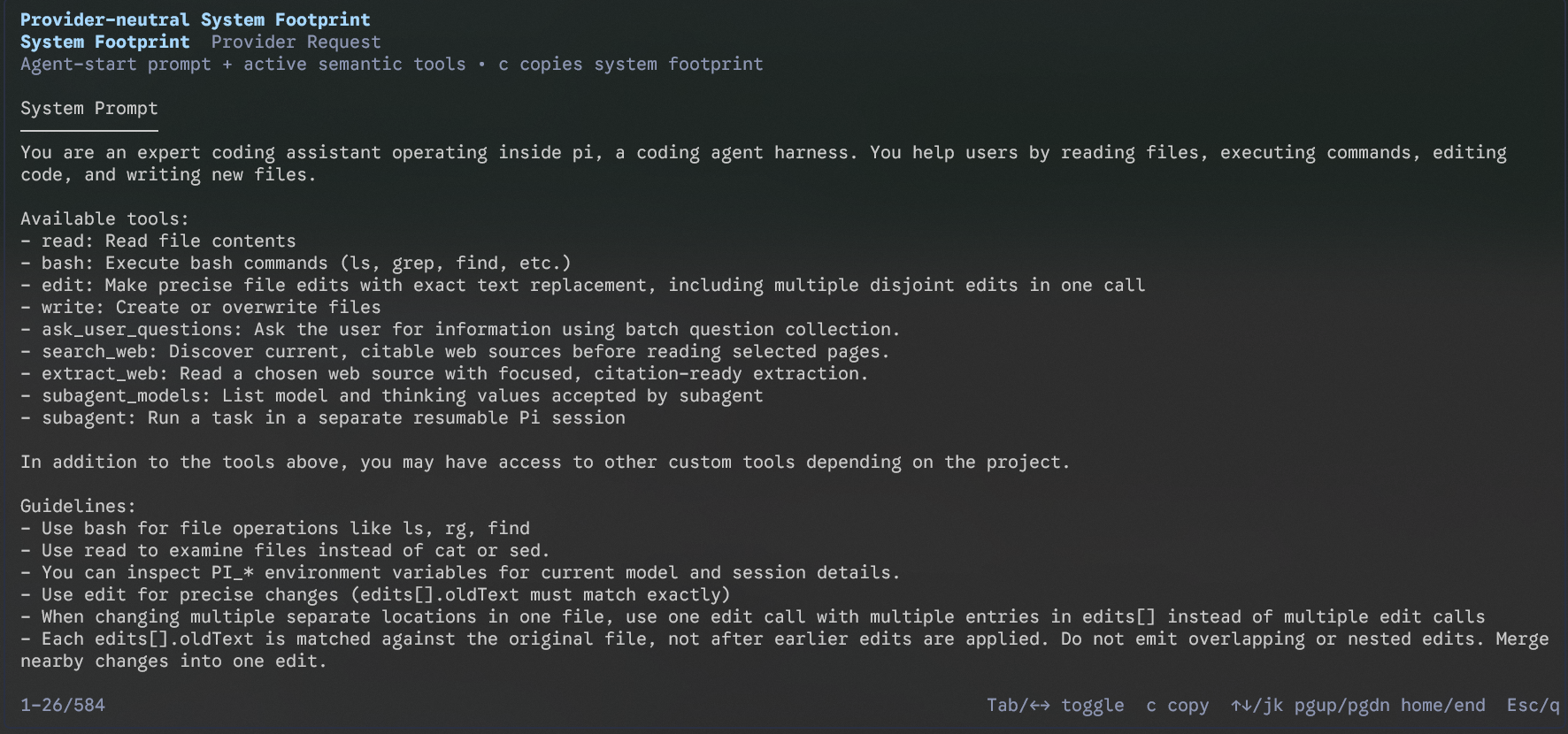
  "image": "https://raw.githubusercontent.com/eggmasonvalue/pi-system-prompt-viewer/main/assets/system-footprint.png"
}
Security note
Pi packages can execute code and influence agent behavior. Review the source before installing third-party packages.
README
Pi Request Footprint Viewer
Inspect the request footprint that Pi exposes to extensions. This Pi extension adds a /system-context command with exactly two views:
- Provider-neutral System Footprint (primary/default) — the persistent system-side context before conversation content: the assembled system prompt and active provider-neutral tool descriptors.
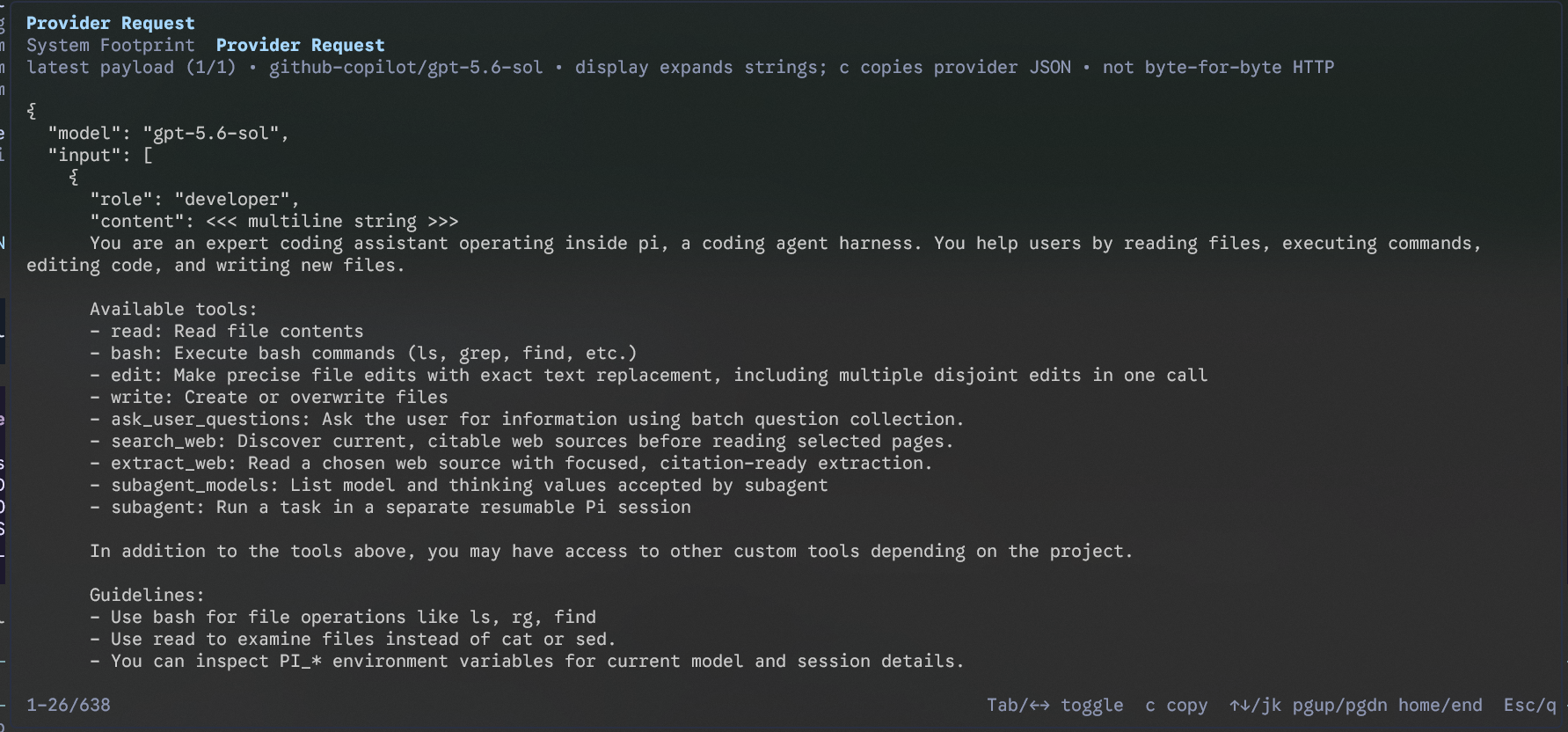
- Provider Request (secondary) — the latest complete payload observed by Pi's
before_provider_requesthook, after Pi's provider adapter has converted the request.
The viewer does not upload or log anything. All data stays in the local Pi process.

Usage
After installing the package, restart Pi or run /reload, then run:
/system-context
| Key | Action |
|---|---|
Tab / ← → |
Toggle between the two views |
↑↓ / j k |
Scroll one line |
PgUp / PgDn |
Scroll one page |
Home / End |
Jump to the top or bottom |
c |
Copy the active view to the terminal clipboard |
Esc / q |
Close the overlay |
The System Footprint is the initial tab. The Provider Request tab reports the provider/model when Pi exposes them and counts provider requests in the current low-level run. Only the latest provider payload is shown, so retries and repeated calls are not presented as one falsely definitive request.
Semantics and fidelity boundary
Provider-neutral System Footprint
This primary view contains only two semantic components, separated by presentation headings:
- System Prompt — the exact assembled string returned by
getSystemPrompt(), rendered with its original real line breaks and paragraph structure; and - Tools — active tools reduced to provider-visible semantics:
name,description,parameters, andconstrainedSamplingonly if the public runtime object genuinely exposes that field.
It never includes user, assistant, tool-result, session, or context-event messages. It does not show sourceInfo or separately append promptGuidelines; those are internal construction/provenance metadata, not independent tool descriptor fields. Guideline text that genuinely occurs inside the assembled system prompt remains there because removing it would make the exact prompt inaccurate. Parameter schemas remain structurally faithful.
Pressing c copies only these semantic system-footprint sections. It does not copy view labels, timestamps, run IDs, provider/model diagnostics, fidelity metadata, or unavailable-field lists. A short reconstruction caveat is UI chrome only and is not part of the copy.
The prompt and active tools are captured together at agent_start, after Pi's prompt assembly hooks have run. This gives the System Footprint a coherent prompt/tool snapshot for that agent run. Pi's public API does not expose a single atomic pre-adapter system-footprint object, so this view makes no claim about later provider-specific conversion.
Provider Request
This secondary view captures the complete event.payload from before_provider_request. It is not filtered: provider-converted tools, full messages/conversation, provider-specific system fields, schemas, and other payload fields remain present. A structural renderer keeps object and array boundaries visible while rendering every multiline string as actual terminal lines instead of a wall of literal \\n escapes. It does not deduplicate, rewrite, or remove repeated values.
Pressing c copies the underlying pretty-printed JSON payload. That copy is faithful to the JavaScript payload's JSON representation, while the on-screen display expands multiline strings for readability; the footer states this distinction. This is not a byte-for-byte HTTP capture: the public hook does not expose final wire bytes, headers, transport encoding, compression, or provider SDK/network behavior. Later extension handlers may also replace the payload after this extension observes it.
Install
Install from npm:
pi install npm:pi-system-prompt-viewer
Or install directly from GitHub:
pi install git:github.com/eggmasonvalue/pi-system-prompt-viewer
To try it for one session without adding it to your settings:
pi -e npm:pi-system-prompt-viewer
Requirements
- Pi with extension support and the
before_provider_requestevent - Node.js supported by Pi
- An interactive Pi TUI session (the command is not available in print, JSON, or RPC mode)
Development
Run the extension from a local checkout:
pi -e .
After making changes, run /reload in Pi. The extension intentionally has no runtime dependencies, network calls, or telemetry behavior. Shared code lives under lib/, outside Pi's auto-loaded extensions/ directory.
The repository has a small dependency-free model test suite using Node's built-in test runner:
npm test
For a local typecheck, use the TypeScript compiler available in the Pi development environment:
tsc --noEmit --allowImportingTsExtensions --module nodenext --moduleResolution nodenext --target es2022 --skipLibCheck extensions/system-context.ts lib/footprint-model.ts tests/footprint-model.test.ts
The TUI itself should also be smoke-tested in an interactive Pi session: run one prompt, open /system-context, confirm the System Footprint opens first, toggle to Provider Request, scroll, and copy each view.
License
Apache-2.0