pi-tally
Local prompt counters for the Pi coding agent.
Package details
Install pi-tally from npm and Pi will load the resources declared by the package manifest.
$ pi install npm:pi-tally- Package
pi-tally- Version
0.0.12- Published
- Sep 9, 2026
- Downloads
- 234/mo · 190/wk
- Author
- wdphoto
- License
- MIT
- Types
- extension
- Size
- 102.5 KB
- Dependencies
- 0 dependencies · 2 peers
Pi manifest JSON
{
  "extensions": [
    "./extensions/tally/index.ts"
  ]
}
Security note
Pi packages can execute code and influence agent behavior. Review the source before installing third-party packages.
README
pi-tally
A small local user prompt counter for Pi. It adds a compact tally to the footer and a /tally command.
Use /tally run after installing to count your session history.
Hide or restore the footer with /tally footer to toggle. Toggle the live tok/s footer meter with /tally toks. These toggles apply across projects using the same Pi agent directory.
That's pretty much it. Definitely a work in progress.
Footer example:
5/52/84↑
While the assistant is streaming, the footer can add a live output-token speedometer:
5/52/84↑ ~42 tok/s ●●●○○○○
That means:
5prompts today on the active Pi tree path52prompts today overall84average prompts on days with at least 10 prompts↑or↓trend once there is enough history
Install
pi-tally is intended to be installed globally for your Pi user, not per project. I haven't even tested it any other way.
From npm:
pi install npm:pi-tally
From GitHub/source:
pi install https://github.com/wdphoto/pi-tally
Restart Pi after installing.
Commands
/tally run          count your Pi history
/tally              show your stats
/tally all          show verbose stat output
/tally footer       toggle footer tally on/off
/tally toks         toggle live tok/s footer meter on/off
/tally status       show storage/index info
Notes
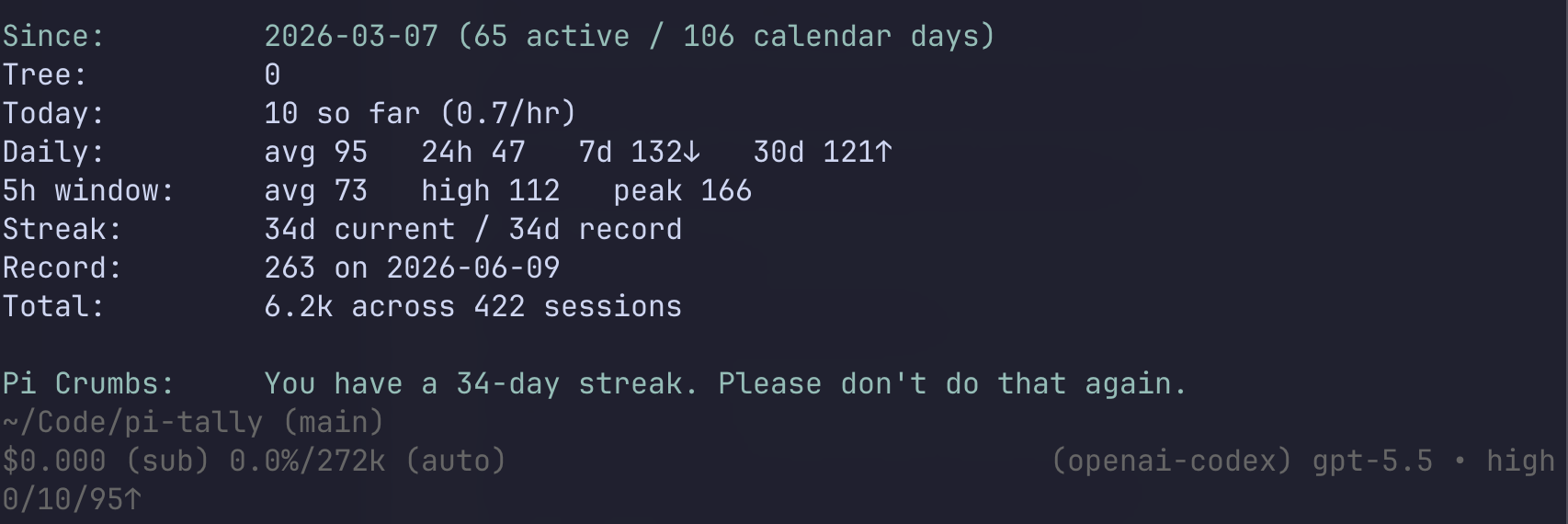
A /tally report looks roughly like this:
Since:         2026-03-07 (60 active days / 101 calendar days)
Tree:          5 messages on active path
Today:         52 messages so far (4.1 messages/hr)
TPS meter:    latest 32 tok/s   avg 28 tok/s (42 samples)
Daily avg:     84 messages/day   last 24h 52 messages
Recent avg:    7d 96 messages/day↑   30d 88 messages/day↓
5h window:     avg 64 messages   high 91 messages   peak 121 messages
Streak:        5 days current / 12 days record
Record:        221 messages on 2026-06-14
Total:         5.6k messages across 350 sessions

Crumb:         899,934 characters sent to Pi.
Active days need at least 10 prompts; streak days need one. Until the first active day, the all-time average uses calendar days. Session totals count sessions with user prompts.
The TPS meter is approximate: completed samples use Pi token usage and response timing when available; live speed estimates tokens from streamed text. Use ↑↓ or PgUp/PgDn to scroll long reports.
Data
The counter is stored locally at:
~/.pi/agent/pi-tally.json
Pi session files stay where Pi already stores them and are never changed by tally. To repair previously missed counts after updating, reload all Pi windows, then use /tally run. Incomplete scans leave the existing index intact.
Uninstall
If installed from npm:
pi remove npm:pi-tally
If installed from GitHub/source:
pi remove https://github.com/wdphoto/pi-tally
Optional clean slate:
rm ~/.pi/agent/pi-tally.json