pi-task-delta
Browse and explain task-scoped Git changes with configurable model and effort settings.
Package details
Install pi-task-delta from npm and Pi will load the resources declared by the package manifest.
$ pi install npm:pi-task-delta- Package
pi-task-delta- Version
0.3.4- Published
- Aug 7, 2026
- Downloads
- not available
- Author
- thagor
- License
- MIT
- Types
- extension
- Size
- 122.6 KB
- Dependencies
- 0 dependencies · 3 peers
Pi manifest JSON
{
  "extensions": [
    "./src/index.ts"
  ]
}
Security note
Pi packages can execute code and influence agent behavior. Review the source before installing third-party packages.
README
Pi Task Delta
Browse the net Git changes made by each Pi agent task, inspect them in a focused diff viewer, and optionally ask a configured model what changed or why.
Task Delta excludes repository changes that already existed when the task began. It captures committed, staged, unstaged, tracked, and non-ignored untracked content changed during the task without modifying the real Git index or working tree.
Highlights
- Task-scoped results — see only the net changes made during one Pi task.
- Persistent task history — revisit the latest 200 task results on the active session branch after
/reloador restoration. - Three-pane viewer — navigate tasks, changed files, line numbers, context lines, and additions/deletions in one overlay.
- Optional model analysis — request a technical explanation with
Eor a rationale withW. - Explicit regeneration — existing analysis remains visible until you press
R. - Global model settings — follow Pi's current model and effort or select a fixed configured model.
- Context-safe transcript entries — summaries and generated analysis remain outside the model conversation context.
Install
pi install npm:pi-task-deltaGit must be available on PATH. Pi Task Delta requires Node.js 22.19 or newer.
Quick start
After a Pi task changes the repository, Task Delta adds a compact transcript entry:
5 files changed +34 -329 (F6 for details)Press F6 or run:
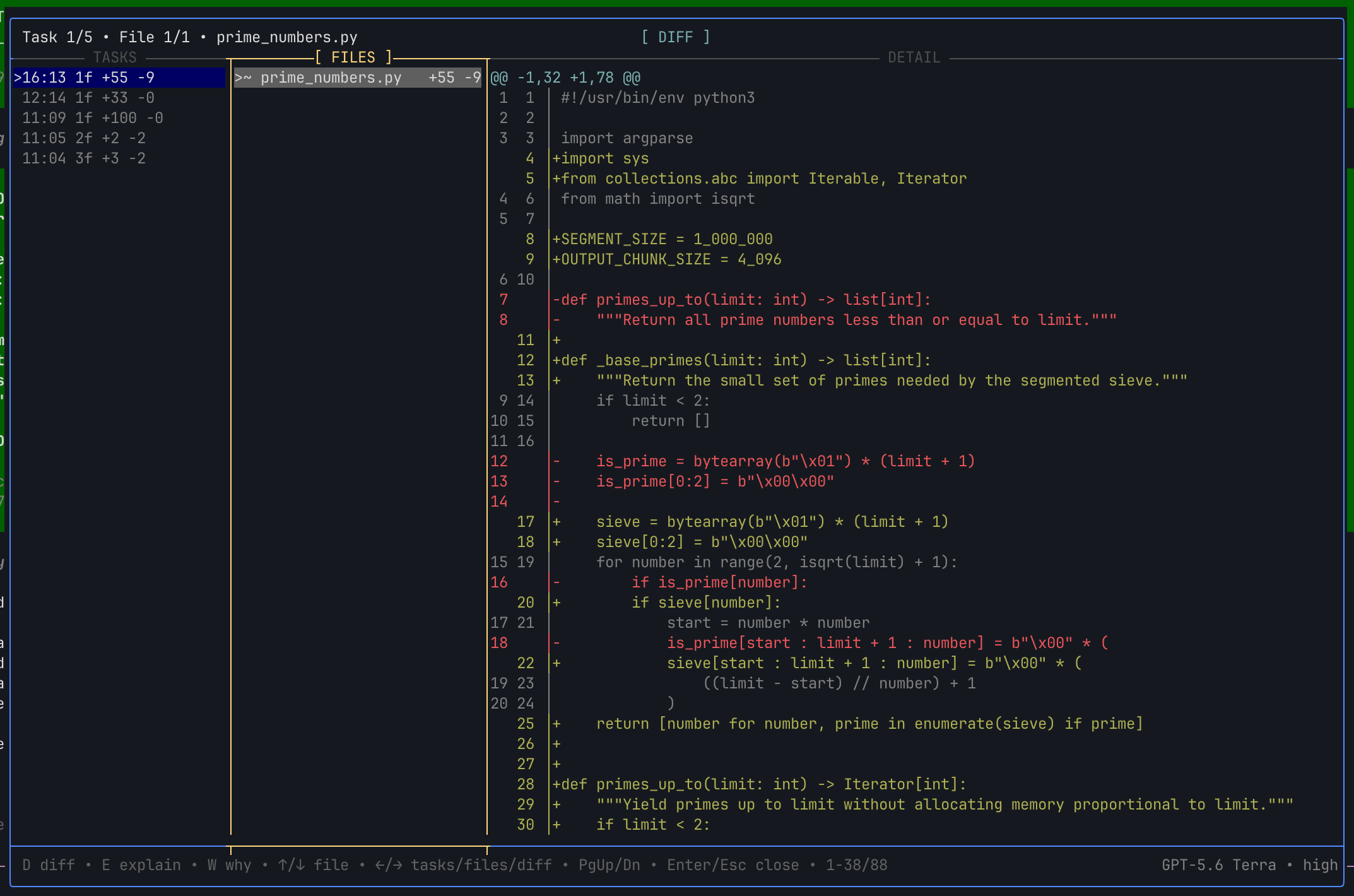
/git-summaryThe overlay opens on the newest task with three panes: task history, changed files, and the selected file's unified diff. The labeled divider brackets the focused pane and gives its border a warm heading accent. Selected task and file rows use stronger contrast in their active pane and a subtler background elsewhere, while keeping the normal theme text color. Task rows show local time, file count, insertions, and deletions. Binary, metadata-only, oversized, and omitted diffs remain listed with an explanatory message.
Screenshots
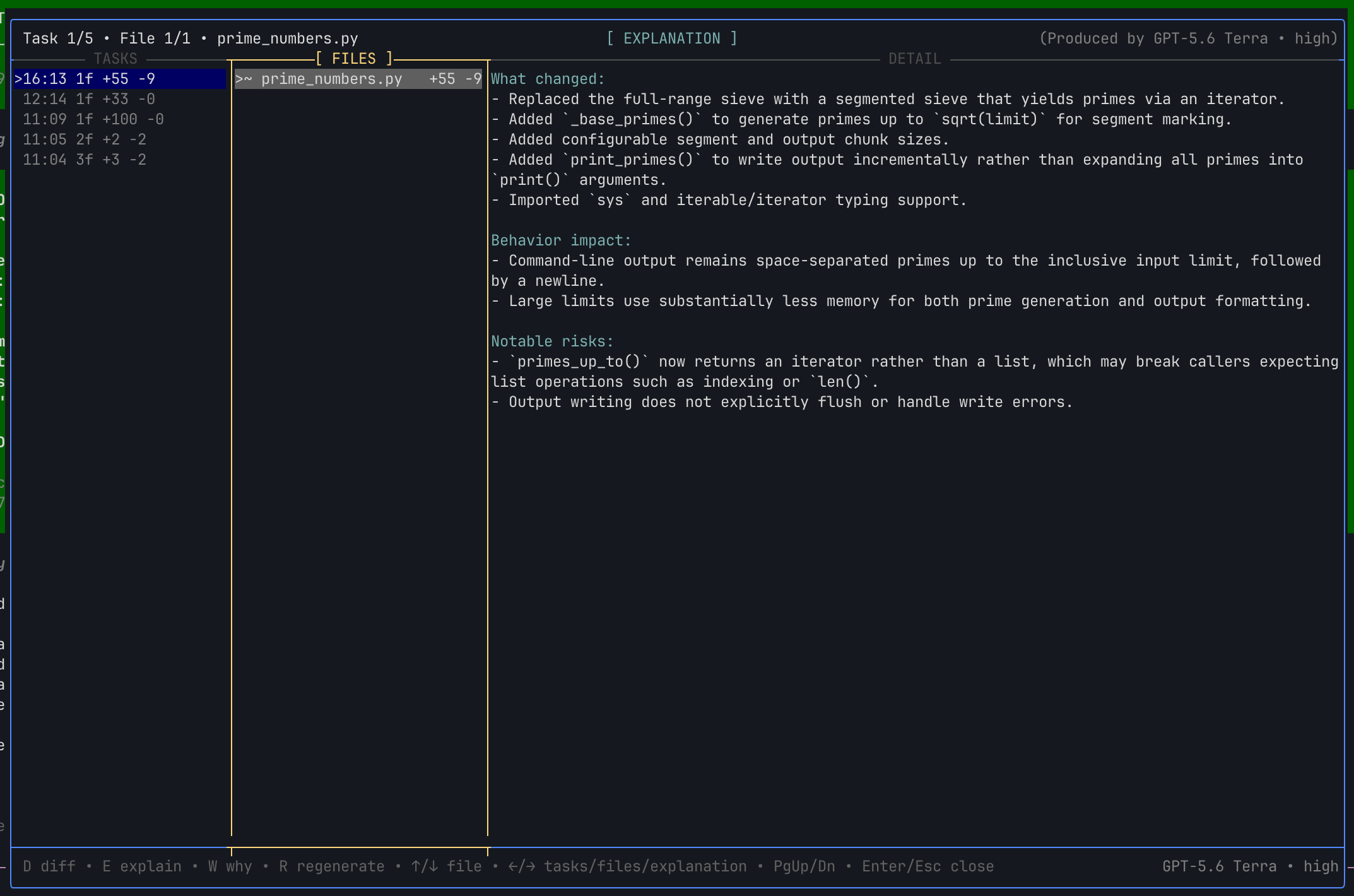
Technical explanation
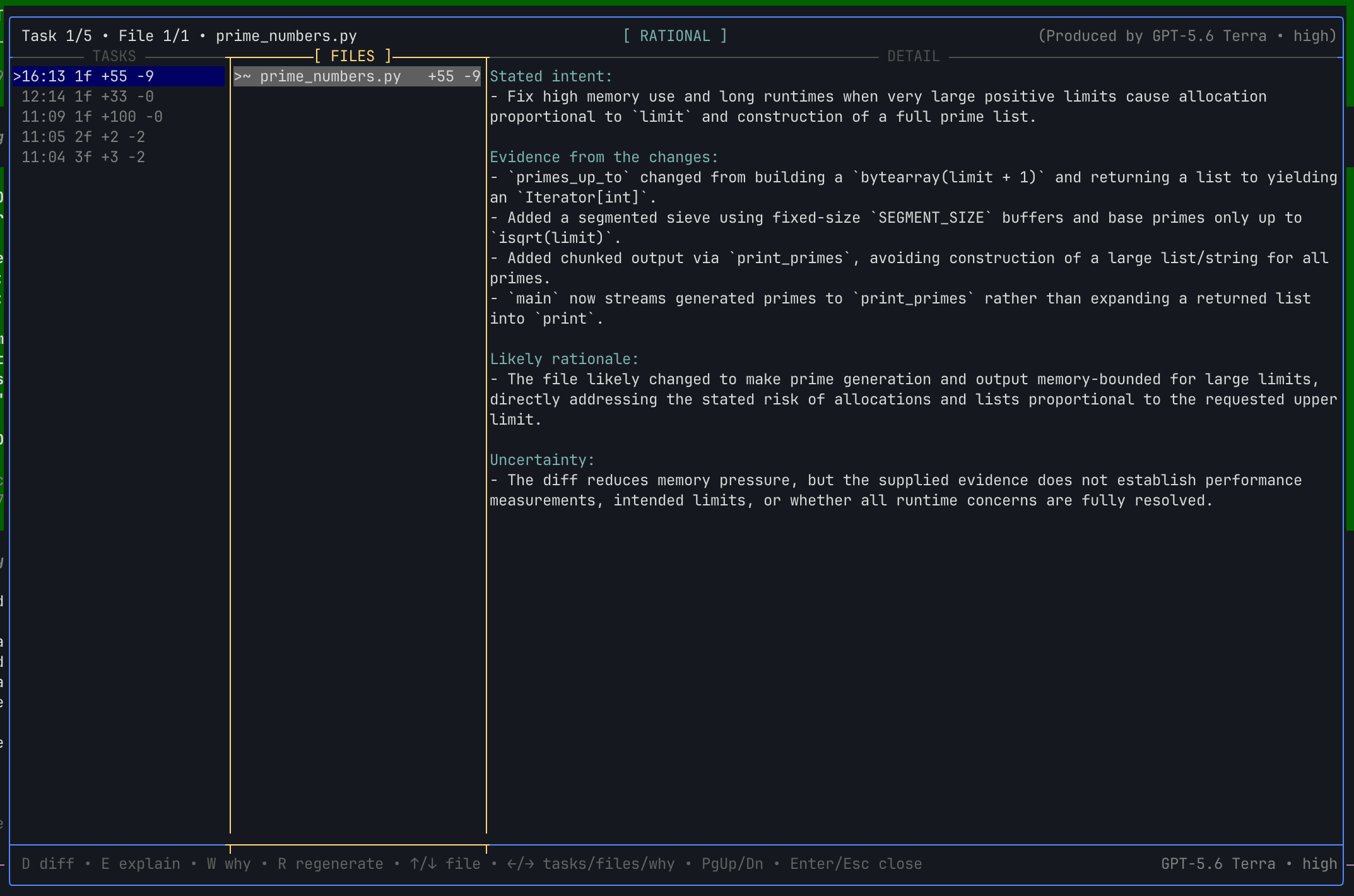
Change rationale
Controls
| Key | Action |
|---|---|
D |
Show the selected file's diff |
E |
Show or generate a technical explanation |
W |
Show or generate why the file likely changed |
R |
Regenerate the active explanation or rationale |
| Left / Right | Cycle focus through task history, files, and detail |
Tab / Shift+Tab |
Cycle focus forward or backward through panes |
| Up / Down | Select a task, select a file, or scroll detail |
| Page Up / Page Down | Move by one visible page |
| Home / End | Move to the first or last item |
Enter / Escape / Ctrl+C / F6 |
Close the overlay |
Selecting another task immediately opens its first changed file in D view. Switching tasks, files, or detail views cancels generation in the view being left. Active requests use Pi's Braille spinner and stream available response text into the pane.
What and why analysis
Model calls occur only after explicit input:
- Explanation (
E) receives the selected filename, metadata, and stored diff. It describes what changed, behavioral impact, and visible risks. - Rationale (
W) additionally receives the bounded task-starting text request and bounded metadata for the task's changed-file list. It separates stated intent, objective evidence, likely inference, and uncertainty.
The prompt payloads do not include the full conversation, tool calls, assistant responses, attached image contents, unchanged files, or stored credentials. Repository content and task text are treated as untrusted evidence rather than model instructions.
Generated results wrap at word boundaries, are stored as hidden custom entries in the local Pi session, and do not enter model context. The upper-right header identifies the model and effort that produced the visible result; the lower-right footer shows the configuration that the next generation will use. Changing settings does not silently replace existing text.
Settings
Run:
/task-delta-settingsConfigure:
- Analysis model — follow Pi's current model or select any model available through Pi's configured providers.
- Analysis effort — follow Pi's current effort or choose a fixed supported level.
Press S to save or Escape to cancel. Preferences apply globally across repositories and sessions and contain only model provider/id and effort selection—never API credentials.
Safety model
Task Delta creates snapshots with a temporary Git index under the repository's Git administrative directory. It does not alter the working tree or real index. Snapshot creation writes unreachable trees and blobs to the repository's object database; normal Git maintenance may remove them later.
Snapshotting runs git add -A against the temporary index at task boundaries, so it may be noticeable in very large repositories. The overlay retains the latest 200 valid summaries from the active session branch. Diff, file, time, output, model-input, and cache limits keep persisted and rendered data bounded.
See Task Delta behavior for detailed lifecycle behavior, safety guarantees, limits, persistence, and compatibility notes.
Development
Install dependencies and run validation:
npm install
npm run typecheck
npm test
npm pack --dry-run
Load the local source directly in Pi:
pi -e .