pi-tau-mux
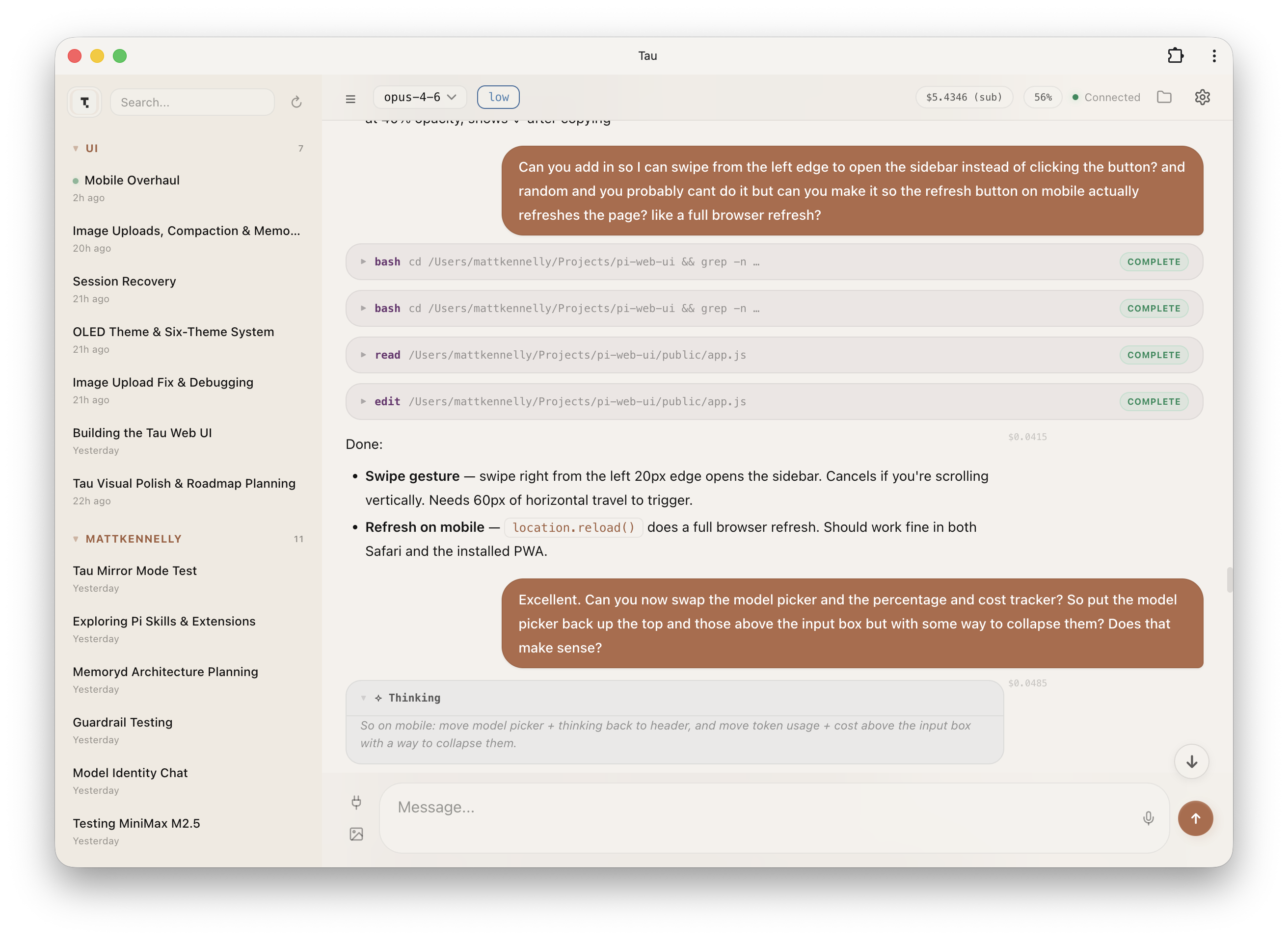
Web UI that mirrors your Pi terminal session in the browser - tmux session aware
Package details
Install pi-tau-mux from npm and Pi will load the resources declared by the package manifest.
$ pi install npm:pi-tau-mux- Package
pi-tau-mux- Version
1.0.9- Published
- Mar 26, 2026
- Downloads
- 37/mo · 12/wk
- Author
- dwainm
- License
- MIT
- Types
- extension
- Size
- 518.1 KB
- Dependencies
- 2 dependencies · 0 peers
Pi manifest JSON
{
  "extensions": [
    "./extensions/tau-client.ts"
  ],
  "image": "https://raw.githubusercontent.com/deflating/tau/main/docs/images/dark.png"
}
Security note
Pi packages can execute code and influence agent behavior. Review the source before installing third-party packages.
README
pi-tau-mux
A lightweight client extension that connects Pi to pi-tau-mux-server.
This extension turns your Pi session into a client that registers with the standalone Tau mux server, enabling real-time mirroring in the browser across multiple Pi instances.
Architecture
┌─────────────┐                    ┌──────────────────────┐                    ┌─────────────┐
│  Pi TUI     │                    │  pi-tau-mux-server   │                    │  Browser    │
│  (terminal) │    WebSocket /pi    │  (standalone daemon) │    WebSocket /ws   │  (Tau UI)  │
│             │◄───────────────────►│                      │◄──────────────────►│             │
└─────────────┘                    │  Aggregates all      │                    └─────────────┘
                                   │  Pi instances        │
┌─────────────┐                    │                      │                    ┌─────────────┐
│  Pi TUI     │                    │  Serves web UI       │                    │  Phone      │
│  (another)  │◄───────────────────►│  Scans sessions      │◄──────────────────►│  (QR scan)  │
└─────────────┘                    └──────────────────────┘                    └─────────────┘
This extension = lightweight client (registers, forwards events, unregisters)
pi-tau-mux-server = standalone server (web UI, session browser, Tailscale support)
Install
pi install git:github.com/dwainm/pi-tau-mux
Usage
Start the mux server (one-time or auto-start):
pi-tau-mux-serverOr let the extension prompt you when Pi starts.
Start Pi normally — the extension auto-connects to the mux server
Open the web UI at the URL shown (e.g.,
http://localhost:3001or your Tailscale URL)
Commands
| Command | Description |
|---|---|
/tauconnect |
Connect to the mux server |
/taudisconnect |
Disconnect from the mux server |
Environment Variables
| Variable | Default | Description |
|---|---|---|
TAU_HOST |
localhost |
Mux server host |
TAU_PORT |
3001 |
Mux server port |
TAU_AUTO_CONNECT |
1 |
Set to 0 to disable auto-connect |
Features
Session Mirroring
- Real-time streaming of messages, tool calls, and thinking blocks
- Multiple Pi instances can connect to the same mux server
- Browser shows all active sessions across projects
Tailscale Support
The mux server auto-detects Tailscale and uses your Tailscale IP or MagicDNS hostname. Scan the QR code from any device on your tailnet.
Session Browser
View history from any past Pi session, grouped by project. Active sessions show a "LIVE" indicator.
Related
- pi-tau-mux-server — The standalone server (install globally)
- pi-coding-agent — The Pi coding agent
- Tau (original) — This is a fork with tmux awareness and mux architecture
Why the Split?
The original Tau ran an HTTP server inside each Pi process. This worked for single instances but caused issues with:
- Multiple Pi instances (port conflicts)
- Remote access (needed each port forwarded)
- Resource usage (server per Pi process)
The mux architecture solves these:
- One server for all Pi instances
- One port to forward or expose via Tailscale
- Session aggregation across all running Pi instances
License
MIT