pi-theme-pipboy
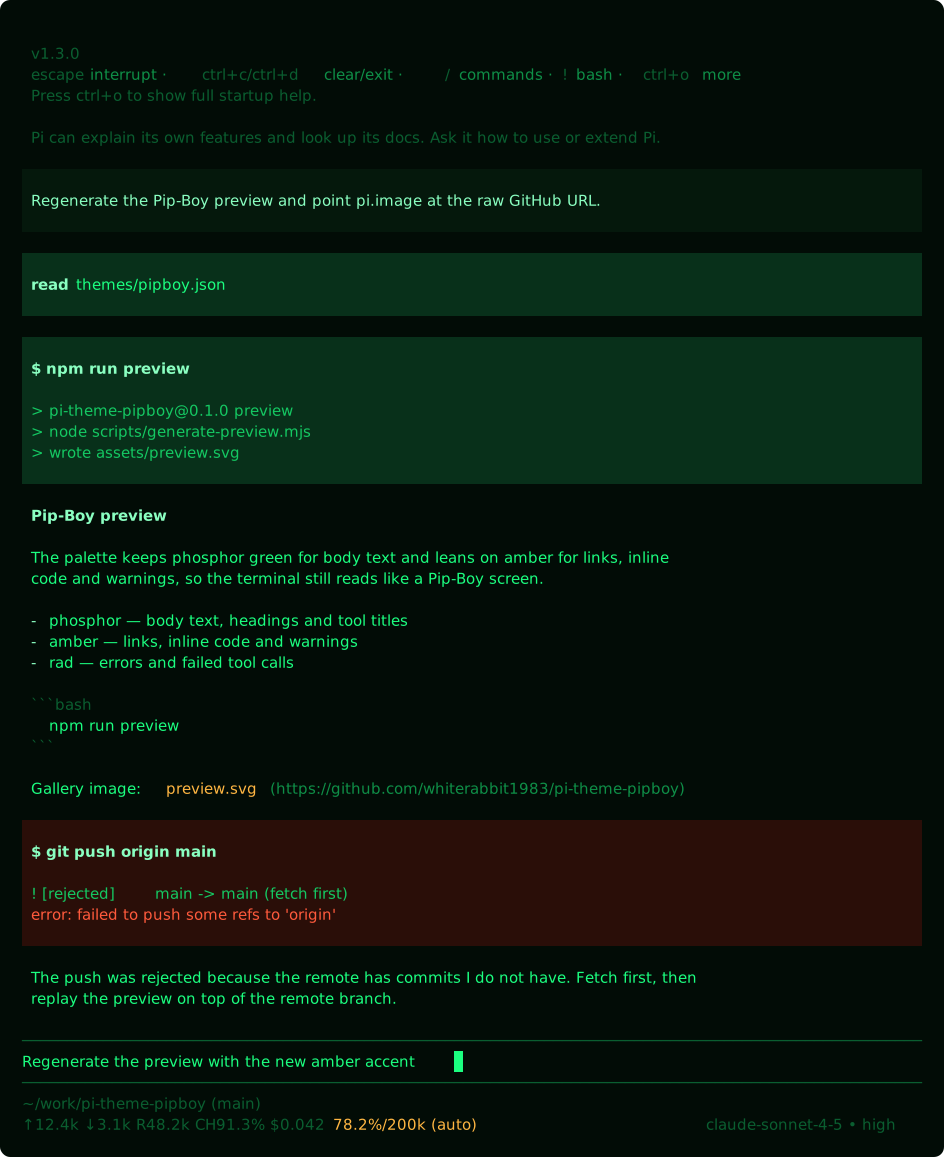
Pip-Boy theme for Pi — a Fallout-inspired amber and phosphor-green terminal palette.
Package details
Install pi-theme-pipboy from npm and Pi will load the resources declared by the package manifest.
$ pi install npm:pi-theme-pipboy- Package
pi-theme-pipboy- Version
0.1.0- Published
- Oct 22, 2026
- Downloads
- 334/mo · 35/wk
- Author
- whiterabbit1983
- License
- MIT
- Types
- theme
- Size
- 13.3 KB
- Dependencies
- 0 dependencies · 0 peers
Pi manifest JSON
{
  "image": "https://raw.githubusercontent.com/whiterabbit1983/pi-theme-pipboy/main/assets/preview.svg",
  "themes": [
    "./themes"
  ]
}Security note
Pi packages can execute code and influence agent behavior. Review the source before installing third-party packages.
README
pi-theme-pipboy
Pip-Boy theme for Pi — a Fallout-inspired terminal palette in phosphor green and amber, packaged as a Pi package so anyone can install it with one command.
Install
pi install npm:pi-theme-pipboyThen pick the theme:
/settings→ Theme →pipboy, or- start a single session with
pi --use-theme pipboy
To pair it with a light terminal, use pipboy/<other-theme> in the theme setting.
Uninstall
pi remove npm:pi-theme-pipboyLicense
MIT