pi-thinking-box
Wrap Pi agent thinking blocks in a styled background box.
Package details
Install pi-thinking-box from npm and Pi will load the resources declared by the package manifest.
$ pi install npm:pi-thinking-box- Package
pi-thinking-box- Version
1.3.0- Published
- Jun 23, 2026
- Downloads
- 57/mo · 27/wk
- Author
- cullendotdev
- License
- MIT
- Types
- extension
- Size
- 68.9 KB
- Dependencies
- 0 dependencies · 3 peers
Pi manifest JSON
{
  "extensions": [
    "./index.ts"
  ]
}
Security note
Pi packages can execute code and influence agent behavior. Review the source before installing third-party packages.
README
pi-thinking-box
Wrap agent thinking blocks in a styled background box — just like user messages have. A pi extension.
Install
pi install npm:pi-thinking-box
# or for local dev:
# cp -r pi-thinking-box ~/.pi/agent/extensions/
Restart pi or run /reload after install.
Usage
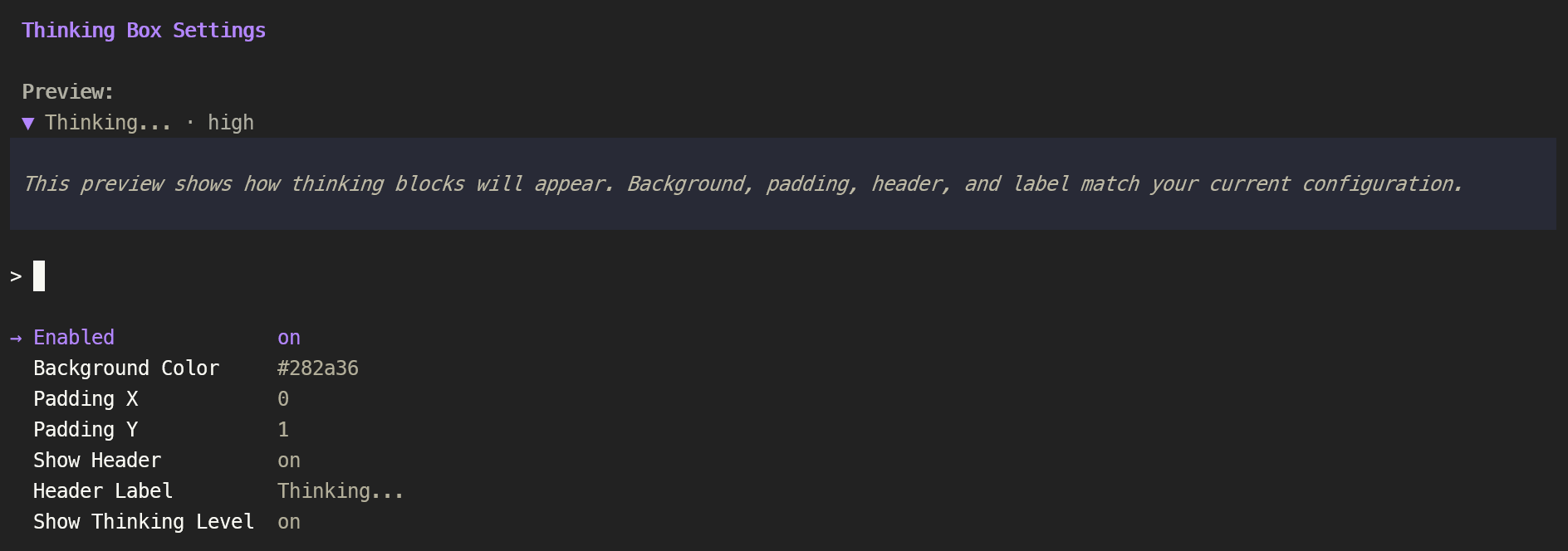
Run /thinking-box to open an interactive settings menu with a live preview. Configure everything in one place:
- Enabled — toggle the thinking box on/off
- Display Mode —
background(filled box) orbordered(drawn border around the text) - Customize Thinking Box — submenu in
backgroundmode that groups box styling:- Background Color — choose from 9 presets (VS Code Dark, Dracula, Tokyo Night, etc.) or enter a custom hex color
- Padding X — horizontal padding inside the box (0–5 characters)
- Padding Y — vertical padding inside the box (0–5 lines)
- Customize Border — submenu in
borderedmode that groups all border settings:- Border Color — color of the border glyphs
- Border Thickness —
thin(─│) orthick(━┃) - Rounded Corners —
on(╭╮╰╯) oroff(┌┐└┘); only applies to thin borders — when Border Thickness isthickthis row is rendered muted + strikethrough (both label and value) and the toggle is disabled (Unicode has no heavy rounded corner glyphs)
- Show Header — toggle a header bar above each thinking block
- Header Label — customise the header text (default: "Thinking")
- Show Thinking Level — append the current thinking level (e.g. "medium") to the header
- **Show Line Count (Collapsed) ** — display the number of lines in thinking block (Only shows when thinking block is collapsed)
All changes apply immediately and preview in real time. Settings persist across sessions to ~/.pi/agent/config/thinking-box.json.
Color Presets
Navigate the color picker with arrow keys — the preview updates live as you browse. Choose "Custom…" to enter any 6-digit hex color.
- Default (ChatGPT-style), VS Code Dark, Dark Blue-Gray, Dracula, Tokyo Night, Purple Twilight, Gruvbox Dark, Deep Black, Pure Black, Custom…
Configuration
Config persists across sessions to ~/.pi/agent/config/thinking-box.json. Changes survive pi restarts, reloads, and package updates. Defaults ship in config.json inside the extension directory.
Defaults:
- Enabled:
true - Display Mode:
background - Background:
#343541 - Border Color:
#5f87ff - Border Thickness:
thin - Rounded Corners:
true - Padding:
0 × 1(character cells) - Show Header:
true - Header Label:
"Thinking" - Show Thinking Level:
true - Show Line Count:
true - Show Arrow:
true
How It Works
The extension monkey-patches AssistantMessageComponent.prototype.updateContent to wrap thinking blocks in either a Box component (background mode, configurable fill color) or a custom BorderedBox component (bordered mode, configurable border style, color, and corner shape). Thinking text follows the active theme; the box border / fill colors are user-configured hex.
See docs/ARCHITECTURE.md for full implementation details.
Limitations
- Theme changes: Box background is explicit hex — won't auto-adapt on theme switch. Configure manually for your theme.
License
MIT