pi-tidy-footer
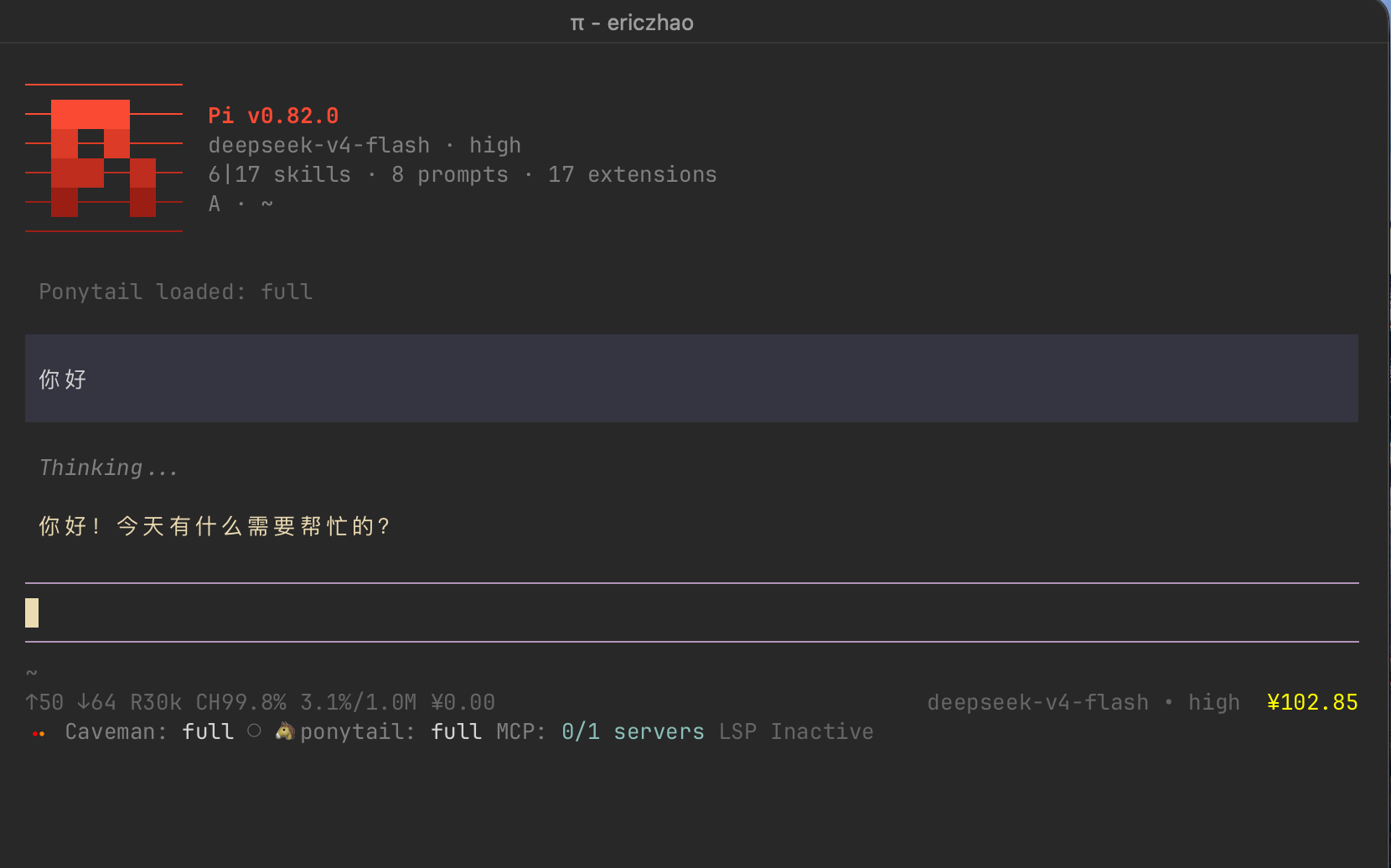
Tidy and better footer for Pi — native layout with new features: live display of multi-currency token cost and account balance with color warnings; extension sorting, wrapping, and display customization; git file status; and tool activity indicators.
Package details
Install pi-tidy-footer from npm and Pi will load the resources declared by the package manifest.
$ pi install npm:pi-tidy-footer- Package
pi-tidy-footer- Version
1.1.0- Published
- Aug 21, 2026
- Downloads
- 343/mo · 36/wk
- Author
- eriiic7z
- License
- MIT
- Types
- extension
- Size
- 83 KB
- Dependencies
- 0 dependencies · 3 peers
Pi manifest JSON
{
  "extensions": [
    "./extensions"
  ],
  "image": "https://raw.githubusercontent.com/eriiic7z/pi-tidy-footer/main/assets/thumbnail.png"
}
Security note
Pi packages can execute code and influence agent behavior. Review the source before installing third-party packages.
README
pi-tidy-footer
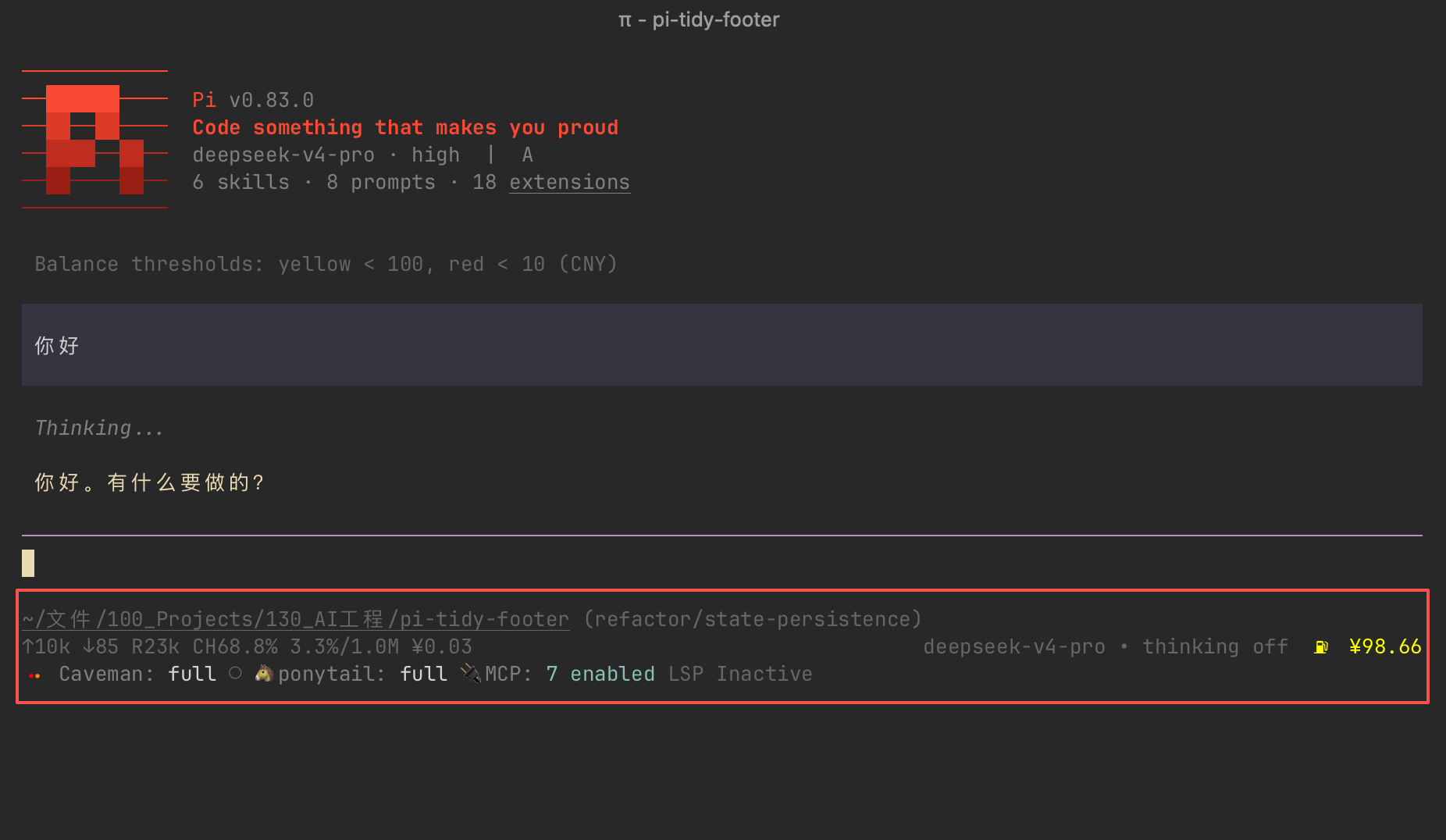
Tidy and better footer for Pi — native layout, layered with new features: live display of multi-currency token cost and account balance (color-coded warnings with configurable thresholds); extension sorting, wrapping, and display customization; git file status; and tool activity indicators.
Install
pi install npm:pi-tidy-footer
Features
Multi-currency token cost display — Per-session token cost shown live at end of stats line, with configurable yellow/red thresholds; 10 currencies supported with live daily exchange rates
Multi-currency API account balance — Shows live account balance for DeepSeek, Kimi, OpenRouter, SiliconFlow, and Zhipu after the model name, with configurable yellow/red low-balance thresholds
Balance symbol prefix — Configurable symbol (⛽ / ◎◉ / ◉, or custom) before the balance number; cycle built-in symbols, set a custom one, or delete one
Extension sort order — Custom sort order for extension statuses, persisted across sessions
Extension overflow wrap — Wraps extension statuses to the next line instead of truncating with "…"; on by default, ideal for multi-extension setups
Basic extension display control — Rewrite extension names/labels, hide, restore, and clear extension display via commands, without editing files
Advanced extension display control — Deep customization via your own rules file, layered on built-in defaults; runtime enable/disable, custom rules directory, and hot reload. See the Custom transformers section.
One-key emoji hiding — Hide all extension emoji with a single toggle
Git status tokens — Repo state next to the branch name:
⇡ahead,⇣behind,+staged,~modified,?untracked,!conflicts; hidden when cleanTool activity indicator — Shows the running tool before the model name with brief hold for fast tools; hidden when idle
Toggle & persistence — Toggle back to the original footer anytime; all settings survive restarts
Mostly native — Everything else (model, token stats, context %, git branch) kept intact
Default extension display tweaks
These are the built-in transformer defaults — each can be overridden with a user transformer.
- pi-mcp-adapter — Dimmed the
MCP:label while preserving its original accent color;serversprefix removed - ponytail — Removed ⚡ emoji from status, level text lowercased, 🐴 emoji kept; emoji–text gap removed uniformly
- caveman — Label capitalised to
Caveman:, level text lowercased; emoji–text gap removed uniformly
Commands
| Command | Description |
|---|---|
/tf |
Toggle pi-tidy-footer ENABLED/DISABLED |
/sc |
Currency for balance and cost: /sc = set; no args = show |
/bt <warn> <alert> |
Balance thresholds: = set (warn > alert); no args = show |
/bs |
Balance symbol: no args = cycle; = set; -d = delete; -l = list |
/ct <warn> <alert> |
Cost thresholds: = set (warn < alert); no args = show |
/es |
Extension sort: keys = set order; no args = show order |
/ew |
Toggle extension wrap ON/OFF |
/ede |
Toggle extension emoji hiding ON/OFF |
/ed |
Extension display rules: list all keys with their rules; quote keys containing spaces |
/edh <key> [key...] |
Hide extension statuses; quote keys containing spaces |
/eds <key> [key...] |
Show extension statuses again; quote keys containing spaces |
/edr <key> <pattern> <replacement> |
Rewrite an extension status; {1} {2}... = captured groups; quote args containing spaces |
/edc <key> [key...] |
Clear transform rules (/edc all clears everything); quote keys containing spaces |
/edt |
Manage transformer mode: on/off; d = disable; e = enable; dir [path] = show/set user transformers dir; reload = re-read; no args = status |
/fcl |
Clear all pi-tidy-footer config for clean uninstall |
Custom transformers
There are two ways to control how an extension status is displayed: the basic control via /ed command rules, and the advanced control via custom transformer files covered in this section.
/edrule mode (default) — zero-code, every change is a command: hide, rewrite (regex), or clear a status, layered on top of the built-in transformers. Great for quick tweaks. It cannot express conditional logic or dynamic text — when a rewrite needs more than a regex can do, switch to transformer mode.- Transformer mode — a TypeScript file with full programmatic control: any transformation you can write, reading
raw/plain/themecontext. User transformers override builtins by key;/edrule commands are frozen while active. For deep customization.
Transformers come in two layers:
- Builtin —
extensions/ed/ed.ts(ships with the package, read-only, updated with releases) - User —
~/.pi/agent/extensions/pi-tidy-footer/ed/eduser.ts(copied from a template on first run, never overwritten by updates)
A transformer is an object keyed by extension name with a transform(key, value, ctx) function. Return a string to replace the display, or null/undefined to hide the entry entirely. ctx provides raw (status with ANSI), plain (status without ANSI) and theme. User transformers override builtins by key.
Mode switching — /edt on enables transformer mode (user transformers take over, /ed rules frozen); /edt off returns to /ed rule mode. Manage transformers with /edt: d <key> disables one, e <key> re-enables it, dir [path] shows/sets the user transformers directory, reload hot-reloads.
Credits
Thanks to @buko — proposed the transformer registry design (issue #1) that the custom transformer system is built on.
中文
更整洁、更好用的 Pi 页脚 — 沿用原生布局,叠加了新的功能:多币种 token 费用/账户余额实时显示(颜色警告、自定义警告阈值)、插件排序/换行/显示自定义、Git 文件状态、工具活动指示。
安装
pi install npm:pi-tidy-footer
功能
多币种 token 花费实时显示 — Stats 行末尾实时显示会话消耗token费用,支持 10 种币种,汇率每日自动更新:自定义token费用消耗阈值,超值时以黄/红色警示
多币种 API 账户余额实时显示 — 模型名后实时显示 DeepSeek / Kimi / OpenRouter / SiliconFlow / 智谱的API账户余额;自定义余额监控阈值,低值时以黄/红色警示
余额符号前缀 — 余额数字前显示可配置符号(⛽ / ◎◉ / ◉,或自定义);可循环切换内置符号、设置自定义符号、删除已有符号
插件自定义排序 — 自定义插件状态排列顺序,持久化存储
插件溢出换行 — 适用于多插件显示,默认开启换行,避免插件信息被“…”截断
插件显示基础控制 — 通过命令重写插件名称/标签,隐藏、恢复、清除插件显示,无需修改文件
插件显示高级控制 — 深度定制插件显示:内置默认规则 + 你自己的规则文件;支持运行时开关、自定义规则目录、热重载。详见自定义 transformers 一节
一键 emoji 隐藏 — 一键隐藏所有插件 emoji
Git 状态标记 — 分支名旁显示仓库状态:⇡ 领先、⇣ 落后、+ 已暂存、~ 已修改、? 未跟踪、! 冲突;干净仓库不显示
工具活动指示 — 模型名前实时显示正在运行的工具,快工具至少有短暂停留;空闲时不显示
开关与持久化 — 随时切回原始页脚;所有设置重启后保持不变
基本保留原生样式 — 其余所有内置页脚信息(模型、Token 统计、上下文百分比、Git 分支)保持不变
插件显示控制的默认调整
以下是内置 transformer 的默认效果——每一条都可以用用户 transformer 覆盖。
- pi-mcp-adapter —
MCP:标签置灰、保留原始强调色值;去除servers字样 - ponytail — 状态中移除 ⚡ 符号,级别字母全小写,🐴 符号保留;统一去除 emoji 与文字间的空格
- caveman — 标签首字母大写为
Caveman:,级别字母全小写;统一去除 emoji 与文字间的空格
命令
| 命令 | 说明 |
|---|---|
/tf |
切换 pi-tidy-footer ENABLED/DISABLED |
/sc |
币种设置(同时作用于余额和费用):/sc 设置;空参查看 |
/bt <warn> <alert> |
余额阈值: 设置(warn > alert);空参查看 |
/bs |
余额符号:空参循环;<符号> 设置;-d <符号> 删除;-l 列出 |
/ct <warn> <alert> |
费用阈值: 设置(warn < alert);空参查看 |
/es |
插件排序:keys 设置顺序;空参查看 |
/ew |
切换插件换行 ON/OFF |
/ede |
切换插件 emoji 隐藏 ON/OFF |
/ed |
插件显示规则:列出所有 key 及其规则;含空格的 key 用引号包裹 |
/edh <key> [key...] |
隐藏插件状态;含空格的 key 用引号包裹 |
/eds <key> [key...] |
恢复显示插件状态;含空格的 key 用引号包裹 |
/edr <key> <pattern> <replacement> |
重写插件状态;{1} {2}... = 捕获组;含空格的参数用引号包裹 |
/edc <key> [key...] |
清除转换规则(/edc all 全清);含空格的 key 用引号包裹 |
/edt |
管理 transformer 模式:on/off;d 禁用;e 启用;dir [path] 查看/设置用户 transformer 目录;reload 重新读取;空参查看状态 |
/fcl |
清除全部 pi-tidy-footer 配置,干净卸载 |
自定义 transformers
控制插件状态的显示有两种方式:通过 /ed 命令规则实现的基础控制,和本节所介绍的自定义 transformer 文件进阶控制。
/ed规则模式(默认) — 零代码,每次改动就是一条命令:隐藏、重写(正则)、清除状态,叠加在内置 transformer 之上。适合快速调整;但表达不了条件逻辑、动态文本——当重写需求超出正则能力时,切换到 transformer 模式。- Transformer 模式 — TypeScript 文件,完整的编程控制:任意你能写出来的转换逻辑,可读取
raw/plain/theme上下文。用户 transformer 按 key 覆盖内置;生效期间/ed规则命令冻结。适合深度定制。
Transformer 分两层:
- 内置 —
extensions/ed/ed.ts(随包发布、只读、随版本更新) - 用户 —
~/.pi/agent/extensions/pi-tidy-footer/ed/eduser.ts(首次运行从模板拷贝、更新永不覆盖)
Transformer 是以插件名为 key 的对象,含 transform(key, value, ctx) 函数。返回字符串替换显示,返回 null/undefined 则完全隐藏该条目。ctx 提供 raw(含 ANSI 的状态)、plain(无 ANSI 的状态)和 theme。用户 transformer 按 key 覆盖内置。
模式切换 — /edt on 开启 transformer 模式(用户 transformer 接管、/ed 规则冻结);/edt off 返回 /ed 规则模式。用 /edt 管理:d <key> 禁用单个,e <key> 重新启用,dir [path] 查看/设置用户 transformer 目录,reload 热重载。
致谢
感谢 @buko — 提出 transformer 注册表设计(issue #1),自定义 transformer 系统即基于此构建。