pi-token-stats
Token and cost statistics extension for pi coding agent sessions.
Package details
Install pi-token-stats from npm and Pi will load the resources declared by the package manifest.
$ pi install npm:pi-token-stats- Package
pi-token-stats- Version
0.1.1- Published
- Jul 5, 2026
- Downloads
- 355/mo · 24/wk
- Author
- reaishijie
- License
- MIT
- Types
- extension
- Size
- 89.3 KB
- Dependencies
- 0 dependencies · 2 peers
Pi manifest JSON
{
  "extensions": [
    "./extensions"
  ],
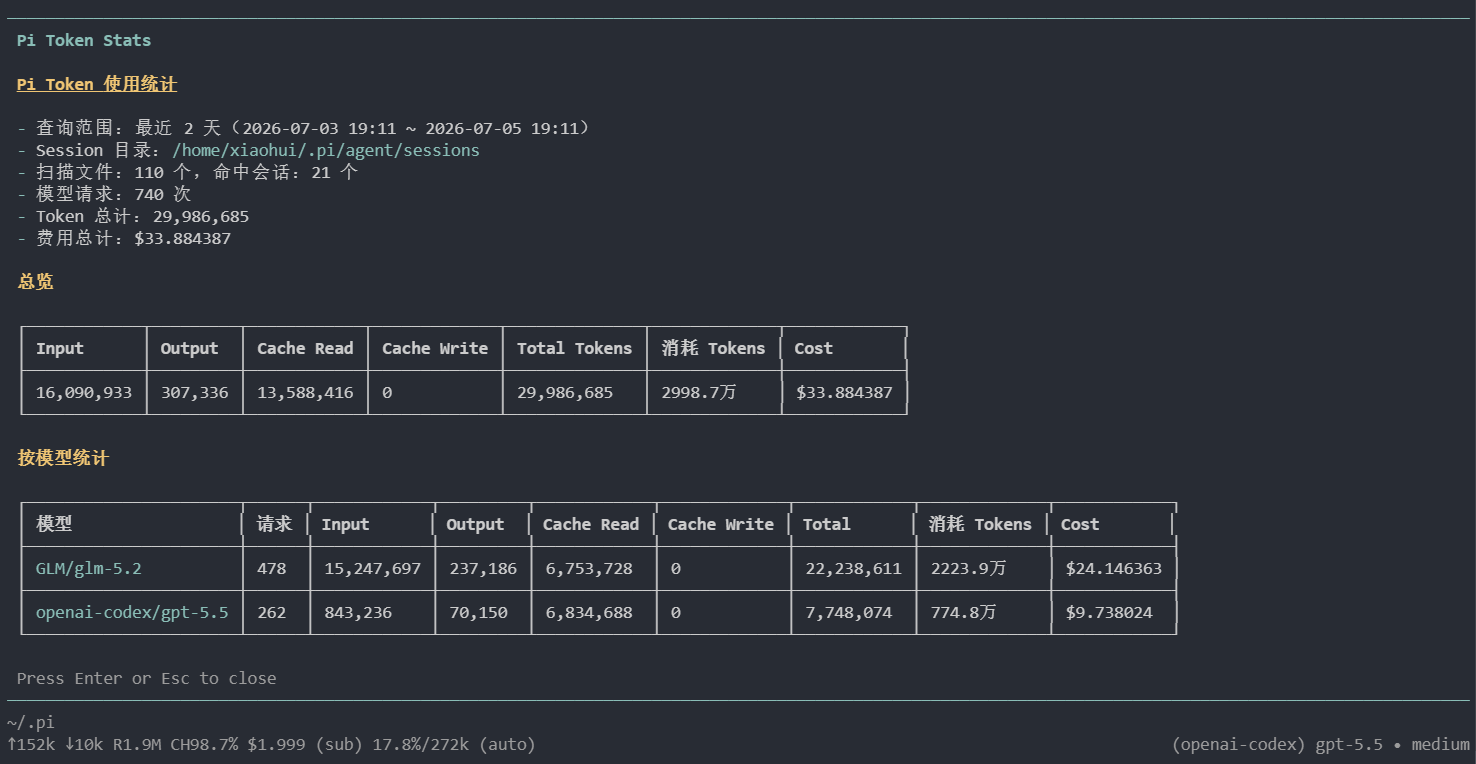
  "image": "https://raw.githubusercontent.com/reaishijie/pi-token-stats/main/docs/screenshot.png"
}
Security note
Pi packages can execute code and influence agent behavior. Review the source before installing third-party packages.
README
pi-token-stats
Token and cost statistics extension for pi coding agent.
- GitHub: https://github.com/reaishijie/pi-token-stats
- npm: https://www.npmjs.com/package/pi-token-stats
- 中文文档: README.zh-CN.md
Features
- Adds
/tokensand/token-statscommands. - Scans pi session
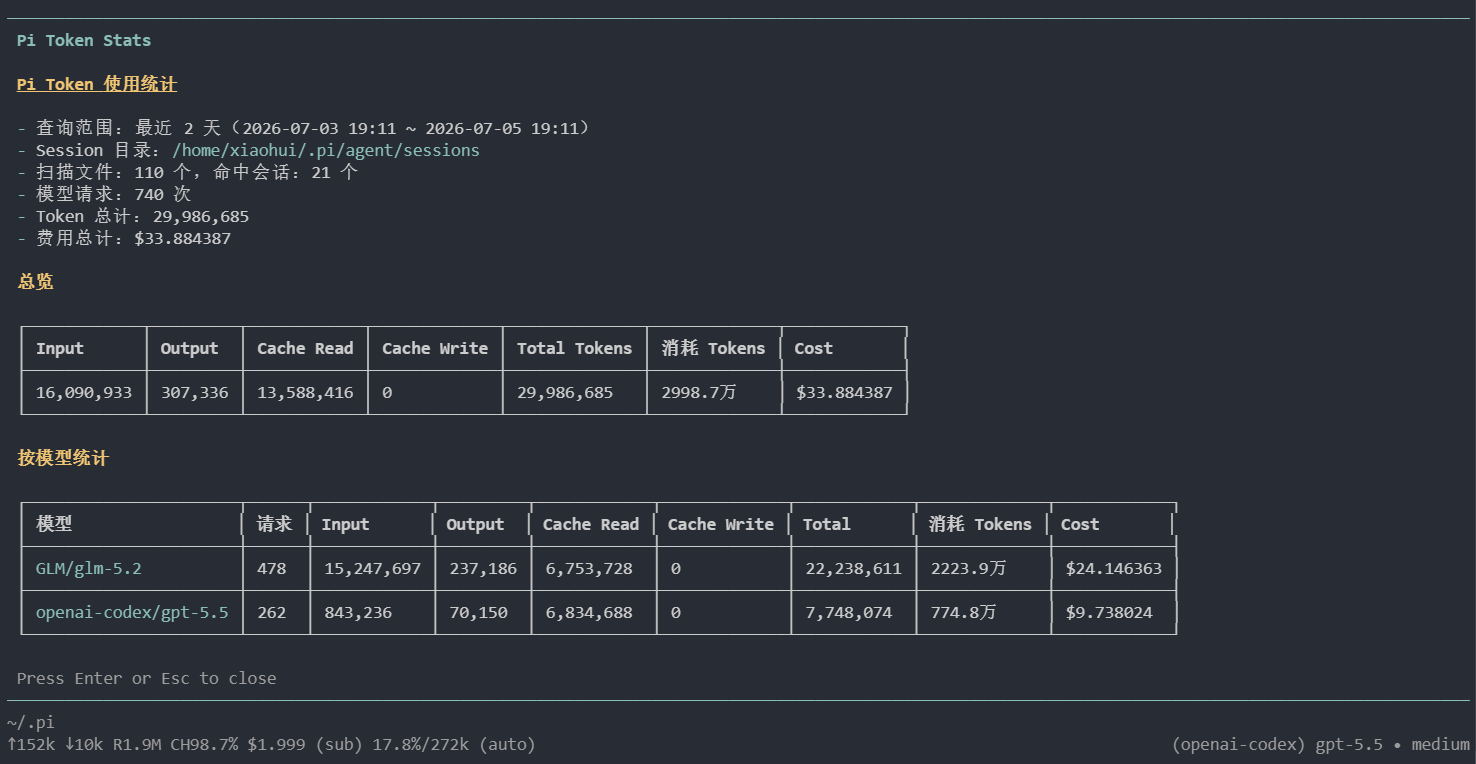
.jsonlfiles. - Aggregates input, output, cache read, cache write, total tokens, and cost.
- Groups usage by provider/model.
- Supports recent-day filters or all history.
Screenshot
Install
From npm
pi install npm:pi-token-stats
From git
pi install git:github.com/reaishijie/pi-token-stats
Install a pinned release/tag:
pi install git:github.com/reaishijie/pi-token-stats@v0.1.1
Local development
pi install /path/to/pi-token-stats
# or test once without installing
pi -e /path/to/pi-token-stats
Usage
/tokens
/tokens 7
/tokens 30
/tokens 0
/token-stats --days 7
Arguments:
- no argument: last 30 days
7: last 7 days30: last 30 days0: all history--days Nor-d N: last N days
Session directory
By default, the extension reads sessions from:
~/.pi/agent/sessions
It respects pi environment overrides:
PI_CODING_AGENT_SESSION_DIRPI_CODING_AGENT_DIR
Package manifest
This package is discoverable as a pi package through the pi-package keyword and declares its extension entry under the pi.extensions field in package.json.
License
MIT