pi-tool-guard
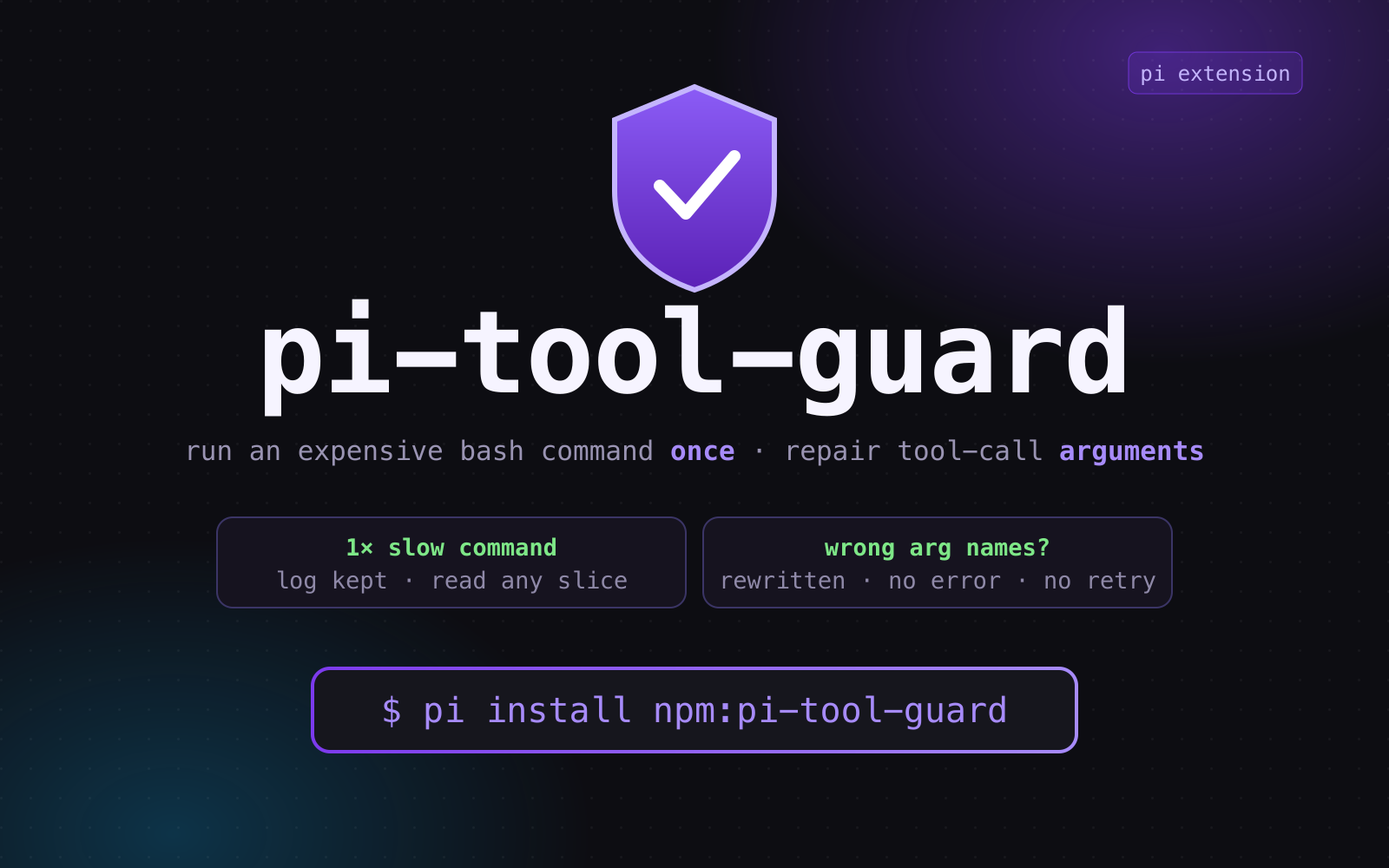
Pi extension: runs an expensive bash command once and keeps its full log so the agent reads any slice instead of re-running, and repairs LLM tool-call arguments — edit/write/read aliases plus trailing head/tail/grep pipeline extractors.
Package details
Install pi-tool-guard from npm and Pi will load the resources declared by the package manifest.
$ pi install npm:pi-tool-guard- Package
pi-tool-guard- Version
0.6.2- Published
- Oct 21, 2026
- Downloads
- 498/mo · 419/wk
- Author
- tychenjiajun
- License
- MIT
- Types
- extension
- Size
- 831.8 KB
- Dependencies
- 1 dependency · 2 peers
Pi manifest JSON
{
  "image": "https://raw.githubusercontent.com/tychenjiajun/pi-tool-guard/main/assets/preview.png",
  "video": "https://raw.githubusercontent.com/tychenjiajun/pi-tool-guard/main/assets/demo.mp4",
  "extensions": [
    "./index.ts"
  ]
}
Security note
Pi packages can execute code and influence agent behavior. Review the source before installing third-party packages.
README
pi-tool-guard
English | 简体中文







In one sentence: pi-tool-guard gives every tool call two second chances — a minutes-long command is run once and its full log kept so it is never re-run just to see another slice; and a call with the wrong argument names is rewritten, so it never fails.
Install: pi install npm:pi-tool-guard — see it on the
pi.dev packages gallery and in the
pi packages documentation.
pi-tool-guard is an open-source (MIT), TypeScript extension for the pi AI coding agent. It brings two independent values to every session, and both matter:
| # | The failure | What the guard does |
|---|---|---|
| 1. Expensive commands | A vitest run takes minutes and prints the same lines over and over; you only want a few tests' results, and re-running to see them is pure waste. |
Runs the cleaned command once, keeps the full log, returns just the head/tail/grep view that was asked for, and says to read the log instead of re-running. |
| 2. Broken arguments | The model knows what to do but guesses the field names — file, old_str, contents, a top-level oldText — and the call is rejected before it runs. |
Rewrites the arguments to the canonical names before schema validation — no error, no retry. |
Value 1 — a slow command runs once, then you read its log
vitest is the canonical case: minutes of repetitive per-test output, when what
you really want is a handful of results inside it.
# the model writes
npx vitest run 2>&1 | grep -E '✓|×|FAIL' | tail -40

# the guard runs `npx vitest run` a single time, keeps every line in
# pi-bash-guard-<hex>.log, and returns only the 40 matching lines.
# Need another slice? grep the log — the multi-minute suite is never re-run.
Pi's built-in bash tool only keeps a full-output file when the result exceeds
50 KB / 2,000 lines — and a grep/head view can still hide the lines it did
not select. The guard keeps a full log for every slow command it projects:
| Step | What the guard does |
|---|---|
| 1. Run once | The cleaned command executes a single time. |
| 2. Keep the log | The full, unextracted output is written to pi-bash-guard-<hex>.log in the OS temp dir — even when Pi would not have truncated it. |
| 3. Return the view | The model gets exactly the head/tail/grep projection it asked for. |
| 4. Read, don't re-run | A Full-Output Readback notice inlines the path and says to read it on demand — the read tool with offset/limit, or sed -n 'START,ENDp' <path> — instead of re-running the command. |
The win is wall-clock time, not just tokens: the agent pages or greps through a finished batch run instead of paying for it again. The guard never fabricates a cached result — a fresh invocation still executes the command — but the persisted log makes re-running unnecessary, which is the point. This is the same trade a batch job makes: submit once, then read the log.
Value 2 — a broken tool call still goes through
The model rarely gets the schema exactly right on the first try. file for
path, old_str for oldText, contents for content, or the shorthand
{ oldText, newText } instead of { edits: [...] } are all reasonable guesses —
and pi rejects each of them before any extension sees the call.
// the model sends
{ "file": "src/app.ts", "old_str": "foo", "new_str": "bar" }
// the guard validates and runs
{ "path": "src/app.ts", "edits": [{ "oldText": "foo", "newText": "bar" }] }
Underneath that one example are real alias maps for edit, write, and read,
plus three shape repairs: a top-level oldText/newText (or aliases) is wrapped
into edits, a JSON-string edits is parsed, and a string offset/limit on
read is coerced to a number. No re-prompt, no retry, no
Error: invalid arguments. If the model can call the tool at all, the guard
makes the call go through.
Both values point the same way: the model should spend its turns on the task, not on re-running expensive commands or re-phrasing a rejected tool call.
Install
# from npm (recommended)
pi install npm:pi-tool-guard

# from git
pi install git:github.com/tychenjiajun/pi-tool-guard

# from a local checkout
pi install ./pi-tool-guard

# try it for one session without saving it to settings
pi -e npm:pi-tool-guard
The extension overrides the built-in tool definitions through the public
registerTool API, so there is nothing to uninstall from pi and nothing to
configure. pi list shows configured packages; pi remove <source> removes
one.
What it does
Two independent guards, both installed automatically at session start:
| Guard | Tool(s) | Trigger | Effect |
|---|---|---|---|
| Argument normalization | edit, write, read |
An alias field name, a top-level oldText/newText, a JSON-string edits, or a string offset/limit |
Rewrites arguments in place via prepareArguments, before schema validation |
| Bash pipeline projection | bash |
A trailing view extractor (head, tail, grep, rg, …) |
Runs the cleaned command, re-applies the view, and keeps the full output on disk |
Before → after
Alias repair — no error, no retry:
// the model sends
{ "file": "src/app.ts", "old_str": "foo", "new_str": "bar" }
// the guard validates and runs
{ "path": "src/app.ts", "edits": [{ "oldText": "foo", "newText": "bar" }] }
Bash projection — the model keeps its pipeline, the context stops paying for it:
# the model writes
npm test 2>&1 | grep -E 'FAIL|Tests' | tail -5

# the guard runs, and returns just
Tests  12 failed | 4 passed (16)
Slow commands get a guard receipt instead of pi's opaque Took line:
🛡 pi-tool-guard · grep FAIL | head -5
   Context saved · 1,234 → 20 lines · 98% smaller · 19 KiB saved
   Took 6.5s  ██████████████░░░░  cmd 5.0s · filter 1.5s
The bar is proportional — accent █ for the cleaned command, warning ░ for
the guard's extractor. Fast commands are untouched and look exactly like the
built-in bash tool.
Real results
Measured from guard-stamped results in local pi sessions (38 projects, 2,264 guarded bash calls):
| Metric | Value |
|---|---|
| Projections applied | 2,235 (98.7%) |
| Full-output fallbacks | 29 |
| Output lines projected | 102,966 → 42,105 — 59% fewer |
| Output bytes projected | 6.56 MB → 2.91 MB — 56% smaller |
| Median extractor overhead | +33 ms (p90 +73 ms) |
| Slow runs that surfaced the receipt | 344 |
| No-op projections (no UI, nothing changed) | 1,092 |
| Full-Output Readback notices attached | 293 |
The most common stripped pipelines were head -40, head -20, head -30,
tail -20, and grep -v node_modules; the largest single projection took a
1,462-line log down to the 20 lines the model asked for. The guard never
deletes a byte: every projected slow command keeps a full batch log regardless
of Pi's truncation limit, so the agent can re-read any section of a finished run
instead of paying for it again.
Argument alias normalization
Field aliases are renamed in place by prepareArguments on the overridden
edit/write/read definitions — the cleanest pi extension pattern for
argument correction, running before pi's schema validation. Three shapes are
repaired beyond simple key renames:
- Top-level shorthand:
{ oldText, newText }(or their aliases) is wrapped into{ edits: [{ oldText, newText }] }. - JSON-string edits:
editsgiven as a JSON string is parsed into an array. - Type coercion for
read: stringoffset/limitbecome integers.
| Tool | Canonical | Accepted aliases |
|---|---|---|
edit |
path |
file, filePath, file_path, target, filename, file_name |
edit |
edits[].oldText |
old_str, old_string, old_text, oldStr, oldString, oldContent, old_content, old, original, search |
edit |
edits[].newText |
new_str, new_string, new_text, newStr, newString, newContent, new_content, new, replacement, replace |
write |
path |
file, filePath, file_path, target, filename, file_name |
write |
content |
text, body, code, data, fileContent, file_content, contents |
read |
path |
file, filePath, file_path, target, filename, file_name |
read |
offset |
start, startLine, start_line, from, line |
read |
limit |
lines, maxLines, max_lines, count, numLines, num_lines |
Bash pipeline projection
Bash commands are parsed with unbash and the trailing pipeline is classified as view or transform:
| Kind | Commands | Behavior |
|---|---|---|
| View (stripped) | head, tail, grep, egrep, fgrep, rg, less, more |
Removed and re-applied by the guard to the full output |
| Transform (kept) | sed, awk, cut, sort, uniq, wc, column, jq, yq, tr |
Left in the command; the shell applies it, the guard stays out of the way |
Only the trailing run of views is removed. A transform stops that run
rather than poisoning it: in du -sh * | sort -rh | head -15 the guard removes
just head -15 and the shell still applies sort -rh, so the re-applied view
sees exactly what the original pipeline produced.
Only view extractors are stripped: npm test | grep FAIL | head -5 becomes
npm test, and the guard re-applies grep FAIL | head -5 itself. Stripping
happens in execute (not prepareArguments), so tool_result.input.command
keeps the command the user actually wrote.
Multi-statement safety (hoisting)
Stripping is only attempted when the trailing view's stdout is the whole
command's stdout. Statements around the window are hoisted into a temp
side-channel sink ({ <text>\n} >> '<sink>' 2>&1) so the shell preserves every
byte, and the guard re-attaches that text around the projection:
cd x && echo "=== build ===" && npm test | tail -12
# →
cd x && { echo "=== build ==="
} >> '<sink>' 2>&1 && npm test
A silent prefix (cd, bare assignments, true, :, test, [, without
redirects) needs no sink at all. The guard leaves the command completely
untouched when it cannot be faithful:
a statement that carries its own extractor (
a | head && b | tail),a pipeline containing an unbounded producer —
tail -f/-F/--follow,yes,journalctl -f,watch, or an un-countedping. The removed view may be the only thing that terminates it, sotail -f build.log | grep -m 1 DONEis left alone rather than turned into a command that never exits.timeout 5 tail -f x | headis still stripped becausetimeoutis bounded,a backgrounded final statement (
… &) — slicing out the view would drop the&and silently foreground the job,a command containing a here-document (its body lives outside the statement's span),
a trailing statement that reads
$?,${?}, orPIPESTATUS— the removed view is no longer the pipeline's last command, so the guard passes the whole command through rather than print a wrong status:printf 'a\n' | grep nomatch; echo "R=$?" # bash prints R=1; stripping would print R=0
Exit codes and empty output
Extractor exit codes are propagated, matching pi's own cmd | extractor
behavior: cmd | grep no-match fails with Command exited with code 1 instead
of returning an empty success. That holds only while the extractor is the
command's last command; with a following statement (cmd | grep x; echo done)
bash exits with that statement's status, so the guard projects instead of
throwing. An empty inline projection renders as (no output), matching pi's
own empty-result rendering.
Pi's bash never throws for a non-zero exit (pi ≥ 0.99): it resolves with
isError: true and appends Command exited with code N to the content. That
status belongs to the cleaned command, so the guard strips it before the view
sees the output and reports the view's exit — what pi itself would report
for cmd | view. When nothing re-decides it (a statement after the window, or
a view that never ran) the status line and isError flag are kept exactly as
pi wrote them. The structuredContent payload of pi's bash outputSchema is
re-stamped around the projection (output, exit_code, wall_time_seconds)
instead of dropped; truncated/full_output_path still point at the
unprojected log.
Fast and slow paths
| Command | Behavior |
|---|---|
| Fast (< 10 s) | Run the cleaned command, apply the view to pi's formatted result, return the projection. No notice, no receipt — visually identical to the built-in bash tool. |
| Slow (≥ 10 s) | Persist the full, unextracted output to pi-bash-guard-<hex>.log in the OS temp dir, apply the view, return the projection plus a Full-Output Readback notice that inlines the path. |
The slow log exists even when pi itself did not truncate, and its
pi-bash-guard-*.log name — published as details.fullOutputPath — keeps it
readable by SoL-Pi's evidence-preserving
reducer. Logs older than 24 h (FULL_OUTPUT_TTL_MS) are swept best-effort on
subsequent persists. If persisting fails and pi did not truncate, the guard
falls back to the full output rather than a projection, so the notice is never
misleading.
Silent no-op
When applying the extractor leaves the output unchanged (e.g. tail -20 on a
2-line result), the guard shows no notice and no receipt — pi's plain Took
line stays. No-op detection is computed for inline (non-truncated) projections
only.
Interop: details.piToolGuard
When the guard strips extractors it stamps a versioned record on
details.piToolGuard so other tool_result handlers — notably SoL-Pi's
evidence-preserving reducer — can tell what the visible content really is:
interface PiToolGuardDetails {
  version: 1;
  originalCommand: string;   // e.g. "npm test | tail -20"
  cleanedCommand: string;    // e.g. "npm test"
  removed: string[];         // e.g. ["tail"]
  removedPipeline: string;   // e.g. "tail -20"
  outcome: "projection-applied" | "full-output";
  sourcePath?: string;       // untruncated output, when pi produced one
  timing?: {                 // per-phase wall clock
    commandMs: number;       // cleaned command execution
    extractorMs: number;     // guard's extractor projection (0 when none ran)
    totalMs: number;         // commandMs + extractorMs
  };
  projection?: {             // before/after size, when measurable
    inputLines: number;
    inputBytes: number;
    outputLines: number;
    outputBytes: number;
  };
  noop?: boolean;            // projection left the output unchanged (inline only)
  slow?: boolean;            // cleaned command ran >= 10s; only slow runs show guard UI
  capped?: boolean;          // text was capped to pi's 2000-line / 50KB limit
}
outcome: "projection-applied"—contentis the user's projection, applied as a fallback. Because the projection re-runs against the full persisted output, it is re-capped to pi's model-facing limits (2000 lines / 50KB, tail kept) exactly as pi's native executor would cap the same pipeline:head -60over 30 matches of a minified HTML file can be megabytes, line-for-line unchanged, and must not bypass pi's truncation. When capped the result carriescapped: trueand a[Showing … Full output: <path>]banner (fast runs; slow runs point via the readback notice). The guard always keepsdetails.fullOutputPath/truncation, and mirrors the path aspiToolGuard.sourcePath, so a downstream reducer can read the exact full log and override the projection with its own receipt.outcome: "full-output"—contentis the cleaned command's full output anddetails.fullOutputPathis kept. Also the fallback when a slow command's full output cannot be persisted and pi did not truncate.slow—truewhen the cleaned command ran for at leastFAST_THRESHOLD_MS. Only slow runs surface guard UI (Notice, footer status, receipt).- No extractors stripped → no record;
detailsis left untouched. - The error path (non-zero exit) cannot carry
details, so no contract is published there — a documented limitation.
The contract is additive and versioned. Consumers must parse with
readPiToolGuardDetails (exported from contract.ts) and fall back to the
inline content for unknown versions.
Architecture
index.ts       Extension entry; registers the edit/write/read/bash overrides
aliases.ts     Argument normalization for edit / write / read
pipeline.ts    Bash parsing (unbash) and extractor stripping
execute.ts     Core bash execution: strip, run, project, persist, notice
contract.ts    Versioned details.piToolGuard interop contract
bash.ts        Extractor runner + notice builders
timing.ts      Duration formatting and proportional bar split
format.ts      Pure text measurement, savings/count/byte formatting
render.ts      Swaps pi's trailing Took line for the guard receipt
tui.ts         Themed receipt component and transient footer status
Bash flow:
executeparses the command and strips trailing view extractors, hoisting any non-silent statements it must preserve.- The cleaned command runs through the original built-in execute.
- A plain trailing
head/tailis applied in-process; any other removed pipeline runs throughpi.exec— against pi's full-output file when pi truncated, otherwise over the inline result text. Either way the projection is re-capped to pi's 2000-line / 50KB model-facing limit (capModelOutput), with the[Showing … Full output: <path>]banner when the cap trimmed it. - Slow → persist the full, unextracted output, project, and append the Full-Output Readback notice.
- Non-zero exit → pi resolves an
isErrorresult ending inCommand exited with code N(it never throws for exit codes). The guard strips that status, applies the view, and reports the view's exit — pi's own semantics forcmd | view. A non-zero view throws the projection plus[Command exited with code N. Full output: <path>]; thrown errors without an exit code (timeout/abort) are rethrown unchanged.
Compatibility and limitations
Documented, intentional behaviors — not bugs:
- Fast-path stderr merge. Pi merges stdout and stderr before the guard
projects, so a stripped
grep/headalso filters stderr lines; a native shell pipeline would not. The guard trims trailing whitespace from the projection. - Live stream. During a fast run pi's
onUpdatestream shows the cleaned command's unfiltered output; only the returned content is the projection. - Error path has no contract. A thrown error cannot carry
details. - Exit status follows the view. A failed command's
Command exited with code Nline is stripped before projecting; the result reports the view's exit, as a nativecmd | viewpipeline would. With a statement after the window the status is kept as pi wrote it. structuredContentis re-stamped, not dropped. The bashoutputSchemapayload keepstruncated/full_output_path(the unprojected log) and takes the projectedoutput, the view'sexit_code, and the guarded run'swall_time_seconds.- Transform extractors are never stripped — but a view after one still
is.
sed,awk,jq,sort, … stay in the command on purpose; the guard removes only the trailing run of views. - Unbounded producers are left untouched. A pipeline whose producer never ends on its own (see above) is never projected, because the removed view may be its only terminator.
- No session scanning and no replay. Every invocation executes the command again; the guard never returns a cached run.
FAQ
Is pi-tool-guard safe?
Yes. The guard only rewrites tool arguments and re-applies a shell command the model already asked for. It never invents a command, never runs anything the model did not write, and never deletes output — the full log is always persisted for slow runs.
Does it replace pi's built-in tools?
It re-registers their definitions with
a small prepareArguments / execute shim, keeping the original schema and
behavior. Disable the extension and the built-in tools are untouched.
Why strip head/tail/grep but not sed/jq? View extractors only
filter the stream, so removing and re-applying one is lossless. Transform
extractors change the data; stripping them would silently drop the
transformation. The guard leaves them in the shell — but it still removes a
view that follows one (… | sort -rh | head -15 keeps sort -rh and projects
head -15).
What happens to the output the model didn't ask for? For fast commands it
never leaves the process. For slow commands it is written to
pi-bash-guard-<hex>.log and pointed at by a Full-Output Readback notice, so
the model can read it on demand instead of re-running an expensive command.
How is this different from pi's built-in fullOutputPath?
Pi only writes
that file when a result is large enough to truncate. A projected slow command —
say npm run build | grep error, whose full output is still under 50 KB —
otherwise leaves no complete log at all. The guard writes one for every slow
command it projects, so the un-projected output is always there to read. (A slow
command with no view is passed straight through; the model already sees its full
output, and Pi's truncation file covers the oversized case.)
Does it work with other extensions? Yes — it publishes
details.piToolGuard so downstream consumers such as SoL-Pi's
evidence-preserving reducer can interoperate, and it never scans sessions or
mutates other tools.
Does it need configuration?
No. Install and it works. FAST_THRESHOLD_MS
(10 s) and FULL_OUTPUT_TTL_MS (24 h) are the only tunables, both internal
constants today.
Related pi extensions
- pi-codemode-guard — compiles LLM-written codemode scripts before they reach the sandbox.
- pi-codemode-snippets —
turns a
// @snippet:.jsfile into a named, composable pi tool. - pi-skill-guard — guards skill loading and invocation.
- pi-voice — speech input for pi.
- SoL-Pi — evidence-preserving context
reduction; reads this extension's
details.piToolGuardcontract.
Development
pnpm install
pnpm test        # 268 unit tests
pnpm typecheck
pi -e .          # load this checkout as an extension for one session
Layout and design notes live in AGENTS.md and
CONTEXT.md. Pi's own documentation:
Extensions ·
Pi packages.
License
MIT