pi-translate
pi extension that translates prompts to English and model responses back to the source language
Package details
Install pi-translate from npm and Pi will load the resources declared by the package manifest.
$ pi install npm:pi-translate- Package
pi-translate- Version
1.0.3- Published
- Jul 26, 2026
- Downloads
- 457/mo · 236/wk
- Author
- kinderp
- License
- MIT
- Types
- extension
- Size
- 33.5 KB
- Dependencies
- 0 dependencies · 3 peers
Pi manifest JSON
{
  "extensions": [
    "./translate"
  ],
  "image": "https://raw.githubusercontent.com/kinderp/pi-translate/main/docs/screenshots/chat-it.svg"
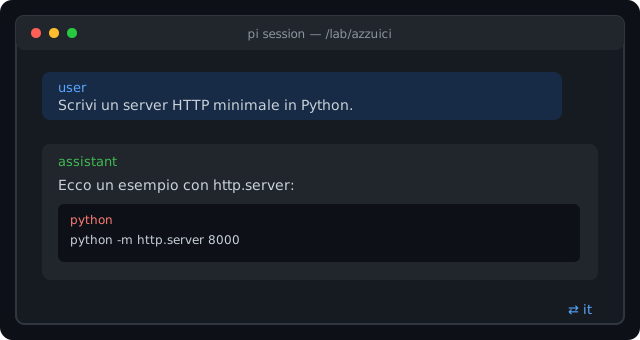
}
Security note
Pi packages can execute code and influence agent behavior. Review the source before installing third-party packages.
README
pi-translate


Write in Italian. Think in English (or Spanish, French…). Read in Italian.
pi-translate is a pi extension that silently translates your prompts to a model language of your choice before the LLM sees them, then translates the model's replies back to your source language in the transcript. The original model response is always one keystroke away.
✨ What it does
- Prompts go to the model in your chosen language — every user message is translated before it enters the LLM context.
- Replies appear in your source language — assistant messages are translated back at the end of generation.
- Original response on demand — press
Ctrl+Shift+Eto open a native overlay panel with the untouched model output. - Code stays intact — fenced blocks, inline code,
@filereferences, URLs and absolute paths are protected during translation.
🚀 Install
# install globally for all pi sessions
pi install npm:pi-translate

# or install only in the current project
pi install -l npm:pi-translate
pi downloads the package, adds it to your settings and loads it automatically. Default config is written to ~/.pi/agent/translate.json.
Try without installing
pi -e npm:pi-translate
Install from source
If you prefer, you can still install directly from GitHub or a local path:
pi install git:github.com/kinderp/pi-translate@v1.0.1
# or
pi install /path/to/pi-translate
⌨️ Four commands to know
| Command | What it does |
|---|---|
/translate |
Toggle the whole extension on or off. |
/translate-backend <backend> |
Switch backend: google, mymemory, libretranslate, llm. |
/translate-original |
Open the original model-response overlay panel. |
/translate-model-lang <code> |
Change the language the model reasons in (default en). |
Ctrl+Shift+E |
Same as /translate-original, instant. |
More: /translate-lang, /translate-mode, /translate-protect, /translate-status, /translate-mirror <path>.
🪟 Peek at the original
When the translated reply is on screen, hit Ctrl+Shift+E:
The panel scrolls with arrow keys / Page Up / Page Down and closes with Esc or q.
⚙️ Configuration
~/.pi/agent/translate.json:
{
  "enabled": true,
  "sourceLang": "it",
  "modelLang": "en",
  "backend": "google",
  "outputMode": "translate",
  "protectCode": true,
  "showFooterStatus": true,
  "originalShortcut": "ctrl+shift+e",
  "mirrorFile": "",
  "llm": { "provider": "google", "model": "gemini-2.5-flash" }
}
| Backend | Notes |
|---|---|
google |
Free client=gtx endpoint, auto-detects source language. Default. |
mymemory |
Free api.mymemory.translated.net. |
libretranslate |
Self-hosted or public instance via LIBRETRANSLATE_URL. |
llm |
Any model registered in pi via modelRegistry. |
🧠 Model language (modelLang)
By default the model reasons in English ("modelLang": "en"). You can change it with:
/translate-model-lang es   # Spanish
/translate-model-lang fr   # French
/translate-model-lang de   # German
When it makes sense
- Tasks deeply rooted in another language (literary analysis, legal text, localisation review).
- Working with reference documents that are already in that language.
- Experimenting with multilingual models.
When English is still better
- Coding and technical tasks: most training data, docs and tools are in English.
- Token cost: English is usually the most token-efficient language for LLMs.
- Reasoning quality: instruction following and step-by-step reasoning are generally strongest in English.
For most day-to-day work, leave modelLang as en.
🎯 Modes
translate(default) — prompts are translated tomodelLang; replies are translated back tosourceLang. Original model response viewable on demand.native— prompts are still translated tomodelLang, but the model is asked to reply directly in your source language. No output flip, no original panel.
📦 Release
Latest: v1.0.1
📄 License
MIT