pi-twiddle
Prompt distillation extension for pi.
Package details
Install pi-twiddle from npm and Pi will load the resources declared by the package manifest.
$ pi install npm:pi-twiddle- Package
pi-twiddle- Version
2.0.0- Published
- Jun 14, 2026
- Downloads
- not available
- Author
- bscordeiro
- License
- MIT
- Types
- extension
- Size
- 1.6 MB
- Dependencies
- 0 dependencies · 0 peers
Pi manifest JSON
{
  "extensions": [
    "./index.ts"
  ]
}
Security note
Pi packages can execute code and influence agent behavior. Review the source before installing third-party packages.
README

Twiddle
Prompt distillation for pi. Twiddle cleans, sharpens, and structures prompts before they reach the agent.
Not free: every optimization costs tokens. Tiny prompts can lose more than they save. Watch the footer counter (✨ Twiddle [12k] / ~ Twiddle [12k]) to track net savings.
What it does
- Translates any language into clear engineering English
- Classifies intent with fast regex rules
- Injects project context when useful
- Preserves code blocks, inline code, URLs, hashes, and semver
- Falls back through a model chain on timeout
- Skips optimization if output would exceed token budget
Quick Start
/twiddle-model
/twiddle-auto-on

~explique o padrão Repository em NestJS com exemplos
Activation
| Input | Behavior |
|---|---|
~text |
Optimize and forward |
~.text |
Bypass, send original |
~!text |
Optimize silently |
~raw:text |
Bypass, alias for ~. |
~bug:text |
Force bug_fix |
~feature:text |
Force new_feature |
~refactor:text |
Force refactor |
~research:text |
Force research |
~test:text |
Force testing |
~review:text |
Force review |
~docs:text |
Force docs |
~infra:text |
Force infrastructure |
~design:text |
Force design |
Auto-mode (/twiddle-auto-on): every prompt gets distilled, unless it is a trivial greeting.
Commands
| Command | Purpose |
|---|---|
/twiddle |
Show current config |
/twiddle-model |
Select optimization model |
/twiddle-threshold [0–500] |
Set token budget margin |
/twiddle-timeout [5–60] |
Set per-model timeout in seconds |
/twiddle-compress off|auto|max |
Set compression aggressiveness |
/twiddle-fallback add|remove|list|clear |
Manage fallback chain |
/twiddle-verbose quiet|normal|debug |
Set notification verbosity |
/twiddle-auto-on |
Enable auto-mode |
/twiddle-auto-off |
Disable auto-mode |
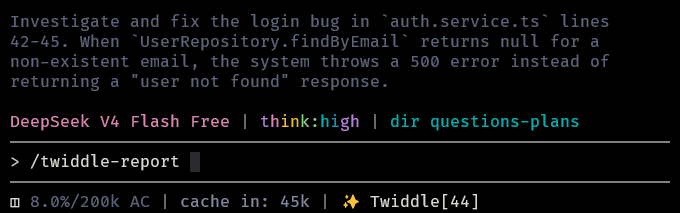
/twiddle-report |
Show session stats |
/twiddle-setup |
Interactive setup |
/twiddle-reset |
Restore defaults |
Screenshots
Settings
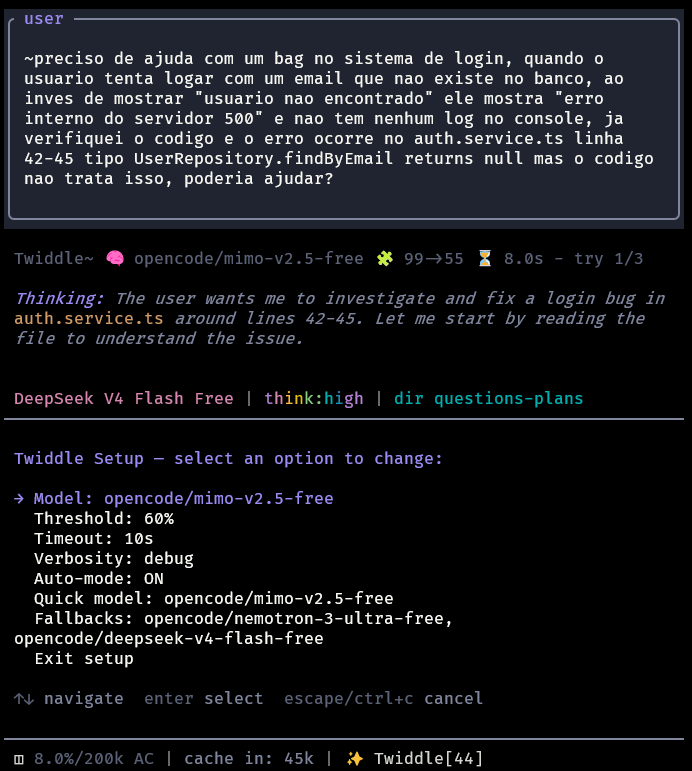
Prompt report
How it works
- Detect
~input and parse override prefixes - Classify intent and scope
- Inject project context when available
- Optimize via a separate
pisubprocess - Restore preserved fragments
- Keep original prompt if optimization misses budget or fails
Project layout
pi-twiddle/
├── index.ts
├── optimizer.ts
├── intent.ts
├── project.ts
├── preserve.ts
├── tokenizer.ts
├── config.ts
├── README.md
├── package.json
├── tsconfig.json
├── assets/
└── *.test.ts
Design
- Quiet by default
- No API key management
- Graceful fallback on failure
- Footer shows mode + savings at a glance
Theme: Harpy