pi-voices
Selectable output voices for Pi. Style rulesets injected every turn, switched with /voice.
Package details
Install pi-voices from npm and Pi will load the resources declared by the package manifest.
$ pi install npm:pi-voices- Package
pi-voices- Version
1.1.0- Published
- Sep 10, 2026
- Downloads
- 401/mo · 401/wk
- Author
- sevfle
- License
- MIT
- Types
- extension
- Size
- 45.5 KB
- Dependencies
- 0 dependencies · 1 peer
Pi manifest JSON
{
  "extensions": [
    "./extensions/voice.ts"
  ],
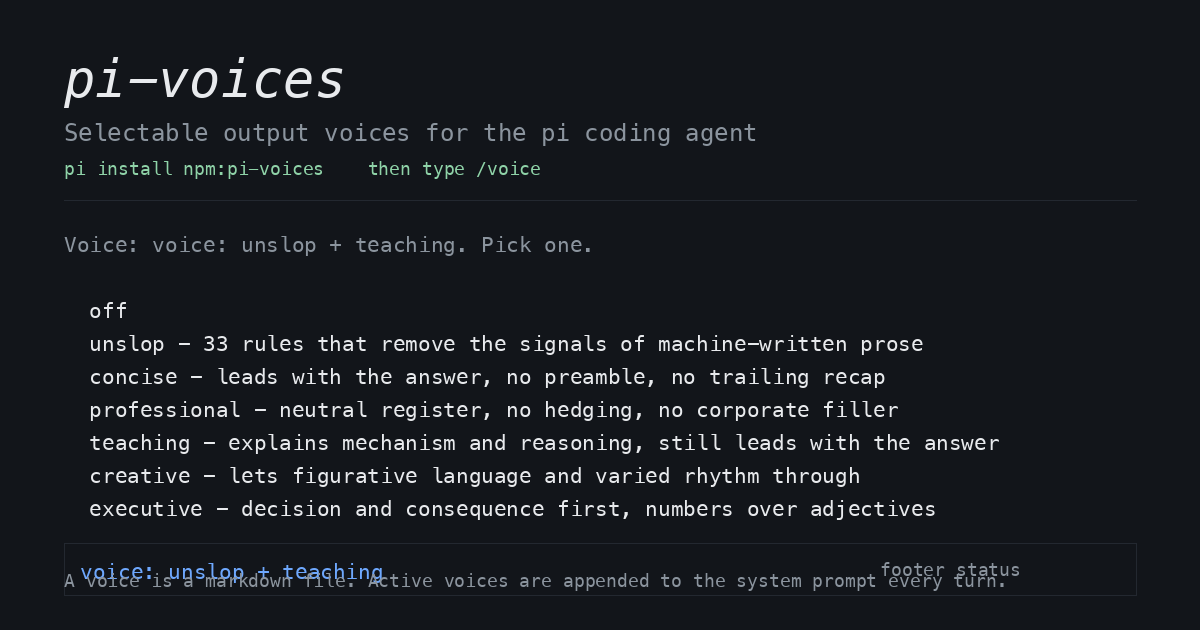
  "image": "https://raw.githubusercontent.com/SevFle/pi-voices/main/assets/card.png"
}
Security note
Pi packages can execute code and influence agent behavior. Review the source before installing third-party packages.
README
pi-voices
Pick the tone of your coding agent's output with /voice. A voice is a markdown file of writing
rules. pi-voices appends the active voices to the system prompt on every request, so the style is
still in force 200 messages later, after context compaction has dropped the messages where you
first asked for it.
pi install npm:pi-voices
Restart pi, type /voice, pick one. The footer shows voice: unslop.
See the difference
A reply with no voice applied:
Certainly! I've updated the configuration. It's worth noting that this change is crucial for ensuring robust error handling, showcasing a pivotal improvement that delves into the validation landscape and enhances reliability going forward.
The same reply with unslop applied:
Validation now lives in
parseDateatsrc/config.ts:41. All four callers route through it, so the bad-date crash is fixed once instead of in each caller.npm testpasses, 212 tests.
Why not AGENTS.md?
Three concrete differences.
A file in the conversation window gets compacted away. pi-voices re-injects on every turn, so the instruction is never the thing that falls out of context.
AGENTS.md is per-directory and static. It applies to one repo, and changing tone means editing
the file. /voice is global, switchable mid-session, and stackable.
Prompt shortcuts send text once. A voice changes every turn, including turns that follow a shortcut.
Commands
| Command | Effect |
|---|---|
/voice |
Picker with every voice and its description |
/voice teaching |
Use one voice, replacing the current selection |
/voice add concise |
Stack a voice on top. Later voices win conflicts |
/voice remove concise |
Drop one voice from the stack |
/voice list |
Show voices, descriptions, where each came from, and what is active |
/voice off |
Stop injecting, keep the files |
/voice new <name> |
Write a starter file into your voices directory |
/voice reload |
Re-read the directories |
/voice where |
Print the directories and the state file in use |
Your choice persists in ~/.pi/agent/voice.json. For one run without touching that file:
pi --voice concise
pi --voice unslop,tech-writing
pi --voice-debug -p "summarize this diff"   # logs injected size and source file to stderr
Stock voices
Five voices seed into ~/.pi/agent/voices/ on first run, and unslop starts active. Token counts
are what each voice adds to every request.
| Voice | It does | Tokens per turn |
|---|---|---|
unslop |
41 rules that strip the signals of machine-written prose | about 2400 |
tech-writing |
Docs, READMEs, PR text, commit messages, agent instructions | about 760 |
teaching |
Explains mechanism, grounds each term, still leads with the answer | about 360 |
professional |
Bottom line first, claims labelled, safe to forward | about 340 |
concise |
Leads with the answer, no preamble, no trailing recap | about 280 |
unslop is the heavy one. It is a checklist, so the examples do the work, and cutting them costs
accuracy. Trim the rules you never trip instead. Your copy in ~/.pi/agent/voices/unslop.md wins
forever, and seeding never touches it again.
A voice is prompt budget. Stack the ones you need. Inside unslop, each rule has one id of the
form R9, so you can cite a single rule in AGENTS.md or a skill without dragging in its section. The set narrowed from six voices to five in
1.1.0: executive folded into professional, and creative gave way to tech-writing, which pays
for itself more often in a coding agent. Seeding never deletes, so remove the stale
creative.md and executive.md yourself if you upgraded.
Write your own
Drop a markdown file in ~/.pi/agent/voices/ and it appears in the picker. Frontmatter is optional.
---
name: audit
description: Terse findings for security review
---

- Report the finding, the file and line, and the impact.
- Skip remediation prose unless the user asks for it.
- No severity labels unless the repo already uses them.
Pi's own rules beat a voice, and a direct instruction in the conversation beats both. A voice changes how output reads. It never changes what is true, so a voice must not cost you a caveat, a failing test, or a verification step.
Resolution order, lowest priority first:
voices/inside the package. Stock defaults, seeded into your directory on first run~/.pi/agent/voices/. Your editable copies<cwd>/.pi/voices/. Per-repo voices, which is how you give a team one style
Seeding never overwrites a file you already have. Edit ~/.pi/agent/voices/unslop.md and your
version wins forever.
How it works
The package registers one extension. On before_agent_start it returns the system prompt with one
section appended: a tie-break line, then each active voice body in stacking order. It stats the
files on every turn and reloads the ones whose mtime changed, so edits from your other editor take
effect on the next message. /voice also sets a footer status showing the active stack.
It writes two things, both under ~/.pi/agent: the saved selection in voice.json, and voice files
when it seeds stock voices or you run /voice new. It opens no sockets and starts no subprocesses.
Unpacked size is 45 kB, with no runtime dependencies.
Requirements
Tested on pi 0.84.4 on macOS. Nothing in the package is platform specific, but Linux is untested.
Node 22.19 and up. Pi packages load through the same extension loader as any .ts file, so there
is no build step and no install script runs.
Credits
Each voice file names its own sources in frontmatter, and frontmatter is stripped before injection, so attribution costs no prompt tokens and travels with every seeded copy. This is the same list.
unslop adapts the unslop skill from
cursor/plugins, and
takes R31 to R41, the weak-alone grading and the guard rails from
humanizer by Siqi Chen, MIT licensed,
whose notice ships in LICENSES/humanizer-MIT.txt. Humanizer itself distils Wikipedia's Signs of
AI writing, maintained by WikiProject
AI Cleanup, which is where the patterns come from. R29 and R30 are ours, written from the ASD-STE100
and Global English material below. Wording in every rule is rewritten for prompt use.
Ids are local to pi-voices and run R1 to R41 with no gaps, so they do not match upstream's numbers. Upstream numbers its rules 3 to 33 and leaves holes at 1, 2, 4, 6 and 21 where it removed rules, and that list maps in order onto R1 to R28. Quote the R form, as in "apply R9", and cite a source by link when precision matters.
tech-writing states steps and sentences from primary sources rather than from anyone's skill file:
the Google Developer Documentation Style
Guide (CC BY 4.0), ASD-STE100 Simplified Technical
English principles, The Global English Style
Guide
(Kohl, SAS Press), and Diataxis for the four document types. Its
agent-instructions section paraphrases writing-for-agents from
mattpocock/skills.
teaching takes its grounding rule from writing-shape and its prior-knowledge rule from teach,
both from mattpocock/skills. The plain re-pitch rule follows
wait-what from the same repo and bro from cursor/plugins.
professional and concise take claim labelling (measured, inferred, or guess), the ban on
invented links and citations, and the consumer-and-maintainer framing from poteto-mode in
cursor/plugins. The table-over-bullets test comes from writing-shape in mattpocock/skills.
mattpocock/skills is MIT licensed, copyright (c) 2026 Matt
Pocock, and that notice ships in LICENSES/mattpocock-skills-MIT.txt. Borrowed material from that
repo is paraphrased, not copied. cursor/plugins publishes no LICENSE file, so the borrowings there
are ideas and short paraphrases with attribution, and nothing there is copied verbatim.
Security
Pi packages run with your full system access, and skills can instruct the model to act on your
behalf. pi-voices reads markdown from the three directories above, writes the two files under
~/.pi/agent described in How it works, and rewrites the system prompt. Review the source before
you install anything, including this.
Development
git clone https://github.com/SevFle/pi-voices
cd pi-voices
npm test              # 20 checks over parsing, precedence, seeding, state
pi install ./         # load your working copy instead of the npm copy
Voice files are data, so most useful contributions are new voices. Open an issue with the file and the prompt budget you think it deserves.
License
MIT