pi-web-ui
Just open your browser to get all your work done — browser cockpit for AI coding agents (chat, code, files, terminal, Git in one tab)
Package details
Install pi-web-ui from npm and Pi will load the resources declared by the package manifest.
$ pi install npm:pi-web-ui- Package
pi-web-ui- Version
0.109.0- Published
- Oct 18, 2026
- Downloads
- 18.9K/mo · 4,499/wk
- Author
- xingshuyin
- License
- MIT
- Types
- extension
- Size
- 9.3 MB
- Dependencies
- 11 dependencies · 2 peers
Pi manifest JSON
{
  "image": "https://raw.githubusercontent.com/xing-shuyin/pi-web-ui/main/assets/chat-prompts.jpeg",
  "extensions": [
    "./extensions"
  ]
}Security note
Pi packages can execute code and influence agent behavior. Review the source before installing third-party packages.
README
💬 pi-web-ui
English | 简体中文 · 繁體中文 · 🌐 Official Website · 📖 Documentation Portal
Just open your browser to get all your work done — browser cockpit for AI coding agents.
pi-web-ui is a full-featured web interface and desktop workspace for the pi coding agent SDK (@earendil-works/pi-coding-agent) and DeepSeek Harness (DSH). It turns your local AI coding agent into a responsive, visual cockpit featuring real-time chat, workspace file management, in-line code editing, terminal execution, visual Git control, and multi-agent workflows — and natively supports opening and developing on remote SSH server projects in a single browser tab.
🌟 Comprehensive Features
💬 Intelligent Dialogue & Interaction
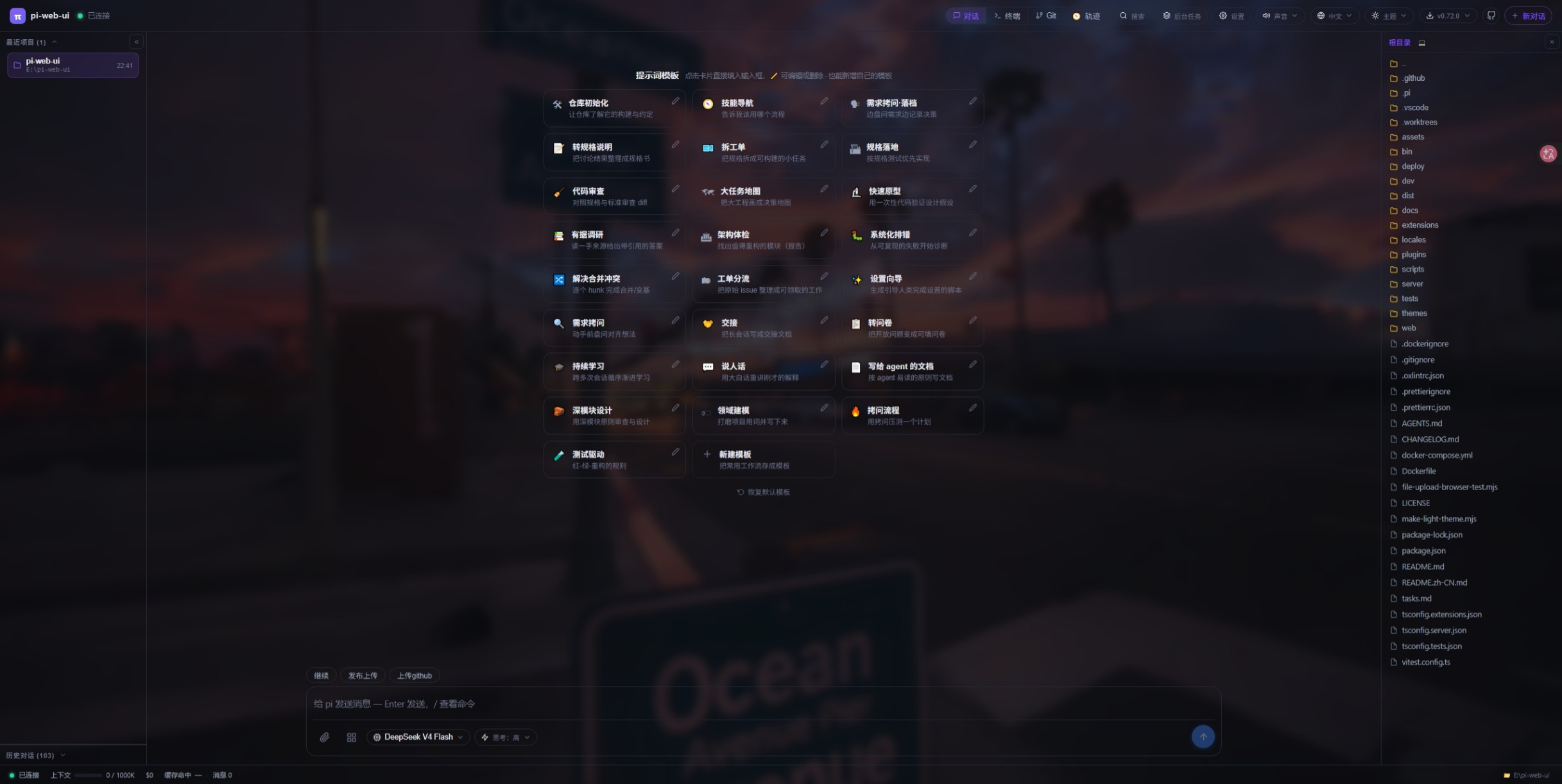
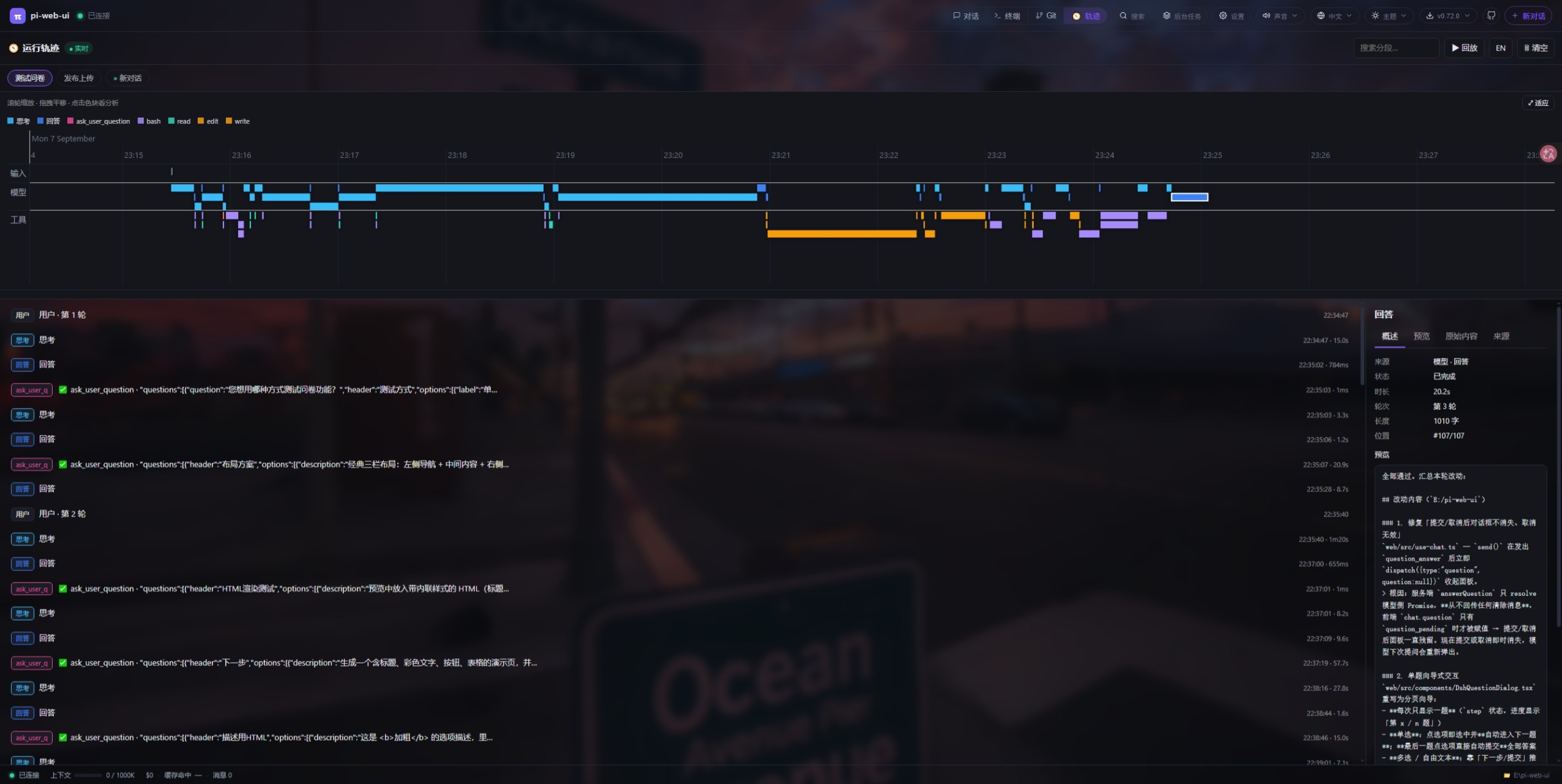
- Snapshot-Driven Real-time Streaming: Sub-60ms incremental snapshots via WebSocket. Displays live agent thought chains (Thinking/Reasoning), tool calls, elapsed execution times, and interactive terminal output.
- Human-in-the-Loop Questionnaires (
ask_user_question): The model can pose structured questions (single/multi-select, rich option previews, freeform text) in interactive dialogs, exempt from watchdog timeouts and recoverable across page refreshes. - Visual Web Element Selection (
Page Picker): Companion Chrome browser extension enables clicking DOM elements in any webpage to seamlessly bring visual captures and CSS selectors into chat for agent analysis. - Multi-Conversation Concurrency: Run multiple parallel agent conversations in the same workspace; conversations run continuously in the background with support for edit-and-fork, message withdrawal (↩), and live migration.
- Rich Workflow Ergonomics: Global slash commands picker (
/new,/model,/compact,/resume, etc.), prompt template library, visual context compression summaries, automatic error retries, and audio/desktop notifications.
📁 Workspace, Multimodal & 🌐 Remote SSH Projects
- Multi-Root Workspaces & Context-Rich File Tree: Manage primary and up to 8 secondary workspace roots with live file watching and instant search (
Ctrl/Cmd+K); full-featured file context menu supporting opening as project root, adding to workspace, reveal in file manager, directory zip-and-download, and instant path referencing in chat. - 🌐 Remote SSH Server Projects: Connect directly to remote Linux servers (
ssh://user@host:port/path):- Credentials & Auth: Supports passwords, SSH private keys (
~/.ssh/id_rsa/id_ed25519), and SSH-Agent; credentials are encrypted locally with AES-256-GCM. - Remote Environment Probe: Automatically detects server architecture and installs missing dependencies (Git, Node.js, Bash, etc.).
- Seamless Remote Development: SFTP-driven file browsing, preview and real-time editing (
Ctrl+S), remote AI tool execution, and remote interactive PTY terminal; chat transcripts are securely persisted locally.
- Credentials & Auth: Supports passwords, SSH private keys (
- Rich Media Preview & In-line Editing: Syntax-highlighted code viewer, Markdown renderer, audio/video/image players, and direct file editing with instant save (
Ctrl+S). - Intelligent Attachments & Vision Bridge: Drag-and-drop file uploads; local image paths are automatically converted to multimodal vision payloads, with text-reference and line-slicing modes.
- Interactive Artifact Cards (
present_files): Visually surface charts, reports, web pages, and generated files as rich cards with native reveal and quick opening.
💻 Integrated Terminal & Visual Git Cockpit
- Server PTY Terminals: Built on
node-ptyandxterm.jswith multi-tab support and persistentai-bashsessions, allowing the AI to run commands in visible, interactive terminals. - Visual Git Source Control: Track repository changes with inline diffs, staging/unstaging, one-click commit, branch switching, and fast-forward pull operations.
- Seamless Theme Integration: Terminal colors automatically align with the active theme; supports native text selection and drag-and-drop file path pasting.
🤖 Multi-Engine & Model Management
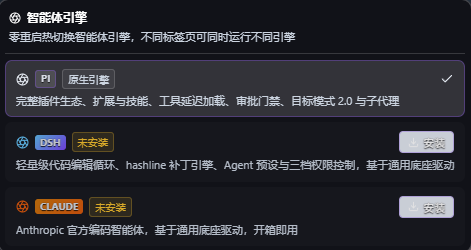
- Seamless Multi-Agent Engine Hot-Switching: Out-of-the-box native integration with pi coding agent SDK, DeepSeek Harness (DSH), and Claude official coding agent runtime. Hot-swap agent engines instantly without restarts; run different engines concurrently across separate browser tabs and sessions.
- Universal Provider Compatibility: Works seamlessly with OpenAI, Anthropic (Claude), Google Gemini, DeepSeek, Ollama, OpenRouter, Azure, and custom API endpoints.
- Zero-Leak Credential Security: API keys and authorization headers remain securely on the server and are never exposed to client browsers.
- Dynamic Context Budgeting: Soft-cap threshold token compression and a 20-minute watchdog timer to prevent agent hangs and context overflow.
🧭 Advanced Agent Collaboration Modes
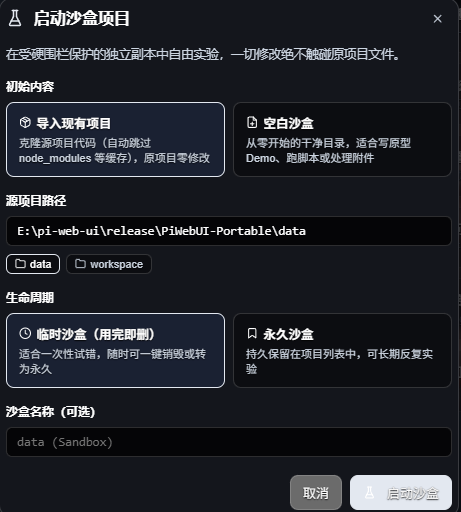
- Hard-Fenced Sandbox Project Mode: Experiment freely with prototypes, destructive refactorings, or untrusted scripts in an isolated sandbox clone without touching your original workspace; supports project snapshot cloning or clean blank environments, with both ephemeral (auto-cleanup) and persistent lifecycles.
- Goal Mode 2.0: The main conversation acts as a Reviewer while an automated Executor session carries out tasks, backed by evidence injection and stagnation circuit-breakers.
- Delegate Mode: The main chat focuses on review and instructions while delegating execution to a background worker session with strict write gates.
- Plan Mode: Enforces planning-only constraints, intercepting write tools and code dumping until the plan is approved.
- Subagents: Spawn independent background subagents with customizable role templates for parallel research and delegated tasks.
🧩 Plugin Ecosystem & Extensibility
- Official Plugin Market: One-click installation and hot-reloading for chatbots (Slack, Discord, DingTalk, Feishu, WeChat), database clients, Mermaid diagrams, office document previews, and more.
- 33+ Host UI Extension Slots: Modular layout slots across top bar, side dock, footer, panels, and composer tools.
- On-Demand Lazy Tool Loading: Loads specialized tools on the fly without breaking model prompt prefix caching.
- Settings & Preset Sharing: Import/export configuration presets with strict whitelist sanitization.
🎨 Themes & Internationalization
- 25+ Built-in Color Schemes & Wallpaper Engine Integration: Dark (default), Light (White), Cyberpunk, Nord, Dracula, and custom CSS stylesheets with live reloading; native integration with Wallpaper Engine dynamic wallpapers, frosted glass blur, adjustable interface opacity, and audio visualizer spectrums.
- Comprehensive Internationalization: Built-in support for English, Simplified Chinese, Traditional Chinese (TW/HK), and custom community locale packs.
🖼️ Screenshots
🎬 Demo Video
📸 Feature Highlights
| Chat with Prompt Templates | Run Trajectory Timeline |
|---|---|
 |
 |
| Multi-Agent Engine Hot-Switching | Hard-Fenced Sandbox Projects |
|---|---|
 |
 |
| Full File Context Menu | Wallpaper Engine Integration |
|---|---|
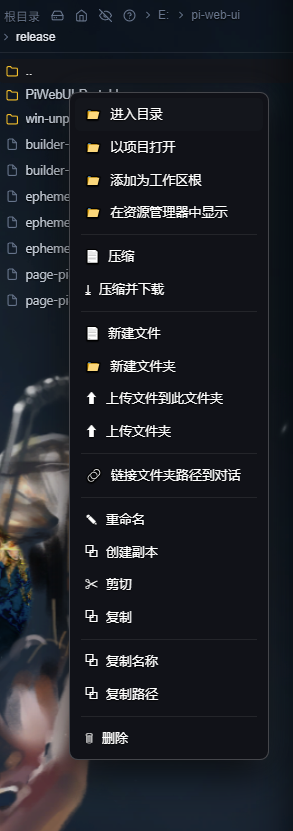 |
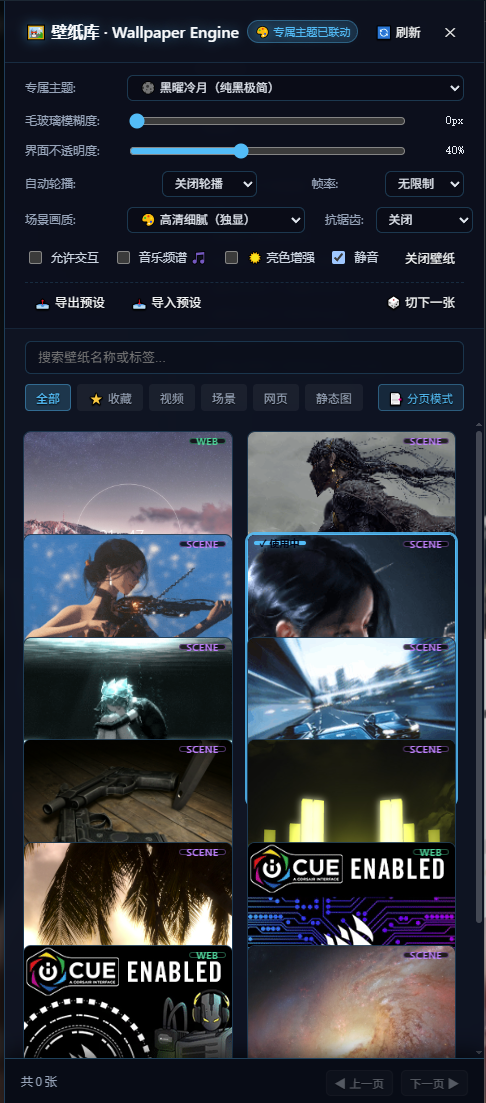 |
| Settings Panel | Built-in Terminal | Git Source Control |
|---|---|---|
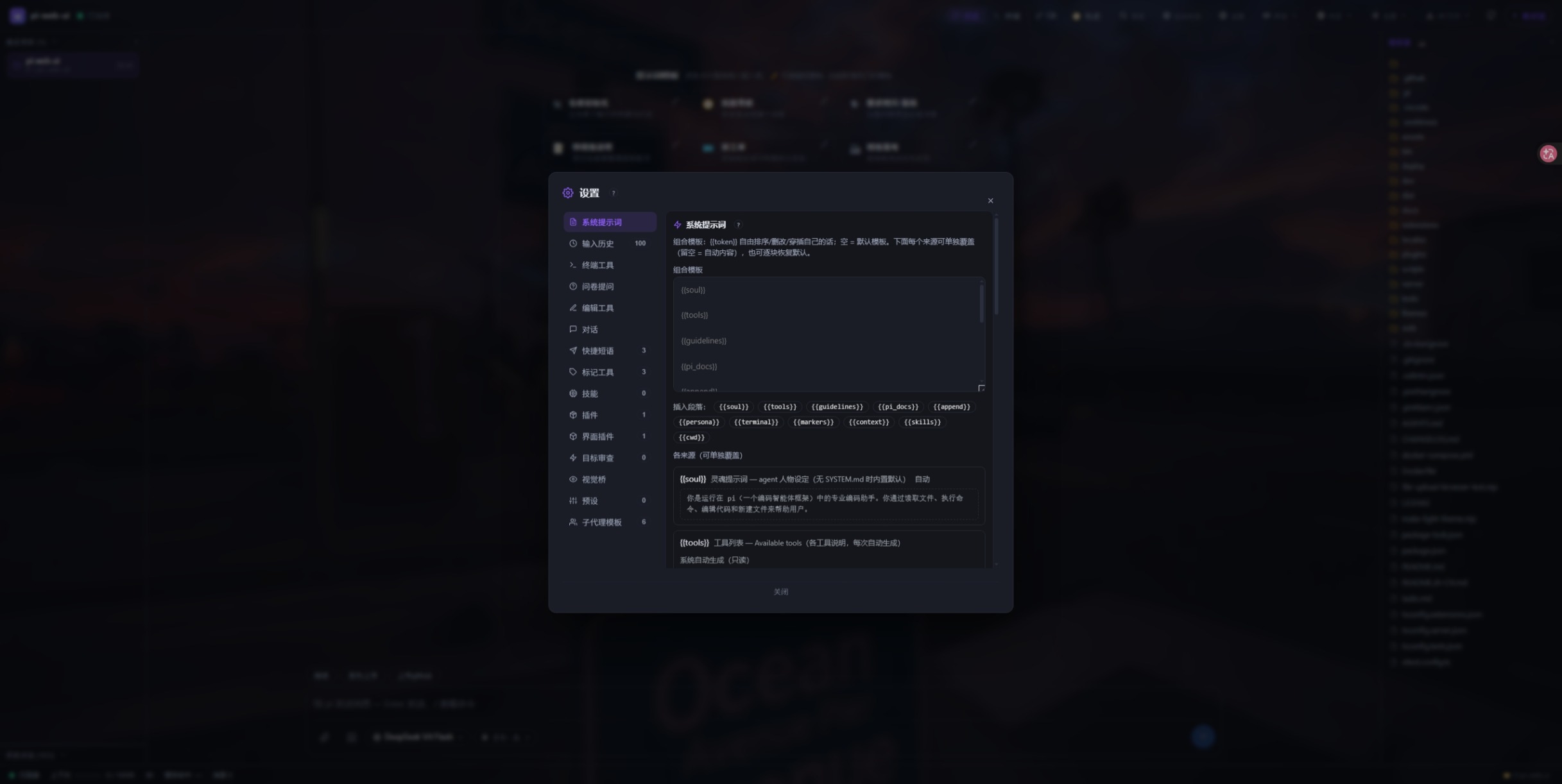 |
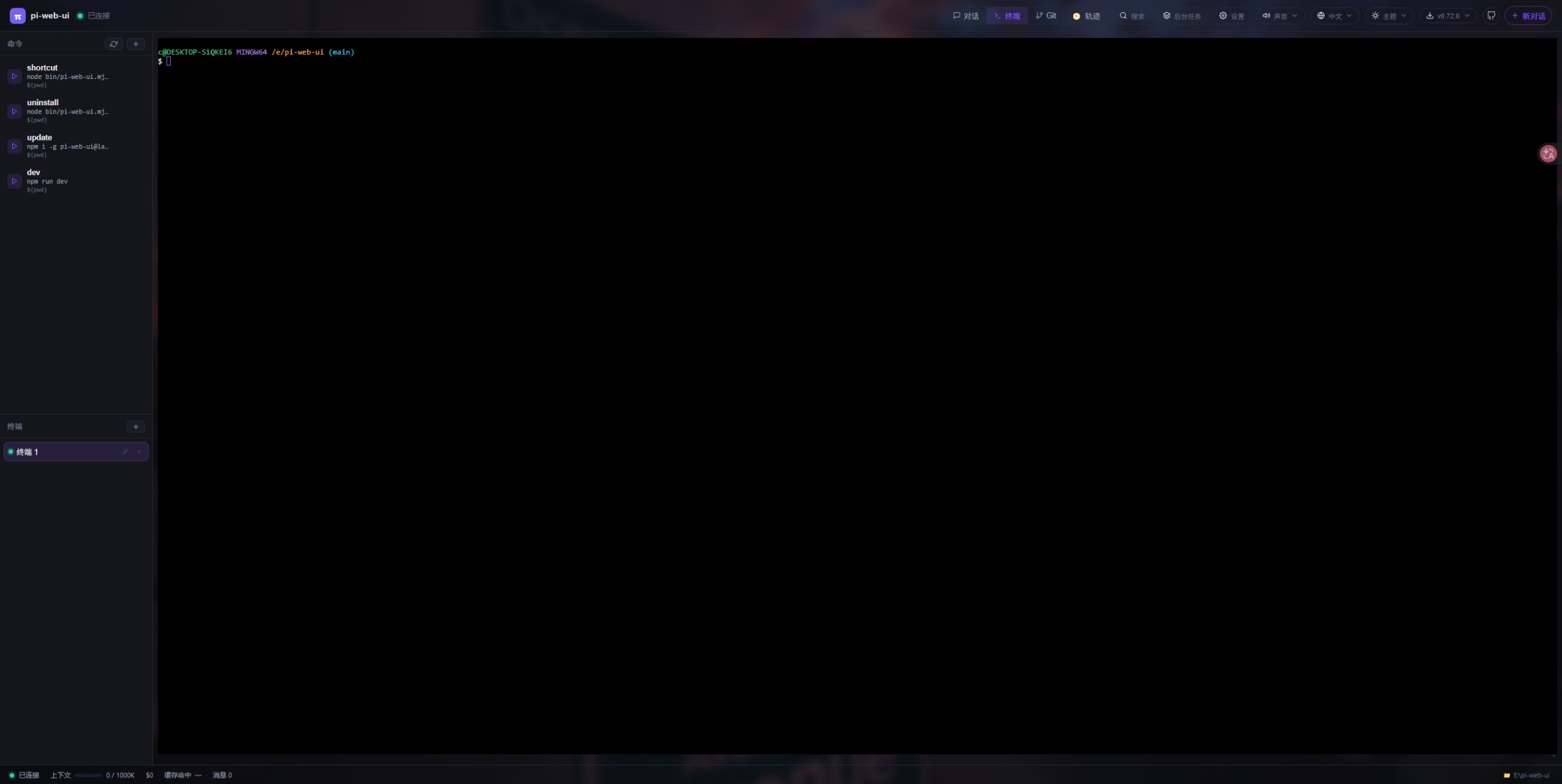 |
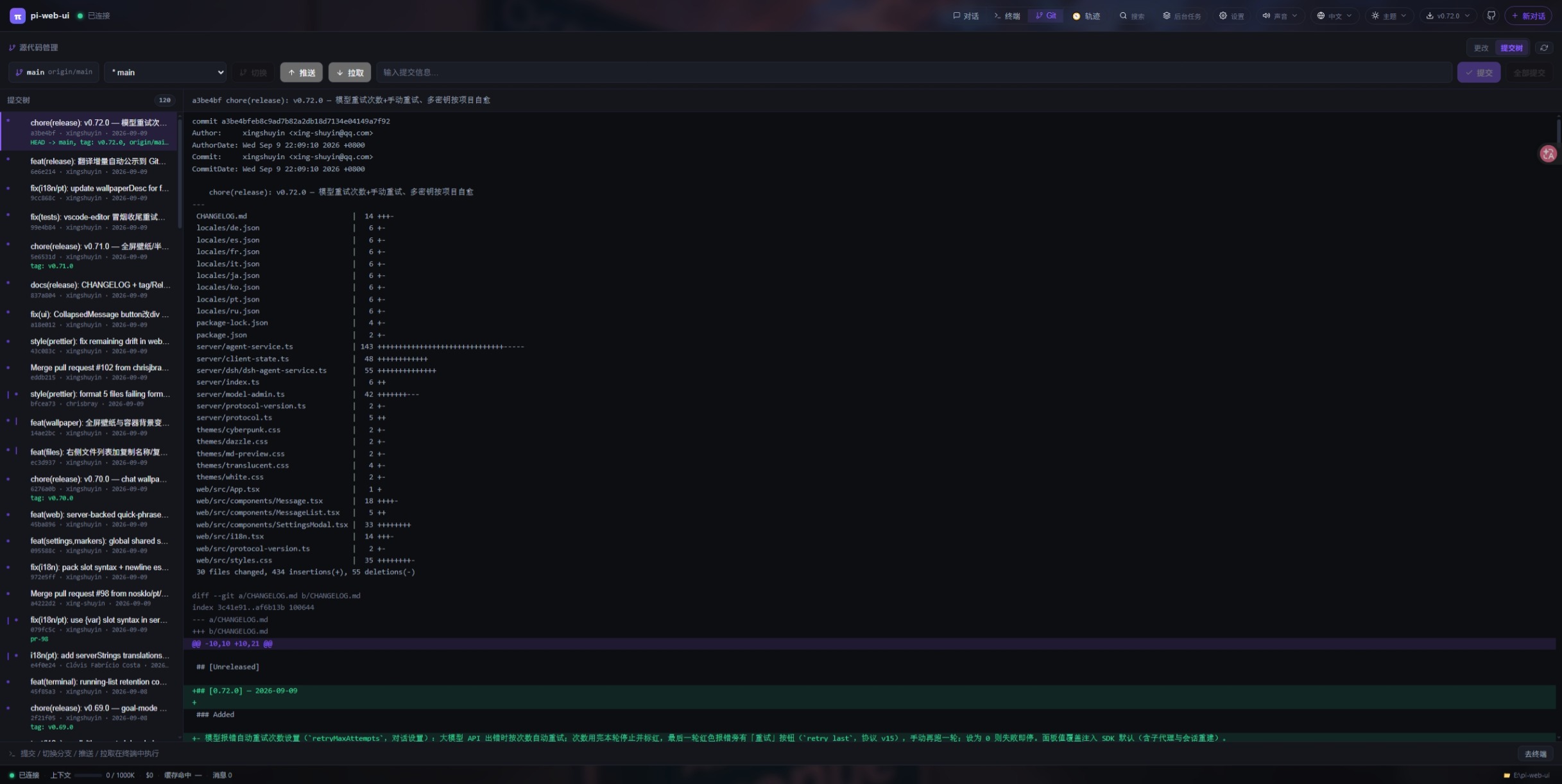 |
📦 Installation
System Requirements
- Node.js:
>= 22.19.0(except the Portable Edition, which requires no pre-installed Node.js or Git) - Supported Platforms: Linux, macOS, Windows (or Android via Termux)
1. Global Installation via npm (Recommended)
npm i -g pi-web-uiNote for npm ≥ 12: npm 12+ blocks dependency install scripts by default. Since
node-ptyis a native binary module, allow its installation scripts:npm i -g --allow-scripts=node-pty,@google/genai,protobufjs pi-web-ui@latest
2. Run Instantly with npx
Run the latest version directly without installing:
npx pi-web-ui3. 🖥️ Windows USB Portable Edition (Plug & Play, Zero Dependencies)
A completely self-contained portable distribution designed for USB drives and external SSDs:
- ⬇️ Download
pi-web-ui-desktop-<version>-portable.zipfrom Releases - Zero Environment Dependencies: Bundles PortableGit and bash/Linux CLI tools. No pre-installed Node.js, Git, or Python is required on the target computer.
- 100% Data Isolation: All configs, model credentials (
auth.json/models.json), chat transcripts, plugins, and caches reside in thedata/folder inside the portable directory. Unplugging the drive leaves zero traces on the host. - Drive-Letter Agnostic: All paths are computed dynamically relative to the executable, allowing seamless operation across varying drive letters.
- Startup: Extract and double-click
启动Pi.bat(orPiPortable.bat). IncludesCreateDesktopShortcut.batto optionally create a clean desktop shortcut. - Build Locally: Run
npm run desktop:portable:fullto create the full portable bundle with embedded Git locally.
4. Desktop Application Installers (Electron)
Download standalone installers automatically built by GitHub Actions:
- ⬇️ Download Desktop Installers from Releases
- Available for Windows (
.exeinstaller), macOS (.dmg), and Linux (.AppImage).
5. Docker Container
docker run -d \
  --name pi-web-ui \
  -p 8787:8787 \
  -v ~/.pi-web:/root/.pi-web \
  -v ~/.pi/agent:/root/.pi/agent \
  -v $(pwd):/workspace \
  -e PI_WEB_HOST=0.0.0.0 \
  xing-shuyin/pi-web-ui:latest
🐧 Linux Build Prerequisites
The node-pty module requires C/C++ compilation tools on Linux. If installation fails with g++ or make errors, install the build toolchain:
# Ubuntu / Debian
sudo apt-get install -y build-essential python3
# Fedora / RHEL
sudo dnf install -y python3 make gcc-c++
# Arch Linux
sudo pacman -S --needed base-devel python
🚀 Quick Start & Usage
Starting the Server
pi-web-ui                                 # Starts in current folder, opens http://127.0.0.1:8787
pi-web-ui --port 9000 --cwd /path/to/repo # Specify port and workspace path
pi-web-ui --no-browser                    # Start server without auto-opening a browser tab
🌐 Opening Remote SSH Server Projects
You can develop on remote servers through two simple ways:
- From Web UI: In the top-bar workspace dropdown, click "Switch Directory" → select the "Remote (SSH)" tab, fill in the host (e.g.
192.168.1.100), port, username, and password or SSH private key, then click "Connect & Probe". Browse and pick any remote folder. Profiles are encrypted and saved locally for one-click reconnection. - From Command Line:
pi-web-ui --cwd ssh://ubuntu@192.168.1.100:22/var/www/my-project
Common Flags & Environment Variables
| CLI Flag | Environment Variable | Default | Description |
|---|---|---|---|
--port <n> |
PI_WEB_PORT |
8787 |
HTTP port to listen on |
--host <addr> |
PI_WEB_HOST |
127.0.0.1 |
Listen address (0.0.0.0 for remote/LAN access) |
--cwd <dir> |
PI_WEB_CWD |
Current directory | Workspace root (local path or ssh://user@host:port/path) |
--data-dir <dir> |
PI_WEB_DATA_DIR |
~/.pi-web |
Directory for state, plugins, themes, and uploads |
--engine <pi|dsh> |
PI_WEB_ENGINE |
pi |
Agent engine: pi native or dsh (DeepSeek Harness) |
--no-browser |
— | off | Do not auto-launch system browser on startup |
| Env only | PI_WEB_TOKEN |
empty | Optional shared authentication token |
| Env only | PI_WEB_SDK |
global |
Auto-follow newer pi SDK on ancestor path; set to bundled to pin built-in |
System Background Service (pi-web-ui server)
Manage pi-web-ui as a background daemon with auto-start on boot (launchd on macOS, systemd on Linux, Windows Run key):
pi-web-ui server install --port 9000 --cwd /path/to/project  # Install and start background service
pi-web-ui server status                                    # Inspect live status, PID, and connections
pi-web-ui server restart                                   # Restart background server
pi-web-ui server stop                                      # Stop background server
pi-web-ui server uninstall                                 # Remove system service
FRP Reverse Proxy Tunnel (pi-web-ui frp / piwebui frp)
Automatically deploy and configure FRP (Fast Reverse Proxy) to forward your local pi-web-ui port to a remote server with a public IP:
pi-web-ui frp                                              # Interactive setup wizard
pi-web-ui frp deploy --server <ip> --remote-port 8787      # Auto-deploy remote frps and local frpc
pi-web-ui frp status                                       # Check client status and public URL
pi-web-ui frp start|stop|restart                           # Manage local frpc service
pi-web-ui frp run                                          # Run frpc in foreground with live logs
pi-web-ui frp script --server <ip>                         # Generate standalone remote deploy bash script
Updating & Uninstalling
# Update to latest version
npm i -g pi-web-ui@latest
pi-web-ui server restart

# Uninstall (conversations in ~/.pi/agent/ and state in ~/.pi-web/ are safely preserved)
npm uninstall -g pi-web-ui
🧩 Plugins & Extensions
- Plugin Market: Browse, install, and configure extensions directly within the web UI (
Settings→Plugins). - CLI Plugin Installation: Install directly from any GitHub repository or local directory:
pi-web-ui install owner/repo - Page Picker Extension: Download
page-picker-extension.zipfrom Releases, unpack, and load it into Chrome/Edge as an unpacked extension.
📖 Complete Documentation
For detailed deployment guides, plugin development SDKs, and deep architectural specifications, visit the official documentation portal:
- 🌐 Official Website & Feature Tour
- 🌐 Remote SSH Workspaces & Server Setup Guide
- 🖥️ Desktop Portable Edition & Custom Build Guide
- 🛡️ Reverse Proxy & Remote Access (Nginx / frp / SSL)
- 🔌 Plugin System & Plugin SDK Guide
- ⚙️ Full Environment Variables & Configuration Reference
- 🏗️ Core Architecture & WebSocket Protocol Specs
- 🐋 Docker, Systemd, and Production Deployment
🤝 Contributing & Community
Contributions are warmly welcomed! Every pull request, bug report, and feature idea helps make pi-web-ui better.
- 💡 Issues & Feature Requests: GitHub Issues
- 🗣️ Discussions: GitHub Discussions
- 💬 Community QQ Group:
1126050727 - 🔗 Companion Project: dsh-ui-tools