pi-web-ui
Web chat interface for the pi coding agent, powered by the pi SDK (@earendil-works/pi-coding-agent) — one-command run, Docker/systemd/launchd deployable
Package details
Install pi-web-ui from npm and Pi will load the resources declared by the package manifest.
$ pi install npm:pi-web-ui- Package
pi-web-ui- Version
0.17.1- Published
- Aug 11, 2026
- Downloads
- 8,382/mo · 8,382/wk
- Author
- xingshuyin
- License
- MIT
- Types
- extension
- Size
- 1.6 MB
- Dependencies
- 13 dependencies · 0 peers
Pi manifest JSON
{
  "extensions": [
    "./extensions"
  ]
}
Security note
Pi packages can execute code and influence agent behavior. Review the source before installing third-party packages.
README
pi-web-ui
English | 简体中文
A web chat interface for the pi coding agent — the agent runs in-process via the pi SDK and streams events to the browser over WebSocket. Chat with thinking blocks and tool calls, attach files, ask about images, use a built-in terminal, manage models, and more. Requires Node.js ≥ 22.19 and a configured pi install.
Screenshots
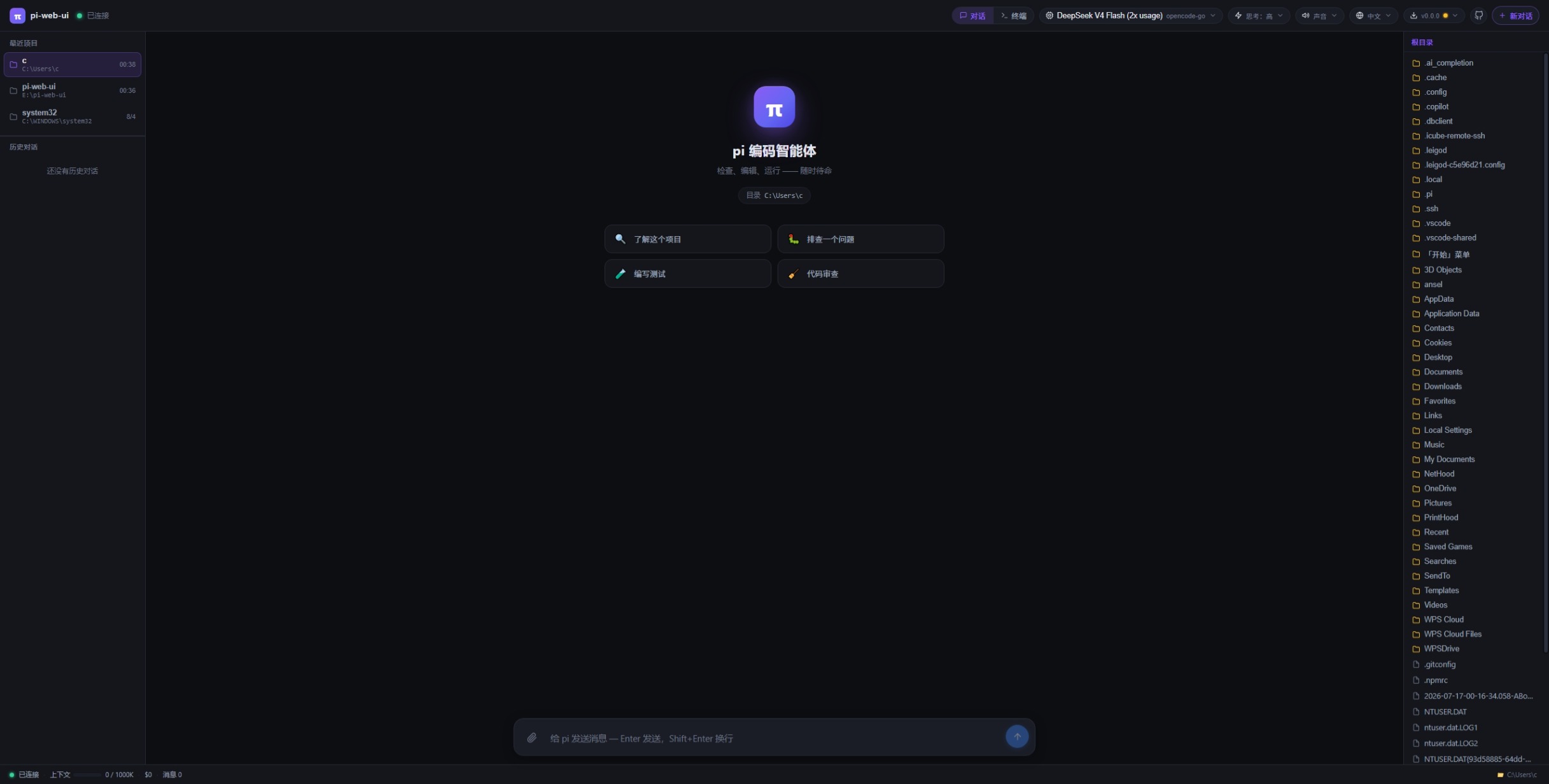
Install
npm i -g pi-web-ui            # global install (recommended)
npx pi-web-ui                 # or run without installing (latest, starts on :8787)
npm i -g .                    # or install the local checkout
Start
pi-web-ui                                           # foreground, http://localhost:8787
PORT=9000 PI_WEB_CWD=/path/to/project pi-web-ui     # custom port / workspace
Stop
- Foreground: press
Ctrl+Cin the terminal running it. - As a service:
pi-web-ui server stop(stops the instance; auto-start stays untilserver uninstall).
Update
npm i -g pi-web-ui@latest     # upgrade to the latest published version
pi-web-ui server restart      # restart the service to apply it (foreground: restart manually)
Uninstall
npm uninstall -g pi-web-ui
Uninstalling does not delete your chats — session data lives in
<cwd>/.pi-web (or PI_WEB_DATA_DIR) and survives uninstall/upgrade.
Run as a system service (auto-start on boot)
pi-web-ui server install --port 9000 --cwd /path/to/project   # install + start
pi-web-ui server status                     # running? auto-start?
pi-web-ui server restart                    # restart (applies config/version changes)
pi-web-ui server stop                       # stop (auto-start stays)
pi-web-ui server start                      # start again
pi-web-ui server uninstall                  # remove the service entirely
pi-web-ui server shortcut                   # desktop one-click launch icon
- macOS → launchd agent (no sudo), logs to
/tmp/pi-web-ui.log/.err - Linux → systemd unit (
systemctl enable --now), logs viajournalctl -u pi-web-ui -f - Windows → Task Scheduler logon task (hidden PowerShell window, no black console)
Options: --port (default 8787), --cwd (workspace), --data-dir (sessions),
--name (custom service name). Rerunning server install with new options
regenerates the config and restarts the service — that's how you change its
port/cwd.
License
MIT