pi-webaio
All-in-one web access tools for pi with search, fetch, crawl, extraction, and anti-bot TLS fingerprinting
Package details
Install pi-webaio from npm and Pi will load the resources declared by the package manifest.
$ pi install npm:pi-webaio- Package
pi-webaio- Version
0.1.8- Published
- May 2, 2026
- Downloads
- not available
- Author
- apmantza
- License
- MIT
- Types
- extension
- Size
- 172.2 KB
- Dependencies
- 5 dependencies · 2 peers
Pi manifest JSON
{
  "extensions": [
    "./index.ts"
  ]
}
Security note
Pi packages can execute code and influence agent behavior. Review the source before installing third-party packages.
README
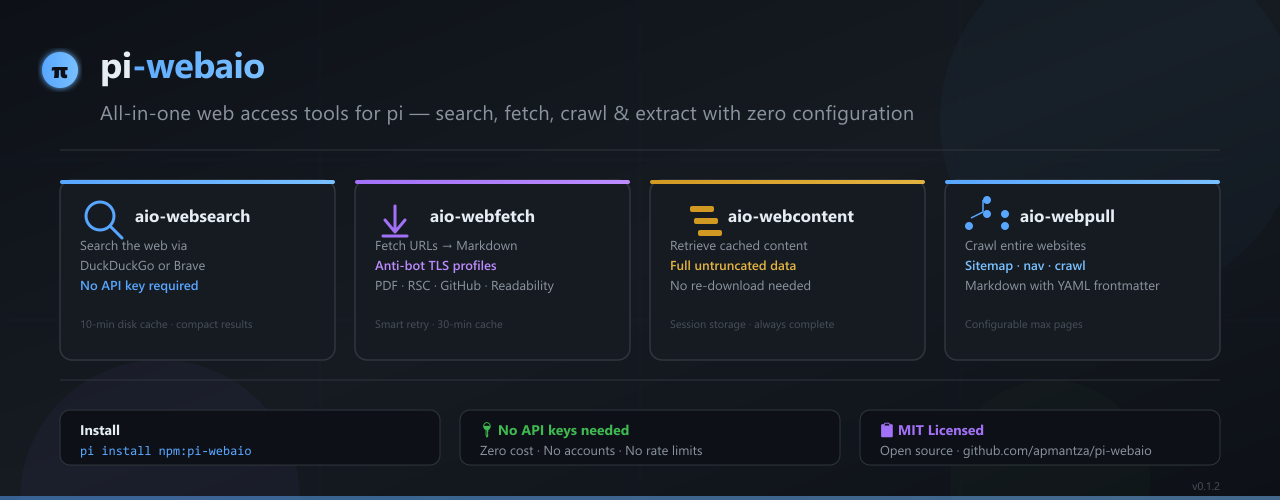
pi-webaio
All-in-one web access tools for pi with search, fetch, crawl, extraction, anti-bot TLS fingerprinting, and intelligent resilience.
Installation
pi install npm:pi-webaio
Or from git:
pi install git:github.com/apmantza/pi-webaio
Tools
| Tool | Description |
|---|---|
aio-websearch |
Search the web using DuckDuckGo or Brave (no API key required). Returns compact results with title, URL, and snippet. 10-minute in-memory + disk cache. |
aio-webfetch |
Fetch a single URL (or batch of URLs) and convert to markdown with anti-bot TLS fingerprinting. Detects PDFs, GitHub repos, and Next.js RSC. Saves to temp directory. |
aio-webcontent |
Retrieve previously fetched content from session storage by URL. Returns full untruncated content — no data loss. |
aio-webpull |
Pull any public website or docs site into local markdown files with anti-bot TLS fingerprinting. Discovers pages via sitemap, navigation links, or crawling. |
Tool Parameters
aio-websearch
| Parameter | Type | Default | Description |
|---|---|---|---|
query |
string |
— | Search query (e.g. 'React Server Components RFC') |
max |
number |
10 |
Max results to return |
aio-webfetch
| Parameter | Type | Default | Description |
|---|---|---|---|
url |
string |
— | Single URL to fetch. Use either url or urls, not both. |
urls |
string[] |
— | Multiple URLs to fetch in parallel. Use either url or urls, not both. |
out |
string |
auto-derived | Output file path under temp (for single url only) |
browser |
string |
chrome_145 |
Browser profile for TLS fingerprinting. Options: chrome_145, firefox_147, safari_26, edge_145 |
os |
string |
windows |
OS profile for fingerprinting. Options: windows, macos, linux, android, ios |
aio-webcontent
| Parameter | Type | Default | Description |
|---|---|---|---|
url |
string |
— | URL of previously fetched content |
aio-webpull
| Parameter | Type | Default | Description |
|---|---|---|---|
url |
string |
— | URL to pull (e.g. https://docs.example.com) |
out |
string |
<hostname> |
Output directory under temp |
max |
number |
100 |
Max pages to pull |
browser |
string |
chrome_145 |
Browser profile for TLS fingerprinting. Options: chrome_145, firefox_147, safari_26, edge_145 |
os |
string |
windows |
OS profile for fingerprinting. Options: windows, macos, linux, android, ios |
Features
Fetching & Extraction
- Anti-bot TLS fingerprinting —
wreq-jswith browser profiles (chrome_145,firefox_147,safari_26,edge_145) - Bot-protection fallback — Detects Cloudflare/Anubis/etc and cycles through alternate browser profiles
- Playwright fallback — If
wreq-jsfails, dynamically imports Playwright to render JS-heavy pages via system Chrome (zero-config, optional dependency) - Smart retry logic — Exponential backoff (1s → 2s) for
429/500/502/503/504and transient network errors (ECONNRESET,ETIMEDOUT,ECONNREFUSED). Non-retryable (400/401/403/404) fail fast. - HTTP→HTTPS auto-upgrade — Normalizes
http://requests and responses - Cross-host redirect detection — Surfaces a warning notice when a fetch redirects to a different domain
- GitHub-aware fetch — Detects repos, trees, blobs; clones repos or uses API
- PDF extraction — Extracts text from PDFs (
pdf-parse) - RSC extraction — Extracts Next.js React Server Components flight data
Content Extraction Pipeline
When fetching a page, pi-webaio tries the following backends in order, falling through until one returns clean content:
- GitHub special-case — Clones repos or fetches via GitHub API
- PDF detection — Extracts text from PDF files (by URL or content-type)
- Inline markdown — Detects pages already serving markdown
- Jina AI Reader (
r.jina.ai) — Re-fetches via Jina's proxy for clean markdown extraction with JS rendering, clutter removal, and metadata. Best quality for public URLs. - Mozilla Readability — Local article extraction (
@mozilla/readabilityvialinkedomDOM parser) - Next.js RSC — Extracts React Server Components flight data
- Defuddle — Local HTML-to-markdown conversion
- Fallback regex — Bare-minimum title + text extraction
Security & Safety
- Secret scanning — Blocks requests containing API keys, tokens, or passwords in URLs before they leave the machine
- Prompt injection detection — Categorizes and warns/redacts/tags suspicious content (instruction overrides, role injection, jailbreaks, system manipulation, encoding tricks, suspicious delimiters)
Caching & Performance
- Session cache — 30-minute TTL, LRU eviction (max 100 entries). Keys normalized for consistency (
http://→https://, root trailing slashes deduplicated). - Search cache — 10-minute TTL, persisted to disk for cross-session reuse
- Preview truncation —
aio-webfetchtool results show ~500 tokens in-context; full file is always written to disk for inspection via thereadtool
Usage Examples
Search the web
Use aio-websearch to find the latest React documentation
Fetch a single URL
Use aio-webfetch to download https://example.com/article
After fetching, use the built-in read tool to inspect the full saved file.
Fetch multiple URLs in batch
Use aio-webfetch to download these URLs:
  - https://example.com/page1
  - https://example.com/page2
  - https://example.com/page3
Fetch with a specific browser fingerprint
Use aio-webfetch to download https://example.com (browser: "firefox_147", os: "linux")
Retrieve stored content (no re-download)
Use aio-webcontent to get the full content from https://example.com/article
Pull an entire site
Use aio-webpull to download https://docs.example.com (max: 50 pages)
Pull a site with custom fingerprint
Use aio-webpull to download https://docs.example.com (max: 50, browser: "edge_145", os: "macos")
License
MIT