pi-x-footer
A focused, configurable multi-row Footer for Pi.
Package details
Install pi-x-footer from npm and Pi will load the resources declared by the package manifest.
$ pi install npm:pi-x-footer- Package
pi-x-footer- Version
0.1.0- Published
- Sep 1, 2026
- Downloads
- not available
- Author
- jinhuang712
- License
- MIT
- Types
- extension
- Size
- 1.9 MB
- Dependencies
- 0 dependencies · 2 peers
Pi manifest JSON
{
  "extensions": [
    "./dist/index.ts"
  ]
}
Security note
Pi packages can execute code and influence agent behavior. Review the source before installing third-party packages.
README
pi-x-footer
A configurable, information-dense multi-row Footer for Pi.
Installation
pi install git:github.com/jinhuang712/pi-x-footerFor reload, local development, and removal, see INSTALL.
Features
- Multi-row Footer with independent left/right alignment.
- Responsive fitting for narrow terminals.
- Project, Git branch/status (or a muted no-repository status), provider/model, thinking level, context, tokens, cache, cost, tools, and extension status.
- Cost display presets for total-only, cached/uncached groups, or the full input/output/cache read/cache write breakdown.
- Independent Cost notation with arrows, short labels, or full labels.
- Semantic colors with monochrome fallback.
- Interactive
/xfootersettings with searchableGeneral,Components,Layout, andAppearancetabs. - Built-in
compact,balanced,detailed, andcustommodes. - Optional account-level Provider Usage monitoring.
- Footer-only integration through Pi's public Footer API.
General contains the global Footer and mode controls:

Components contains per-Segment visibility, display, notation, and label controls. The main screenshot above shows the Cost Display and Notation entries alongside the live Footer preview.
Layout opens the two-column canvas for arranging Segments:
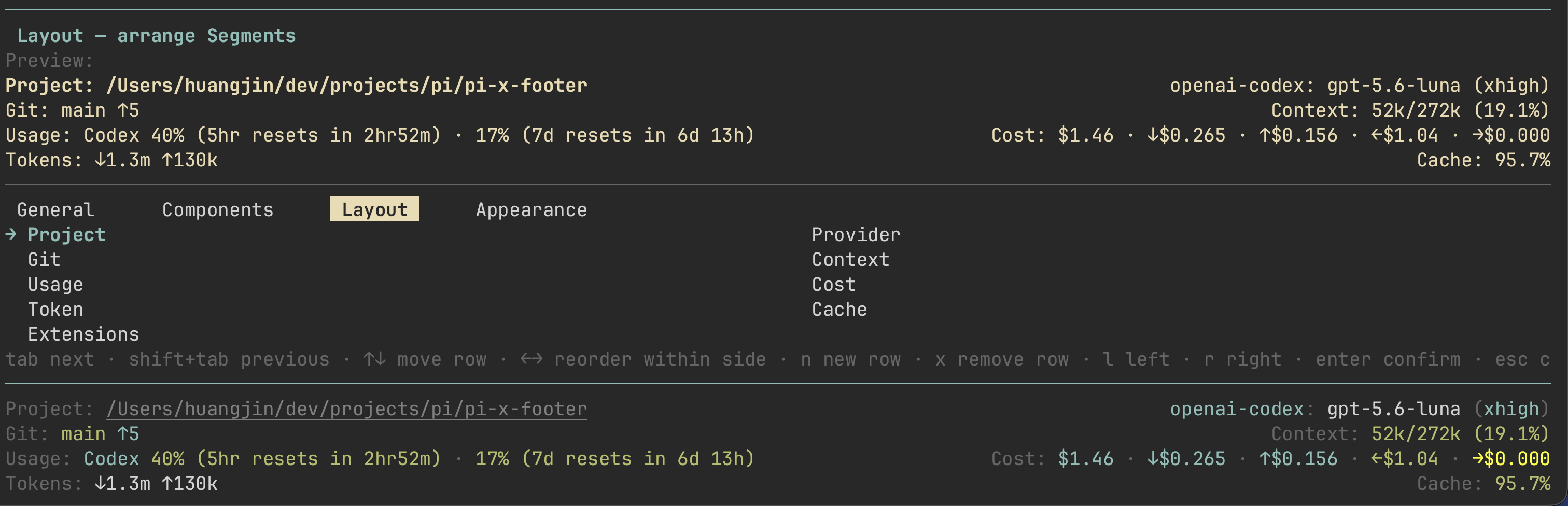
Appearance contains detail level, color, icon, and separator settings:
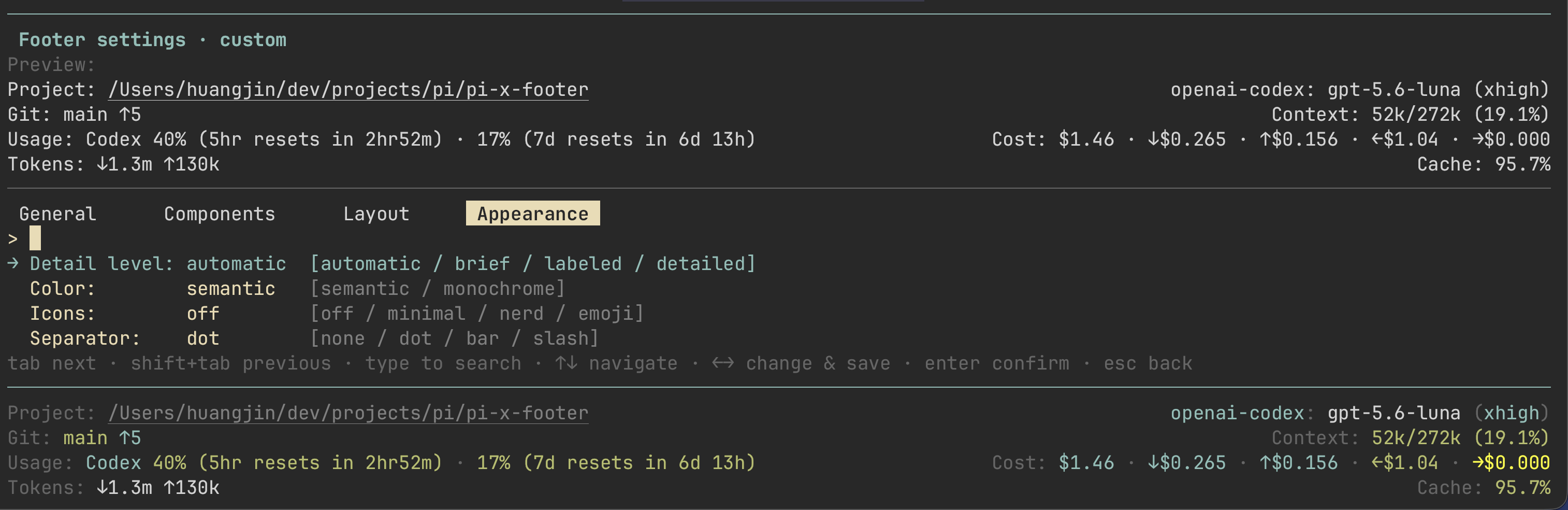
See FEATURES for the capability guide.
Provider Usage Monitor
| Provider | Provider ID | Usage source |
|---|---|---|
| OpenAI Codex | openai-codex |
Official ChatGPT usage endpoint |
| OpenCode Go | opencode-go |
Official OpenCode usage endpoint |
| Volcano Engine Agent Plan | volcengine-agent-plan |
Official arkcli Agent Plan quota |
| Volcano Engine Coding Plan | volcengine-coding-plan |
Official arkcli Coding Plan quota |
Provider Usage is optional, cached, and non-blocking. Unsupported providers, authentication failures, stale data, and network errors do not stop local Footer metrics. The Volcano Engine plans require an authenticated arkcli installation:
npm i -g @volcengine/ark-cli
arkcli auth login volc-sso
See PROVIDERS for matching rules, quota windows, and privacy boundaries.
Quick start
/xfooter— open settings./xfooter compact|balanced|detailed— apply a built-in mode./xfooter toggle— enable or disable the Footer./xfooter refresh— refresh Provider Usage./xfooter status— show non-secret status information.
See PRESETS for display modes, Cost breakdowns, and independent Usage settings.
Documentation
- INSTALL — installation and local development.
- FEATURES — supported Footer capabilities.
- PROVIDERS — Provider Usage support and limitations.
- PRESETS — built-in modes and independent Usage settings.
- Configuration and commands
- Settings UI
- Layout and rendering
- Color themes
- Lifecycle, performance, and security
Do not enable pi-statusline or pi-powerline-footer at the same time; they also replace Pi's Footer.