pi-zen
A quiet Pi TUI on one switch: clear turn markers, a rail editor, compact tool calls, and restrained reasoning
Package details
Install pi-zen from npm and Pi will load the resources declared by the package manifest.
$ pi install npm:pi-zen- Package
pi-zen- Version
0.3.1- Published
- Oct 9, 2026
- Downloads
- 444/mo · 152/wk
- Author
- roshvan
- License
- MIT
- Types
- extension
- Size
- 1.4 MB
- Dependencies
- 0 dependencies · 2 peers
Pi manifest JSON
{
  "extensions": [
    "./extensions/zen.ts"
  ]
}
Security note
Pi packages can execute code and influence agent behavior. Review the source before installing third-party packages.
README
pi-zen
I built pi-zen because I wanted a minimal interface that made it easier to stay present in an agent session. I did not want to keep scrolling through long stretches of context to find the few details I needed; I wanted a clean way to follow along, ask questions, and steer and ride the loop.
For real knowledge work, I like being an active participant. I want to understand what is happening between the AI and me so we can be good partners in making decisions. pi-zen gives me that space: clear responses, visible progress, and the useful parts of the session in a calm, visually appealing interface.
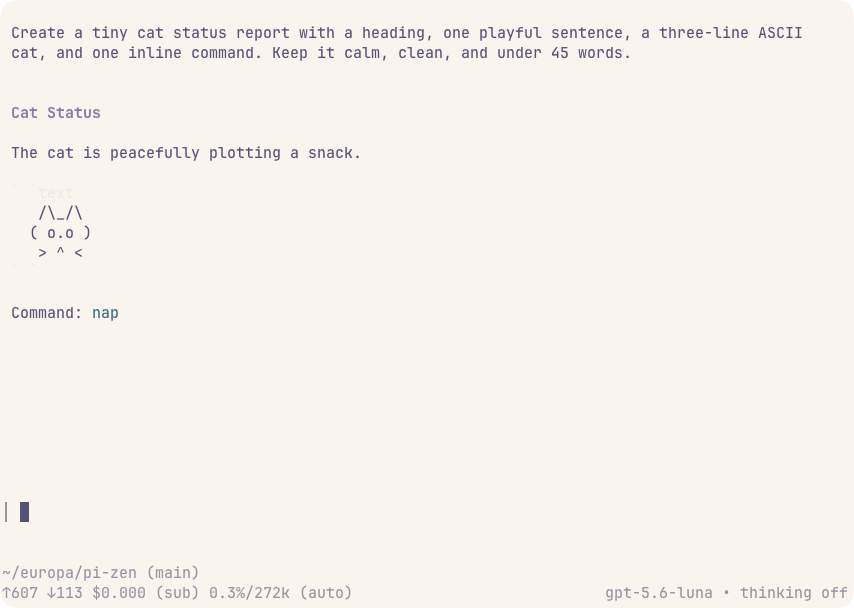
pi-zen is a presentation extension for the Pi terminal interface. It removes visual clutter while preserving conversations, tool activity, reasoning, and session data. The terminal stays an open canvas: a sent turn is framed by small left corners with indented text, without a background fill, while replies and reasoning stay on the page without names or filled panels. It also adds compact tool summaries and diffs, a minimal editor rail, a quieter startup, a quiet loading mark that names the work in progress, and a live reading of where the current request's time is going, without changing tool execution or model prompts.
Showcase
Light mode
Dark mode

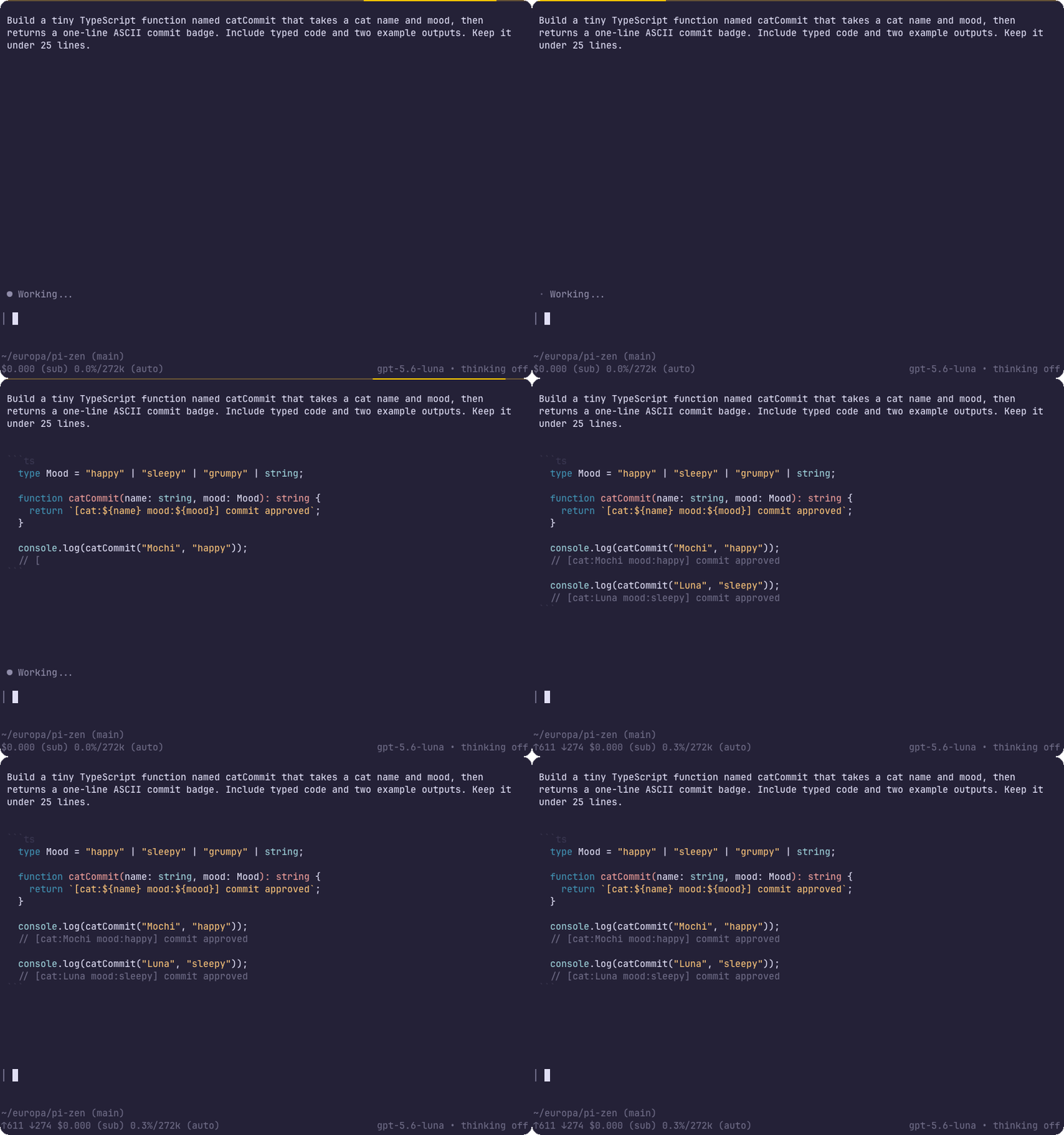
Coding cat demo
While a request runs
While a request is in progress, a light travels a short bar above the editor and comes back. Beside it, a line names the current work. It reads thinking or writing when the model is the thing in motion, and names the tool when one is running, such as read src/turn-status.ts, grep frameSent, or code fetch the logs. Several tools at once are listed newest first.
A dim line above the editor says where the time is going and updates as the request runs:
7.2s thinking · 3.6s writing · ↑6.5k ↓5.8kThinking is the time the model spends reasoning, including the silence before it streams anything; writing is the time it spends producing text and tool calls. Time a tool spends running belongs to neither and is left out. The token counts follow Pi's footer: tokens sent, excluding cache reads and writes, and tokens produced, reasoning included. Both cover the whole request, however many turns it takes. A half of the work that took no measurable time is left out, so a model that does not stream its reasoning simply reads as writing. The final reading stays until the next request starts.
Expanded rows
Expand a completed .md or .markdown write or full-file read to see rendered Markdown. Headings, lists, tables, links, and fenced code use the active Pi theme, the same way Pi draws a reply. A partial or truncated Markdown read keeps Pi's own view. The collapsed transcript keeps its one-line summary.
Expand a read or write of source to see the file's line numbers and syntax colors. A line that does not fit continues under its own indent, so the block still reads as code. A read with a line limit shows just those lines, and its row says how many more the file holds; a truncated read keeps Pi's own view, with its continuation notice.
A codemode script collapses to one row, named by its comment, with the answer beside it when that answer is one short line. Expanding the row lists the calls inside the script, the same way a read or a grep would read on its own.
Quick start
Requires Pi 1.0.4 or newer. Zen draws tool calls through Pi's tool renderer API, so it never re-registers or wraps a tool: what runs, and how, is Pi's alone.
Install the extension from npm:
pi install npm:pi-zenYou can also install the latest version directly from GitHub with pi install git:github.com/Roshvan/pi-zen. Start Pi as usual; Zen is on. Run /zen to toggle it, or /zen on and /zen off to choose; the choice holds across /new, /resume, and /reload until Pi exits. Tool rows drawn while Zen is off keep Pi's own frame, and /reload redraws earlier rows in the current look.
Zen also quiets Pi's startup screen. If quietStartup is off in your global Pi settings, Zen turns it on, says so once, and records in pi-zen.json, next to those settings, that the change was its own; /zen off turns it back off, even after a restart. Zen never touches a project's quietStartup, and if you turn the global one off again yourself, it stays off. Zen follows the active theme, including one picked with /settings, and gives its colors back when it is switched off.
Development
You will need Node.js 22.19 or newer and pnpm. Clone the repository, install the dependencies, and start Pi with the local extension:
git clone https://github.com/Roshvan/pi-zen.git
cd pi-zen
pnpm install
pnpm dev
Before submitting a change, run pnpm check (typecheck and lint) and pnpm pack:check.
Issues and contributions
Issues and pull requests are welcome. If you have an idea, find a bug, or want to improve something, feel free to open an issue or create a pull request. I am happy to look it over.