pi-zen
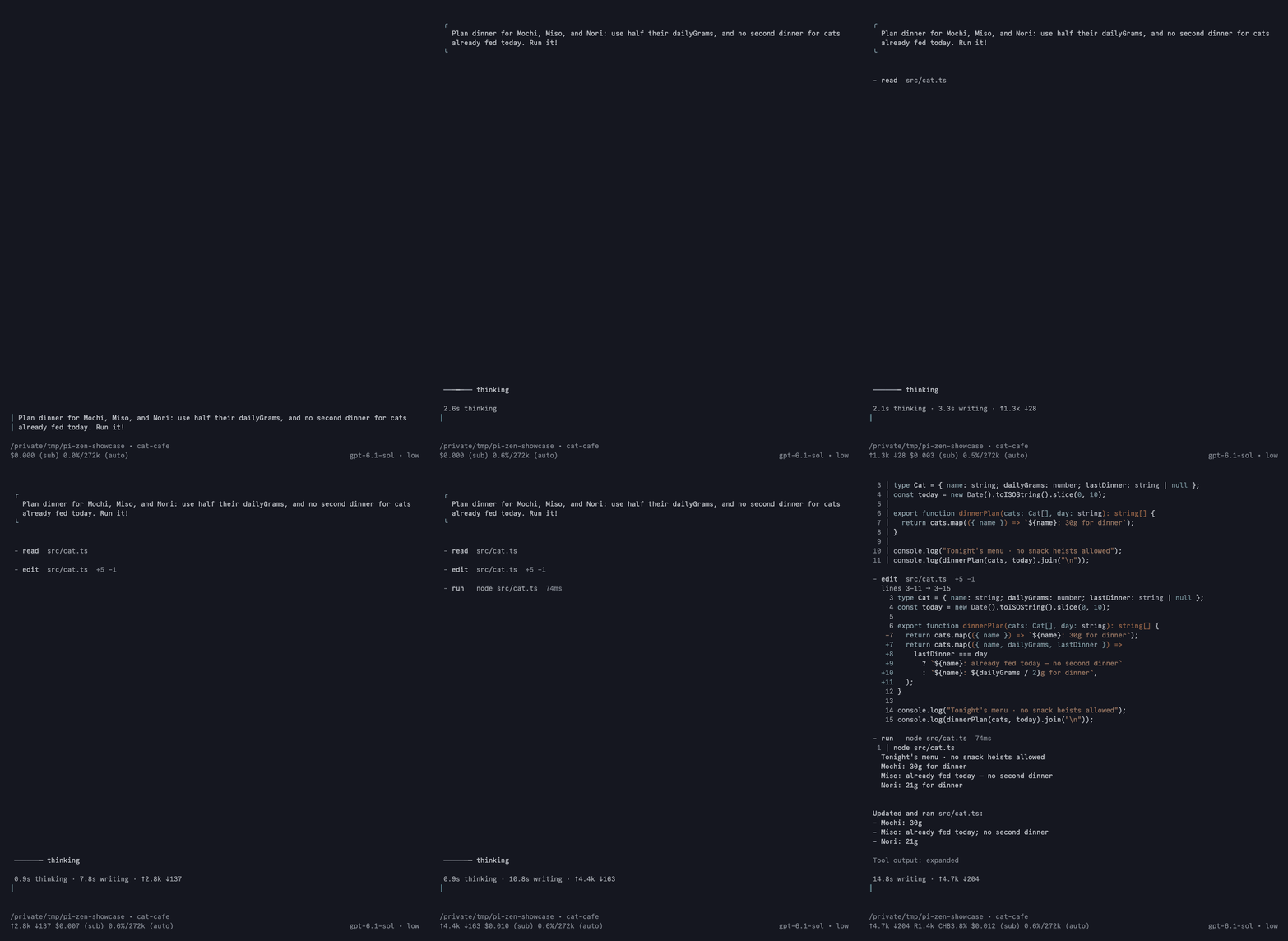
A quiet Pi TUI on one switch: clear turn markers, a rail editor, compact tool calls, and restrained reasoning
Package details
Install pi-zen from npm and Pi will load the resources declared by the package manifest.
$ pi install npm:pi-zen- Package
pi-zen- Version
0.3.8- Published
- Oct 30, 2026
- Downloads
- 1,294/mo · 680/wk
- Author
- roshvan
- License
- MIT
- Types
- extension
- Size
- 425.4 KB
- Dependencies
- 0 dependencies · 2 peers
Pi manifest JSON
{
  "extensions": [
    "./extensions/zen.ts"
  ]
}
Security note
Pi packages can execute code and influence agent behavior. Review the source before installing third-party packages.
README
pi-zen
A calmer terminal interface for Pi. Less visual clutter, compact tool activity, and room to follow along and steer the work.
Zen changes presentation—not model prompts, tool execution, or session data. Details stay available when you expand tool rows.
Install
pi install npm:pi-zenStart Pi as usual. Zen is on by default.
/zentoggles Zen./zen onenables it./zen offreturns to Pi’s native interface.
Zen also quiets Pi’s startup screen. Turning Zen off restores startup settings that Zen changed.
Development
pnpm install
pnpm dev
See the repository guidelines for verification requirements and package scripts for available commands.