pi-zentui
A Starship-inspired statusline and Opencode-style TUI for Pi.
Package details
Install pi-zentui from npm and Pi will load the resources declared by the package manifest.
$ pi install npm:pi-zentui- Package
pi-zentui- Version
0.1.2- Published
- Apr 8, 2026
- Downloads
- 315/mo · 33/wk
- Author
- lmilojevic
- License
- MIT
- Types
- extension
- Size
- 33.3 KB
- Dependencies
- 0 dependencies · 3 peers
Pi manifest JSON
{
  "extensions": [
    "./extensions"
  ],
  "image": "https://raw.githubusercontent.com/lmilojevicc/pi-zentui/main/assets/zentui.png"
}Security note
Pi packages can execute code and influence agent behavior. Review the source before installing third-party packages.
README
Zentui
A Starship-inspired statusline and Opencode-style TUI for Pi.
Screenshots
What is this?
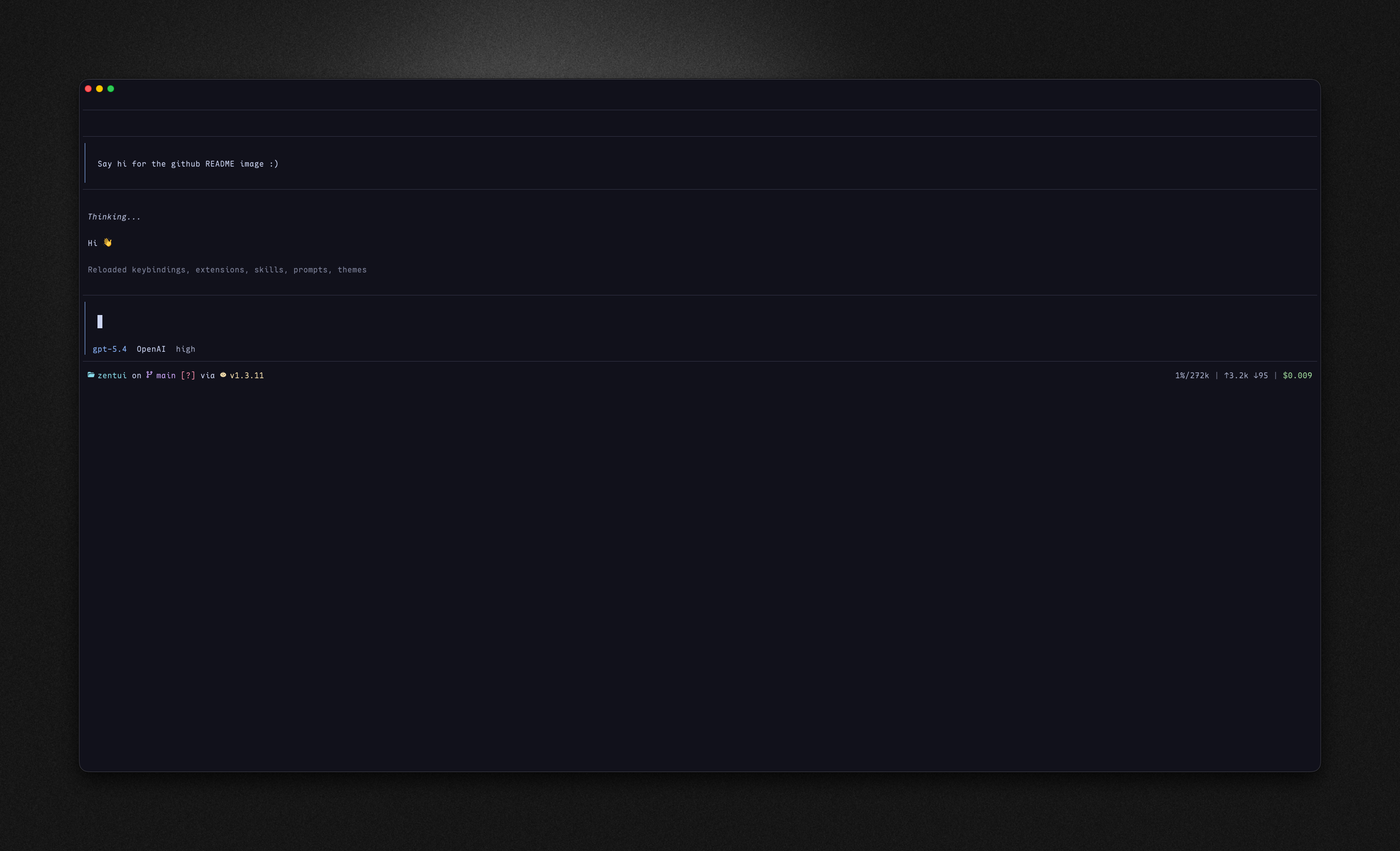
Zentui brings two popular aesthetics to Pi:
- Starship footer — shows your current directory, git branch, git status indicators, and runtime/version detection in a compact, icon-rich format
- Opencode editor and messages — clean bordered input box with accent rail, transparent previous messages, and model/provider display inside the editor frame
Features
Footer (Starship-inspired)
dirname— current directory with iconon branch— git branch with icon[!?↑]— git status indicators (modified, untracked, ahead/behind, stashed, etc.)via v5.5.0— runtime detection with version (Bun, Deno, Node, Python, Go, Rust, Lua, Java, Ruby, PHP)- Right side shows context usage, token counts, and cost
Editor (Opencode-inspired)
- Bordered input box with accent-colored left rail
- Model name and provider displayed inside the editor frame
- Thinking level indicator when enabled
- Matching style for previous user messages
Git Status Icons
| Icon | Meaning |
|---|---|
! |
Modified |
? |
Untracked |
+ |
Staged |
✘ |
Deleted |
» |
Renamed |
= |
Conflicted |
$ |
Stashed |
↑ |
Ahead |
↓ |
Behind |
⇕ |
Diverged |
Runtime Detection
Detects project type and shows runtime version:
| Runtime | Detection |
|---|---|
| Bun | bun.lock, bun.lockb |
| Deno | deno.json, deno.jsonc, deno.lock |
| Node.js | package.json, .nvmrc, .node-version |
| Python | pyproject.toml, requirements.txt, setup.py, Pipfile |
| Go | go.mod |
| Rust | Cargo.toml |
| Lua | stylua.toml, .luarc.json, init.lua, lua/ dir |
| Java | pom.xml, build.gradle |
| Ruby | Gemfile, .ruby-version |
| PHP | composer.json |
Install
# From npm
pi install npm:pi-zentui

# From git
pi install git:github.com/lmilojevicc/pi-zentui
Config
On first run, Zentui creates a config file at:
~/.pi/agent/zentui.json
Default config
{
"icons": {
"cwd": "",
"git": "",
"ahead": "↑",
"behind": "↓",
"diverged": "⇕",
"conflicted": "=",
"untracked": "?",
"stashed": "$",
"modified": "!",
"staged": "+",
"renamed": "»",
"deleted": "✘",
"typechanged": "T"
},
"colors": {
"cwdText": "syntaxOperator",
"git": "syntaxKeyword",
"gitStatus": "error",
"contextNormal": "muted",
"contextWarning": "warning",
"contextError": "error",
"tokens": "muted",
"cost": "success",
"separator": "borderMuted"
}
}
Color values
Colors can be:
- Pi theme token names (e.g.,
accent,error,syntaxKeyword) - Hex colors (e.g.,
#89b4fa)
This means Zentui works with any Pi theme — it uses your theme's colors by default.
Requirements
Development
If you use mise:
mise install
mise run setup
mise run verify
mise run fmt
mise run ci
Without mise:
npm install
npm run verify
npm run fmt
npm run pack:check
Credits
Inspired by:
- Starship — the minimal, blazing-fast, and infinitely customizable prompt
- Opencode — terminal-based AI coding assistant
License
MIT