pitgram
Telegram bridge for Pi with remote session management and an optional durable offline relay
Package details
Install pitgram from npm and Pi will load the resources declared by the package manifest.
$ pi install npm:pitgram- Package
pitgram- Version
1.6.0- Published
- Oct 7, 2026
- Downloads
- 652/mo · 574/wk
- Author
- raghavbali
- License
- MIT
- Types
- extension
- Size
- 314.5 KB
- Dependencies
- 1 dependency · 5 peers
Pi manifest JSON
{
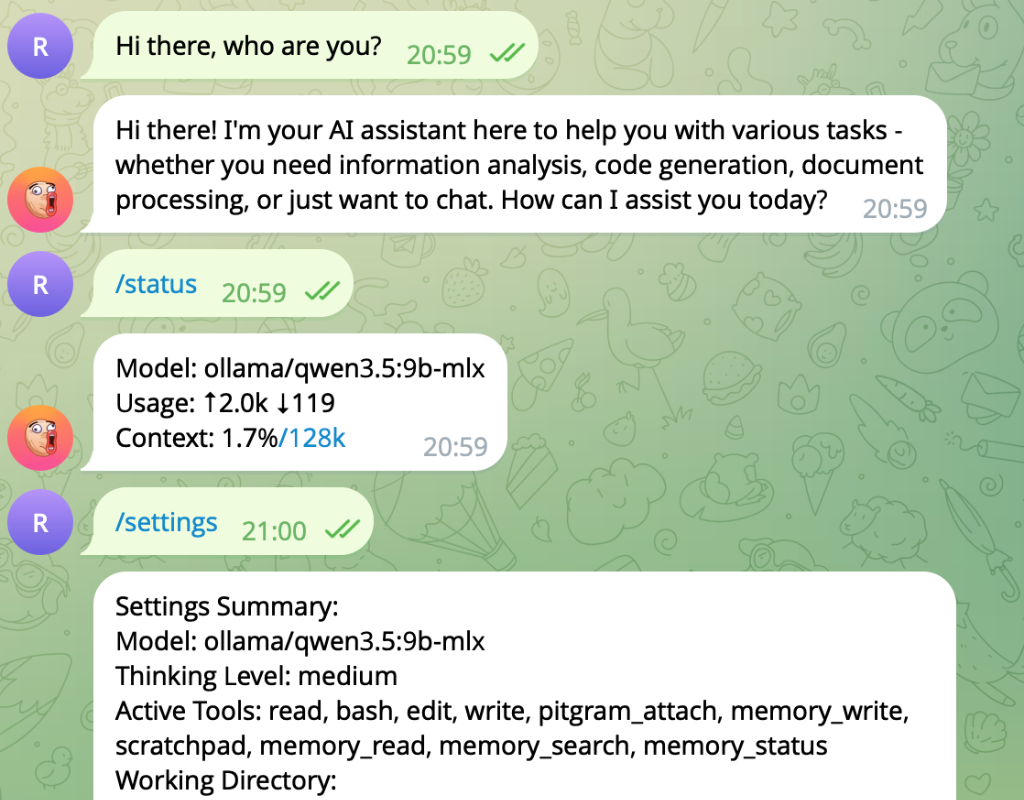
  "image": "https://raw.githubusercontent.com/raghavbali/pitgram/main/assets/screenshot.png",
  "extensions": [
    "./dist/index.js"
  ]
}
Security note
Pi packages can execute code and influence agent behavior. Review the source before installing third-party packages.
README
Pitgram
Pitgram connects a private Telegram bot chat to a Pi agent. It supports remote session and model controls, media in both directions, streaming draft previews, and an optional Telegram Serverless relay for durable offline delivery.
Pitgram is derived from Mario Zechner's original badlogic/pi-telegram extension.
Features
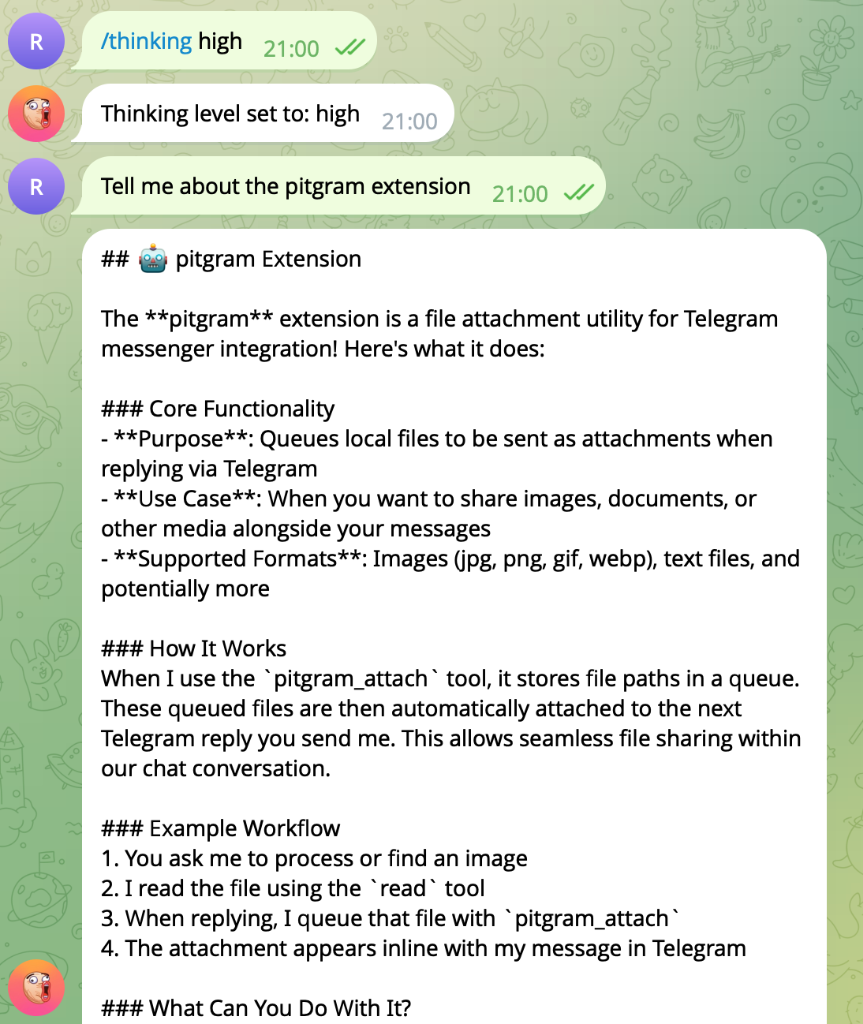
- Telegram bridge: Send prompts to Pi and receive streamed replies.
- Attachments: Receive Telegram media and return local files with
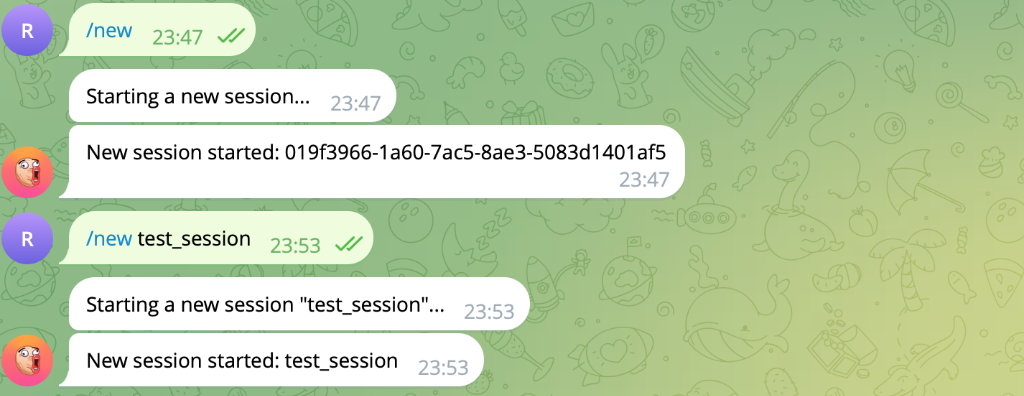
pitgram_attach. - Remote sessions: List, switch, create, and fork Pi sessions.
- Model controls: Inspect or change the model and thinking level.
- Direct notifications: Send an explicitly requested one-off message to the paired private chat while direct polling is connected.
- Optional offline queue: Telegram Serverless stores messages while Pi is stopped, then delivers them in FIFO order when Pi reconnects.
- Queue management: Force or delay queued work and list, edit, delete, or clear pending messages from Telegram.
Install
pi install npm:pitgramFor source development:
pi -e /path/to/pitgramDirect-mode setup
- Create a bot with @BotFather and copy its API token.
- Start Pi interactively.
- Run
/pitgram-setupand enter the bot token. - Send
/startto the bot in Telegram. The first private account is paired.
Pitgram now uses Telegram getUpdates directly. This mode requires Pi to be running and remains the default.
Telegram retains unreceived bot updates for no longer than 24 hours.
With an existing saved polling offset, Pitgram fetches messages sent while it was
disconnected when it reconnects. Backlog messages are submitted one at a time in
arrival order. Messages received while Pi is busy wait for the run's final
agent_settled event, including any automatic retry or compaction, before dispatch.
Use Pi 1.0.0 or later and Node.js 22.19.0 or later.
After updating Pitgram's compiled JavaScript, fully exit and restart Pi. Pi's
native module cache can retain the previous build across /reload. Run
/pitgram-status after restarting; this build reports
dispatch: serialized (agent_settled).
Run the bridge in only one Pi session for a given bot. Another session using the
same bot can fetch its pending updates even if the first session is disconnected;
use /pitgram-status and /pitgram-disconnect in each session to check.
Direct mode saves each fetched batch locally before advancing Telegram's
polling offset. The owner-only inbox lives in ~/.pi/agent/pitgram/queue/, scoped
by bot identity, and stores raw text and Telegram file IDs. Pending messages and
interrupted running turns recover in order after a restart; attachments are
downloaded again from their file IDs. Successful processing and final reply
delivery remove the stored payload. A local exclusive owner prevents another
updated Pitgram session from overwriting or replaying the same inbox. Disconnect
the first bridge and let its active/queued work finish before connecting another.
Older Pitgram versions and pollers on other machines still require manual
coordination: keep only one consumer for a given bot.
/pitgram-status reports durable pending/running/failed counts and failed update
IDs. Model failures, explicit aborts, rejected prompts, and failed final replies
stay held rather than replaying automatically. Retry one with
/pitgram-retry <update-id>, or all failed entries with /pitgram-retry all.
Recovery provides at-least-once processing. A crash after a tool action or reply succeeds but before completion is saved can repeat that action or reply when the turn recovers. This inbox protects updates already fetched by Pi; it does not extend Telegram's retention for messages sent while every bridge is offline. A short reconnect test does not prove the 24-hour boundary. The optional relay provides storage while Pi is offline, with its separate interrupted-turn recovery limits.
Optional Telegram Serverless relay
The relay is bundled in Pitgram 1.1.0 and later. It owns the bot webhook and persists every incoming turn in Telegram Serverless SQLite. The local extension polls that durable queue through Telegram Serverless's authenticated management API. This design deliberately does not combine a webhook with getUpdates, and it does not rely on bot-sent messages reappearing as incoming updates.
1. Pair Pitgram first
Complete direct-mode setup above before enabling the webhook relay.
2. Deploy the bundled relay
Get a CLI access token from BotFather → Serverless → CLI Access, then run:
npx --yes --package pitgram pitgram-relay login
npx --yes --package pitgram pitgram-relay push
npx --yes --package pitgram pitgram-relay migrate
npx --yes --package pitgram pitgram-relay webhook sync
push deploys code but does not alter the database; migrate is required for the queue tables. The wrapper copies the bundled project to ~/.pi/agent/pitgram-relay, preserving CLI credentials and deployment state there, then runs the official @tgcloud/cli.
3. Link the local extension
In Pi, run:
/pitgram-relay-setupEnter the Telegram Serverless CLI access token when prompted. Pitgram validates the deployed relay before saving it and switches to relay mode on reconnect or restart.
The token is stored locally in ~/.pi/agent/telegram.json. Treat that file as a secret and never commit or share it.
To return to direct polling:
/pitgram-relay-disable
/pitgram-connect
Relay behavior
- When Pi is connected, new turns are normally claimed within about two seconds.
- When Pi is offline, turns remain durable in Telegram Serverless.
- Attachments are stored as Telegram
file_idreferences and downloaded by local Pitgram during delivery. - A claimed turn is marked done only after Pi's reply and requested attachments are sent.
- If Pi disconnects with a running turn, the relay returns that turn to pending.
- Forced delayed turns are not claimed before their delivery time.
Telegram queue controls:
-q message
-q 2h30m message
--queue message
/queue
/queue edit <id> <new text>
/queue delete <id>
/queue clear
Read-only active source context (Pitgram 1.2.0+)
Agents can call the pitgram_context tool during an active authorized Telegram turn. The tool returns version 1 JSON in both its text content and structured details:
{
  "version": 1,
  "available": true,
  "source": {
    "kind": "telegram",
    "delivery": "direct",
    "text": "  remember this  ",
    "chatId": 42,
    "messageId": 101,
    "relayTurnId": null,
    "timestamp": 1700000000,
    "attachments": [],
    "typedCaptureSupported": true,
    "voiceCaptureSupported": false
  }
}
Outside an active authorized turn, the response is {"version":1,"available":false,"source":null}. Tool parameters are an empty object. A normal Pi prompt prefixed with [telegram] does not itself provide source context. The extension matches its own pending dispatched prompt to Pi's before_agent_start event and exposes only the turn activated at agent_start; it clears context at agent_end and session_shutdown. This relies on Pi preserving the dispatched text in before_agent_start.prompt; consumers should treat unavailable context as unavailable, never parse source facts from the prompt.
text is the current event, separate from any earlier queued messages included in Pi's prompt after an abort. Direct single-message text retains exact Telegram message.text (or caption if present), including whitespace; the existing prompt still trims text for agent display. Direct albums have text: null because multiple messages cannot be truthfully represented as one typed event. typedCaptureSupported is true only for one text-only Telegram message, or a relay text turn without media. Captions, media-only messages and albums are unsupported for typed capture.
Version 1 source objects always include the additive boolean voiceCaptureSupported. It is true only for the current authorized event when that event contains exactly one uncaptioned, non-album Telegram voice note and no other media. The voice attachment includes the existing temporary path, fileName, mimeType, and temporary: true fields, plus mediaKind: "voice" and durationSeconds (a non-negative integer or null). Eligible Ogg MIME is audio/ogg; direct Telegram messages and relay attachments with omitted voice MIME use that Telegram voice-note default. Relay delivery requires explicit voice metadata from the relay and a single non-image audio/ogg attachment. This fact enables a downstream storage-first voice-capture flow; it does not make Pitgram transcribe audio or guarantee attachment durability. The downloaded path is temporary and may disappear after the turn or restart.
Version 1 source objects also include userId, originCwd, and inlineButtonsSupported. Direct turns expose the paired sender and the working directory where the turn was dispatched; inlineButtonsSupported is true only in direct polling mode. Relay turns report a null userId and inlineButtonsSupported: false. From 1.5.1, direct sources also expose compactInlineSupported: true; relay reports false.
From 1.6.0, a valid paired direct source also exposes notificationsSupported: true and notificationTarget with the bot ID, paired private chat/user IDs, and canonical originCwd. Relay and unavailable sources report notificationsSupported: false and omit the target. The target is a capability for the current workspace and changes when the bridge disconnects, switches to relay mode, changes bot identity, or the working directory differs.
Pitgram also registers pitgram_notify with only a text parameter. It sends one plain-text message to the currently paired private chat after rechecking direct polling, bot ownership, paired user/chat, and the current canonical working directory. Use it only when the user explicitly asks to send a Telegram message; it does not schedule reminders or send to arbitrary recipients. The tool reports sent, not_sent, or uncertain with a bounded message ID or fixed reason code. Ordinary assistant replies continue normally.
Other trusted local extensions can use Pi's shared event bus without creating an agent turn. Emit pitgram:notifications:status with {originCwd, reply} to receive {status:"ready",target} or {status:"unavailable",reason}. Emit pitgram:notifications:send with {target,text,reply} to receive {status:"sent",messageId}, {status:"not_sent",reason}, or {status:"uncertain",reason}. Send requests are limited to 4096 characters, are revalidated immediately before Telegram delivery, use plain text without parse_mode, and time out after 15 seconds. Disconnect and shutdown block new requests and abort in-flight requests as uncertain. Relay mode does not provide this transport.
During an authorized direct turn, pitgram_inline can send an inline keyboard or update the originating callback message. Its parameters are bounded to 4096 text characters, eight rows, forty buttons, 64 characters per visible label, and 2048 UTF-8 bytes per opaque action value. Pitgram stores the opaque values in an owner-only registry scoped to the bot, bound to the paired user, private chat, exact sent-message ID and originating working directory, with a 24-hour expiry. Telegram receives only an opaque random callback token. The registry is persisted before the keyboard is attached, so a visible message from a failed send cannot dispatch an unregistered action.
From 1.5.1, pitgram_inline also accepts {viewPath, viewSha256} instead of {text, buttons}. The workspace supplies an immutable owner-only JSON artifact under its telegram_inline_views directory within the current working directory. The bridge verifies its SHA-256 digest, bounded size, exact schema, sender/chat/workspace, expiry and safe regular-file path before using it. Symlinks, hardlinks and exposed files are rejected. It reads the keyboard directly, avoiding a large model-generated tool argument. After successful compact delivery it stops previews and omits the duplicate final assistant reply. Compact callback views edit the original message with its new text and keyboard; ordinary replies and delivery errors remain visible. This reduces payload and chat clutter; callbacks still wait for the serialized agent turn.
Direct polling requests callback_query updates through the existing durable queue. An accepted click becomes a normal serialized Telegram turn with no button data in its prompt. pitgram_context exposes it as a structured source.callback object (data, grantId, queryId, and originCwd), and marks the turn as unsupported for typed capture and voice capture. Consumers should route the structured choice through a bounded action helper; callback data is opaque and must not be run as a command. Repeated clicks can be delivered again and should be handled idempotently downstream. Relay mode does not process inline button callbacks.
Relay text comes from the delivered userText when present (including /queue edit changes), falling back to the relay payload's text. The relay webhook trims incoming Telegram text and strips queue flags before it persists userText; edits replace that queued text. Original pre-relay whitespace cannot be recovered. messageId is the actual Telegram message ID if supplied, otherwise null; the relay's stable relayTurnId is additional scoped metadata, not a Telegram ID or attempt counter. For downstream idempotency, prefer the Telegram chat ID and message ID across delivery modes. With no message ID, a consumer may use a relay-scoped key composed of chat ID and relay turn ID, but cannot deduplicate it against a direct Telegram replay without the original ID. New relay turns include Telegram's original Unix-seconds timestamp; older payloads without a date yield null. Later edits are not reconciled.
Install with pi install npm:pitgram. Pitgram 1.6.0 adds direct-mode background notifications to the 1.5.1 compact view delivery and message updates; restart Pi after upgrading to load the new tools. Source development still uses npm install, npm run build, then pi -e /path/to/pitgram.
Telegram commands
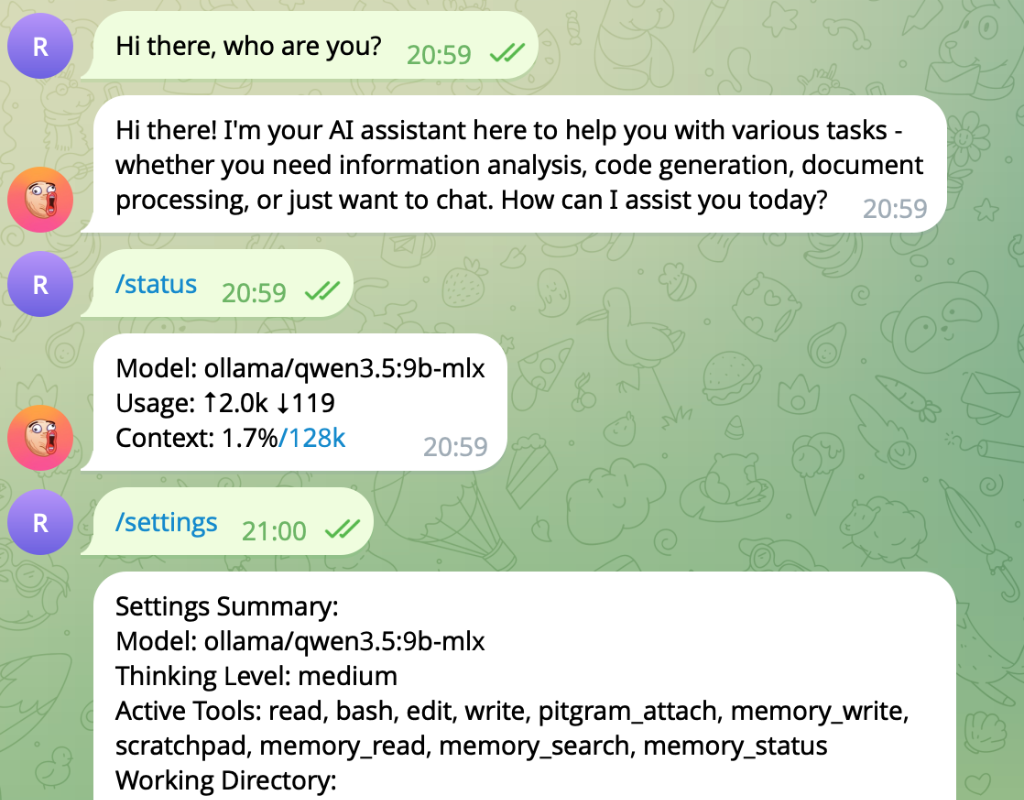
/sessions— list sessions in the current working directory./switch <index|path|id>— switch the active session./new [name]— create and switch to a new session./forkor/clone— fork the active session./model [index|name]— inspect or switch the model./thinking [level]— inspect or set reasoning effort./settings— show current model, tools, directory, and mode./status— show context, token, and cost metrics./compact— compact session history.stopor/stop— abort the current turn.
Local Pi commands
/pitgram-setup— configure and pair the Telegram bot./pitgram-status— show connection mode and queue state./pitgram-connect— connect using direct or relay mode./pitgram-disconnect— disconnect cleanly./pitgram-relay-setup— validate and enable the deployed relay./pitgram-relay-disable— disable the relay.
Screenshots
Development and release checks
npm install
npm test
npm pack --dry-run
The npm tarball must include dist/, src/, relay/, bin/, and this README.