pitgram
Telegram bridge for Pi with remote session management and an optional durable offline relay
Package details
Install pitgram from npm and Pi will load the resources declared by the package manifest.
$ pi install npm:pitgram- Package
pitgram- Version
1.1.0- Published
- Aug 25, 2026
- Downloads
- 93/mo · 17/wk
- Author
- raghavbali
- License
- MIT
- Types
- extension
- Size
- 154.3 KB
- Dependencies
- 1 dependency · 5 peers
Pi manifest JSON
{
  "extensions": [
    "./dist/index.js"
  ],
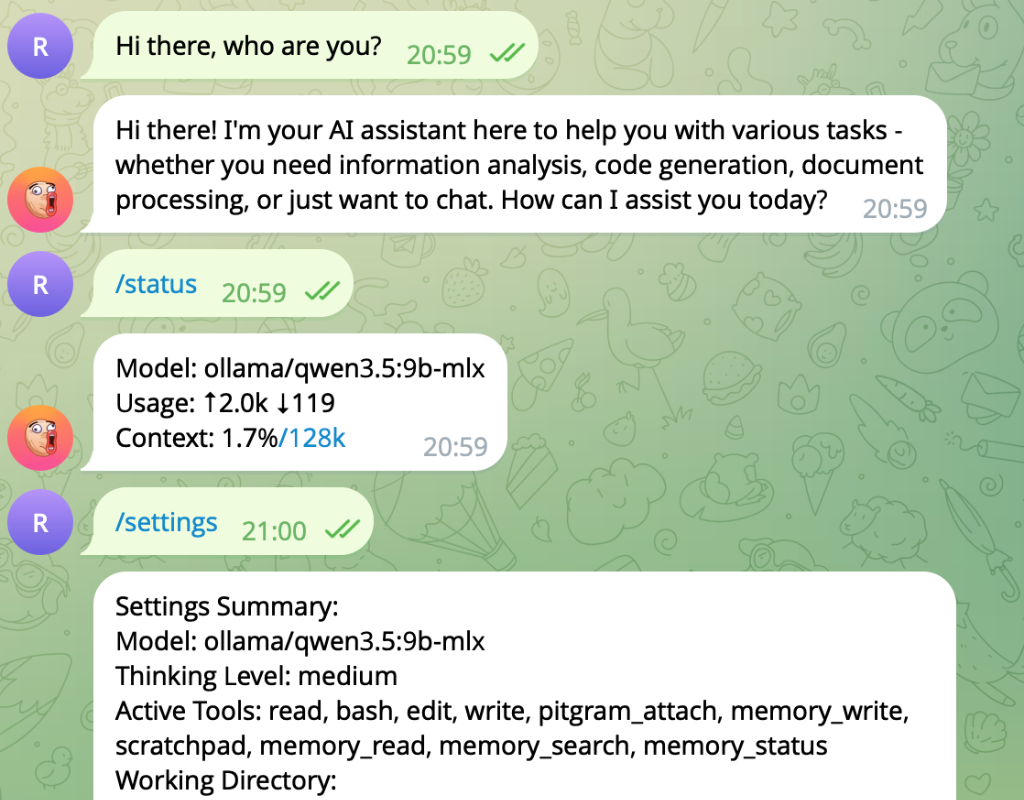
  "image": "https://raw.githubusercontent.com/raghavbali/pitgram/main/assets/screenshot.png"
}
Security note
Pi packages can execute code and influence agent behavior. Review the source before installing third-party packages.
README
Pitgram
Pitgram connects a private Telegram bot chat to a Pi agent. It supports remote session and model controls, media in both directions, streaming draft previews, and an optional Telegram Serverless relay for durable offline delivery.
Pitgram is derived from Mario Zechner's original badlogic/pi-telegram extension.
Features
- Telegram bridge: Send prompts to Pi and receive streamed replies.
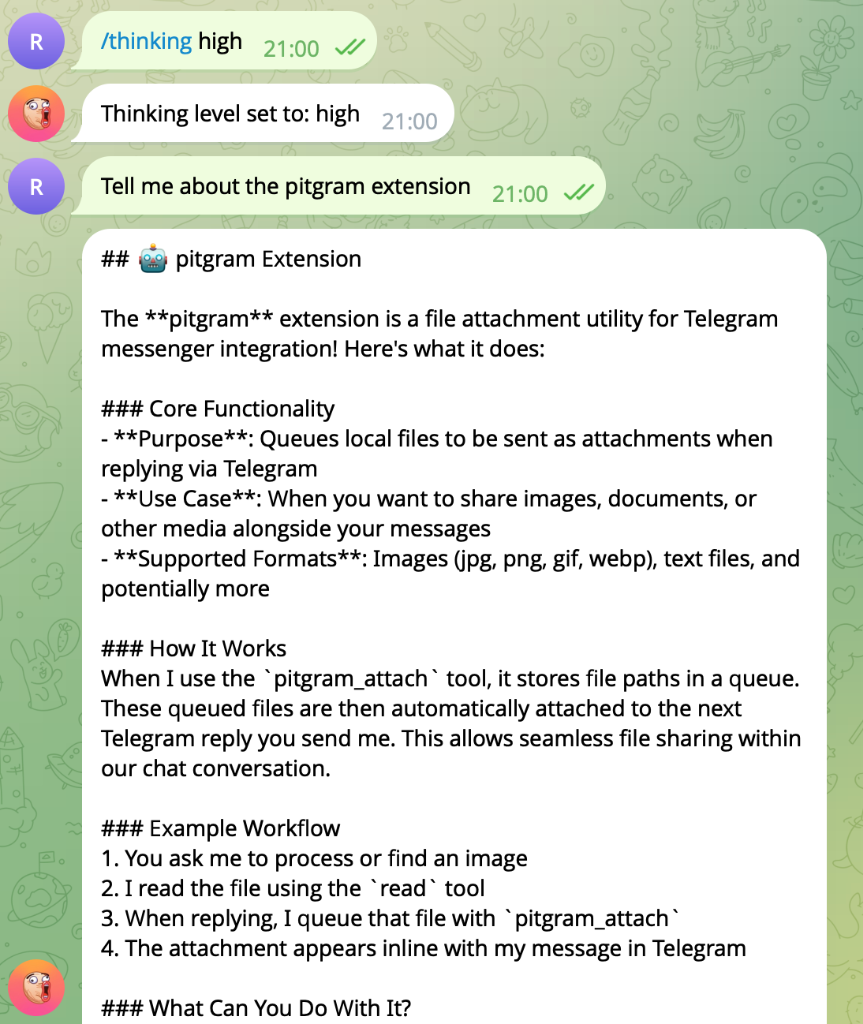
- Attachments: Receive Telegram media and return local files with
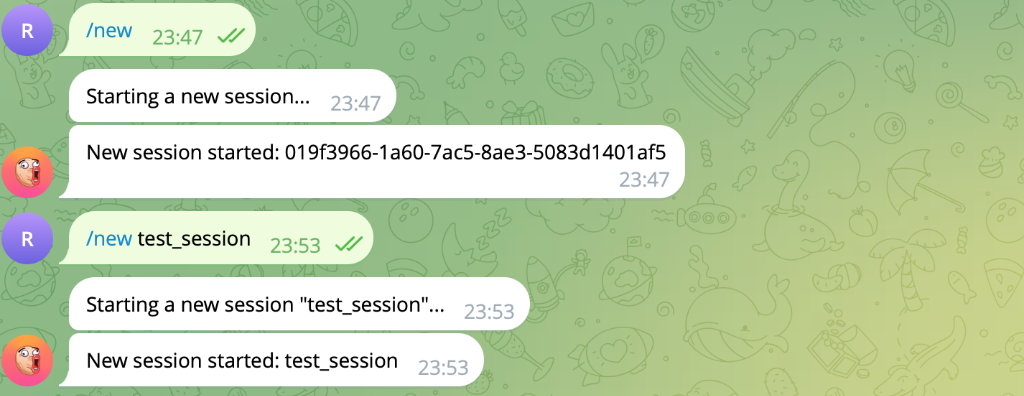
pitgram_attach. - Remote sessions: List, switch, create, and fork Pi sessions.
- Model controls: Inspect or change the model and thinking level.
- Optional offline queue: Telegram Serverless stores messages while Pi is stopped, then delivers them in FIFO order when Pi reconnects.
- Queue management: Force or delay queued work and list, edit, delete, or clear pending messages from Telegram.
Install
pi install npm:pitgram
For source development:
pi -e /path/to/pitgram
Direct-mode setup
- Create a bot with @BotFather and copy its API token.
- Start Pi interactively.
- Run
/pitgram-setupand enter the bot token. - Send
/startto the bot in Telegram. The first private account is paired.
Pitgram now uses Telegram getUpdates directly. This mode requires Pi to be running and remains the default.
Optional Telegram Serverless relay
The relay is bundled in Pitgram 1.1.0 and later. It owns the bot webhook and persists every incoming turn in Telegram Serverless SQLite. The local extension polls that durable queue through Telegram Serverless's authenticated management API. This design deliberately does not combine a webhook with getUpdates, and it does not rely on bot-sent messages reappearing as incoming updates.
1. Pair Pitgram first
Complete direct-mode setup above before enabling the webhook relay.
2. Deploy the bundled relay
Get a CLI access token from BotFather → Serverless → CLI Access, then run:
npx --yes --package pitgram pitgram-relay login
npx --yes --package pitgram pitgram-relay push
npx --yes --package pitgram pitgram-relay migrate
npx --yes --package pitgram pitgram-relay webhook sync
push deploys code but does not alter the database; migrate is required for the queue tables. The wrapper copies the bundled project to ~/.pi/agent/pitgram-relay, preserving CLI credentials and deployment state there, then runs the official @tgcloud/cli.
3. Link the local extension
In Pi, run:
/pitgram-relay-setup
Enter the Telegram Serverless CLI access token when prompted. Pitgram validates the deployed relay before saving it and switches to relay mode on reconnect or restart.
The token is stored locally in ~/.pi/agent/telegram.json. Treat that file as a secret and never commit or share it.
To return to direct polling:
/pitgram-relay-disable
/pitgram-connect
Relay behavior
- When Pi is connected, new turns are normally claimed within about two seconds.
- When Pi is offline, turns remain durable in Telegram Serverless.
- Attachments are stored as Telegram
file_idreferences and downloaded by local Pitgram during delivery. - A claimed turn is marked done only after Pi's reply and requested attachments are sent.
- If Pi disconnects with a running turn, the relay returns that turn to pending.
- Forced delayed turns are not claimed before their delivery time.
Telegram queue controls:
-q message
-q 2h30m message
--queue message
/queue
/queue edit <id> <new text>
/queue delete <id>
/queue clear
Telegram commands
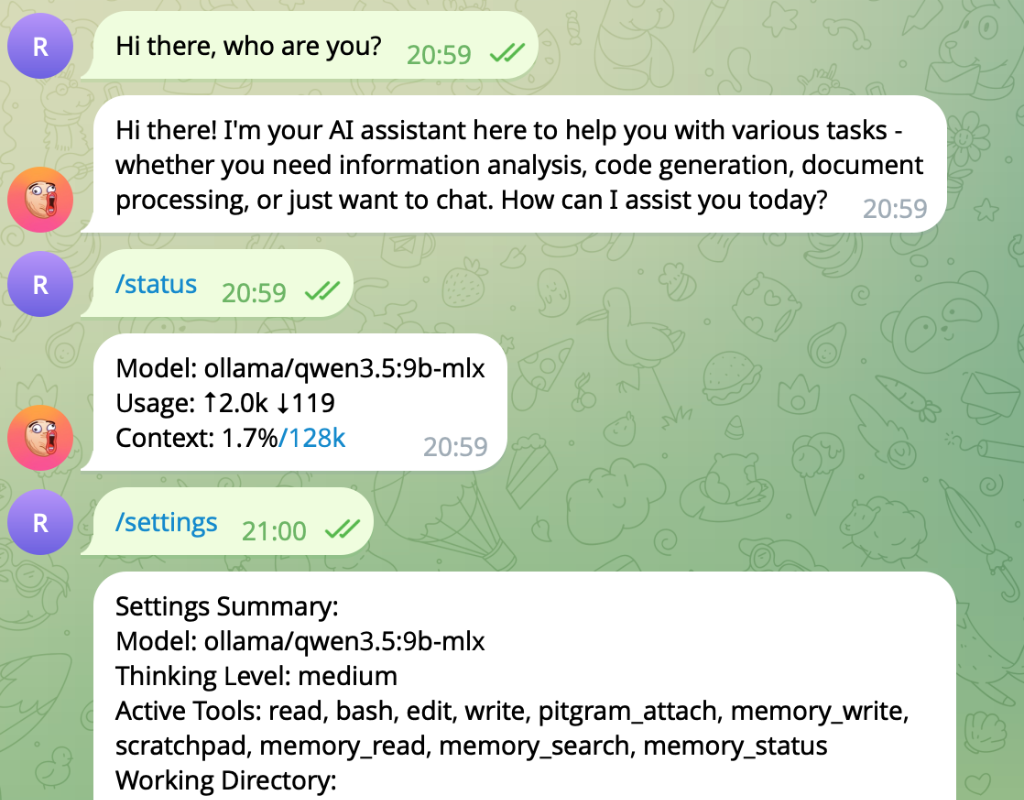
/sessions— list sessions in the current working directory./switch <index|path|id>— switch the active session./new [name]— create and switch to a new session./forkor/clone— fork the active session./model [index|name]— inspect or switch the model./thinking [level]— inspect or set reasoning effort./settings— show current model, tools, directory, and mode./status— show context, token, and cost metrics./compact— compact session history.stopor/stop— abort the current turn.
Local Pi commands
/pitgram-setup— configure and pair the Telegram bot./pitgram-status— show connection mode and queue state./pitgram-connect— connect using direct or relay mode./pitgram-disconnect— disconnect cleanly./pitgram-relay-setup— validate and enable the deployed relay./pitgram-relay-disable— disable the relay.
Screenshots
Development and release checks
npm install
npm test
npm pack --dry-run
The npm tarball must include dist/, src/, relay/, bin/, and this README.