system-prompt-switch
Pi extension to manage custom system prompts per session with switch, modal selection, and CRUD commands
Package details
Install system-prompt-switch from npm and Pi will load the resources declared by the package manifest.
$ pi install npm:system-prompt-switch- Package
system-prompt-switch- Version
0.10.0- Published
- Oct 1, 2026
- Downloads
- 866/mo · 866/wk
- Author
- plantae-art
- License
- MIT
- Types
- extension
- Size
- 4.4 MB
- Dependencies
- 0 dependencies · 1 peer
Pi manifest JSON
{
  "image": "./assets/imgs/img1.png",
  "extensions": [
    "./extensions"
  ]
}
Security note
Pi packages can execute code and influence agent behavior. Review the source before installing third-party packages.
README
system-prompt-switch
Pick, stack, edit, and forget — system prompts that follow you from Pi to OMP without re-explaining yourself.
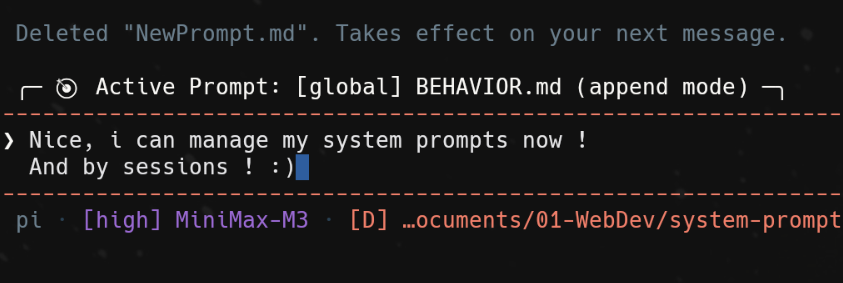
A Pi / OMP extension that manages custom system prompts per session: interactive modals, cumulative stacking, two scopes (local repo + global home), CRUD commands, and an above-editor banner that always shows what's active.
Install
OMP
omp install npm:system-prompt-switchPI
pi install npm:system-prompt-switchThat's it. The extension registers on next session start. Works in both Pi and OMP.
Screenshots
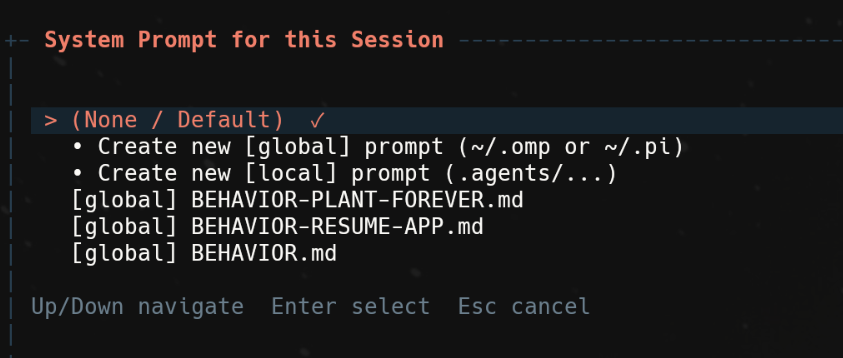
Startup session modal — pick a prompt or create one:
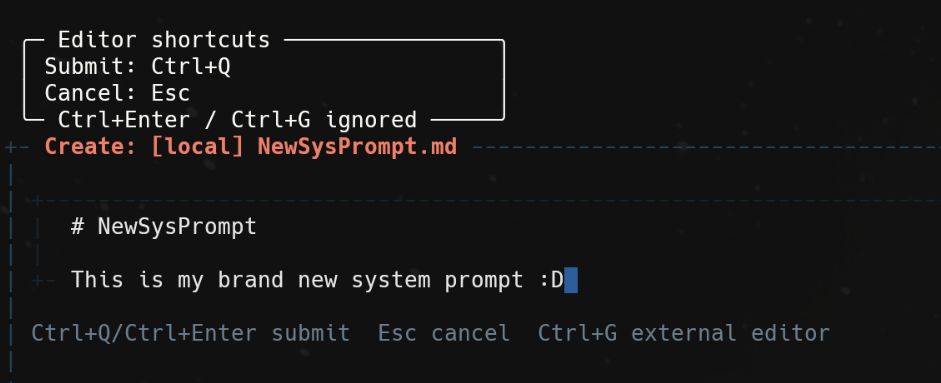
Editor banner while creating a new prompt (Ctrl+Q submit, Esc cancel):
Demo GIFs:
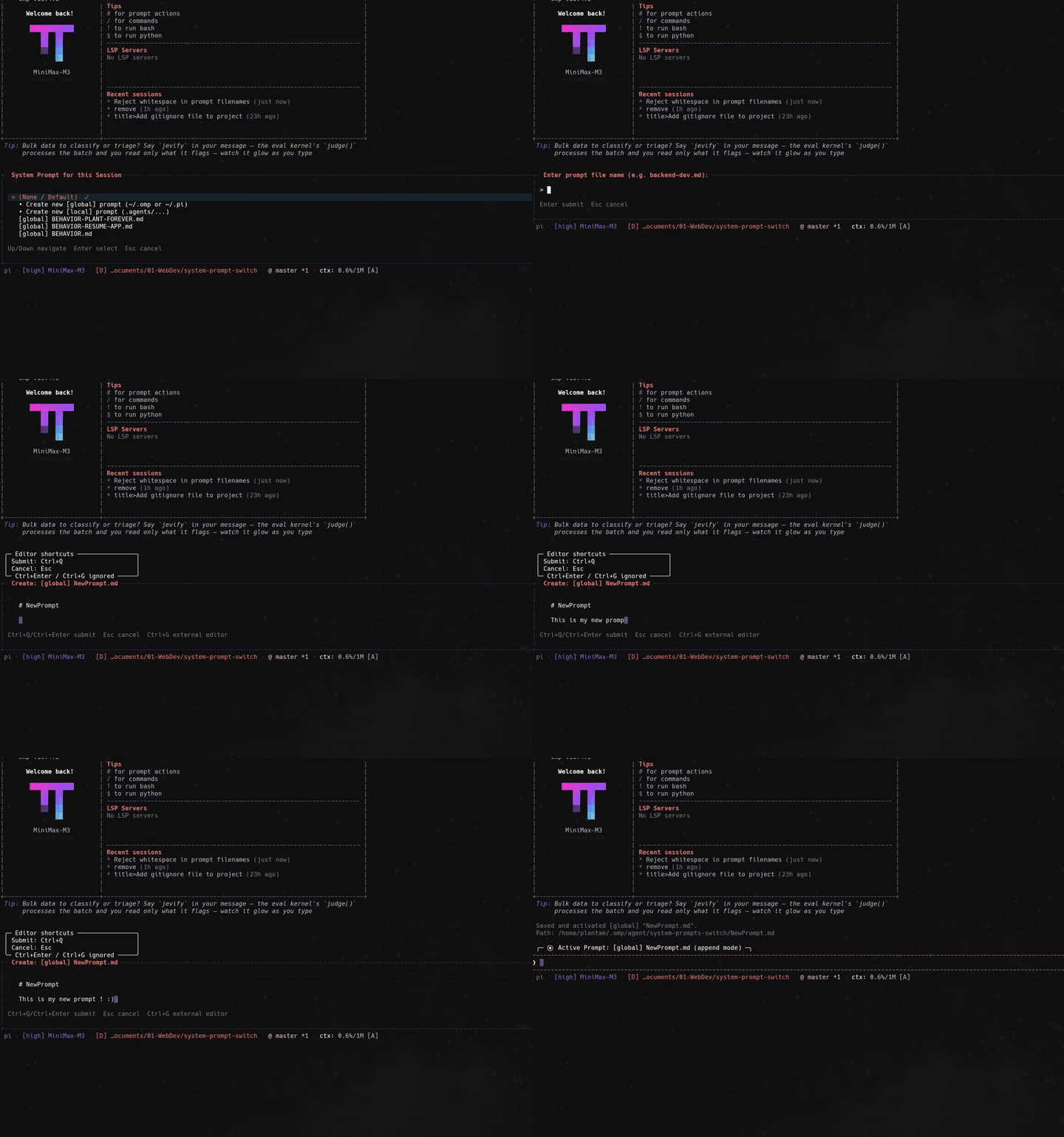
1. Select / Create system prompt when new session
2. Update system prompt (local or global)
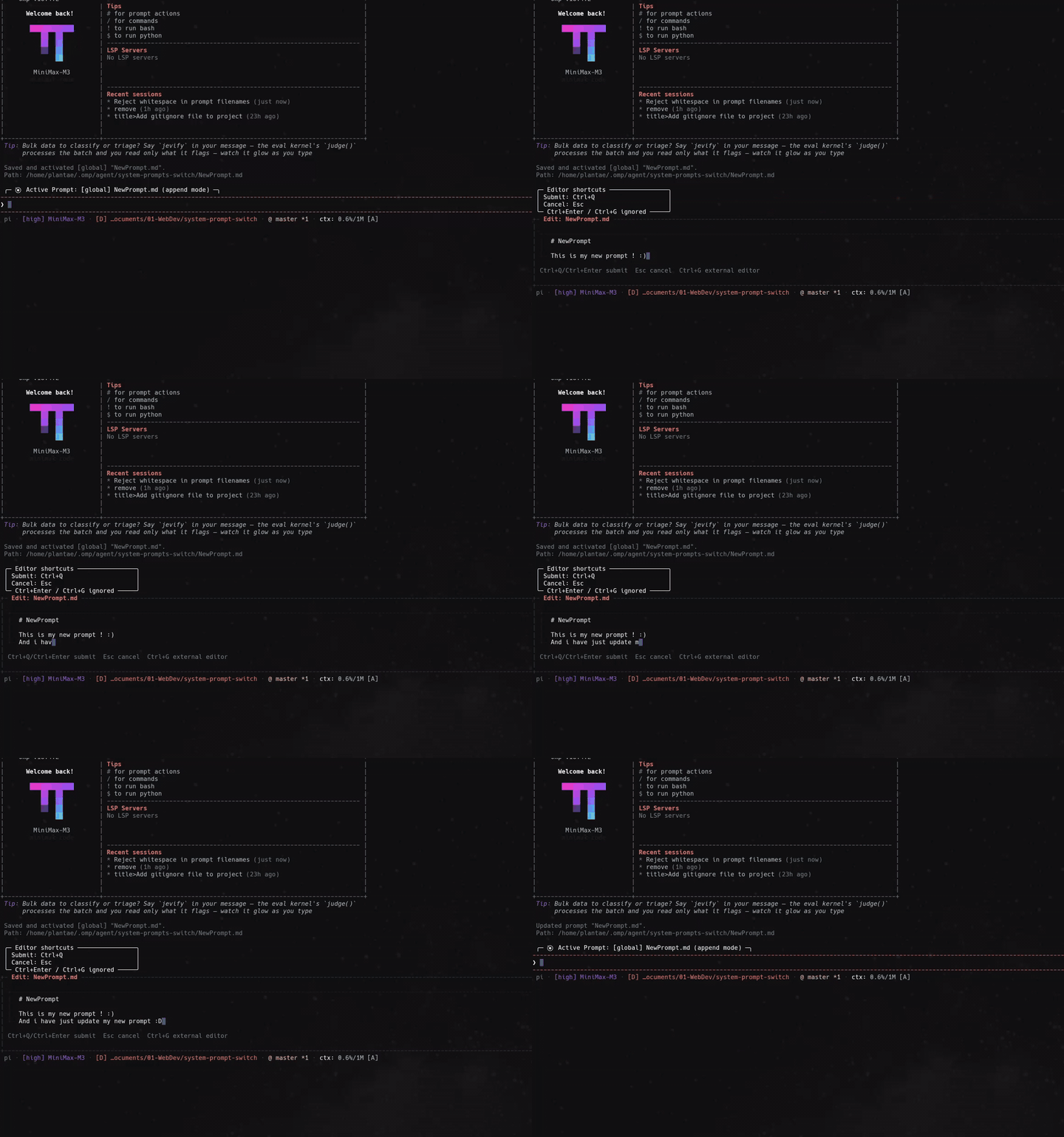
3. Inject one or several system prompts for next message
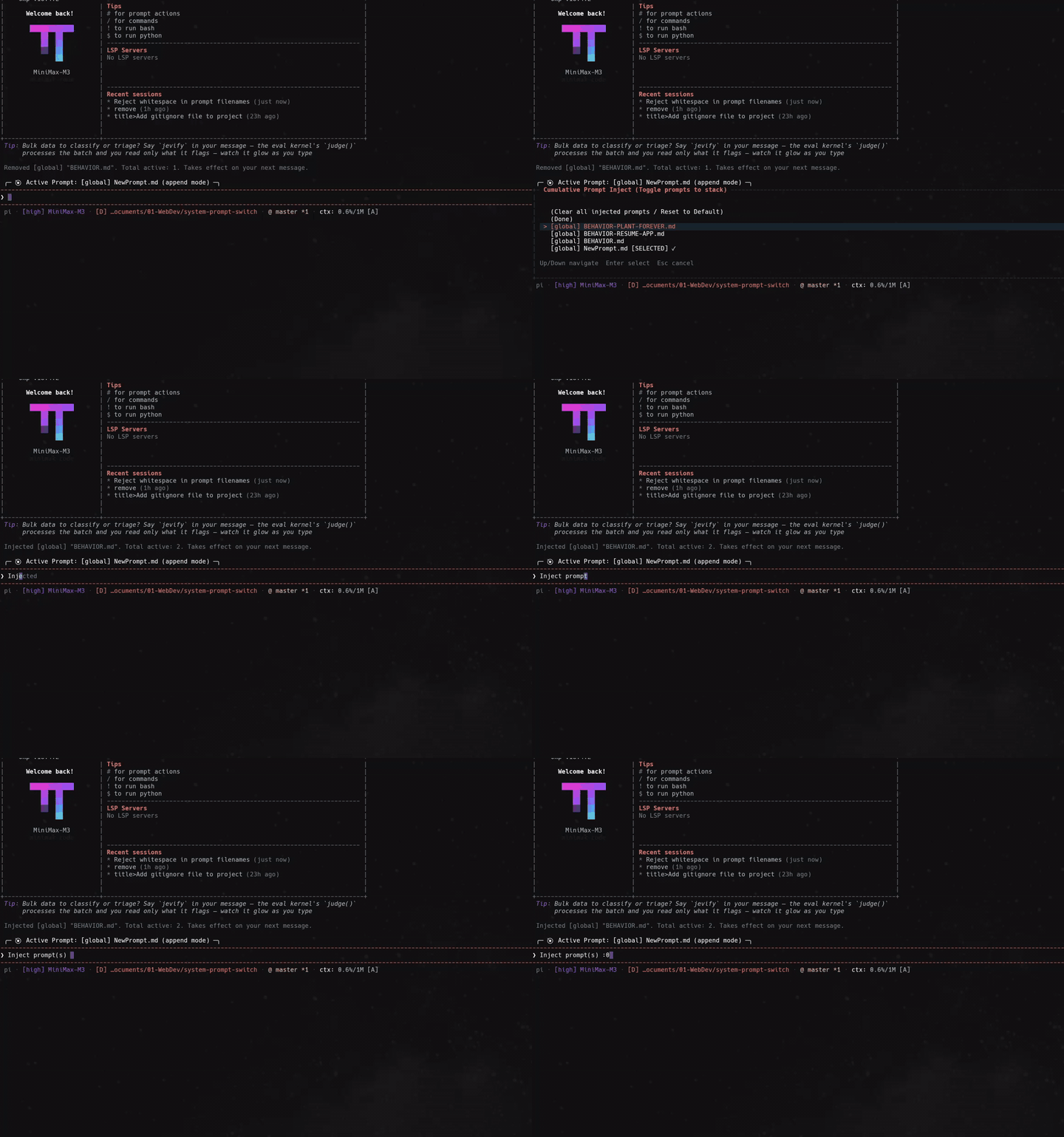
4. Get information or logs
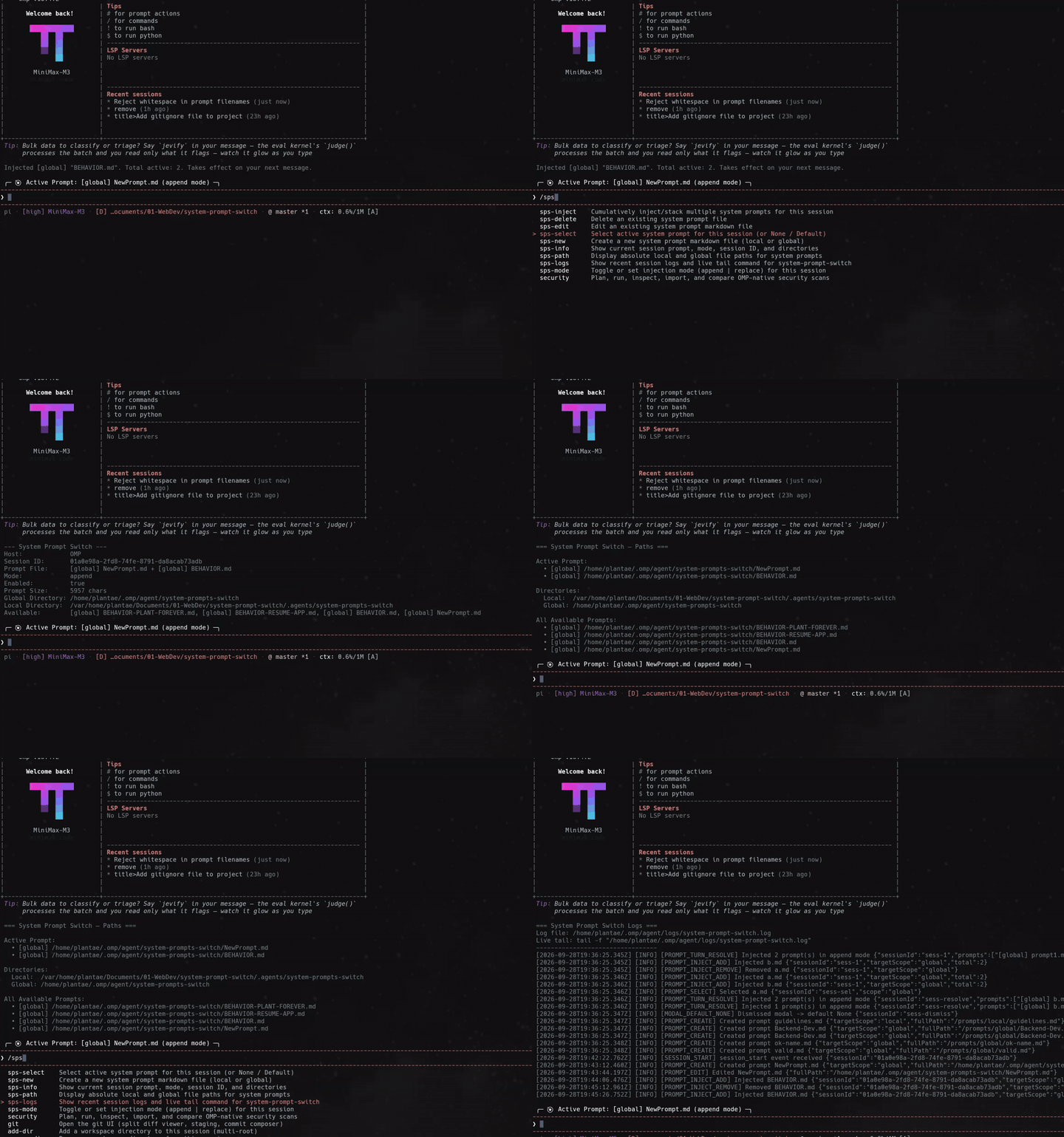
5. Delete a system prompt
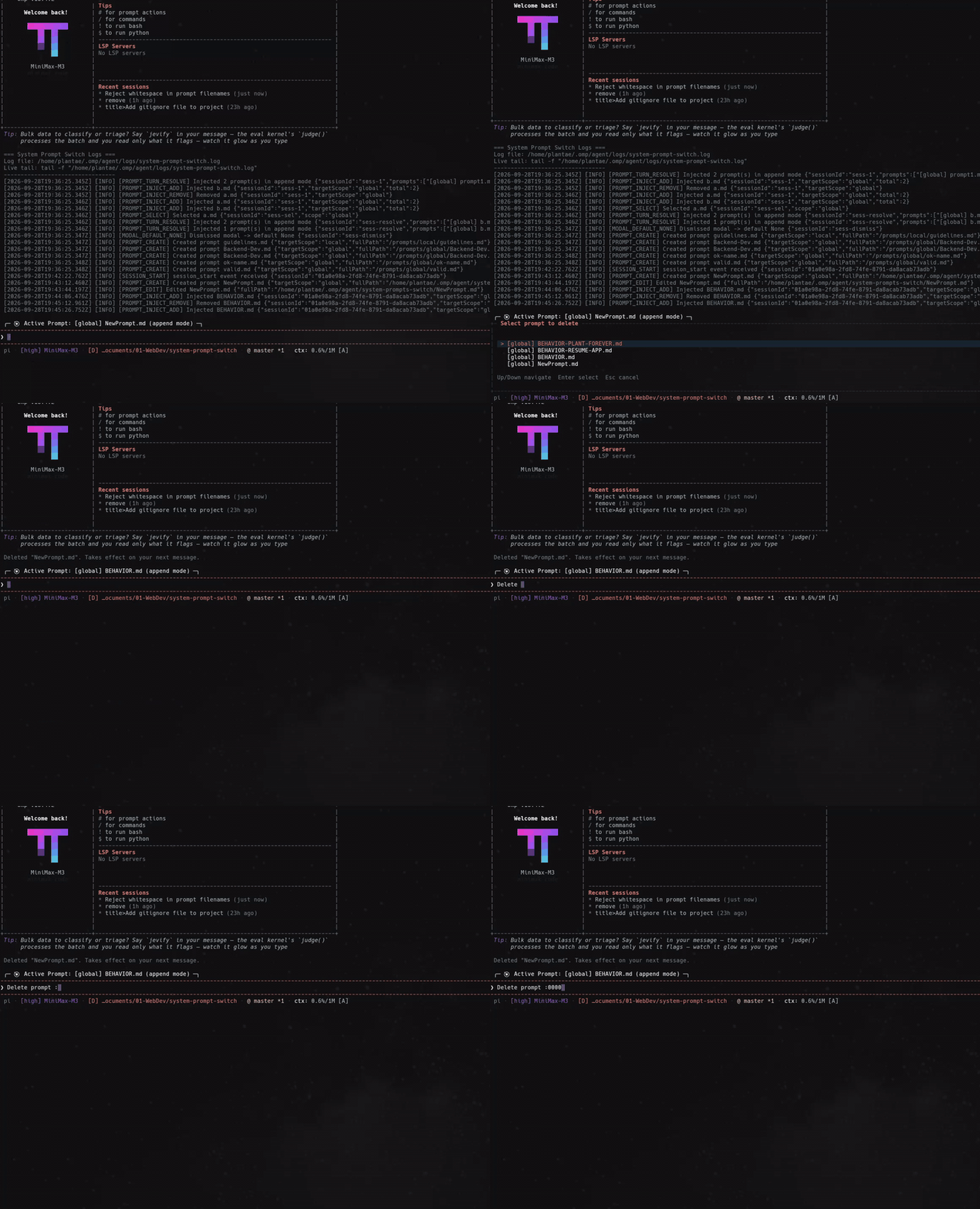
What it does
- Per-session prompts — your active prompt is bound to the session ID, never leaks between concurrent or sequential sessions.
- Two scopes, one mental model —
[local]lives in your repo (.agents/system-prompts-switch/, committable),[global]lives in your home (~/.pior~/.omp/agent/system-prompts-switch/). Same file can exist in both; local wins for the repo session. - Stack multiple prompts —
/sps-injectadds prompts cumulatively.[global] <system-prompt-name>.md + [local] project-rules.mdis a valid active state. - Above-editor banner — the active prompt is rendered directly above your input prompt so you never forget which one is loaded.
- Self-describing extension context — every resolved prompt includes a leading block that tells the LLM what this extension is, where prompt files live, and how to inspect/change them. The block is loaded from
assets/templates/extension-context.mdso you can tweak the wording without touching code. - Startup modal — on terminal launch or
/new, pick(None), an existing prompt, or create a new one in either scope. - Merge modes —
append(default, safe) keeps base instructions;replaceuses your prompt as the base while preserving tools, skills, and project context. - Live logging to
~/.pi/agent/logs/system-prompt-switch.log/~/.omp/agent/logs/system-prompt-switch.log, with/sps-logs [lines]inside the session.
Commands
| Command | What it does |
|---|---|
/sps-select |
Pick the active prompt (or (None / Default)) |
/sps-inject |
Stack or toggle multiple prompts for this session |
/sps-new |
Create a new .md prompt (choose local vs global) |
/sps-edit |
Edit an existing prompt in the built-in editor |
/sps-path |
Print absolute paths for the active prompt and all local/global files |
/sps-delete |
Delete a prompt file (resets session if it was active) |
/sps-move |
Move a prompt file to another scope (local, global pi, or global omp) |
/sps-mode [append|replace] |
Toggle or set the merge mode |
/sps-info |
Show host, active prompts, mode, session ID, and directories |
/sps-logs [lines] |
Tail the session log |
How prompts live
| Scope | Default location | Override env |
|---|---|---|
| Local (repo) | <cwd>/.agents/system-prompts-switch/ |
SPS_LOCAL_PROMPT_DIR |
| Global | ~/.omp/agent/system-prompts-switch/ (OMP) or ~/.pi/agent/system-prompts-switch/ (Pi) |
SPS_PROMPT_DIR or SYSTEM_PROMPT_DIR |
| Session state | ~/.<host>/agent/state/system-prompt-switch/sessions.json |
SPS_STATE_PATH |
Legacy prompts in ~/.pi/agent/system-prompts/ are auto-migrated on first run.
Editor shortcut note
When /sps-new or /sps-edit opens the built-in editor, an above-editor banner shows the real shortcuts: Ctrl+Q to submit, Esc to cancel. The host's footer also advertises Ctrl+Enter submit and Ctrl+G external editor — these are not wired by this extension; ignore them.
For developers
Architecture, build, test, and contribution guide: see README.dev.md.