@wylu/pi-colours
Compact rich Markdown, copyable code frames, and active-theme syntax highlighting for Pi
Package details
Install @wylu/pi-colours from npm and Pi will load the resources declared by the package manifest.
$ pi install npm:@wylu/pi-colours- Package
@wylu/pi-colours- Version
0.1.0- Published
- Oct 14, 2026
- Downloads
- not available
- Author
- wylu
- License
- MIT
- Types
- extension
- Size
- 151.3 KB
- Dependencies
- 0 dependencies · 2 peers
Pi manifest JSON
{
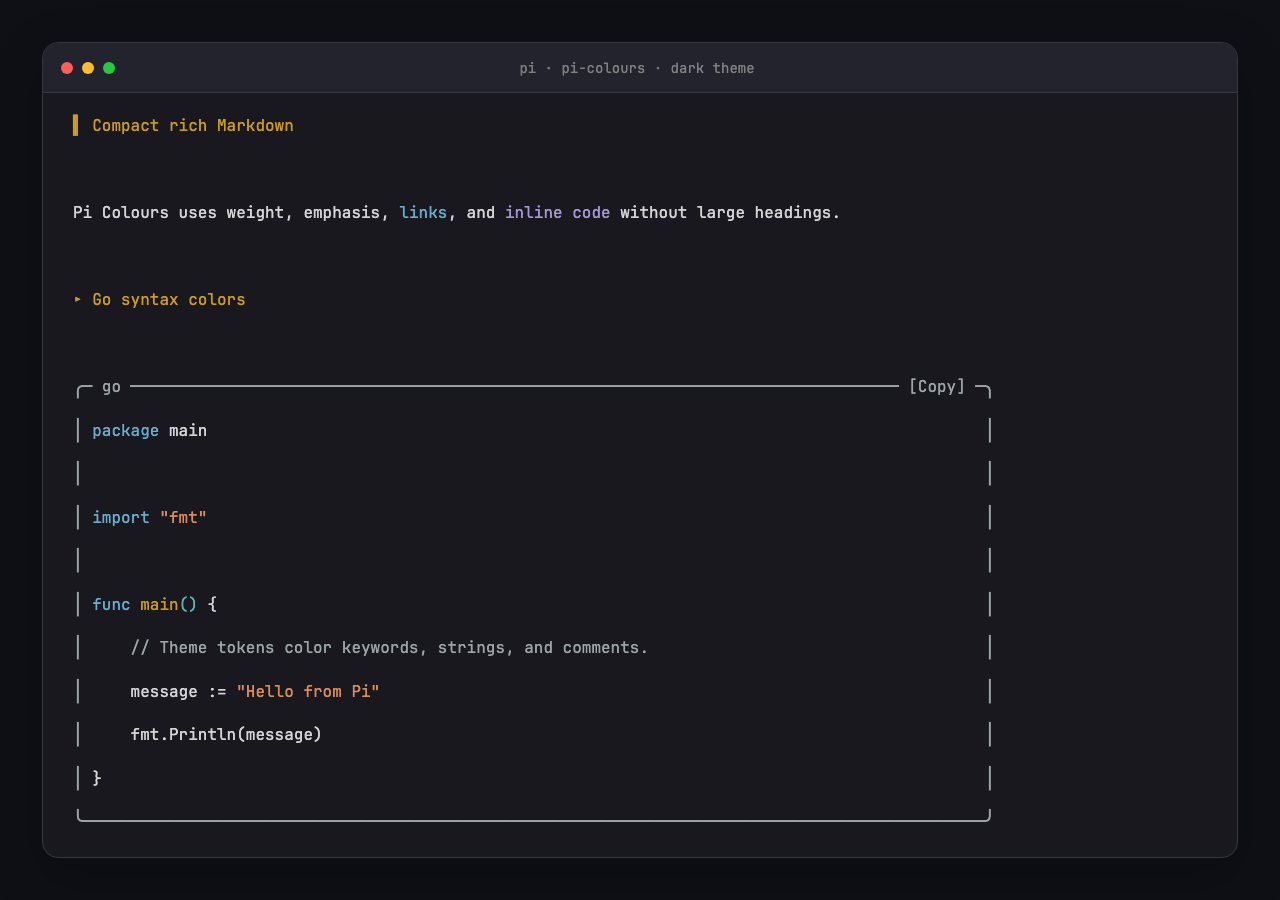
  "image": "https://raw.githubusercontent.com/wylu1037/pi-colours/main/docs/assets/pi-colours-dark.png",
  "extensions": [
    "./extensions/pi-colours.ts"
  ]
}
Security note
Pi packages can execute code and influence agent behavior. Review the source before installing third-party packages.
README
Pi Colours
Compact Markdown, copyable code frames, and active-theme syntax colors for Pi.


Pi Colours makes assistant messages, user Markdown, code blocks, and source-like Bash results easier to scan. It uses the active Pi theme. It does not force a dark or light palette.
Every code block renders in a rounded frame with a language label and a [Copy] chip, so you can copy a block with one click. A successful copy turns the chip into [Copied] for three seconds.
Preview
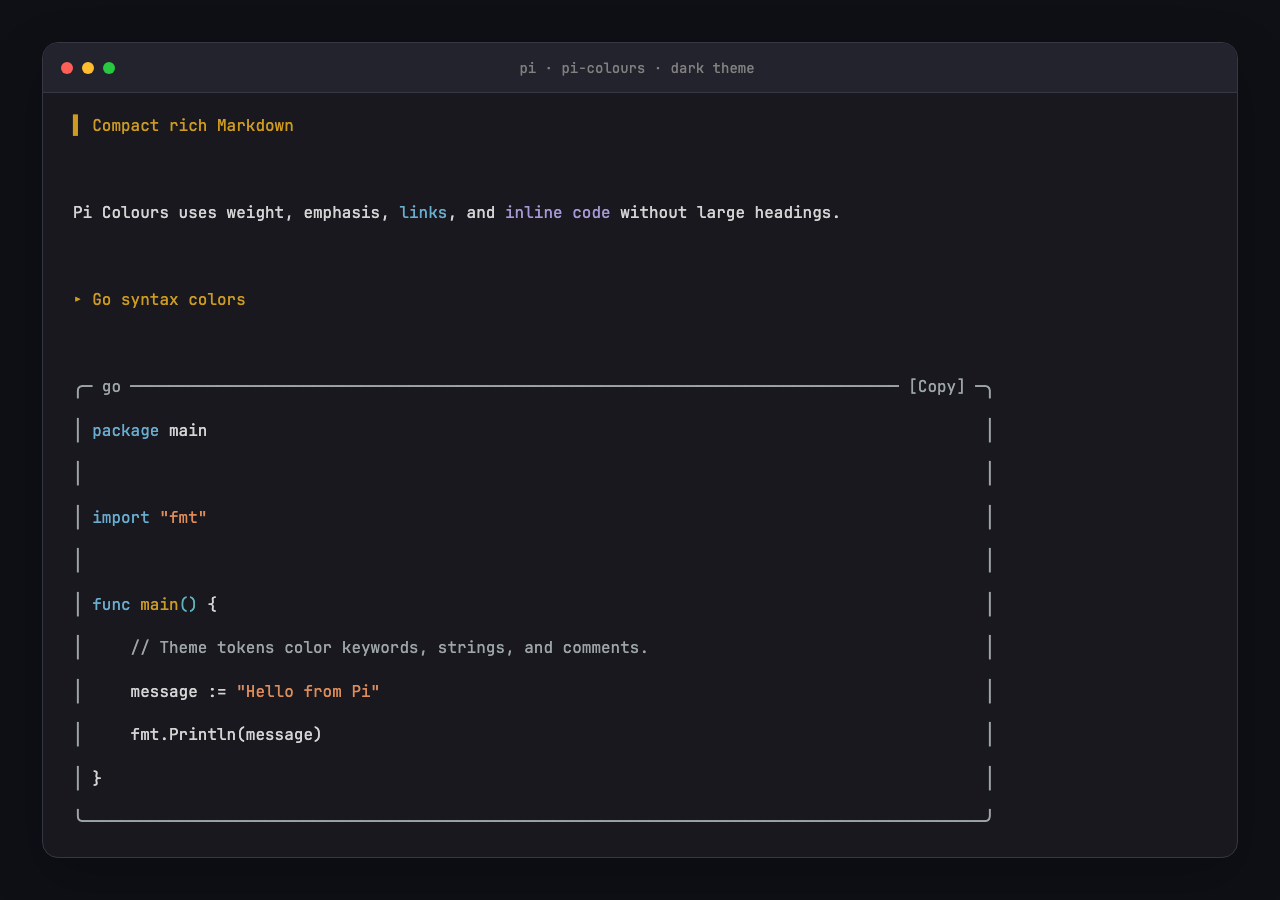
Dark Pi theme
Light Pi theme
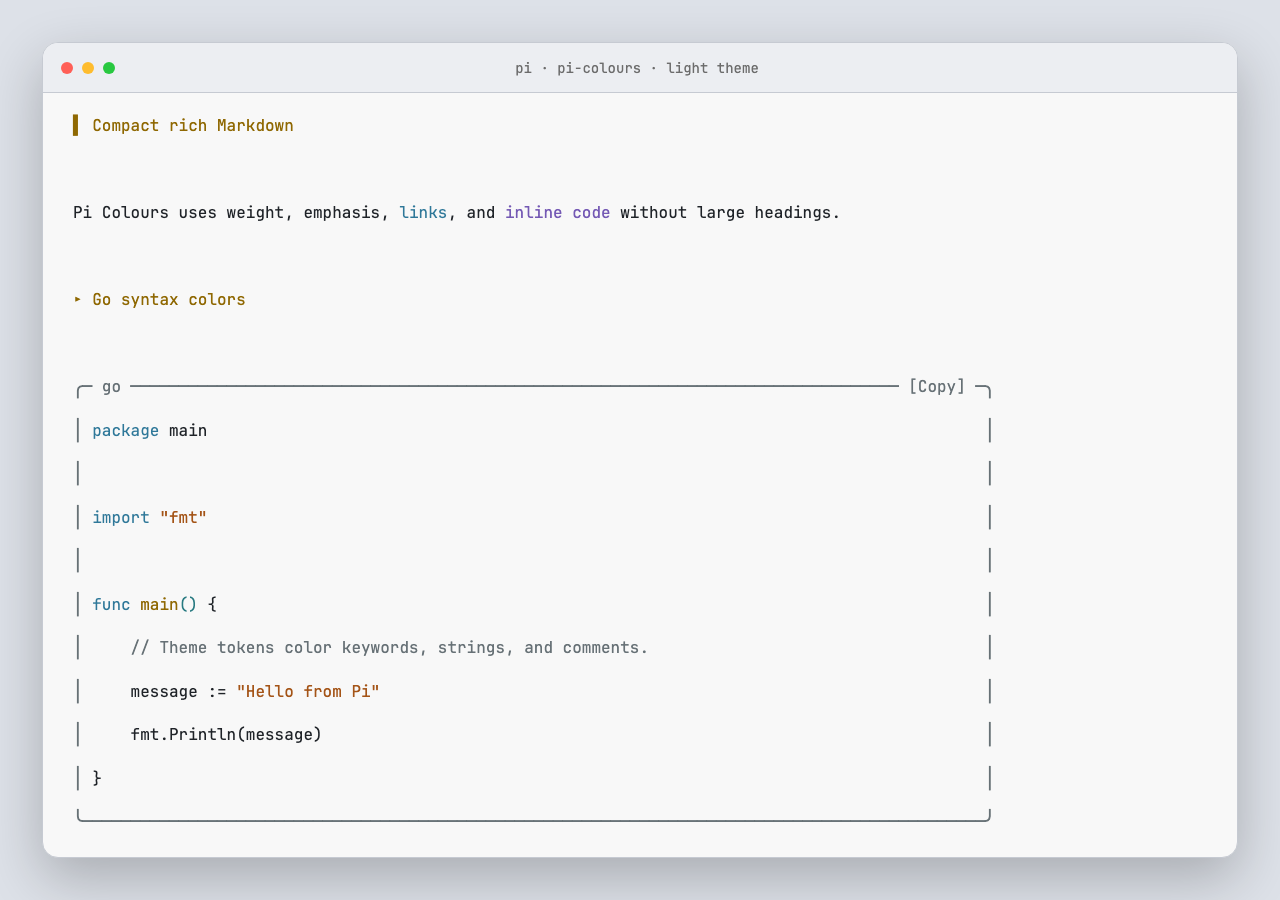
The screenshots use the real Pi Markdown component, the active theme, and the syntax highlighter. The preview includes compact Markdown, copy chips, and Go syntax colors for keywords, strings, and comments.
Install
Install from npm:
pi install npm:@wylu/pi-coloursOr test the GitHub release without installation:
pi -e git:github.com/wylu1037/pi-colours@v0.1.0Restart Pi after installation. Use /reload after you change a local copy.
Copy code blocks
Every code frame shows a [Copy] chip in its top border:
╭─ bash ────────────────────── [Copy] ─╮
│ openssl version -a                  │
╰─────────────────────────────────────╯
Copy a block in three ways:
| Action | What it copies |
|---|---|
Click [Copy] |
That block. Bash frames copy the full output, even when it is collapsed. |
/colours-copy |
The most recent code block in the conversation. |
ctrl+shift+c |
The same as /colours-copy, in terminals that report the Shift key. |
Pi confirms each copy with a short notification that includes the language and line count. The chip you clicked also switches to [Copied] for three seconds, so you can tell which block you copied.
Clicking needs fullscreen TUI mode, which is the default. In regular mode the frames still render; use the command or the shortcut to copy. The ctrl+shift+c shortcut needs a terminal with extended key reporting, such as Kitty, WezTerm, or Ghostty; in other terminals use /colours-copy.
Try the built-in preview
Run this command in Pi:
/colours-previewThe preview shows:
- compact Markdown headings;
- links, emphasis, lists, quotes, and inline code;
- labeled TypeScript and Go code with
[Copy]chips; - automatic Python language detection;
- dark or light colors from the active Pi theme.
Press Enter or Esc to close it. Clicking a [Copy] chip inside the preview copies that block too.
What changes
| Output | Pi Colours behavior |
|---|---|
| Markdown headings | Uses compact ▌, ▸, •, and · markers. |
| Fenced code | Uses a rounded frame with a language label and a [Copy] chip instead of raw backticks. |
| Labeled code | Supports aliases such as ts, tsx, py, sh, yml, c++, and c#. |
| Unlabeled code | Detects a language only when the code has a clear structure. |
| Bash results | Frames source-like output and adds syntax colors when the command or output gives a safe hint. |
| Copying | Click [Copy], press ctrl+shift+c, or run /colours-copy. |
| Normal text | Keeps prose and normal command output plain. |
Pi already gives syntax colors to read and write previews and semantic colors to diffs. Pi Colours keeps that behavior.
Theme support
Pi Colours calls the syntax color functions from the active Pi theme. Select a theme with /settings.
For the best result, a custom theme must give different values to these Pi tokens:
syntaxCommentsyntaxKeywordsyntaxFunctionsyntaxVariablesyntaxStringsyntaxNumbersyntaxTypesyntaxOperatorsyntaxPunctuation
If these tokens use the same color, code will look monochrome.
Highlighter choice
Pi uses highlight.js in its Markdown renderer. Pi Colours uses this engine because it:
- runs synchronously in the TUI;
- supports many languages;
- uses the active Pi theme;
- does not need grammar downloads or native modules.
Tree-sitter needs many grammar files and a separate token-to-theme layer. TextMate and Shiki add a large fixed-theme system. They do not give a clear benefit for this terminal extension.
Coverage and limits
Pi Colours changes the shared Pi Markdown component. It applies to:
- assistant Markdown;
- user Markdown;
- Pi components and extension results that use
Markdown.
It also replaces the built-in Bash display renderer. It does not change Bash execution.
The public Pi API has no global renderer hook for plain results from every third-party tool. A third-party tool that uses its own Text component keeps its own display. That tool can use Pi's exported highlightCode() function.
Pi Colours patches private methods in the Pi TUI Markdown class and adds a mouse handler to it, because Pi has no public hook for standard assistant and user renderers. The extension checks that these methods exist. If a later Pi version changes them, Pi Colours shows a warning and does not change message data.
Security
Pi extensions run with full user permissions. Review extension code before installation.
Pi Colours does not use the network, read project files, write project files, or start a background process. Its Bash override delegates execution to Pi's original Bash tool. It writes to the system clipboard only when you trigger a copy.
Development
Requirements:
- Pi 1.1 or later (click-to-copy needs the Pi 1.1 mouse support)
- Node.js 22.19 or later
- Chromium only when you regenerate screenshots
Run all checks:
npm install
npm run check
npm test
npm pack --dry-run
Regenerate the dark and light screenshots:
npm run screenshots