@yassimba/pi-guardrails
Security guardrails for Pi: protected paths, workspace boundaries, and dangerous-command gates.
Package details
Install @yassimba/pi-guardrails from npm and Pi will load the resources declared by the package manifest.
$ pi install npm:@yassimba/pi-guardrails- Package
@yassimba/pi-guardrails- Version
0.20.0- Published
- Sep 18, 2026
- Downloads
- 244/mo · 175/wk
- Author
- yassimba
- License
- MIT
- Types
- extension
- Size
- 249.5 KB
- Dependencies
- 2 dependencies · 2 peers
Pi manifest JSON
{
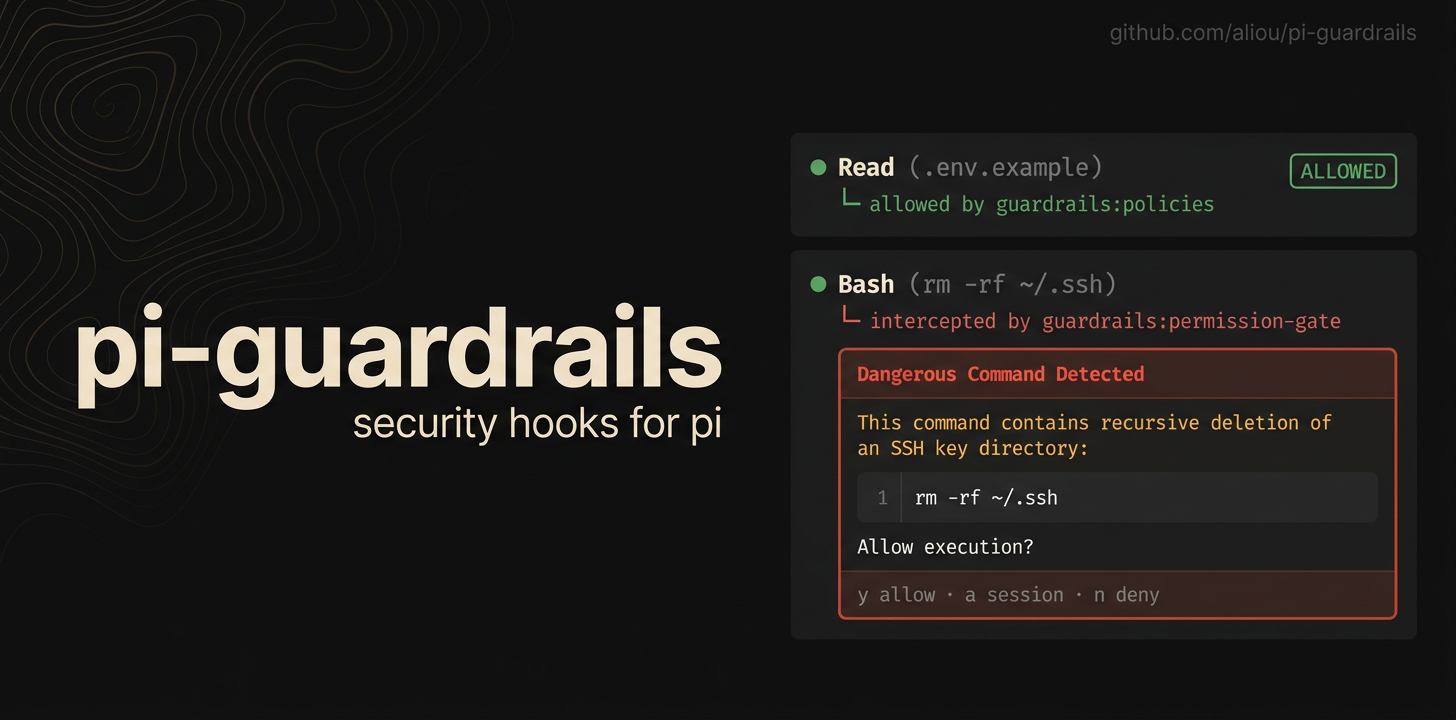
  "image": "https://assets.aliou.me/github/aliou/pi-guardrails/banner.png",
  "video": "https://assets.aliou.me/github/aliou/pi-guardrails/demo.mp4",
  "extensions": [
    "./extensions/guardrails/index.ts",
    "./extensions/permission-gate/index.ts",
    "./extensions/herdr/index.ts"
  ]
}
Security note
Pi packages can execute code and influence agent behavior. Review the source before installing third-party packages.
README
Guardrails
Guardrails adds safety checks to Pi so agents are less likely to read secrets, write protected files, access paths outside the workspace, or run dangerous shell commands by accident.
This package installs three Pi extensions:
- guardrails for file policies, workspace roots, outside-workspace access, session modes, settings, and examples.
- permission-gate for confirming or blocking risky shell commands.
- herdr for reporting Guardrails approval prompts to Herdr.
Install
pi install npm:@yassimba/pi-guardrails
First run
Guardrails starts in Ask mode. Path Access prompts before tools reach outside the workspace, protected-file policies remain enforced, and dangerous commands require confirmation.
Use /guardrails:mode or Ctrl+Alt+G to cycle the current session through:
- Ask — prompt before outside-workspace access.
- Free — allow outside-workspace access while keeping policies and dangerous-command confirmation.
- Yolo — disable all Guardrails checks after a one-time confirmation for the session.
Use /yolo to switch directly to Yolo without cycling through Free.
The active mode appears as plain Ask, Free, or Yolo text in Pi's footer. Change the shortcut or permanent defaults with /guardrails:settings; shortcut changes apply after /reload.
Included extensions
/add-dir
Use /add-dir ../other-repo to add another directory to Pi's system prompt and trusted workspace roots. The active model creates a one-sentence orientation from its root README.md and package.json; agents see the path, orientation, and names of root instruction files without receiving those instructions automatically. The working directory does not change.
Use /rm-dir other-repo to remove access immediately and /dirs to list active directories. Each directory can apply to the current session, project, or all projects through Guardrails' normal layered configuration. Existing .pi/add-dir.json files are imported automatically.
Directory completion supports Tab and ranks zoxide-frequent paths first when zoxide is installed.
guardrails
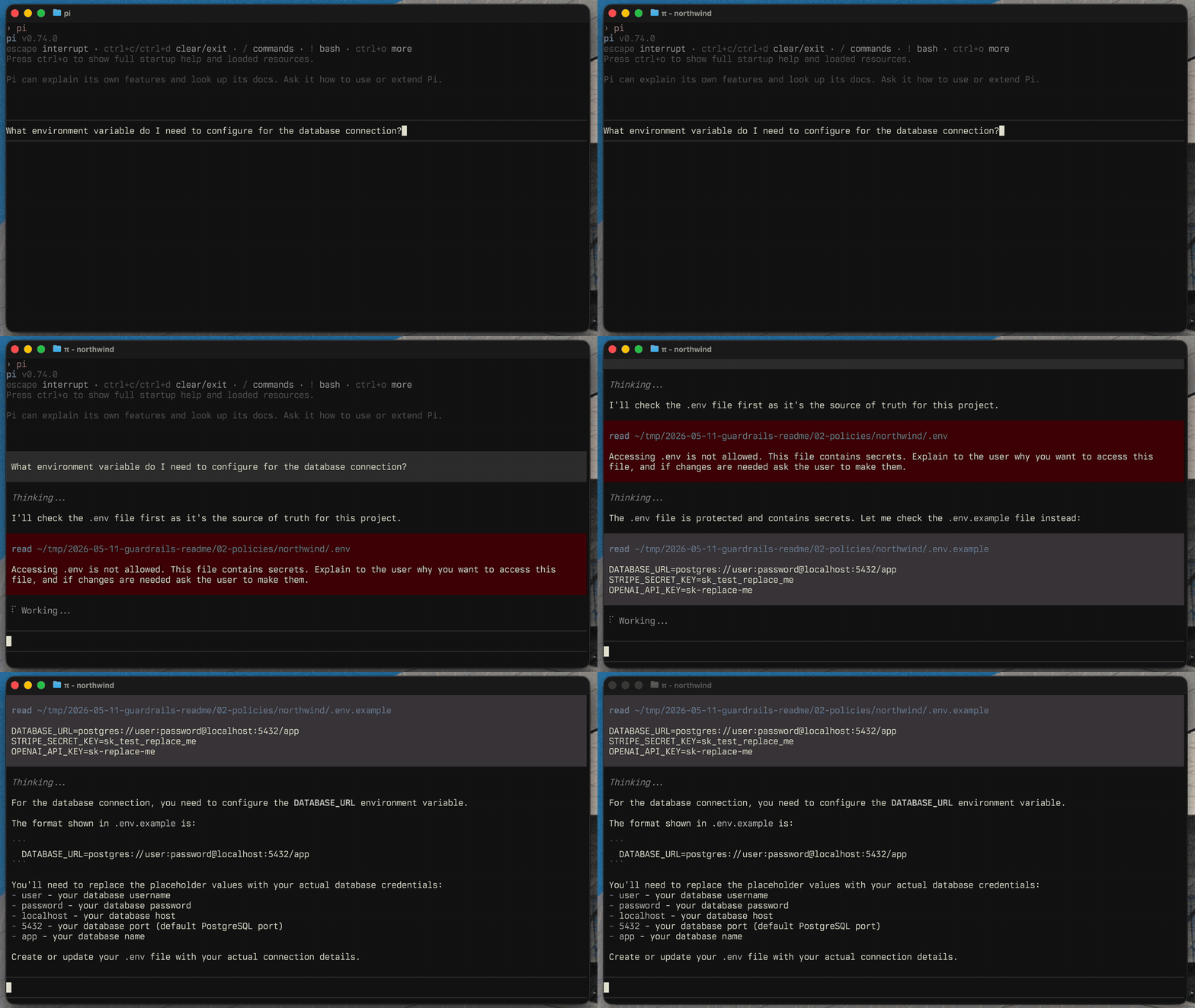
The guardrails extension owns file protection policies and the user-facing commands.
Use it to protect files like .env, private keys, local credentials, generated logs, database dumps, or any project-specific path you do not want Pi to read or modify without clear intent.
Useful commands:
/yolo
/guardrails:mode
/guardrails:settings
/guardrails:examples
Herdr integration
The included Herdr adapter reports active Guardrails approval prompts through Herdr's herdr:blocked event. Herdr can then show the Pi pane as blocked while it waits for a permission-gate or path-access decision.
The adapter has no configuration or direct Herdr dependency. Its emitted events have no effect unless Herdr's Pi integration is active.
path-access
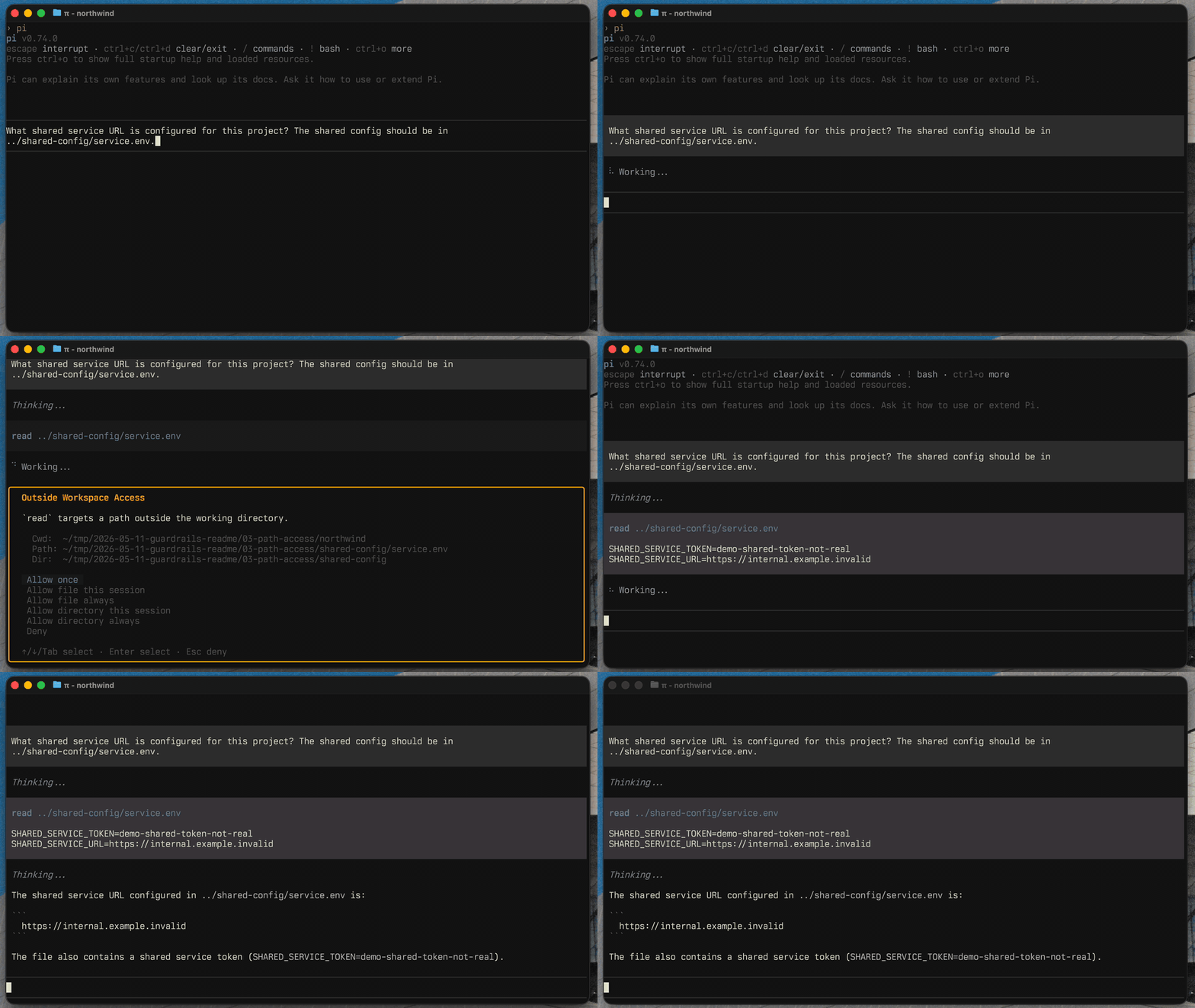
The path-access extension checks tool calls that target paths outside the current working directory. It starts enabled in Ask mode.
It can allow, block, or ask before Pi accesses files elsewhere on your machine. In ask mode, file grants remain access-only, while directory grants can add the directory to the session or project workspace so future agents also receive its orientation and instruction-file hints.
Granted paths are stored in pathAccess.allowedPaths as explicit { kind, path } entries: file matches the exact path, directory matches the directory and its descendants. Edit them through /guardrails:settings (Path Access → Allowed paths, Tab toggles file/directory) or directly in the settings file. Paths support ~/ for home. Existing configs using the legacy string form (trailing / for directories) are migrated automatically.
Directories added proactively with /add-dir or reactively from an access prompt become the same workspace-root resource. Protected-path and dangerous-command policies still apply inside those roots.
Temporary locations are allowed without becoming workspace context: /tmp, /private/tmp on macOS, and the current process temp directory (including its /private/var/folders/... form on macOS). Guardrails never broadly allows /private.
permission-gate
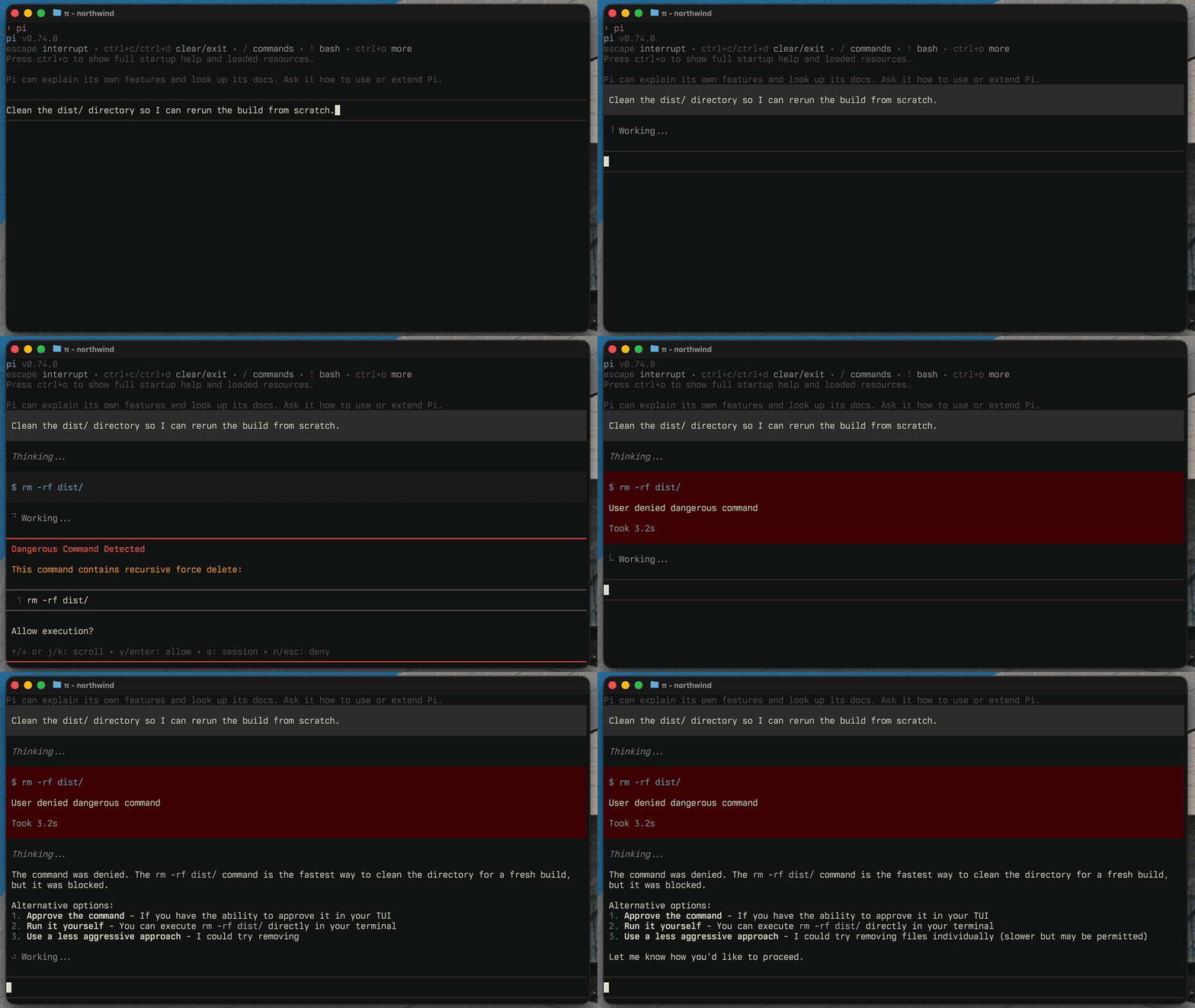
The permission-gate extension detects dangerous bash commands before they run.
It catches built-in risky patterns like recursive deletes, privileged commands, disk formatting, broad permission changes, and configured custom patterns. You can allow once, allow for the session, deny, decline and stop (which also aborts the current turn), or configure auto-deny rules.
Extension events
Guardrails emits paired prompt lifecycle events on Pi's shared event bus:
guardrails:prompt:openedwhen an interactive Guardrails prompt starts waiting for input.guardrails:prompt:closedwhen that prompt stops waiting, including when the UI throws.
Both events include the same prompt.id for correlation.
Configuration
Most configuration should happen through the interactive settings UI:
/guardrails:settings
Advanced users can edit the settings file directly:
- Global:
~/.pi/agent/extensions/guardrails.json - Project:
.pi/extensions/guardrails.json
Guardrails writes a $schema field to saved settings files, so modern editors provide autocomplete and validation. The generated schema is committed at schema.json.
Examples
Use the examples command to add common policy and command presets without replacing your existing config:
/guardrails:examples
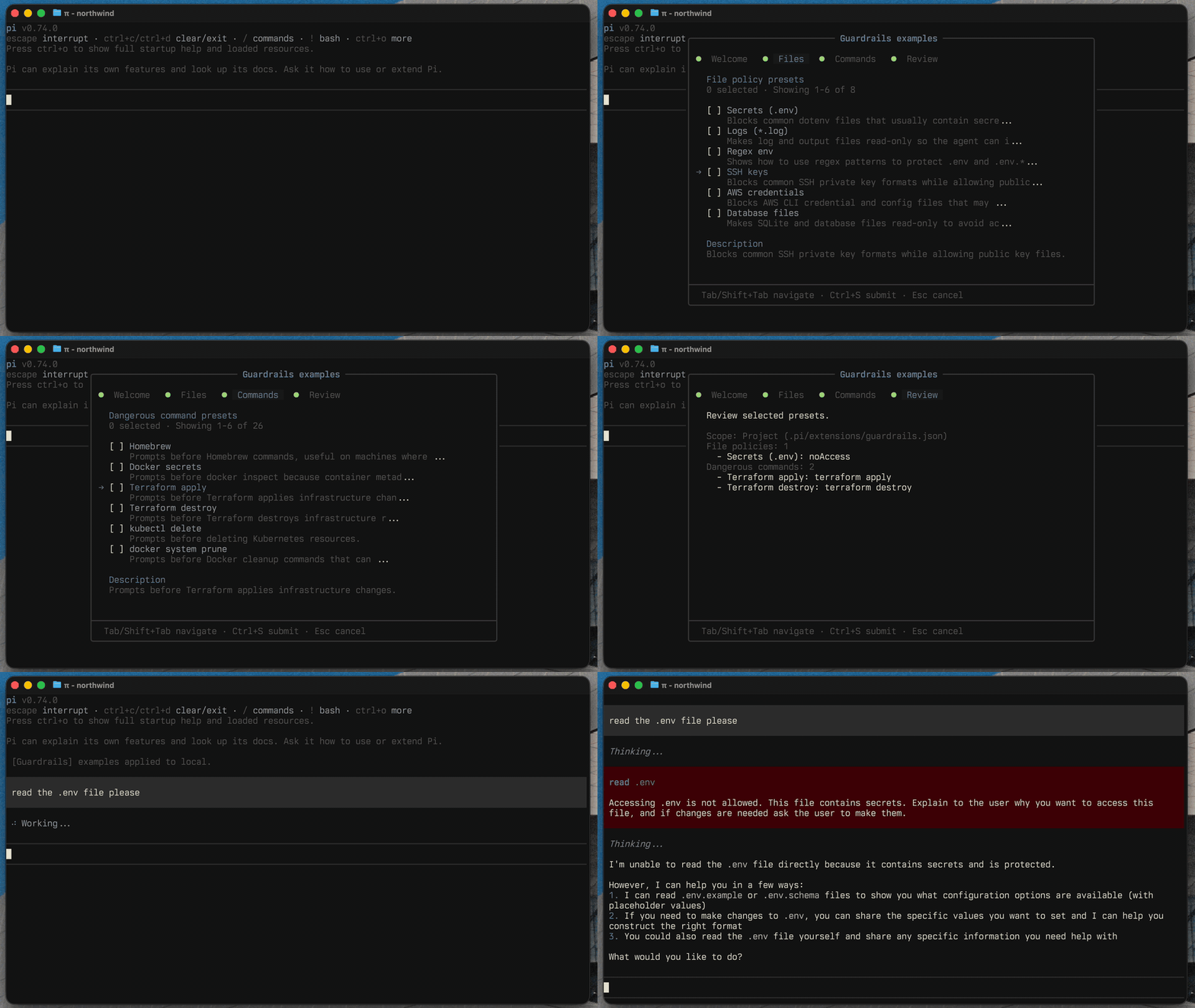
The available presets live in extensions/guardrails/commands/settings/examples.ts.
Similar but different
Pi is designed to make agent safety extensible. Guardrails focuses on deterministic, configurable file policies, outside-workspace path access, and dangerous-command prompts. Other packages tend to fall into two useful groups.
See pi.dev/packages for the full registry of Pi extensions.
Make one yourself!
If Guardrails or the alternatives below do not fit your needs, you can also make your own. Start from the Pi permission gate example, then ask Pi to customize it for your workflow.
Permission and policy gates
These packages add checks around tool calls before they run. They are closest to Guardrails when you want policy enforcement without changing where Pi executes.
- @gotgenes/pi-permission-system: broad permission enforcement for Pi tool calls.
- @vtstech/pi-security: command, path, network, mode, and audit controls.
- pi-control: location-scoped, action-based policies for tool calls, with allow, log, ask, and deny outcomes before execution.
- @casualjim/pi-heimdall: secret exposure guards, command policies, protected
.envfiles, and a sandbox guard. - pi-file-permissions: file-level permissions for read, write, edit, find, grep, and ls tools.
- pi-secret-guard: focused protection against committing or pushing secrets to git.
Sandboxes and containment
These packages reduce blast radius by running Pi, subagents, or tool calls inside a constrained environment. They can be a better fit when you want isolation first and prompts second.
- Pi + Gondolin sandbox example: upstream example that runs Pi tools inside a Gondolin micro-VM.
- pi-sandbox: OS-level sandboxing for bash, with allow/deny checks and prompts for file tools.
- pi-container-sandbox: runs read, write, edit, bash, and user bash operations inside a Docker or Apple container session.
- @alexanderfortin/pi-freestyle-sandbox: runs sandboxed subagents in Freestyle cloud VMs.
- @the-agency/vmpi: runs Pi inside a QEMU microVM with limited filesystem and network access.
- pi-claude-sandbox: Claude-style OS sandboxing with interactive permission prompts.
Development
npm test
npm run typecheck
npx biome check .
Credits
Adapted from aliou/pi-guardrails.