fv-skills-baif
Formal verification skills for Pi, Claude Code, Codex, OpenCode, and Gemini. Rust -> Lean 4 via Aeneas.
Package details
Install fv-skills-baif from npm and Pi will load the resources declared by the package manifest.
$ pi install npm:fv-skills-baif- Package
fv-skills-baif- Version
2.3.7- Published
- Oct 15, 2026
- Downloads
- 1,135/mo · 128/wk
- Author
- a-dangelo
- License
- MIT
- Types
- skill
- Size
- 1.8 MB
- Dependencies
- 0 dependencies · 0 peers
Pi manifest JSON
{
  "skills": [
    "./pi/skills"
  ]
}
Security note
Pi packages can execute code and influence agent behavior. Review the source before installing third-party packages.
README
Formal Verification Skills
FVS helps AI coding assistants write Lean 4 specifications and proofs. The functional-correctness track verifies Rust translated by Aeneas. The paper track formalises mathematics and cryptography directly from papers. You choose the targets, review the statements and decide when proof work begins.

Getting started
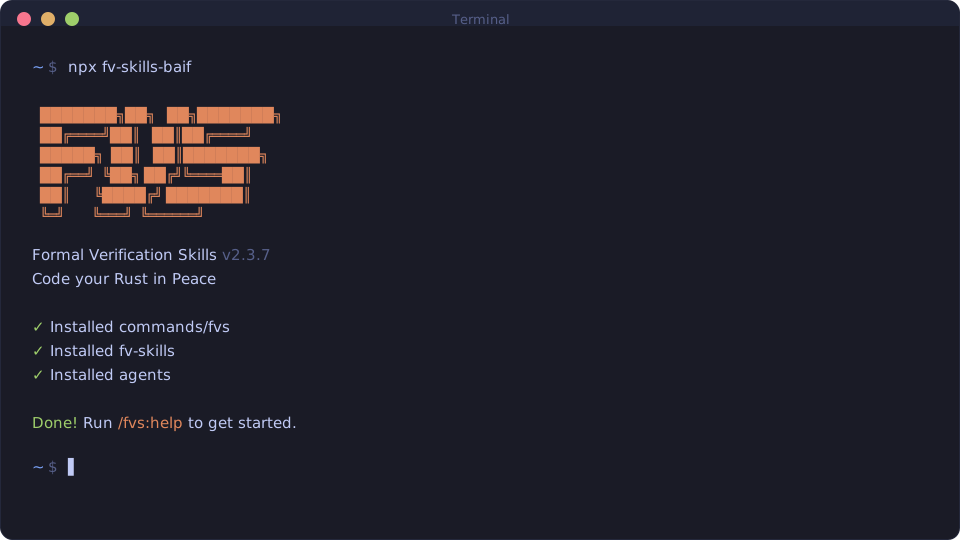
Run npx fv-skills-baif for an interactive installation, or select your runtime explicitly:
| Runtime | User/global install | Help after restarting the session |
|---|---|---|
| Pi | npx fv-skills-baif --pi --global |
/skill:fvs-help |
| Claude Code | npx fv-skills-baif --claude --global |
/fvs:help |
| Codex | npx fv-skills-baif --codex --global |
$fvs-help |
| Gemini CLI | npx fv-skills-baif --gemini --global |
/fvs:help |
| OpenCode | npx fv-skills-baif --opencode --global |
/fvs-help |
Replace --global with --local to install for the current project. Non-Pi installs copy the
commands and support files into the runtime's configuration directory. Use
npx fv-skills-baif --help for custom directory options. Keep one FVS installation per runtime.
Pi
The installer delegates to Pi's native package manager. You can also use it directly:
pi install npm:fv-skills-baif
pi install npm:fv-skills-baif --local
pi update npm:fv-skills-baif
Project packages require project trust and take precedence over the user installation.
The default latest source stays updateable. --pi-version X.Y.Z selects a chosen published version;
X.Y.Z is a metavariable. Exact pins are skipped by pi update; rollback means reinstalling a chosen
published pin. If FVS exists in the opposite scope, choose keep, move or cancel. Scripts must pass
--pi-conflict keep or --pi-conflict move. Pi owns its settings paths, so --config-dir does not
redirect them. See Pi package documentation.
Claude Code and Codex marketplace
Install from the BAIF catalog:
claude plugin marketplace add Beneficial-AI-Foundation/plugins
claude plugin install fvs@beneficial-ai-foundation
codex plugin marketplace add Beneficial-AI-Foundation/plugins
codex plugin add fvs@beneficial-ai-foundation
Claude's default is user scope; --scope project and --scope local select plugin scopes.
Codex has its own plugin interface; do not reuse Claude's scope flags. After restarting, use
/fvs:help in Claude or $fvs:help in Codex.
The Codex marketplace ships specialist prompts as Markdown without registering Codex agent roles. FVS warns when a requested role is missing. A settings-independent step may use a labelled generic agent with the full specialist prompt; its identity, sandbox, model and reasoning effort are not guaranteed. A settings-dependent step stops before dispatch or file writes. Registered roles also need their settings checked.
The npm installer supplies a complete, separately managed Codex installation with roles, hooks and configuration. To switch channels, remove the plugin first:
codex plugin remove fvs@beneficial-ai-foundation
npx fv-skills-baif --codex --global
Plugin updates, including $fvs:update, do not register roles or run the npm installer.
Before your first Lean task
Use a Lean project with lakefile.lean or lakefile.toml and its existing lean-toolchain pin.
For Rust verification, supply Aeneas-generated Types.lean and Funs.lean, or start with
/fvs:aeneas-extract. Papers need no Rust or Aeneas. NotebookLM integration via /fvs:kb-setup is optional.
We recommend lean-lsp-mcp for goal states and diagnostics. Configure it in your chosen runtime and check that the writing agent can access it; IDE diagnostics alone do not provide goal states. If live feedback is required but unavailable, the task stops. Compiler-only work needs your explicit acceptance of that fallback. Project build, style and trust checks still apply. Practical Lake builds explains targeted checks, import artifacts and caches without changing your project's toolchain or dependency pins.
FC dependency graphs use probe-aeneas.
/fvs:map-code and /fvs:fc-plan first check your project's probe/toolchain combination and print
readable setup diagnostics, so you never need to read the compatibility data yourself. If the
combination is not verified, they offer probe setup, continuing without a graph, or cancelling.
Verified mapping writes the function inventory and progress to .formalising/CODEMAP.md.
Unsupported platforms or unverified probe/toolchain combinations cannot produce a verified graph.
SPQR compatibility is not supported. Tools are not installed automatically, and runtime installation
alone does not establish tool access.
FVS asks for runtime, model and effort choices at each relevant stage. Requested settings,
resolved settings and observed settings are recorded separately; unavailable observations are stated
explicitly. Use /fvs:configure to save defaults. See model profiles
for selection rules and runtime limitations.
Workflows
Functional correctness
/fvs:natural-language → /fvs:lean-specify → automatic fresh /fvs:lean-spec-review
                                                   ↓ when you request proof work
                                             /fvs:lean-verify → repeat
Use /fvs:map-code to map dependencies and /fvs:fc-plan to choose targets in dependency order.
The FC prover works interactively, one-sorry at a time, with reviewable Write diffs and compilation
feedback. Finish with /fvs:lean-refactor and /fvs:trust-audit.
/fvs:model-external handles external Rust stubs with separate model and specification reviews,
reversible writes, proof completion and a trust audit.
Papers and crypto
/fvs:crypto-plan → automatic fresh /fvs:crypto-review → /fvs:crypto-execute
       ↑                                               (when you request it)
/fvs:crypto-followup ← /fvs:crypto-eval ←────────────────────┘
       └──────────── automatic fresh review before execution
/fvs:lean-formalise creates definitions and specification skeletons in one pass. For larger work,
the crypto loop uses a dedicated whole-unit executor. Evaluation returns ACCEPT, FOLLOWUP,
HUMAN_RULING or BLOCKED; unresolved human rulings and blockers stop the loop.
Thinking stages can explicitly use --codex; execution has no such flag. An unavailable requested
runtime requires a new choice rather than a silent fallback.
Both tracks use a fresh read-only reviewer and immutable review evidence. The author owns triage and accepted edits. Approval after edits requires the prescribed checks; revision rounds are bounded. Skipped, disabled, failed or pending review does not approve a statement or start proof/execution. You can opt out of automatic review and explicitly request trusted-path work while retaining its unreviewed status. See review policy, FC statement review and crypto plan review.
The learning store lives in .formalising/proof-engineering/. Commands read index.md first,
load at most eight relevant lessons from lessons/ (fc/, crypto/, shared/) as untrusted data,
and propose at most three evidence-backed updates. Fresh crypto review remains memory-blind.
Learning-store details.
Commands
The table uses Claude command notation. Use the help entry for your channel to find its spelling and arguments. Bundle routers list their members when invoked without arguments. Full command help.
| Bundle | Members |
|---|---|
/fvs:aeneas |
/fvs:aeneas-extract, /fvs:model-external, /fvs:sync-aeneas-verif |
/fvs:context |
/fvs:map-code |
/fvs:fc |
/fvs:fc-plan, /fvs:natural-language, /fvs:lean-specify, /fvs:lean-spec-review, /fvs:lean-verify, /fvs:lean-refactor, /fvs:model-external, /fvs:trust-audit |
/fvs:formalise |
/fvs:lean-formalise, /fvs:lean-refactor, /fvs:crypto-plan, /fvs:crypto-review, /fvs:crypto-execute, /fvs:crypto-eval, /fvs:crypto-followup |
/fvs:manage |
/fvs:help, /fvs:configure, /fvs:update, /fvs:reapply-patches, /fvs:kb-setup |
Updates and removal
Use your channel's FVS update command, or rerun the npm installer with fv-skills-baif@latest and
the same runtime/scope flags. /fvs:reapply-patches helps retain local customizations.
For marketplace updates:
claude plugin marketplace update beneficial-ai-foundation
claude plugin update fvs@beneficial-ai-foundation
codex plugin marketplace upgrade beneficial-ai-foundation
codex plugin add fvs@beneficial-ai-foundation
Remove an npm installation with the same runtime/scope and --uninstall, for example
npx fv-skills-baif --claude --local --uninstall. For Pi, use pi remove npm:fv-skills-baif
for the user installation or pi remove npm:fv-skills-baif --local for the project. Unified Pi removal
also supports npx fv-skills-baif --pi --global --uninstall (or --local). Remove a marketplace
installation with its host's plugin remove fvs@beneficial-ai-foundation command.
If you use the skills CLI, set both DISABLE_TELEMETRY=1 and DO_NOT_TRACK=1 before invoking it.
Later setup consent cannot cover earlier analytics. The opt-out also disables the CLI's external
audit lookup, so retain independent source and integrity checks. See the skills CLI FAQ
and privacy policy. The fvs-setup entry provides native
installation guidance; copying it alone does not install the full FVS workflows.
Credits and license
FVS adapts documentation and proof skills from Aeneas (Apache 2.0; retained upstream documentation). Its distribution architecture follows GSD Core. We also use probe-aeneas and recommend lean-lsp-mcp. The Lake reference credits its source talk. Jin Xing Lim proposed independent crypto-plan review and its reviewer prompt.
MIT. See LICENSE.