pi-copy-soft-wrap
Pi extension that fixes unwanted newlines when copying soft-wrapped text from the fullscreen TUI
Package details
Install pi-copy-soft-wrap from npm and Pi will load the resources declared by the package manifest.
$ pi install npm:pi-copy-soft-wrap- Package
pi-copy-soft-wrap- Version
0.1.2- Published
- Sep 2, 2026
- Downloads
- not available
- Author
- hburaktasyurek
- License
- MIT
- Types
- extension
- Size
- 9.1 KB
- Dependencies
- 0 dependencies · 2 peers
Pi manifest JSON
{
  "image": "https://raw.githubusercontent.com/hburaktasyurek/pi-copy-soft-wrap/main/assets/demo.png",
  "extensions": [
    "./extensions/index.ts"
  ]
}Security note
Pi packages can execute code and influence agent behavior. Review the source before installing third-party packages.
README
pi-copy-soft-wrap
Copy text, not terminal wraps.
Fix unwanted newlines when copying mouse selections from Pi's fullscreen TUI.


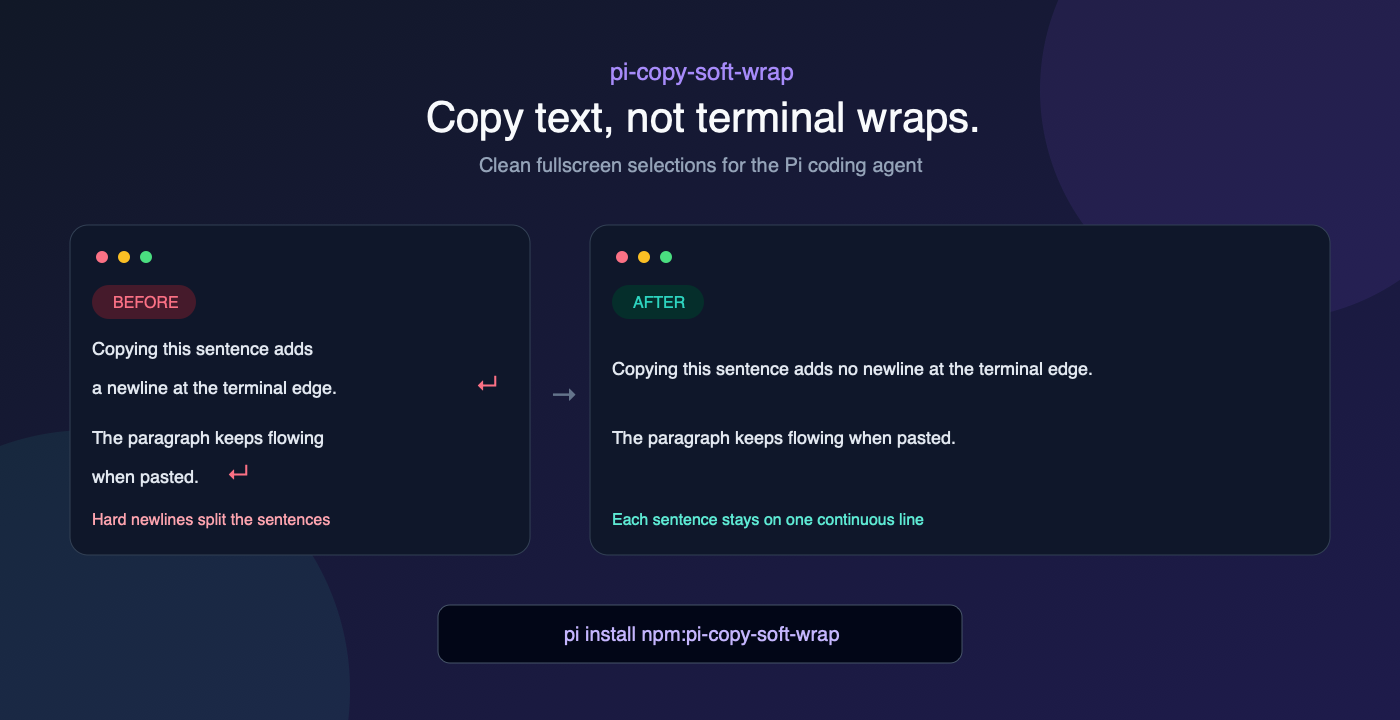
The problem
Long Pi responses wrap to fit the terminal. In fullscreen mode, copying a mouse selection can turn those visual wraps into real newlines:
A sentence that only wrapped because it reached the terminal
edge pastes as multiple lines.
pi-copy-soft-wrap cleans the selection before it reaches your clipboard. It joins likely visual wraps while keeping obvious paragraphs, lists, block quotes, tables, and code on separate lines.
No command or new keybinding is required. Select text and copy as usual.
Quick start
1. Install
pi install npm:pi-copy-soft-wrap2. Use Pi in fullscreen mode
Try it once:
pi --tui-mode fullscreenOr make it permanent in ~/.pi/agent/settings.json:
{
  "tuiMode": "fullscreen"
}
3. Restart Pi and copy normally
Drag to select text with your mouse, then paste it anywhere. The extension runs automatically.
Already using fullscreen mode? Install the package, restart Pi, and you are done.
What it handles
- Wrapped prose is joined with spaces.
- Long URLs are joined without inserting spaces.
- Blank lines and Markdown structure stay on separate lines.
- Lists, block quotes, tables, and obvious code keep their line breaks.
Limitations
Pi currently does not expose whether each rendered row ended with a visual wrap or a real source newline. This extension therefore uses a conservative heuristic rather than changing Pi's stored messages.
- Fullscreen only: regular-mode selection is owned by your terminal and cannot be intercepted by a Pi extension.
- Ambiguous text: an intentional single newline inside plain prose may be treated as a visual wrap.
- Private API: the extension patches Pi's internal fullscreen selection method. A future Pi update may require a compatibility update.
The original session content is never modified—only the selected clipboard text is normalized.
Troubleshooting
Copying still adds newlines
Confirm that Pi is running in fullscreen mode:
pi --tui-mode fullscreenThen restart Pi after installing or updating the package.
Disable or uninstall
pi remove npm:pi-copy-soft-wrapRestart Pi afterward. If a Pi update breaks the extension, open an issue with your Pi version, terminal, and a short copy/paste example.
In fullscreen mode, Pi owns text selection through TuiAltScreen. The extension wraps its internal getActiveSelectionText() method and normalizes the selected text immediately before Pi copies it. It does not patch Pi's files, replace clipboard tools, or alter model/session data.
Relevant upstream discussions: #5931, #8019, PR #7721, and PR #8407.
Development
npm test
pi -e . --tui-mode fullscreen