pi-design-mode
Pi 的本地 HTML 设计工作区:组件、tokens、版本历史和交互原型导出。
Package details
Install pi-design-mode from npm and Pi will load the resources declared by the package manifest.
$ pi install npm:pi-design-mode- Package
pi-design-mode- Version
0.3.2- Published
- Sep 14, 2026
- Downloads
- 685/mo · 685/wk
- Author
- nyn5255
- License
- MIT
- Types
- extension
- Size
- 111.3 KB
- Dependencies
- 0 dependencies · 3 peers
Pi manifest JSON
{
  "image": "https://liush2yuxjtu.github.io/pi-design-mode/demo-en.gif",
  "extensions": [
    "./extensions/html-studio/usage-entry.ts"
  ]
}Security note
Pi packages can execute code and influence agent behavior. Review the source before installing third-party packages.
README
Pi Design Mode
English · 简体中文 · Website & demo
A local HTML design workspace inside Pi. Edit tokens and components, keep revisions, and export interactive HTML.
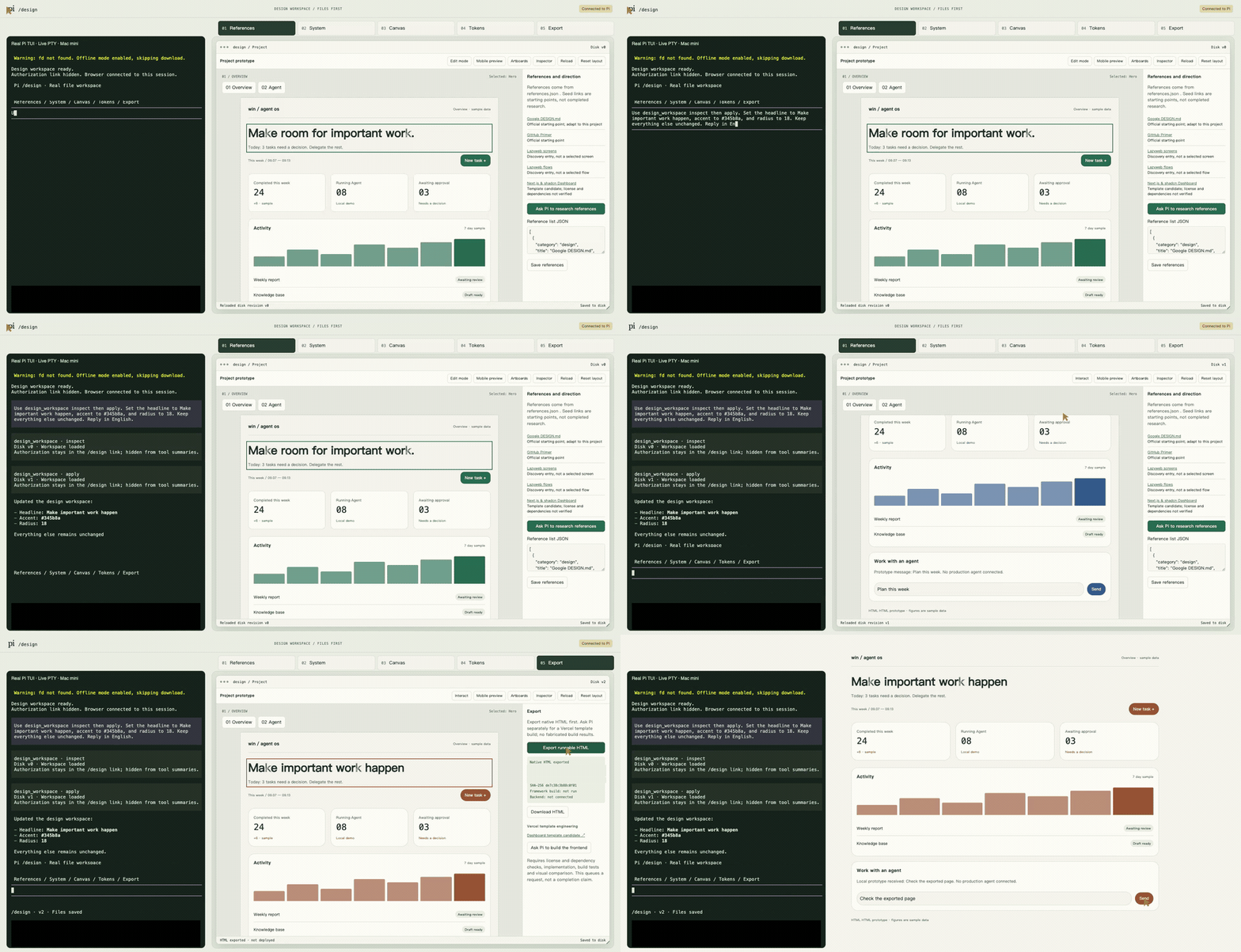
English · inline demo
中文 · 内嵌演示
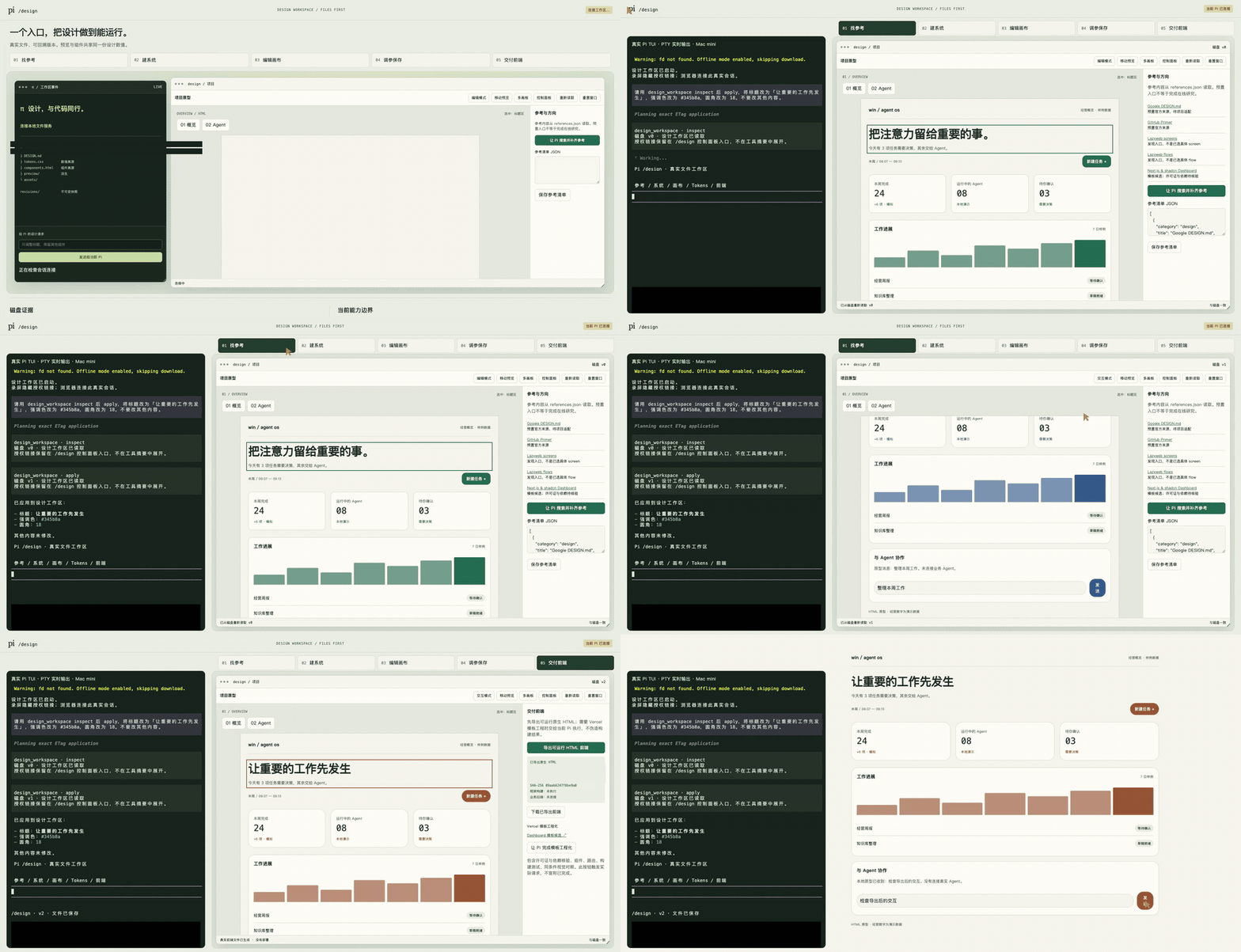
Both GIFs animate inline without opening another page. Reduced to 960px / 8 fps for size; the original full-resolution MP4 recordings remain below.
Watch in English · English MP4 · 中文视频
Two real recordings: the new 70-second English demo and the unchanged, approved 63-second Chinese original. Both show real Pi TUI on the left and HTML on the right, including actual inspect/apply calls, edits, and export. No title cards or subtitles. Private paths and provider details are masked.
Installation
Requires macOS, Node.js 22+, and Pi. Integration tests target Pi 0.85.1; other versions are not verified.
pi install npm:pi-design-mode@0.3.1
For the English interface, start Pi from your project directory with:
PI_DESIGN_LANGUAGE=en pi
Then enter /design and follow the control-panel link. Chinese remains the default when the variable is unset. Restart Pi when changing this environment setting. It localizes the editor chrome and new sample workspaces, not your existing design content or your model's language preference. Existing projects are never automatically translated. Some diagnostic messages and workflow instructions remain Chinese. The extension does not automatically open a browser.
Update an unpinned npm installation:
pi update npm:pi-design-mode
For a pinned installation, run the versioned install command again. Do not load a manually installed /design extension alongside this package. Disable duplicate entries in pi config, keeping existing project files.
Features
- Preview accent, radius, spacing, and existing light/dark themes.
- Select supported components, edit a headline, and switch metric grids or lists.
- Lock the headline; undo, redo, and compare drafts against the saved version.
- Save persistent revisions, restore history, and detect conflicting edits.
- Send browser requests to the current Pi session without spawning subagents.
- Export interactive HTML/CSS/JS with a SHA-256 receipt. No deployment required.
Edit mode selects components. Interaction mode operates the prototype. Browser drafts reach disk when you apply them. A Pi design_workspace apply call also writes to disk.
Sources of truth
Project files live in .pi-design/. When started from the user's home directory, the workspace uses ~/projects/pi-design-workspace/.pi-design/ instead.
.pi-design/
  design-system/
    manifest.json
    DESIGN.md
    tokens.css
    components.html
    preview/
    assets/
  revisions/
  frontend-v1/
tokens.css owns design values. components.html owns component design and references those tokens. Documentation, previews, and exported frontends follow these sources, not the other way around.
Commands
/design
/design edit Change the accent to blue
/design reference Find references for this project
/design system Audit the current tokens and components
/design frontend Turn the approved design into a runnable frontend
/design-stop
Requests go to the current model. The extension does not bundle a search service or an engineering-generation engine. Complete reference, system-audit, and framework-build workflows have not been validated end to end. The bundled WORKFLOW.md describes the contract without requiring the author's private skills or configuration.
Limits
- Edits supported sample components, not arbitrary HTML or arbitrary elements.
- Both artboards derive from the same component source, not separate applications.
- Business figures are samples. Chat is a local echo, not a production agent backend.
- Native HTML export is not a Next.js/Vercel conversion, framework build, or deployment.
- Seed references are candidates or discovery entry points, not completed research.
- Saving recreates preview iframes and may reset their internal scroll. Narrow Chinese buttons may wrap. These UI issues remain unresolved.
- Version 0.2 replaces the 0.1 SVG entry point with the HTML workspace. Old SVG drafts are preserved but not migrated. Install
pi-design-mode@0.1.0if you need the old workflow.
Permissions and privacy
Pi extensions run with the operating-system user's permissions. This is not an OS sandbox. The workspace binds only to 127.0.0.1; APIs use a random capability token and Host/Origin checks. Preview iframes use sandbox and CSP restrictions.
No custom telemetry or usage analytics. Model requests use your existing Pi provider and its privacy and billing policies. Do not share capability links or expose the server publicly. See SECURITY.md.
Uninstall
First use /design-stop to close the workspace server, then:
pi remove npm:pi-design-mode
Uninstalling does not delete designs, revisions, or exports under .pi-design/.
Development and verification
npm ci
npm test
npm run check
npm run test:extension
npm pack --dry-run
Tests cover revisions, conflicts, headline locks, symlinks, transaction recovery, HTTP authorization, exports, and the official Pi loader and session lifecycle. Integration tests do not invoke a model. Browser regression checks are available in tools/check-ui.py (editor) and tools/check-site.py (landing page), with an external Playwright Python installation. The inline GIF check also needs Pillow; pinned dependencies and isolated-environment setup are documented in media verification.
The website is static HTML/CSS/JS in site/. The earlier UI-only recording harness is in tools/demo-video/; it is not the source of either selected TUI video. The Chinese video reuses the approved original; the English video is a new real TUI session using the shipped English locale. Both were recorded and privacy-processed on the maintainer's Mac mini. Media is not included in the npm runtime tarball.
Support and license
Issues · npm · Pi Gallery · Publishing
MIT. Maintained by @liush2yuxjtu.