pi-gpt-fast-mode
Pi extension to control OpenAI's GPT service tier (priority/flex/default/auto) for GPT-5.4 / GPT-5.5, with subagent hand-off.
Package details
Install pi-gpt-fast-mode from npm and Pi will load the resources declared by the package manifest.
$ pi install npm:pi-gpt-fast-mode- Package
pi-gpt-fast-mode- Version
0.1.2- Published
- Jun 23, 2026
- Downloads
- 240/mo · 125/wk
- Author
- devwithpug
- License
- MIT
- Types
- extension
- Size
- 27 KB
- Dependencies
- 0 dependencies · 1 peer
Pi manifest JSON
{
  "extensions": [
    "./index.ts"
  ],
  "image": "https://raw.githubusercontent.com/devwithpug/pi-gpt-fast-mode/main/assets/preview.png"
}Security note
Pi packages can execute code and influence agent behavior. Review the source before installing third-party packages.
README
pi-gpt-fast-mode
A pi extension that controls OpenAI's service tier for GPT-5.4 / GPT-5.5 from inside pi.
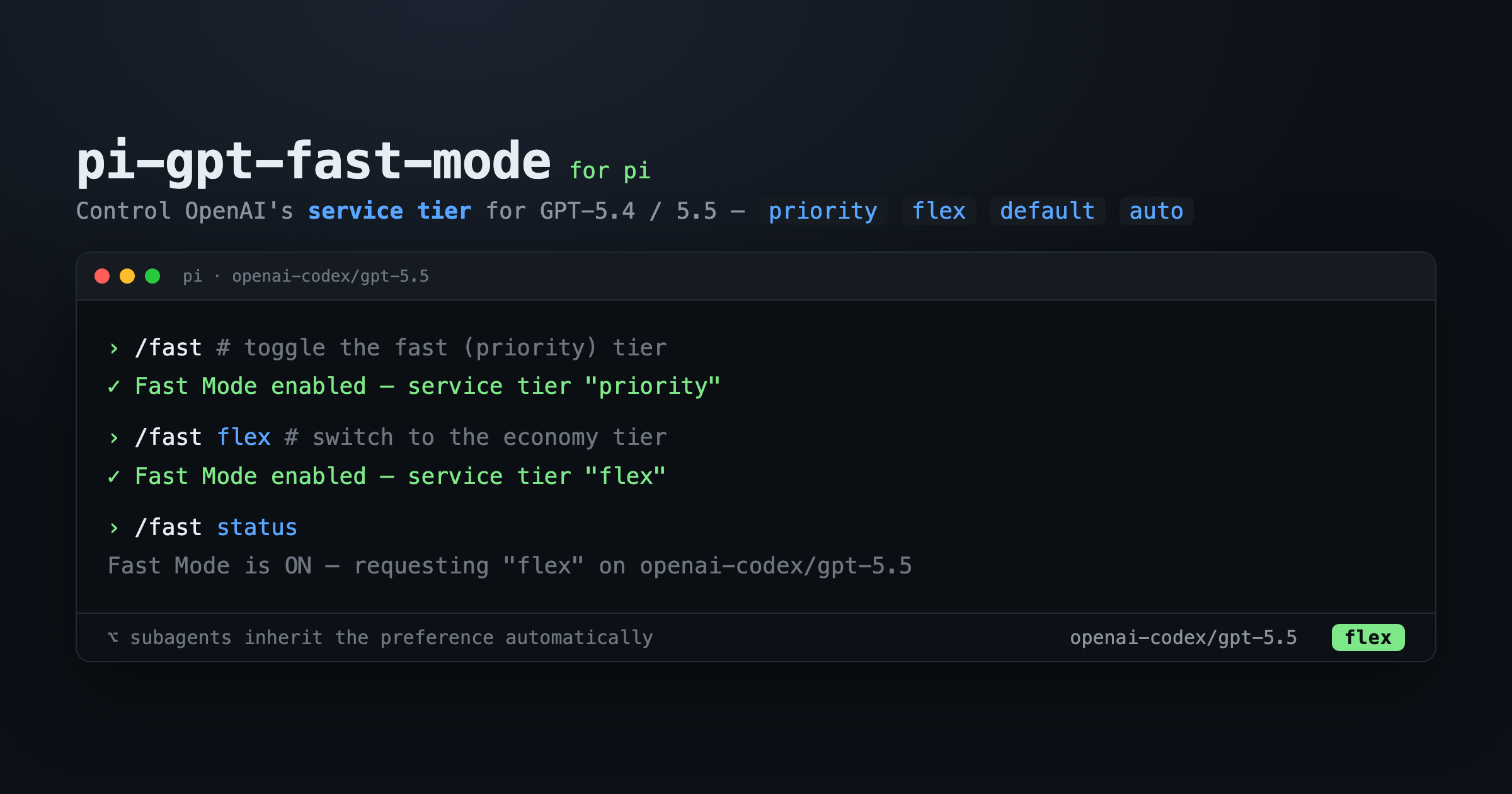
Unlike a simple on/off "fast mode", this lets you pick the tier:
priority— faster, premium (the classic "fast mode")flex— cheaper, slower (economy)default— standardauto— let OpenAI choose
It shows the active tier in the TUI and hands the preference off to subagents automatically.
Install
pi install npm:pi-gpt-fast-modeOr install from git:
pi install git:github.com/devwithpug/pi-gpt-fast-modeTry it for a single run without installing:
pi -e npm:pi-gpt-fast-modeUsage
/fast            # toggle Fast Mode (uses the selected tier, default: priority)
/fast on         # enable
/fast off        # disable
/fast priority   # select the fast/premium tier and enable
/fast flex       # select the economy tier and enable
/fast default    # standard tier and enable
/fast auto       # let OpenAI choose, and enable
/fast status     # report current state and tier
Start pi with Fast Mode already requested (priority tier):
pi --fastHow it behaves
The extension separates what you want from what is applied:
- desired — you asked for Fast Mode (
/fast,--fast, or persisted config) - active — desired and the current model is supported → requests get
service_tier: <tier>
Switching to an unsupported model temporarily stops the request without losing your preference or your selected tier. Switch back to a GPT-5.4/5.5 model and it resumes.
Subagents
Turn Fast Mode on once in your parent pi session, then launch subagents as
usual. The preference is exported as the PI_GPT_FAST_MODE environment variable
(1 / 0), which child pi processes inherit on startup. A subagent only sends
the tier request when it is also on a supported model.
Parent on an unsupported model is fine. If your parent session runs a
non-GPT model (e.g. Claude) and you only use GPT-5.4/5.5 in subagents, just run
/fast in the parent anyway. The preference is still recorded and handed off —
the parent simply won't request a tier for itself, but subagents on GPT-5.4/5.5
will. The TUI indicator shows fast⇢ in that "armed" state to signal the
preference is passed downstream.
To verify, ask a subagent to print PI_GPT_FAST_MODE; 1 means the preference
was handed off.
Supported models
By default:
[
  "openai/gpt-5.4",
  "openai/gpt-5.5",
  "openai-codex/gpt-5.4",
  "openai-codex/gpt-5.5"
]
Model keys must match pi's exact provider/model key.
Configuration
Config files are resolved in this order (first that exists wins):
- Project:
.pi/extensions/pi-gpt-fast-mode.json - User:
~/.pi/agent/extensions/pi-gpt-fast-mode/config.json
{
  "persist": false,
  "desired": false,
  "tier": "priority",
  "models": [
    "openai/gpt-5.4",
    "openai/gpt-5.5",
    "openai-codex/gpt-5.4",
    "openai-codex/gpt-5.5"
  ],
  "indicator": "status"
}| Field | Default | Meaning |
|---|---|---|
persist |
false |
Remember the on/off choice and tier between pi runs. |
desired |
false |
Saved preference (only honored when persist is true). |
tier |
"priority" |
Service tier: priority, flex, default, or auto. |
models |
see above | Exact provider/model keys allowed to use Fast Mode. |
indicator |
"status" |
TUI feedback: status, widget, or off. |
Fast Mode starts disabled and session-only by default. Set
"persist": true to remember your choice between runs.
How it differs from similar extensions
The core mechanism — injecting service_tier via before_provider_request — is
necessarily the same as other OpenAI fast-mode extensions. This one adds:
- Multi-tier control (
priority/flex/default/auto) instead of a single hardcodedprioritytoggle, so it doubles as an economy (flex) switch. - A
/fast statussubcommand and a tier-aware TUI indicator.
Troubleshooting
I turned Fast Mode on but I don't see the indicator.
Check that your current model is in models, and that indicator is not off.
My choice isn't remembered after restart.
Set "persist": true in your config.
Does this guarantee faster responses? No. It requests a service tier when possible. Actual latency, availability, and billing depend on OpenAI and your account. Not every model/account supports every tier; OpenAI rejects unsupported tiers.
Development
npm install
npm run check   # typecheck + tests
License
MIT © devwithpug
Inspired by pi-openai-fast-mode and pi-openai-fast.