pi-minimal-footer
A minimal footer extension for pi — clean status line with path, skills, model, and context usage.
Package details
Install pi-minimal-footer from npm and Pi will load the resources declared by the package manifest.
$ pi install npm:pi-minimal-footer- Package
pi-minimal-footer- Version
0.1.2- Published
- Sep 1, 2026
- Downloads
- 199/mo · 176/wk
- Author
- ryu-cz
- License
- MIT
- Types
- extension
- Size
- 190.8 KB
- Dependencies
- 0 dependencies · 2 peers
Pi manifest JSON
{
  "extensions": [
    "./extensions"
  ],
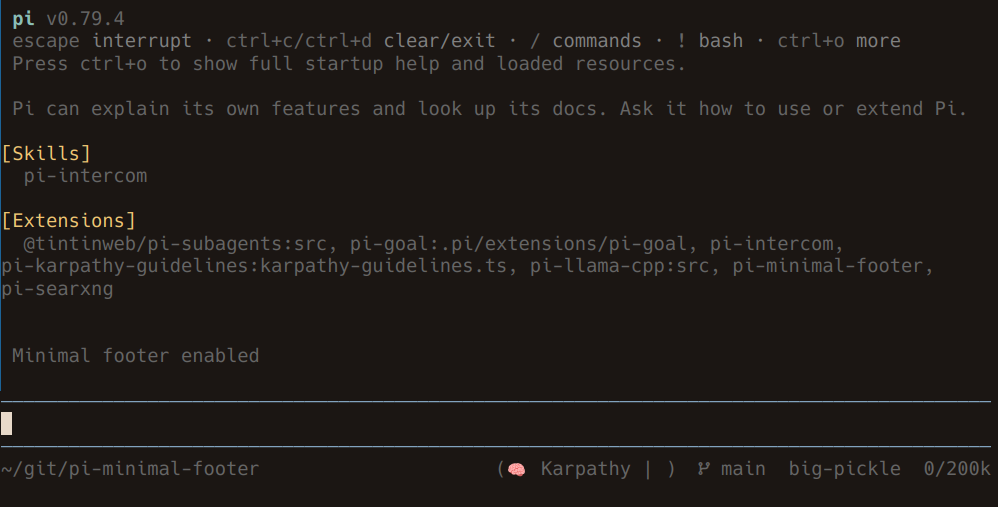
  "image": "https://raw.githubusercontent.com/Ryu-CZ/pi-minimal-footer/main/media/preview.png"
}
Security note
Pi packages can execute code and influence agent behavior. Review the source before installing third-party packages.
README
pi-minimal-footer
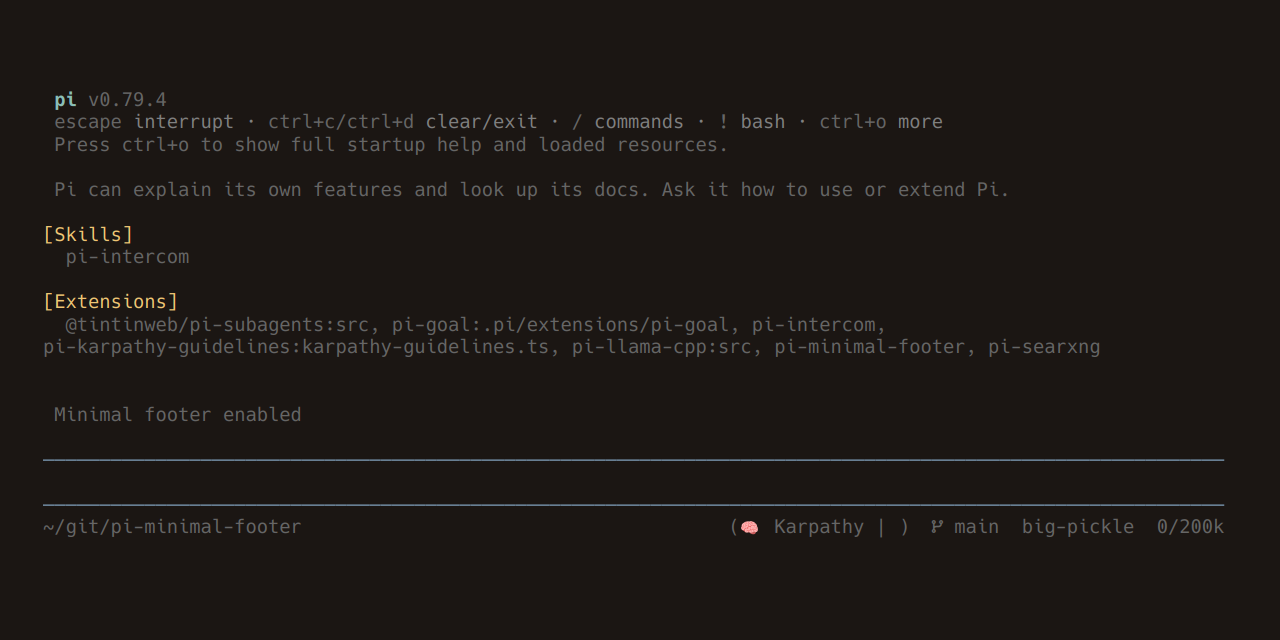
A clean, compact one-line footer for Pi.
~/path/to/dir (skill1 | skill2) main sonnet 12/128k
Install
Available on the Pi package gallery.
# From npm (recommended)
pi install npm:pi-minimal-footer

# From git
pi install git:github.com/Ryu-CZ/pi-minimal-footer

# Manual — copy into your extensions directory
cp -r extensions/* ~/.pi/agent/extensions/

# Development — symlink for live edits
ln -s "$PWD/extensions" ~/.pi/agent/extensions/minimal-footer
Features
- Working directory — relative path from home (
~/...) - Active skills — extensions reporting their current status
- Git branch — current branch name
- Model — active model ID
- Context usage — tokens used / context window (e.g.,
12/128k)
Commands
| Command | Description |
|---|---|
/minfooter |
Toggle the extension on/off |
/minfooter on |
Enable |
/minfooter off |
Disable |
The
/minfootercommand only toggles theenabledflag. To show or hide individual segments, edit~/.pi/agent/settings.jsondirectly.
Configuration
Settings live in ~/.pi/agent/settings.json under the minFooter key:
{
  "minFooter": {
    "enabled": true,
    "showGitBranch": true,
    "showSkills": true,
    "showPath": true,
    "showModel": true,
    "showContext": true
  }
}