pi-shell-jobs
Supervised shell jobs for Pi: interactive terminals, bounded output, deadlines, reload continuity and completion notifications.
Package details
Install pi-shell-jobs from npm and Pi will load the resources declared by the package manifest.
$ pi install npm:pi-shell-jobs- Package
pi-shell-jobs- Version
0.1.2- Published
- Oct 31, 2026
- Downloads
- 704/mo · 704/wk
- Author
- wuchangming
- License
- MIT
- Types
- extension
- Size
- 271.5 KB
- Dependencies
- 0 dependencies · 3 peers
Pi manifest JSON
{
  "image": "https://raw.githubusercontent.com/wuchangming/pi-shell-jobs/v0.1.2/assets/demo.gif",
  "extensions": [
    "./src/index.ts"
  ]
}
Security note
Pi packages can execute code and influence agent behavior. Review the source before installing third-party packages.
README
pi-shell-jobs


Run long commands and interactive terminals inside Pi,
then keep working. Pi can return to the same process to read output, send input,
or stop it. Jobs have finite lifetimes and bounded output, and survive /reload
within the same Pi process.
Windows · macOS Intel / Apple Silicon · Linux — Node 22.19+ and Pi 1.4+ (before 2.0).
No tmux, WSL or external daemon is required. This is an independent package
adapted from pi-unified-exec; see attribution.
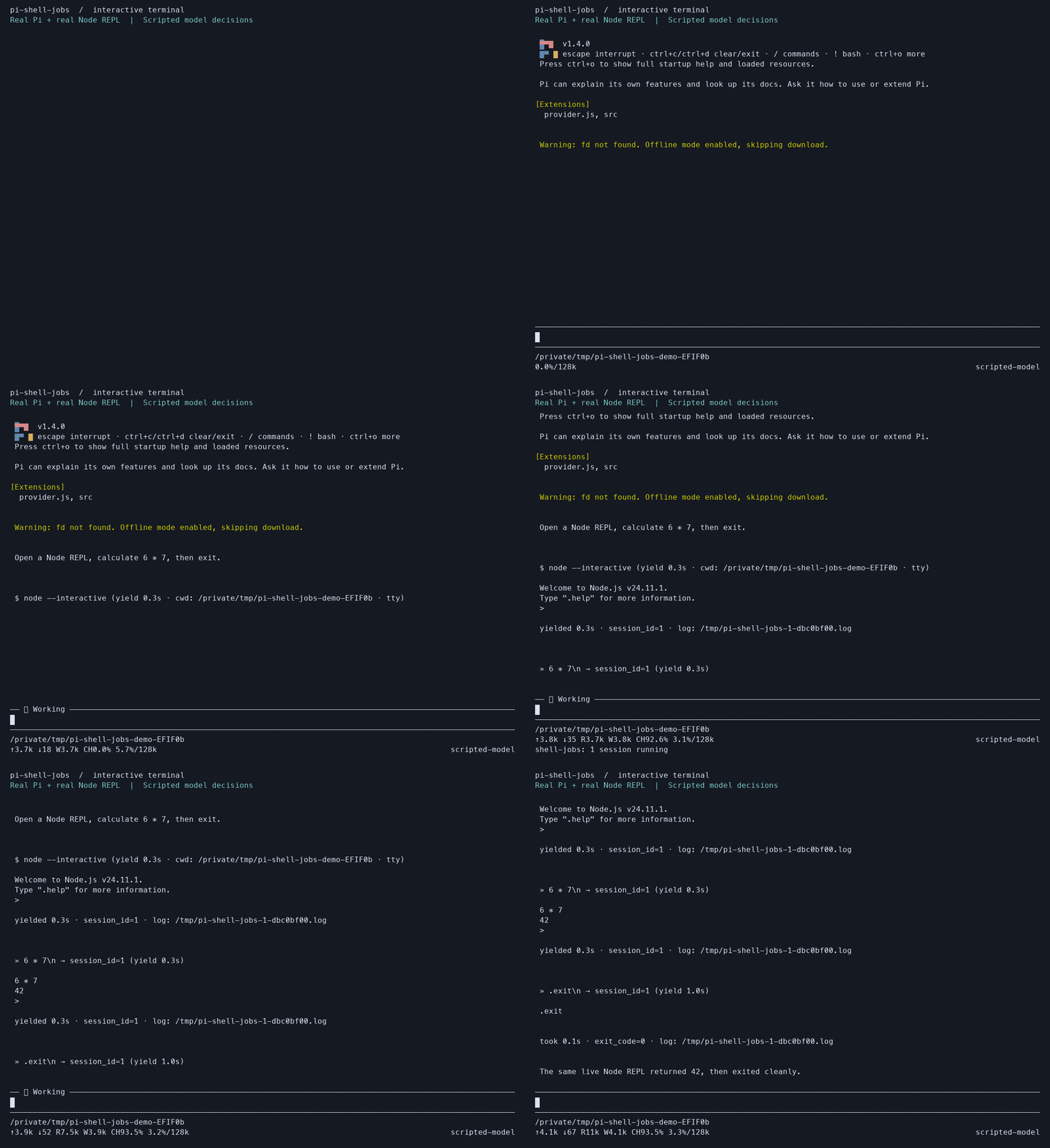
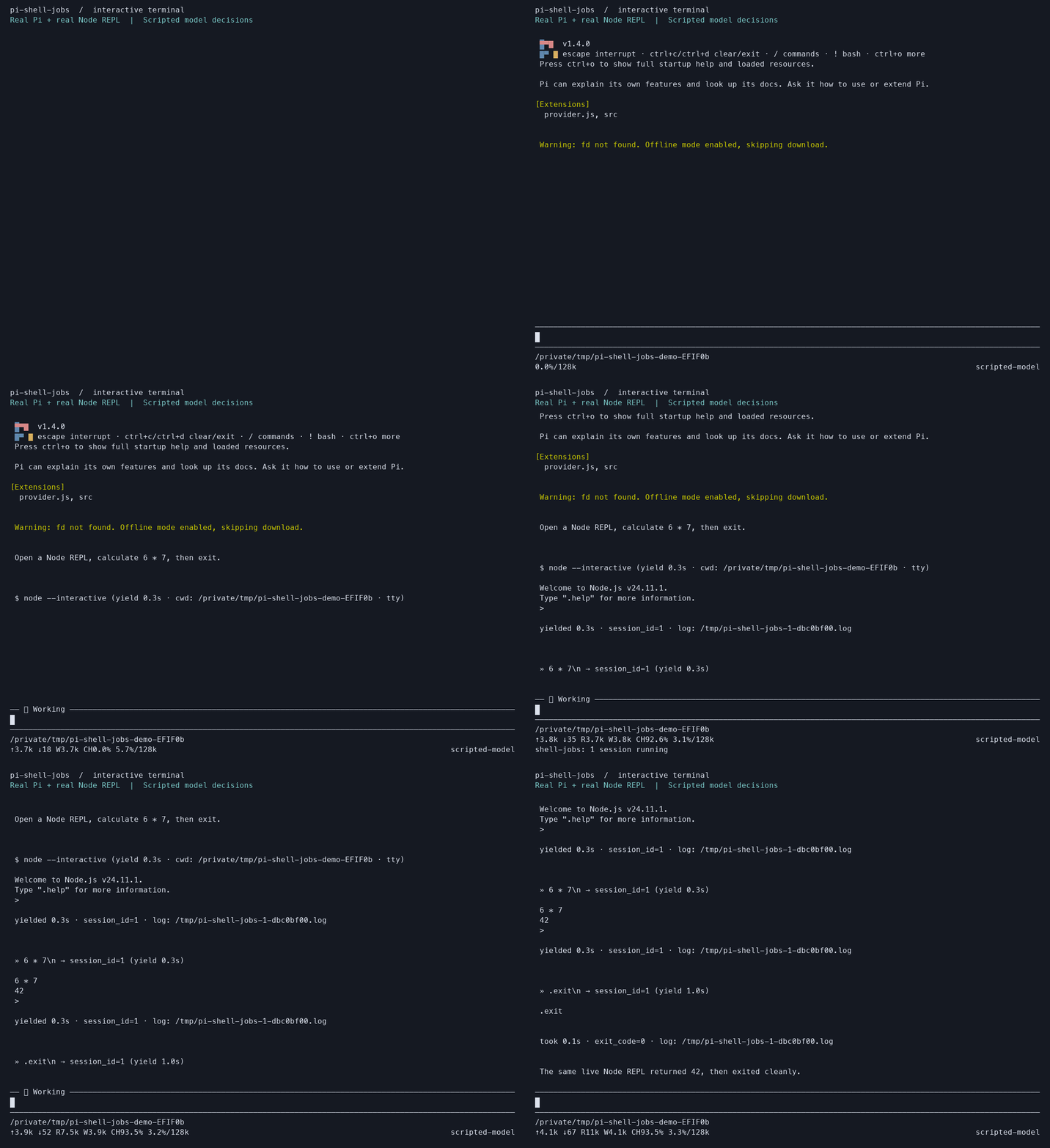
Real Pi, real tools, real Node REPL; model decisions are scripted for a reproducible demo. Static image · Reproduce the recording · Pi package catalog.
Install
With Pi already installed:
pi install npm:pi-shell-jobsStart a new Pi session, or run /reload in the current one. Add --local for a
project-only install. Use npm:pi-shell-jobs@0.1.2 to pin this release.
pi list
pi update npm:pi-shell-jobs
pi remove npm:pi-shell-jobs
To follow development instead, install git:github.com/wuchangming/pi-shell-jobs.
Append @<full-commit-sha> to pin a Git revision. Use the same source when
updating or removing it; choose one installation method to avoid duplicate tools.
The extension replaces the active bash and powershell tools by default.
Use pi --keep-builtin-bash to retain them. Disable other extensions registering
exec_command / write_stdin before enabling this one.
Try it in Pi
Ask Pi:
Run this project's build in the background with a 10-minute hard timeout. Keep the session ID and tell me when it finishes.
Pi uses exec_command with a short yield and on_exit: "wake". The job keeps
running after the tool returns. Completion can resume Pi once; if Pi already
collected the final result, it does not enqueue a second notification.
For finite background work needed to finish your request, Pi is guided to enable
wake without a separate request for notification; services and start-only jobs
stay quiet by default. To check progress now, Pi uses write_stdin with
yield_time_ms: 0. It reads current output immediately without restarting the job.
For an interactive task:
Open a Node REPL in a terminal, calculate 6 × 7, then exit the REPL.
Use /shell-jobs-sessions to inspect live jobs and stop one or all of them.
Esc cancels waiting; it does not kill the job. Explicit stop and normal Pi
shutdown request cleanup. Without opting into wake, completion stays quiet.
For a reproducible walkthrough without project-specific build tools, use the bundled examples. They include a finite progress job and an interactive line reader, both written in plain Node for all supported OSes.
What it provides
| Tool | Purpose |
|---|---|
exec_command |
Start a command; get an exit result or a live session_id. |
write_stdin |
Read output, send input, close pipe stdin, or resize a terminal. |
list_sessions |
Inspect running and retained completed jobs without consuming results. |
set_on_exit |
Enable or disable automatic completion notification. |
kill_session |
Stop a job and report whether its exit was confirmed. |
The attachment window (yield_time_ms) and job lifetime (timeout_seconds)
are independent. Jobs default to a 30-minute hard deadline, with a maximum
explicit lifetime of 24 hours. Quiet output is never treated as a hang.
Logs retain up to 16 MiB per job and 256 MiB per session runtime; results and memory are bounded separately. A full registry refuses new jobs instead of evicting live ones. Logs are temporary files and may contain command output.
Reload continuity is within one running Pi process. It does not restore jobs
after a crash or machine restart. Termination is best effort for process trees;
cleanup: "unconfirmed" explains that limitation. This is not a sandbox.
Documentation
- Recipes: background builds, interactive input, EOF, timeouts and reload.
- Reference: parameters, results, configuration, limits and lifecycle.
- Troubleshooting: installation, PTY loading, Windows shells and missing notifications.
- Testing: real Pi integration, terminal interaction, package installation and CI coverage.
- Design: ownership rules and upstream references.
- Contributing · Changelog
Develop locally
git clone https://github.com/wuchangming/pi-shell-jobs.git
cd pi-shell-jobs
npm ci
pi -e .
pi -e . loads the package for one invocation. To keep the checkout installed,
use pi install /absolute/path/to/pi-shell-jobs. Run npm ci first: Pi does not
install dependencies for local packages.
npm test
npm run test:integration
npm run test:package
npm test includes real Pi CLI and native terminal tests. Package verification
builds a tarball, installs it outside the checkout, registers it with Pi, and
executes the examples through the installed extension. CI runs these checks on
four native platforms with Node 22 and 24. Model responses are scripted locally;
no model credentials or paid requests are needed. See testing
for what this proves and the remaining manual checks.